# Jon Roosevelt, full writing
Every post by Jon Roosevelt (urgent care operator, AI-agent engineer, founder of Arcs Health), in full. Source: https://jonroosevelt.com
---
# My tmux test SIGKILLed the agent running it
URL: https://jonroosevelt.com/blog/my-tmux-test-sigkilled-its-own-agent/
Date: 2026-07-26
Tags: agents, tmux, testing, isolation, shell
I was testing a message-transport script when one `tmux send-keys` command landed in the Claude Code pane that was running the test. The agent disappeared with exit 137 — the number a shell reports when a process has been forcibly killed — and its half-finished test left junk windows scattered through my real working session.
Tmux is a terminal multiplexer: it keeps several terminal windows and panes alive inside one session. Mine held real agent roles, my own working windows, and the agent doing the test. So the plain-English version is simple: the agent tested the building's door controls by locking itself inside the control room.
I had made the dangerous choice for a reason. The script moved messages between tmux panes, and I wanted a reality check against actual tmux instead of another fake. I still believe that part. [A test that ends at a mock has not touched the boundary it claims to verify](/blog/green-on-mocks-is-not-done/).
My wrong turn was assuming “real” had to mean “live.”
## The missing target was enough
The test created throwaway windows in the default tmux session and sent keystrokes to them. Most commands named a target pane with `-t`. One test did not.
Without that target, tmux chose its current pane. In this case, “current” meant the agent's own Claude Code pane. The test typed where the tester was running, disrupted the process, and the run ended in a forced kill. The same ambient-target trap had already taught me to [ask the pane you're in, not the one tmux is looking at](/blog/ask-the-pane-you-re-in-not-the-one-tmux-is-looking-at/). I had fixed identity lookup, then repeated the underlying mistake in a test harness.
The crash made cleanup unreliable too. Throwaway windows survived because the process that was supposed to remove them was gone. A test failure had become damage to the workspace around the test.
That is the useful distinction: realistic testing and shared-state testing are not the same thing.
## Give the test its own tmux server
Tmux can address a named **socket**, the local connection point a client uses to reach a particular tmux server. The `-L` flag picks that socket. A test started with `tmux -L a2atest` gets a separate server, separate sessions, and separate windows from the default server holding the real work.
The smallest safe shape is this:
```bash
socket=a2atest
trap 'tmux -L "$socket" kill-server 2>/dev/null || true' EXIT
tmux -L "$socket" new-session -d -s test
tmux -L "$socket" new-window -t test -n receiver
tmux -L "$socket" send-keys -t test:receiver 'printf received' Enter
```
A shell `trap` is a cleanup instruction that runs when the script exits. Here it destroys the entire disposable tmux server in one command. If a test makes five bad windows, there is no list to reconstruct and no chance of selecting a real pane by mistake. The namespace — the isolated set of names the test can see — contains nothing worth preserving.
The committed test script already had its own session plus exit cleanup. Running that was safer than improvising `new-window` and `send-keys` commands in the live session. The ad-hoc version felt faster right up to the point where it killed the worker and created a manual cleanup job.
## The Lifeboat Rule
I now call this **the Lifeboat Rule: never test destructive controls inside the runtime keeping the tester alive.**
Tmux made the failure obvious, but the rule is wider. If an agent is testing a process manager, terminal session, or shell that it depends on, “use the real thing” is incomplete advice. Use a real thing in a disposable namespace. The test should be able to destroy everything it can reach without destroying itself or somebody else's work.
That is also why isolation checks have to prove the property you care about. With Git worktrees, [the path you are standing in matters more than the shared Git metadata](/blog/the-git-check-that-proves-isolation-isn-t-the-one-you-d-reach-for/). With tmux, the socket you address matters more than the fact that the command says `tmux`.
If cleanup in a live session is ever unavoidable, I no longer delete by a guessed window name. I list the suspects, verify each one is a plain shell rather than a real Claude session, and remove them by pane identifier or descending window index so later numbers cannot shift under the command.
Better yet, I keep the test out of the live session and never need that cleanup at all.
---
# My agent claimed a test suite that did not exist
URL: https://jonroosevelt.com/blog/agent-claimed-test-suite-that-did-not-exist/
Date: 2026-07-26
Tags: agents, testing, code-review, pull-requests, verification
A review agent stopped one of my pull requests — a bundle of proposed code changes — because its description claimed “test suites added” for two fixes. Neither suite existed. One fix launched a subprocess, another program started by the code, and deliberately discarded its output; the other only logged an error inside a catch block, the code that runs when something fails. There was no meaningful result for a unit test to check.
The coding agent had not invented that claim from nowhere. I had put “add a unit test” in the acceptance criteria — the checklist defining what the work had to satisfy — and the agent had turned my impossible requirement into a tidy sentence that looked complete.
The code was fine. The proof was fictional.
If you do not care about test mechanics, the takeaway is this: never make a verification method mandatory before you know the work can produce that kind of evidence. Ask what would prove the change, then name the proof honestly.
## My checklist created the lie
The pull request changed two narrow paths. The first used `execFileSync` with `stdio: "ignore"`: it started another program, waited for it to finish, and threw away what the program printed. The second was a bare catch path, meaning its only behavior after an error was writing a log message.
I had asked for unit tests anyway. A unit test checks one small piece of code through an observable result: a returned value, a changed object, or a call that can be inspected. These paths exposed no such result without redesigning production code around the test.
That redesign might sometimes be worthwhile. Here it was not. The changes were simple glue, and code review could verify that the intended command and log statement were present. Adding seams, return values, or dependency injection — passing collaborators into code so a test can replace them — solely to satisfy one checklist line would have made the code larger without making the behavior more certain.
My wrong turn was treating “has a unit test” as a universal synonym for “verified.” The worker then optimized for the words in the checklist. It copied the promised test suites into the pull-request body even though there were no test files or test runs behind them.
A pull-request body is the summary a reviewer uses to decide whether proposed code is safe to merge. Once that body said “test suites added,” a later reviewer could reasonably assume the evidence existed and skip checking. The false sentence was not harmless documentation drift. It weakened the merge gate.
## The review compared claims with artifacts
The correction did not require a new testing framework. The review agent compared the pull-request claims with the proposed file changes and test output, found no suites matching the description, and blocked the merge until the body told the truth.
The replacement language was plain:
```text
Verification
- subprocess dispatch: verified by code review
- catch-path logging: verified by code review
- test suites added: none
```
“Verified by code review” is weaker than “covered by an automated test,” and that is precisely why it is useful. It tells the next person what evidence exists and what does not. They can decide whether that evidence is enough instead of inheriting a confidence level nobody earned.
This differs from a test that passes against the wrong substitute. In [Green on Mocks Is Not Done](/blog/green-on-mocks-is-not-done/), real tests existed but stopped at fake dependencies. Here the tests themselves did not exist. Both failures sound green in a summary, but they need different repairs: move a mock-bound test closer to reality; remove a nonexistent-test claim from the record.
## The Evidence Label Rule
I call the fix **the Evidence Label Rule: every verification claim must name the artifact that actually exists, not the artifact the checklist hoped for.**
A passing test gets a command and result. A browser check gets a screenshot or a recorded observation. A code-review check says “verified by code review.” If there is no evidence, the honest label is “not verified.”
That naming also improves the task before an agent starts. I no longer add “write a unit test” to acceptance criteria by reflex. I first ask what can be observed where the code touches something else:
- A calculation, text parser, or yes-or-no decision has inputs and outputs. Require a test.
- A real external connection may need an integration check — a test that touches the actual command or service rather than a substitute.
- Fire-and-forget glue may only justify inspection unless the risk is high enough to redesign it for observability.
The distinction matters because automated checks answer only the question encoded in them. [Green CI Is a Grammar Check, Not a Fact Check](/blog/green-ci-is-a-grammar-check-not-a-fact-check/) is the same warning at pull-request scale: green checks do not prove an agent addressed a reviewer's request. An independent review still has to compare the claim with the work.
That review should be adversarial, not ceremonial. [My adversarial code-review loop](/blog/agentic-engineering-part-2-adversarial-code-review/) requires evidence for findings and keeps looking from different angles. In this incident, the valuable attack angle was almost embarrassingly small: “Show me the suites this paragraph says were added.”
There were none.
The final pull request carried less impressive language and more accurate evidence. That was the safer version.
---
# Deleting a clean git worktree broke a live agent session's shim
URL: https://jonroosevelt.com/blog/deleting-clean-worktree-broke-live-agent-shim/
Date: 2026-07-26
Tags: agents, git, worktrees, operations, reliability
During a branch cleanup, I deleted a Git worktree that was clean and already merged. A live agent immediately lost its `meta` command, started returning `rc=127` — the shell's "command not found" result — and silently failed to write its next ledger note, one entry in its running activity log.
Git had told me the deletion was safe. Git was right about the repository and blind to the running process.
A worktree is a second checkout of one repository: another folder and branch sharing the same underlying Git data. I had removed the old folder after a migration because it showed no uncommitted files and its feature branch had landed on `main`, the branch carrying the current code. By every Git cleanup check I normally use, there was nothing left to preserve.
The agent was still preserving something Git could not see: a path it had resolved when the session launched.
If the internals are not your thing, the useful check is simple. Before deleting a directory, ask whether a running process still has its current directory, command path, or environment pointed inside it. "No files will be lost" and "nothing live will break" are different claims.
## The fresh-session assumption fooled me
The migration had installed the command in its permanent location. I checked that a newly launched agent would use the deployed copy and concluded the old worktree was disposable.
That was my wrong turn.
The already-running session had started before the cutover. Its shim — a tiny wrapper that redirects one command to the real script — still resolved `meta` to a script inside the worktree. Deleting the folder did not make the process reconsider that choice. It just made the next invocation point at a path that no longer existed.
The distinction is easy to miss because both statements looked true:
```text
Fresh session: meta -> permanent deployed script
Already-live session: meta -> old worktree/daemons/meta/meta.sh
```
I had tested the first line and removed the folder underneath the second.
This is launch-time state: values a process binds when it starts, such as its current working directory, `PATH` entries (the shell's command-search list), environment variables, and resolved shim targets. Those bindings can live longer than the branch or checkout that supplied them.
I call this **the Live Binding Check**: *a path is not disposable until both Git and every running consumer release it.*
## Recreate the address, then move the resident
Killing the agent would have fixed the command, but it also would have interrupted a live session. The cheaper recovery was to put a checkout back at the exact address the stale shim expected:
```sh
git -C /path/to/repo worktree add --detach /exact/old/path main
```
`--detach` creates the checkout at a commit without trying to check out `main` as a branch, which Git may already have checked out elsewhere. Because the feature had merged, `main` contained the needed script. The old absolute path existed again, so the cached shim worked immediately.
That was a bridge, not the final architecture. At the next natural break, I relaunched the agent so it bound to the permanent deployed command, verified the new target, and only then removed the restored worktree.
The important detail is the identical path. Restoring the same files somewhere nearby would not help a process holding an absolute address. When a cached binding breaks, repair the address first; then teach the consumer its new address.
## Git safety and process safety need separate evidence
My old cleanup checklist answered two good questions:
- Is the worktree clean?
- Is its branch merged?
Those protect files and commits. They do not inspect live consumers. The added check asks whether any active session has a working directory, startup configuration, shim, or `PATH` entry under the candidate directory. If yes, repoint or relaunch before removal.
That is a different lesson from proving the agent started in an isolated checkout. In [The Git Check That Proves Isolation Isn't the One You'd Reach For](/blog/the-git-check-that-proves-isolation-isn-t-the-one-you-d-reach-for/), `pwd -P` and `git rev-parse --show-toplevel` answer where the agent is standing. Here, the danger is that a command can remain tied to yesterday's checkout even after the code has moved.
It also rhymes with [Merged Is Not Running](/blog/merged-is-not-running/): repository state and live state do not advance together unless something explicitly reconnects them. And [Never Run git checkout Inside a Loop's Working Directory](/blog/never-run-git-checkout-in-a-loop-s-working-directory/) is the more immediate version of the same boundary — changing the ground beneath a process can invalidate assumptions the process cannot renegotiate.
`dirty=0` was evidence that deleting the folder would not lose work. I treated it as evidence that the folder had no users.
It was never that kind of check.
---
# The git check that proves isolation isn't the one you'd reach for
URL: https://jonroosevelt.com/blog/the-git-check-that-proves-isolation-isn-t-the-one-you-d-reach-for/
Date: 2026-07-24
Tags: agents, git, worktrees, safety
Every agent I dispatch gets its own throwaway copy of the repository. It branches there, commits there, and when it's done I take the pull request and the copy gets deleted. The whole arrangement rests on one assumption: the agent is actually in the throwaway copy and not in my working checkout — the one with my uncommitted changes in it.
So the first instruction every agent gets is: prove it before you touch anything.
The interesting part is which command proves it, because the one that feels right is wrong.
## The mechanism, briefly
Git has a feature called a **worktree**: a second working directory attached to the same repository. You get a separate folder with its own checked-out branch, but it shares one underlying object store with the original. Think of a shared warehouse with several loading docks — different docks, same inventory.
That sharing is the point. It's also the trap.
If you ask a worktree where its git data lives, you get a path that points *back into the original checkout*:
```
$ git rev-parse --git-dir
/opt/projects/my-repo/.git/worktrees/task-3
$ git rev-parse --git-common-dir
/opt/projects/my-repo/.git
```
Both of those answers name the primary checkout. Both are correct. Neither one tells you whether *you* are standing in it.
I want to sit on that for a second, because this is the actual lesson and the git specifics are just the vehicle. `--git-dir` answers "where is my metadata." The question I care about is "where am I." Those produce different answers, and the first one is more authoritative-sounding while being completely useless for the check I'm making. An agent that runs `--git-dir`, sees a path containing `worktrees/`, and concludes "I'm isolated" has reasoned from a real fact to a correct-looking conclusion by way of a coincidence.
Worse, the failure is asymmetric. In the safe case it happens to give a comforting answer. In the dangerous case — an agent that got launched in the primary checkout by mistake — `--git-dir` returns `/opt/projects/my-repo/.git`, which is *also* a perfectly normal-looking answer. There's no shape you can pattern-match on that separates the two reliably.
## The check that actually answers the question
```sh
pwd -P
git rev-parse --show-toplevel
```
`--show-toplevel` gives the root of the working tree you are standing in, not the repository the working tree belongs to. `pwd -P` resolves symlinks so a symlinked path can't disguise where you really are. If either resolves to the primary checkout, the agent stops — it does not branch, does not commit, and reports that it was launched in the wrong place.
That's it. Two commands, and the rule that goes with them: **the path is authoritative; the git plumbing is diagnostic.** The plumbing commands are still useful for understanding the repo's structure. They just don't get a vote on this particular question.
## The general version
Strip out git and the pattern is one I keep re-encountering: *verifying a proxy for the property instead of the property.*
- Checking that a process is running, when what you need to know is whether it can reach its target. I wrote about [a rescue daemon that reported healthy while blind](/blog/my-rescue-daemon-said-live-while-seeing-nothing/) — same shape.
- Checking that a pull request merged, when what you need is whether the new code is running. That's [merged is not running](/blog/merged-is-not-running/).
- Checking that tests pass against mocks, when what you need is behavior against the real system. [Green on mocks is not done](/blog/green-on-mocks-is-not-done/).
Each one has the same tell, and it's a good tell because you can check for it deliberately: **the proxy and the property agree in every case you thought to try, and disagree exactly in the case you're afraid of.** That's not a coincidence. It's why you reached for the proxy — it was correlated in all the situations you had in mind. The situation you didn't have in mind is the one the check exists for.
The question I now ask when writing any guard: *what's the case where this check passes and the thing I care about is false?* If I can't construct that case, I don't understand the check well enough to rely on it. If I can construct it and it's the exact scenario the guard was written for, I have a proxy problem.
## Why the stop is absolute
One more design decision worth naming: when the path check fails, the agent stops completely. It doesn't try to fix its situation, doesn't create a worktree for itself, doesn't move to a safer directory.
That's deliberate, and it cost me an argument with myself. Self-correction is usually the better behavior — an agent that resolves its own problem is worth more than one that files a ticket. But this specific failure means the agent's understanding of its environment is already wrong, and an agent acting confidently on a wrong model of where it is happens to be the exact thing the guard exists to prevent. Recovery logic written by a component that has just proven it's confused is not recovery logic I want running against my working checkout.
So it reports and halts. The same instinct as [not running `git checkout` inside a loop's working directory](/blog/never-run-git-checkout-in-a-loop-s-working-directory/): when the blast radius includes uncommitted human work, the correct amount of cleverness is none.
> A guard that can act is a guard that can be wrong in a new way. Guards should stop.
---
# Park the decision, not the task
URL: https://jonroosevelt.com/blog/park-the-decision-not-the-task/
Date: 2026-07-24
Tags: agents, supervision, escalation, workflow
An agent of mine finished an investigation, wrote a solid report, and surfaced one genuine question I had to answer myself — a product call about which of two behaviors was actually correct. Then the investigation finished, its temporary workspace got cleaned up, and the question went with it.
I found out because I went looking for it two days later and there was nothing to find. The report survived. The question didn't.
This is a small bug with an annoying property: it only shows up when the system is working. A stuck agent leaves a stuck agent behind, and you notice. An agent that completes cleanly and drops one decision on the floor leaves nothing behind at all.
## The thing I had backwards
My first fix was the obvious one. If the agent hits a question for a human, *stop the task*. Leave it open. Then the question can't disappear, because the task holding it is still there.
That works right up until it doesn't, and it stops working for a reason I should have seen sooner: the task and the decision have completely different lifetimes.
The task is short. It runs, it produces a report, it's done. Holding it open past that point means an agent's workspace, its branch, and its whole scratch state hang around indefinitely, purely as a container for one sentence. Multiply that by a fleet and you're paying rent on dead workspaces to store unanswered questions.
The decision is long. It might sit for a week. It might depend on a conversation I haven't had yet. It has to survive the workspace being deleted, the branch being pruned, the agent being long gone.
So the rule inverted:
> **The task finishes. The decision gets parked somewhere that outlives it.**
Concretely: an unresolved captain decision becomes its own durable item in the backlog — the same backlog that holds real work — with a stable identity derived from the task that raised it and a key for the specific question. The originating task is then free to complete. Teardown can proceed. The question is now a first-class object with an owner, and it's in the one place I already look every day.
## Three details that turned out to be load-bearing
I got the shape right and then got bitten three times by the details. These are the ones worth stealing.
**A stable identity, so retries don't multiply.** The parked decision's id is `-decision-` — derived, not generated. Run the same escalation twice and you update one item instead of creating two. This matters more than it sounds: agents retry, supervisors retry, and a fresh random id on every attempt turns one open question into six identical ones and trains me to ignore the whole surface. Deriving the id from facts that already exist is the cheapest idempotency you can buy.
It also rejects the failure modes you'd want it to: a collision on the same identity with a different title is an error, and reopening an already-resolved decision is refused outright. A resolved question should stay resolved even if some retry loop three layers down thinks otherwise.
**"I found nothing" has to be said, never inferred.** When an agent reports which decisions it surfaced, an empty result and a crashed result look identical from the outside — both produce no items. So an empty inventory isn't accepted as absence. The agent has to pass an explicit "none" flag: a positive claim that it looked and there was nothing, as opposed to silence, which could mean anything.
This is the same instinct behind [reconcile-or-refuse](/blog/reconcile-or-refuse/) and behind [not reading a reviewer's silence as a yes](/blog/an-ai-reviewer-s-silence-is-not-a-yes/). Inferred absence is the most expensive assumption in an automated system, because it's the one that costs nothing to make and never announces itself.
**Resolving is a multi-step write, so it has to be re-runnable.** Answering a parked decision isn't one operation. It records the decision, points the dependent tasks at it, clears the blocking edges, and only then marks the decision done. Any of those can fail halfway.
The rule I settled on: a failed step leaves the decision *open*, and re-running the exact same resolution finishes the job. Re-running a *different* resolution is rejected. So a partial write is always safe to retry and never silently overwritten by a second, different answer. Same idea as [not letting a loop decide it's finished](/blog/the-loop-is-not-allowed-to-decide-it-s-done/) — the terminal state is only reached when the writes that define it have actually landed.
## What the agent is explicitly not allowed to do
The part I care about most isn't mechanical. It's that the agent never answers the question.
It would often be right. That's the tempting part — an agent that has read the whole codebase frequently has a better-informed opinion than I do about which of two behaviors is correct. But "better informed" and "mine to decide" are different axes, and a system that lets competence creep into authority is one I stop being able to predict.
So the escalation path is narrow on purpose: the agent identifies that a decision belongs to a human, parks it with enough context to be answerable, and moves on to work that doesn't depend on the answer. It does not guess, does not pick the safer-looking option, and does not route the question to some other agent that will guess on its behalf. That's the same boundary as [requires-the-human being a promise rather than a shrug](/blog/requires-the-human-is-a-promise-not-a-shrug/) and [staying in your lane and filing the issue](/blog/stay-in-your-lane-file-a-p0/).
## Why this is the interesting half of agent supervision
Everyone building with agents eventually writes the escalation path. Far fewer write the *storage* for what got escalated, and that's where mine was leaking.
An escalation isn't an event. Treating it as one — a notification, a message, a line in a log — means it exists only at the instant it's raised, and anything that misses that instant misses it forever. An escalation is a piece of state with a lifetime measured in days, and it needs a home that doesn't evaporate when the agent that noticed it finishes its shift.
The one-line version, which is what I'd tell someone starting on this:
> An unanswered question is work. Put it where you keep work.
Not in a notification. Not in a report body. Not in an agent's memory. In the backlog, with an id, with an owner, where it will still be sitting on Thursday whether or not anyone remembered it on Monday.
---
# My alarm was an `if` statement, and my backend wasn't in it
URL: https://jonroosevelt.com/blog/my-alarm-was-an-if-statement-and-my-backend-wasn-t-in-it/
Date: 2026-07-24
Tags: agents, supervision, alerting, operations
On July 10 I woke up to twenty pending escalations that had been sitting in a queue since roughly ten the night before. Nothing had crashed. Nothing had errored. The supervisor whose entire job was to interrupt me had spent eight and a half hours failing to, quietly.
Here's the setup, in plain terms. I run a supervising agent that watches the workers doing actual tasks. When a worker needs a human — a product call, an ambiguous requirement, something it isn't allowed to decide — the supervisor buffers that request and then *injects* it into my session: it types the message into the pane I'm sitting in. A pane is just one terminal window among many. If it can't confirm that the message actually submitted within a time limit, the pane is what I call **wedged** — stuck in a state where input goes in and nothing comes out.
Wedged is a known failure. I'd handled it. When injection failed past the deadline, the code raised an alarm.
The alarm was one line, and it looked like this:
```sh
if [ "$backend" = tmux ]; then
tmux display-message "escalation injection wedged"
fi
```
I had moved that particular supervisor onto a different session backend.
## The alert lived inside the thing it was alerting about
`display-message` is a tmux status-line flash — a bit of text that blinks along the bottom edge of a tmux window. It's a fine nudge when you're looking at tmux. It has no equivalent anywhere else, which is exactly why it was guarded by that condition in the first place. The guard was correct. The problem was that the guard was the *only* active path.
So on any non-tmux backend, the alarm branch evaluated to nothing at all. What still happened was a marker file getting written to disk: a small `.subsuper-inject-wedged` file recording that yes, this went wrong.
Nothing reads a marker file until something else goes looking. That's the whole property of a marker. It's a note left on a desk for whoever sits down next, and nobody sat down until morning.
I want to be precise about the failure, because I got it wrong at first. My instinct was "the alarm didn't fire." It did fire. `inject_wedge_alarm` ran, on schedule, exactly as designed. It just had nothing to do on my platform. A function that runs to completion and produces no observable effect is worse than one that crashes, because the crash would have told me.
## A marker is not an alarm
That's the rule I pulled out of it, and it's the one I'd keep if I had to throw the rest away.
**A marker is passive: it waits to be read. An alarm is active: it goes and finds you.** They are not two strengths of the same thing. They are different categories, and a system that has only markers has no alerting at all — it has a log with good intentions.
The tell is a question you can ask about any notification path in about five seconds: *if every screen I own is unreadable right now, does this still reach me?* If the honest answer is no, it isn't an alarm.
My tmux flash failed that test twice over. It needed the right backend, and it needed my eyes already on the right window. Two preconditions, both of them things I control and change without thinking about it.
## What replaced it
The fix wasn't a better flash. It was moving the active channel off the pane entirely, so that it can't share a failure mode with the thing it's reporting on.
The alarm now resolves a channel that doesn't depend on any session, any backend, or any status line: an operating-system notification on macOS, or a configured command that can hand the summary to a phone — a push service, a chat message, an SMS. The old marker file still gets written and the tmux flash still fires where tmux exists. Those weren't removed. They were demoted to what they always were: supporting evidence, not the alert.
Three details mattered more than I expected:
- **Every channel is best-effort and the loop keeps going.** A missing binary or a non-zero exit logs a warning and falls through to the next channel. An alarm that can crash the supervisor is a new outage, not a fix.
- **Every notifier is time-bounded.** Ten seconds, process-group bounded, watchdog kills the group on timeout. A notifier that hangs is indistinguishable from no notifier, and it takes the daemon down with it.
- **It's on by default.** Not opt-in. The entire purpose of this thing is that a wedged supervisor is never silent, so the reachable channel fires unless I explicitly turn it off. It's rate-limited to once per deadline window and only fires after a genuine wedge, so "default on" doesn't mean chatty.
That last one was the argument I had with myself. Default-on alerting feels rude. But an opt-in alarm is a feature that protects you only if you already knew you needed protecting — and if I'd known, I wouldn't have had the incident.
## The shape of this bug is everywhere
Once I had the name for it I started finding it in adjacent places. It's the same shape as [my rescue daemon reporting LIVE while it could see nothing](/blog/my-rescue-daemon-said-live-while-seeing-nothing/) — a component that passes its own health check while being structurally unable to do its job. It's the same shape as [a dashboard that shows activity instead of state](/blog/visibility-is-not-theater/). And it rhymes with [treating silence from a reviewer as approval](/blog/an-ai-reviewer-s-silence-is-not-a-yes/): in all three cases the absence of a signal got read as the absence of a problem.
The general version, which is the thing I'd actually write on a wall:
> Every escape hatch needs a path that does not run through the system it is escaping.
If your alerting rides on the same session, the same host, the same process, or the same terminal as the work it watches, you don't have alerting. You have a hope that the failure will be polite enough to leave that one part working.
Eight and a half hours of buffered escalations is a cheap way to learn it. It could have been a week.
---
# When you're straining to recall the command, that's the bug
URL: https://jonroosevelt.com/blog/when-you-re-straining-to-recall-the-command-that-s-the-bug/
Date: 2026-07-13
Tags: claude-code, agents, developer-tools, hooks, workflow
I was mid-prompt in Claude Code — the terminal coding agent I use all day — and I stopped typing because I couldn't remember whether the command was `/review` or `/code-review`. I sat there for a second, cursor blinking, trying to recall my own tooling.
That pause was the whole problem, and it took me embarrassingly long to see it.
Some context for anyone who doesn't live in a terminal: a slash command is a shortcut you type to make the agent do a specific thing. `/plan` makes it sketch an approach before writing code. `/review` makes it critique what it wrote. Think of them like the number-pad shortcuts on an old office phone — great if you've memorized them, useless the moment you can't.
I'd accumulated seven of these. `/plan`, `/build`, `/review`, a `/code-graph` that maps how files connect, a "lazy senior dev" plugin that strips code down to the minimum, a dispatcher that routes work to sub-agents, and a couple more I honestly forget. Each one earned its place when I built it. Together they were a filing cabinet I kept forgetting the labels to.
My first fix was the obvious dumb one: I made a cheat-sheet. A little markdown file listing every command and when to use it. I looked at it maybe twice. If I have to context-switch to a reference doc to remember how to talk to my assistant, the assistant isn't assisting — I'm doing lookup work on its behalf.
The real fix came from flipping who the commands are *for*.
Slash commands felt like they were for me to remember. They're not. They're for the agent to know. Some of mine were always-on — I basically wanted the planning and the code-graph awareness firing on *every* coding request. So why was I typing them at all?
I moved those into a hook — a rule that watches my prompt and fires automatically when it detects I'm asking for code. Now I just describe what I want in plain English, and the always-on tools attach themselves before the agent even starts. The rest still exist as commands, but the ones I need constantly, I never type.
Claude Code lets you register a `UserPromptSubmit` hook that runs before the model sees your message. Mine does a cheap intent check and injects the always-on context:
```bash
#!/usr/bin/env bash
prompt="$(cat)"
if echo "$prompt" | grep -qiE 'implement|fix|refactor|add .*function|write .*code'; then
echo "Before coding: consult the code-graph for affected files, and plan the change first. Prefer the minimal senior-dev diff."
fi
```
The `grep` is deliberately blunt — a keyword sniff, not a classifier. It's the wrong tool if you want precision, but for "is this a coding request," a false positive costs me nothing and I never have to remember `/plan` again. The dispatcher and one-off commands stay manual, because those genuinely vary by task.
Here's the part that transfers past my terminal: when you find yourself reaching for the *name* of a command, that reach is a signal your tool should have read your intent already. Memorizing your own interface is a tax you invented. Every command you keep straining to recall is one you should be triggering from plain language instead — let the agent detect what you meant, and spend your attention on the actual work.
---
# The only way to ship prod is to cut a tag
URL: https://jonroosevelt.com/blog/the-only-way-to-ship-prod-is-to-cut-a-tag/
Date: 2026-07-10
Tags: ci-cd, deployment, github-actions, release-engineering, git
A few months ago someone asked me a question I couldn't answer fast: "when did the address-validation fix actually go live in the portal?" I knew it merged. I did *not* know when it shipped, because merging to `main` and shipping to production were the same event, and the record of that event was a green checkmark I'd have to go dig for.
So I changed the rule. Now merging to `main` doesn't ship anything. To get code into production on our portal, you have to cut a git tag — a small named bookmark you attach to one exact commit — in a specific format. Pushing that tag is the only thing that fires the production deploy. No tag, no ship.
If you're not an engineer: think of it like a printing press that only runs when you physically stamp the batch with a date. You can write and edit all day, but nothing gets printed until someone stamps it. The stamp *is* the release.
The stamp format is the part I like most. It's calendar versioning: `v2026.W28.1`. Year, week number, then a counter for how many times we've shipped that week. So `v2026.W28.3` is the third production release in the 28th week of 2026. You don't decode anything — you glance at it and you know roughly when it shipped and that two releases came before it that week. Compare that to `v4.11.2`, which tells you nothing about *when*.
The old manual path still exists. GitHub Actions lets you trigger a workflow by hand with `workflow_dispatch` — basically a "run it now" button in the UI. I kept that, but only as the break-glass option for when prod is on fire and I need to redeploy a known-good build right now. The *default*, traceable path is the tag.
Here's the mechanism that makes this worth it. A git tag points at an immutable commit SHA — a fixed 40-character fingerprint of the exact code. So every production release now maps one-to-one to a versioned name *and* a frozen snapshot of the tree. The audit trail isn't something I maintain; it falls out of the process for free. "When did the fix ship?" becomes "which tag contains that SHA?" — a lookup, not an investigation.
The only fiddly bit is computing the next sequential number. Read the latest tag for the current week from the GitHub API, then bump:
```bash
WEEK=$(date +%V) # ISO week, zero-padded
PREFIX="v$(date +%Y).W${WEEK}."
# highest existing sequence for this week, or 0
LAST=$(gh api repos/:owner/:repo/tags --jq \
"[.[].name | select(startswith(\"$PREFIX\"))
| ltrimstr(\"$PREFIX\") | tonumber] | max // 0")
NEXT="${PREFIX}$((LAST + 1))"
git tag "$NEXT" && git push origin "$NEXT"
```
And the workflow listens on the tag, keeping dispatch as the manual escape hatch:
```yaml
on:
push:
tags: ["v20*.W*.*"]
workflow_dispatch: {}
```
`date +%V` gives you the ISO week so the number lines up with how humans talk about "week 28."
The general move: make your default release trigger something *named and immutable*, not something ephemeral like a button press or a branch merge. A merge is a decision to integrate code. A tag is a decision to ship it — and those deserve to be two different acts with two different records. If you can't answer "when did this go live" in one lookup, your release trigger is the thing to change.
---
# Merged is not deployed
URL: https://jonroosevelt.com/blog/merged-is-not-deployed/
Date: 2026-07-10
Tags: deployment, agents, bun, debugging, ops
For two days I was debugging a bug I had already fixed.
The service is what I call the conductor — an agent that answers questions in an AMA-style flow (people ask, it responds). It was producing wrong output, so I traced the logic, found the flaw, wrote the fix, opened the PR, watched it go green, merged it to main. Commit `64b8e19`. Done. I moved on.
Except the wrong output kept coming. Same shape, same failure. I re-read my own fix three times convinced I'd botched it. I pulled main and diffed — the fix was right there on disk, exactly where I'd left it.
The code was fixed. The running thing was not.
Here's the gap I'd walked straight into. We run these agent services under `bun run` — Bun being the JavaScript runtime we use, like Node but faster. When you start a long-running process that way, it reads your files once, at boot, and then keeps executing that snapshot in memory. It does not watch the files. It does not notice when you change them. My merge updated the files on the machine; the process that was actually serving requests had booted two days earlier and was happily running the *old* version, character for character.
The everyday version: imagine printing a recipe, then editing the recipe file on your computer. The printout in your hand doesn't change. You can edit that file all day. Until you print it again, you're cooking from the old one.
"Merged" felt like "live" because in my head those are the same event. They're not. Merging lands code in the repo. Deploying puts it in front of users. For anything that hot-reloads — a dev server watching for file changes — those collapse into one and you forget the distinction exists. For a plain long-running process, there's a silent latent gap between the two, and nothing warns you. The green checkmark is telling the truth about git and lying about production.
The fix was embarrassingly small: restart the process. The moment I did, `64b8e19` came alive and the bug vanished, having been solved 48 hours prior.
The trap: `bun run ./conductor.ts` reads modules once at startup. No `--watch`, no reload. Diffing against git tells you nothing about the live process.
Check what the running process actually loaded, not what's on disk:
```bash
# when did the live process start — before or after your merge?
ps -o pid,lstart,cmd -p $(pgrep -f 'bun run.*conductor')
# then make restart an explicit deploy step (systemd example)
git pull && systemctl restart conductor
systemctl show conductor -p ExecMainStartTimestamp
```
If the process start time is older than your commit time, you're serving stale code. For dev, `bun --watch run` reloads on change; for prod, treat restart as a required, logged deploy step, not an afterthought.
So now I don't trust the diff. I trust the process. Before I debug any long-running service, the first question is: when did this thing last boot, and was that after my change landed? If the answer is no, I'm not debugging code — I'm debugging a ghost. Build the restart into your deploy, and verify the artifact that's actually running, because git can't tell you what's in memory.
---
# The 2FA wall automation can't climb
URL: https://jonroosevelt.com/blog/the-2fa-wall-automation-can-t-climb/
Date: 2026-07-10
Tags: automation, playwright, cli, graphql, scraping
I kept doing the same dumb thing every week: open Loom — the tool where I record screen-share walkthroughs — click into the newest recording, wait for the transcript to load, copy the text, paste it somewhere an agent could read it. Loom has no public API for this. So I wanted one command: `ctl loom latest`, run on my dev box, and the freshest transcript lands as flat text.
`ctl` is just my personal command-line tool — the little internal Swiss Army knife every developer accumulates. I gave it a new `loom latest` subcommand.
The trick to pulling data from a SaaS app that never gave you an API: don't scrape the pretty webpage. Let the app's own front-end tell you where the data lives. I opened Loom in a browser with the network tab up, watched the page load my videos, and there it was — an internal GraphQL call named `recentUserVideos`. GraphQL is just the private back door the website itself uses to fetch its data. If I could call that endpoint the way the browser does, I'd skip the whole UI.
The "the way the browser does" part is the catch. That endpoint only answers if you're logged in. So I drove a real browser with Playwright — the tool that automates Chrome — using a saved, already-logged-in session I'd stashed in a secrets manager. The session cookie is like a coat-check ticket: hand it over, skip the line, you're in. The transcript came back as sentence-level `phrases`, each with timestamps, which I flattened into one clean block of text.
First real snag: the account had well over a thousand videos. My first version paginated from the top with no limit and it crawled forever, burning time and requests on recordings from two years ago I didn't care about. I added a `--since` window, defaulting to the last 30 days. Bound the crawl before it bounds you.
Second snag was the one I didn't see coming. An expired session was fine — the automation logs back in cleanly. But one day Loom threw a two-factor prompt: enter the code we just texted you. My headless browser — running with no screen, no human — had nowhere to type it. The command just errored out. There is no clever bypass; a 2FA wall is a wall *by design*.
So I built an escape hatch: detect the prompt, and instead of failing, fall back to a `--headed` run — a real visible browser on a real display where I type the code once, which refreshes the saved session for the next month of headless runs.
The pattern is: try headless, catch the auth wall by looking for its selector, and re-invoke headed instead of dying.
```ts
const ctx = await browser.newContext({ storageState: SESSION_PATH });
const page = await ctx.newPage();
await page.goto("https://www.loom.com/looms/videos");
if (await page.locator('[data-testid="2fa-code-input"]').isVisible()) {
if (!opts.headed) {
console.error("2FA required — rerun with --headed to refresh the session.");
process.exit(2); // distinct exit code, not a generic crash
}
await page.waitForURL("**/looms/videos", { timeout: 120_000 }); // human types code
await ctx.storageState({ path: SESSION_PATH }); // persist the refreshed session
}
// only now call the internal endpoint
const res = await page.request.post("/graphql", {
data: { operationName: "recentUserVideos", variables: { limit: 25 }, query: RECENT_VIDEOS },
});
```
Exit code `2` lets a wrapping script tell "needs a human" apart from "actually broke."
The reusable shape is small: cache the authenticated session, call the app's own GraphQL, and put a date window on the pagination. But automation that logs in for you will eventually hit an auth wall that exists *specifically to stop automation*. Design the failure mode on purpose — a clean fallback and a distinct exit code — instead of pretending the login always succeeds.
---
# My agent kept signing its mail with someone else's return address
URL: https://jonroosevelt.com/blog/my-agent-kept-signing-its-mail-with-someone-else-s-return/
Date: 2026-07-10
Tags: multi-agent, tmux, claude-code, debugging, orchestration
I had a handful of Claude Code agents running side by side, each in its own tmux pane — think of tmux as a way to split one terminal window into separate tiled boxes, each running its own program. The agents talk to each other by dropping little messages ("done with the migration, over to you") and signing each one with their pane id, the way you'd sign a letter with your return address so the reply comes back to you.
For a whole work cycle, the replies went to the wrong agent.
The agent living in pane `%99` was signing every single message as `%108`. So when another agent sent back an acknowledgment — an "ack," just a confirmation that it got the message — the ack sailed off to `%108`, a pane that had nothing to do with the conversation. Work stalled in a quiet, confusing way. Nothing crashed. Messages just kept missing their target, and I only caught it because I sat down and audited who was actually who.
Here's the dumb, beautiful root cause. To find out its own pane id, the agent ran `tmux display -p '#{pane_id}'`. That looks like "tell me my pane id." It isn't. A bare `tmux display` reports the *globally focused* pane — whatever box happens to be highlighted right now, across the whole session. It's like asking "who am I?" and the room answers with the name of whoever's currently talking. If a human had clicked into pane `%108`, or another agent grabbed focus, every agent querying at that moment would swear it was `%108`.
The agents weren't lying about their identity. They were reading it off the ambient state of the room instead of off themselves.
The fix took one word. tmux sets an environment variable, `$TMUX_PANE`, inside each pane's own process — scoped to you, not to the room. So `echo "$TMUX_PANE"` returns `%99` from inside `%99`, always, no matter who's focused. Identity pinned to the process, not to a global question.
```bash
# WRONG: returns the globally-active pane, whoever is focused
tmux display -p '#{pane_id}'
# RIGHT, option A: read the var scoped to your own process
echo "$TMUX_PANE"
# RIGHT, option B: force the target flag to your own pane
tmux display -p -t "$TMUX_PANE" '#{pane_id}'
```
The trap is that `tmux display` without `-t` defaults to the active pane, and in a single-human session that's *usually* you — so it passes every manual test and only breaks under real concurrency. Same failure class hides in `$$` vs `pgrep`, or reading the "current" session id. Anything that self-identifies for routing should read from a var the OS scoped to that exact process, then log it once at startup so you can diff self-reported identity against ground truth.
The transferable bit isn't about tmux. It's that a call phrased as "what am I?" can quietly answer "what's active?" — and those match right up until they don't, usually the moment two things run at once. Whenever an agent self-identifies for routing — by pane, by PID, by session — pin the identity to something scoped to that process, and cross-check it against the live artifact before you trust it. Ask the room who's talking and you'll route your mail to whoever's loudest.
---
# You can't un-queue a poller
URL: https://jonroosevelt.com/blog/you-can-t-un-queue-a-poller/
Date: 2026-07-10
Tags: agents, event-driven, race-conditions, github, automation
I filed four GitHub issues, realized three of them should wait, and calmly removed the label that queues them. Thirty seconds later all four were building.
Here's the setup, because the trick is in the plumbing. I run a system I call AMA where I describe a feature as a GitHub issue and tag it with a label — `ama` — and a background watcher (a "poller," a little loop that wakes up on a timer and checks for new work) notices the tag and hands the issue to a coding agent that actually writes the code. Think of it like a mailroom: I drop labeled envelopes in the tray, and every minute someone sweeps the tray and starts working on whatever's labeled. My mistake was thinking I could reach back into the tray after the sweep.
The poller runs a 60-second cycle and grabs up to three issues per pass. The first thing it does with an issue is flip the label from `ama` to `ama:working` and dispatch a build agent. That relabel is the point of no return — one-way, done, agent's already running.
So when I filed four, then went to "hold" three by removing the `ama` label, I was editing a label that no longer existed. The poller had swept, relabeled them to `ama:working`, and kicked off builds. My remove-label call succeeded against nothing. A clean no-op. All four building in parallel while I sat there thinking I'd stopped them.
The wrong mental model was treating the label like a queue I owned. It wasn't mine. The moment I filed, the poller and I were both writing to the same field, and it writes faster and more often than I edit. You cannot gate ordering at a piece of mutable state that a fast, one-way consumer also writes. The dispatch fires before your edit lands, and dispatch is irreversible — you can't un-run an agent.
What actually fixed it: I stopped trying to sequence at the label. In AMA the only step that's genuinely human-gated is the merge — I review every PR before it lands. That's the real chokepoint. So let all four build in parallel, generate their four branches, and enforce order where a human already stands guard: I merge them in the sequence I want, one at a time. Upstream runs wild; the gate holds at the door that was already locked.
The failure is a classic read-modify-write race, except I wasn't even the one modifying. The poller's transition is atomic-ish from my side:
```
# conductor poll loop (every 60s, maxPerCycle=3)
for issue in gh.issues(labels=["ama"])[:3]:
gh.set_labels(issue, ["ama:working"]) # <-- one-way, irreversible dispatch
dispatch_build_agent(issue)
```
Any edit I make to the `ama` label lives or dies on whether my write happens before that `set_labels` call. With a 60s cycle I have, on average, 30 seconds — and no lock. Don't design around winning that.
The fix isn't a faster remove or a lock on the label. It's recognizing that `dispatch_build_agent` has no inverse, so ordering can't live at that stage. Find the stage that *is* reversible-or-blocking — here, the manual merge — and serialize there:
```
# builds run in parallel; ordering enforced at the one human-gated stage
ready = [pr for pr in open_prs() if pr.checks_passed]
for pr in sorted(ready, key=lambda p: p.intended_order):
await human_approval(pr) # the real gate
gh.merge(pr)
```
Rule of thumb: in an event-driven pipeline, locate the single stage that blocks on a human (merge, approval, deploy) and enforce sequence there. Everything upstream of it should be free to run in parallel, because you can't take it back anyway.
If you build these pipelines, the instinct to "cancel by editing state" is the trap. Once you've handed work to a consumer that dispatches on sight, that work is gone. Sequence at the gate that was already locked, and let the rest race.
---
# 'Requires the human' is a promise, not a shrug
URL: https://jonroosevelt.com/blog/requires-the-human-is-a-promise-not-a-shrug/
Date: 2026-07-10
Tags: autonomous-agents, claude-code, cron, ssh, agent-design
I came back to a status file that said, in effect, *blocked, requires the human*. My developer agent — a Claude Code session that wakes up on a cron schedule (a timer that fires the same job every few minutes) — had written that fifteen times across fifteen wake-ups and then done nothing but wait.
The actual problem: some git clones on a fleet of machines had gone stale. Stale meaning the code checkouts on those boxes were out of sync and needed resetting. Not a hardware fire. Not a locked account. Just `git reset` on a handful of hosts.
Here's the part that stings. The agent had SSH access to every one of those machines — its own dedicated key, sitting right there. SSH is just the remote-login tool that lets one machine run commands on another. The fix was a thirty-second loop: log into each named host, run the reset, move on. It had the key, the addresses, and the permission the entire time it was writing "requires the human."
So why did it give up?
Because a *different* session, hours earlier, had labeled the same thing a blocker. My agent read that conclusion and inherited it. It never asked the one question that mattered: *is this actually beyond what I can reach?* It parroted a wrong answer instead of testing it — the machine equivalent of "well, the last guy said the door was locked," without ever trying the handle.
That's the trap with autonomous agents. A "blocked" status feels like data. It's really just a claim some earlier process made, and claims rot. When a fresh session treats a stale verdict as fact, one bad conclusion propagates for hours and burns idle cron ticks doing nothing.
I gave the developer agent an explicit capability check it must run *before* it's allowed to write "requires the human." Inherited blockers get re-verified, never trusted.
```bash
# Before declaring a human-only blocker, prove you can't self-serve.
# Stale clone? You have the key. Try the handle first.
for host in "${FLEET_HOSTS[@]}"; do
ssh -i "$AGENT_KEY" -o BatchMode=yes "$host" \
'cd "$REPO" && git fetch --quiet && git reset --hard @{u}' \
&& echo "healed: $host" \
|| echo "genuinely stuck: $host" # only THIS escalates
done
```
The prompt-level rule: *"requires the human" is reserved for physical hardware, off-machine credentials you don't hold, and sudo on boxes you can't reach. Everything reachable by your SSH key is your job. Never inherit a blocker from a prior session without re-running the capability check against your own access.*
The mechanism that makes this work: an agent's real boundary isn't what a status file says, it's what its credentials can touch. So the escalation test has to be tied to *capabilities*, not to prior conclusions. Enumerate what truly needs hands — a power button, a secret you don't hold, an unreachable machine — and treat everything else as in-scope by default.
If you run agents on a timer, write that boundary down for them. "Requires the human" is a promise that you genuinely couldn't. Make your agent earn the right to say it.
---
# The tmux window title lied to me
URL: https://jonroosevelt.com/blog/the-tmux-window-title-lied-to-me/
Date: 2026-07-10
Tags: agents, tmux, orchestration, claude-code, coordination
On May 29 I was sweeping through a grid of terminal panes, each one running a Claude coding agent, trying to figure out which ones were idle so I could hand them work. One pane's window title read **Debug QUIC error**. So I nudged that agent — "hey, pick this up" — and it dutifully started spinning up on a network bug it had actually fixed and shipped days earlier.
Here's the plain version for anyone who isn't knee-deep in terminals: I run a bunch of AI coding assistants side by side, each in its own little window, and one of them acts as a coordinator handing tasks to the others. tmux is just the tool that tiles all those windows on one screen — think of it like a wall of security-camera feeds, one per agent. Each feed has a little label at the top. I trusted the label. The label was months stale.
That's the whole mistake, and it's dumber than it sounds. A tmux window title gets set *once*, usually when the session starts, and then nobody touches it again. It's decorative. It is the sticky note somebody slapped on a door in January that still says "Meeting in progress" in July. The agent behind that door had long since finished, cleaned up, and moved on — but the note never changed, so I knocked and interrupted work that didn't exist.
What saved me was luck dressed up as engineering. I'd built a two-way address contract between agents — before an agent accepts a nudge, both sides confirm what the task actually is — and that handshake caught the mismatch. But it still cost the poor agent a full turn-cycle: it read my nudge, loaded context, went "wait, I already did this," and had to unwind. On a fleet where every turn burns real budget against the rate limits, that's not free.
The fix was to stop reading labels and start reading *output*. An agent's last 30-40 lines tell you everything a title pretends to: its recap of what it thinks it's doing, its end-of-turn verdict on where the last turn left things, and its visible checklist from the task tool. Those get emitted fresh on every turn. The title doesn't.
Instead of trusting `tmux list-windows` names, I grab the live tail of each pane and pattern-match on what the agent actually emitted:
```bash
tmux capture-pane -t "$pane" -p -S -40 | tail -n 40
```
Then classify against the recap/verdict, not the label:
- `shipped` / `awaiting direction` → **done**, don't nudge
- `running ` / an unchecked task-tool item mid-flight → **working**, leave alone
- `want me to ?` → **idle-on-an-ask**, answer the ask
- blank / clean prompt → **safe to nudge**
The rule: the signal has to be something the agent regenerates every turn. A window title, a name field, a static dashboard badge — anything set once and forgotten — is a lie waiting to happen.
The general lesson travels past tmux: never infer "has work to do" from a field that isn't updated on every action. Names, titles, and badges are where state goes to get stale. If you're building triage on top of any fleet — agents, jobs, workers — read the thing they most recently *said*, not the thing someone once *labeled* them. State is a verb, not a nameplate.
---
# Green CI lied to me four different ways
URL: https://jonroosevelt.com/blog/green-ci-lied-to-me-four-different-ways/
Date: 2026-07-09
Tags: ai-agents, ci-cd, claude-code, deployment, engineering
A Claude Code agent I dispatched fixed a bug, opened a pull request — a proposed code change waiting for approval — and CI went green. CI is the robot that runs your tests; green means they passed. So I moved on.
The bug was still live twenty minutes later.
That's the whole story, and it happened to me three times in a row before I stopped trusting the green checkmark. A green CI check tells you one thing: the tests that ran, passed. It does *not* tell you the fix merged, or that the code people are running contains it. Those are three separate facts, and I'd been treating them as one.
The first miss was the dumbest. CI passed on a stale diff — the agent had committed a partial change, tests happened not to cover the gap, green. Tests passing is evidence the code isn't *obviously* broken. It is not evidence the fix is *present*.
The second miss took me longer to see. CI was green, but the PR wouldn't merge, and nothing told me why. CodeRabbit — an AI review bot that leaves comment threads on your PR — had opened threads that were never resolved. Unresolved threads silently block the merge button. They don't fail CI. So CI sat there green and smug while the merge quietly refused to happen, and I kept refreshing wondering what I was waiting on.
The third one is the one that actually scared me. The PR merged. The fix was really in `main`. And the bug was *still live*, because the long-running service executing that code — a conductor process that had been up for hours — was still holding the old version in memory. Merging changes the file on disk. It does not reach into a running process and swap the code out. The conductor had to actually reload before anything changed for a real user.
So now I own every agent-produced PR through four gates, and each one is a separate check because passing one tells you nothing about the next:
CI is green. The review threads are resolved. The merged code actually carries the fix. And the running process demonstrably picked it up.
The first three gates are queryable over the GitHub API — check status, review thread `isResolved`, and a `git show main:path` to confirm the fix landed. The fourth is the one people skip. After merge, I don't trust that a long-lived process reloaded; I prove it.
```bash
# after merge, restart the service and confirm the running code has the fix
systemctl restart conductor
sleep 3
# grep the loaded module the process is actually running, not the repo
pid=$(systemctl show -p MainPID --value conductor)
tr '\0' '\n' < /proc/$pid/cmdline # confirm it relaunched
grep -q "FIX_MARKER_v2" $(readlink /proc/$pid/cwd)/dist/conductor.js \
&& echo "running code carries the fix" \
|| echo "STILL STALE — process did not reload"
```
The `FIX_MARKER_v2` is a cheap trick: a unique string the agent adds alongside the fix, so "is the fix live?" becomes a grep against what the process is running, not a guess.
The general rule I'd hand you: when an agent ships code, verify the *deployed, running* thing contains the fix — not that a test passed near it. "Green" is a claim about one stage. Deployment is four. Watch especially for review bots whose unresolved threads block merges without failing anything, and for daemons that keep serving the old code until you make them let go of it.
---
# The merge gate was built to avoid loops, not to define done
URL: https://jonroosevelt.com/blog/the-merge-gate-was-built-to-avoid-loops-not-to-define-done/
Date: 2026-07-09
Tags: agents, github, automation, code-review, claude-code
Twice now, my orchestrator agent has merged a pull request straight over the top of unresolved review comments. Once it was four Majors. Another time two Minors. Both times it ran `gh pr merge --admin` — the "I have permission to bypass branch protection, merge it anyway" command — and both times it thought that was fine, because as far as its rules were concerned, it *was* fine.
Here's the setup, for anyone who doesn't live in GitHub all day. I have an AI agent that writes code, opens a pull request (a proposed change), gets that change reviewed, and then merges it — the whole loop, no human hands on the wheel. A review leaves comments, and I'd tagged each comment with a severity: Critical, Major, Minor, or Nitpick.
The problem was a threshold I'd set months earlier and forgotten the *reason* for.
I built an automated merge gate that blocks on Critical and Major comments but only *warns* on Minor and Nitpick. The logic at the time was good: if a fully-automated run had to resolve every style nit before merging, it could loop forever — reviewer flags a nit, agent tweaks a variable name, reviewer flags the whitespace on the fix, round and round. So I let the small stuff through on purpose. The gate's job was to keep the machine from spinning, not to certify the work was done.
Then my orchestrator reached for that *same* threshold when it did a manual admin-merge. And that's the bug. Not a code bug — a category error. I'd let one number do two jobs that only look alike.
An admin-merge isn't the automated loop. It's the deliberate, "close this out" action — the equivalent of a human hitting the button. At that moment "don't loop forever" is the wrong question. The right question is: *is every thread actually resolved?* A leftover Minor thread isn't noise there. It's a decision nobody made.
So I stopped trusting severity for the manual path entirely and gated it on a different fact: are all review threads marked resolved? Severity tells you how loud a comment is. `isResolved` tells you whether a person (or agent) looked at it and said "handled." Those are different signals, and the admin path only cares about the second one.
The durable fix is a Claude Code PreToolUse hook that intercepts any `gh pr merge --admin` call and queries GitHub's GraphQL `reviewThreads`, refusing unless every node's `isResolved` is true. Severity never enters the decision.
```bash
# fires before the tool runs; non-zero exit blocks the merge
pr=$(echo "$TOOL_INPUT" | grep -oE '[0-9]+' | head -1)
unresolved=$(gh api graphql -f query='
query($n:Int!){ repository(owner:"me", name:"app"){
pullRequest(number:$n){
reviewThreads(first:100){ nodes{ isResolved } }
}}}' -F n="$pr" \
--jq '[.data.repository.pullRequest.reviewThreads.nodes[]
| select(.isResolved==false)] | length')
if [ "$unresolved" -gt 0 ]; then
echo "Blocked: $unresolved unresolved review thread(s). Resolve or fix." >&2
exit 1
fi
```
Because it's a PreToolUse hook, it applies no matter which agent triggers the merge — the check lives outside the reasoning that might rationalize skipping it.
The general lesson I'd hand you: when you let agents merge their own work, don't share one threshold across the automated path and the admin path. The lenient gate exists to prevent infinite loops, and leniency is exactly what you don't want the moment someone chooses to close something out. Gate manual and admin merges on "every thread resolved," and make the agent explicitly resolve or fix — never silently merge through. A tuning knob for *keep going* should never double as the definition of *done*.
---
# Some tokens can't be re-minted, only copied
URL: https://jonroosevelt.com/blog/some-tokens-can-t-be-re-minted-only-copied/
Date: 2026-07-09
Tags: claude-code, credentials, oauth, agent-fleet, ops
One of my dev boxes came up with a dead Claude account. Not rate-limited, not throttled — the credential itself was rejected. The account file was there in `/opt/claude`, the agent could read it, and every request bounced.
So I did the obvious thing: I ran the login flow again. Claude Code pops open the usual OAuth handshake — the "click here to authorize" dance that hands your machine a fresh token, the same way logging back into a website re-issues your session. It completed cleanly. Green checkmarks. And the account was *still* dead.
That's when I actually looked at the credential file instead of assuming it was interchangeable.
Most of my accounts carry a normal short-lived token: it expires in an hour or so and quietly refreshes itself using a `refreshToken` stored alongside it. Think of it like a hotel key card that the front desk keeps renewing. But this one account was different. Its `expiresAt` said the year **3024**, and its `refreshToken` was `null`. It wasn't a key card that gets renewed — it was a one-time-minted master key, cut once, with no machine anywhere that knew how to cut another.
Here's the part that cost me an hour. When you re-run the login flow, it doesn't restore the token you lost. It mints a *new* one — and it mints the ordinary short-lived kind. So logging in "worked," in that it produced a valid credential, but it produced the wrong species of credential. The special long-lived token can't be regenerated from the login flow at all. It only ever existed as that one original file.
The real fix was almost dumb. Another box in the fleet — a GPU machine — still had the original `credentials-.json`, alive and untouched. I `scp`'d the file straight over, dropped it into `/opt/claude`, and the account came back instantly.
Before you assume `login` will fix a dead account, read the file. On any box in the fleet:
```bash
jq '{expiresAt, hasRefresh: (.refreshToken != null)}' \
/opt/claude/credentials-.json
```
Two outcomes:
- `hasRefresh: true`, near-future `expiresAt` → **regenerable.** Re-auth is safe; it'll refresh normally.
- `hasRefresh: false`, `expiresAt` in the year 3024 → **irreplaceable.** Do NOT run the login flow expecting a restore — it mints a different short-lived token. Copy the file from a host that still has the live original:
```bash
scp gpu-box:/opt/claude/credentials-.json /opt/claude/
```
Keep a known-good copy of the long-lived ones somewhere you can `scp` from, and treat that file like the artifact it is — because there's no re-minting it.
The lesson I carry out of this: not every credential is regenerable from its login flow. Some are one-time-minted artifacts, and the only thing that restores them is the bytes of the original file. Before you trust "just log in again" to heal a dead account, check whether the thing you lost can even be re-created — or whether your only backup is a live copy on some other machine you haven't touched yet.
---
# The -A flag that unhung my launchd agent
URL: https://jonroosevelt.com/blog/the-a-flag-that-unhung-my-launchd-agent/
Date: 2026-07-09
Tags: agents, macos, keychain, secrets, launchd, automation
The agent just sat there. No error, no crash, no log line past "fetching token." It was supposed to wake up on a schedule, grab a credential, and go do its job — and instead it hung, silent, until I killed it by hand.
The credential in question is a 1Password service-account token — think of it as a password that lets a script log into a vault with no human clicking anything. My scheduled agents need it in their environment for every `op` command they run. And I'd decided, on principle, not to leave that token sitting in a plaintext file on disk. If you've never thought about where secrets live: a chmod-600 file (readable only by you) feels safe, but it's still plaintext, and any backup tool that copies your home folder happily slurps it up and ships it somewhere. The OS keystore — Keychain on macOS, libsecret on Linux — encrypts the thing at rest and controls who's allowed to read it. That's where it belongs.
So I stored it there. Ran the fetch by hand in my terminal — worked instantly. Wired it into the scheduler. Hung.
Here's the part that cost me an hour. When *I* run `security find-generic-password` in my own shell, macOS sees a trusted, interactive session and hands the token over. But launchd — the macOS thing that runs jobs on a schedule — runs the agent as a *different context*. Same user, different trust story. And a Keychain entry created without a permissive read policy doesn't return "denied" to that context. It blocks, waiting for a GUI prompt that will never appear because there's no one sitting there to click "Allow." The agent waits forever on a dialog box nobody can see.
The fix is one flag when you create the entry: `-A`, which means "any app owned by this user may read this without prompting." That's the whole bug.
Store it once with `-A` so headless readers don't trigger a hidden prompt:
```bash
# create — the -A is the load-bearing flag
security add-generic-password \
-s op-service-token -a "$USER" \
-w "$OP_SERVICE_ACCOUNT_TOKEN" -A
# read — what your launchd agent runs
export OP_SERVICE_ACCOUNT_TOKEN=$(
security find-generic-password -s op-service-token -a "$USER" -w
)
```
On Linux the equivalent lives in libsecret: `secret-tool store --label=op-token service op account "$USER"` to write, `secret-tool lookup service op account "$USER"` to read. systemd user services read it fine because there's no interactive-trust gate to hang on — that particular trap is macOS-only. Rotate on either platform by overwriting the same entry; the readers never change.
The lesson I keep relearning: a secret store isn't just *where* the token lives, it's *who gets to read it without a human present*. Test the fetch as the exact process that will run it in production — the scheduler, the daemon, the headless context — not from your cozy interactive shell where everything is trusted. The environment that hangs is never the one you tested in.
---
# My machines deploy themselves: one runner per box
URL: https://jonroosevelt.com/blog/my-machines-deploy-themselves-one-runner-per-box/
Date: 2026-07-09
Tags: dotfiles, github-actions, self-hosted-runners, stow, automation
For years my dotfiles — the little config files that tell my shell, my editor, and my terminal how to behave — lived in a git repo, and I deployed them the dumb way. I'd edit something, push it, then SSH into each machine and run a sync script by hand. Five machines: dev, srv, svc, gpu, mac. Five little SSH sessions, five chances to forget one.
The forgetting is what got me. I'd fix a shell alias on my laptop, and three weeks later hit the same broken alias on the GPU box because I never synced it there. The repo said one thing; the machines said five different things. That gap — where your source of truth and your actual boxes disagree — is called drift, and once you have it you stop trusting any of them.
So I flipped the direction. Instead of me pushing config *out* to machines from one command center, each machine now watches the repo and pulls the config *in* to itself.
Here's the trick. Every machine hosts its own GitHub Actions self-hosted runner — think of it as a tiny always-on worker that GitHub can hand jobs to — labeled with that machine's hostname. When I push to main, a workflow fires, and every runner independently does the same three things: fetch the latest, hard-reset itself to match origin/main exactly, and re-stow the files into my home directory. (`stow` is the thing that symlinks the repo's files into place.)
The word doing the heavy lifting is *hard*. `git reset --hard` doesn't merge or negotiate — it makes the machine's tracked files identical to the repo, full stop. That's why drift can't survive. A runner is never allowed to have an opinion.
The deploy step each runner runs:
```bash
git fetch origin main
git reset --hard origin/main
stow -R . -t "$HOME"
```
Key config decisions:
- **Concurrency group with `cancel-in-progress: false`.** Two quick pushes shouldn't race. This serializes them so the second waits for the first instead of clobbering it mid-stow.
- **Asleep laptops queue, they don't fail.** The `mac` runner is offline half the day. GitHub holds its job until the runner wakes and checks in — a red X would've trained me to ignore failures.
- **A read-only deploy key** handles the GPU box's fetch, since it has no business writing back.
- **Escape hatch:** `gh workflow run deploy.yml -f target=` to force one machine without touching the rest.
I mirror this exact topology for a separate Claude config repo — same runners, same reset-hard-and-restow shape.
One thing I kept, deliberately: the old manual sync script still exists. But it is *not* the deploy path anymore. It's for messing around interactively on a workstation. The moment you let two systems both claim to deploy, you've reinvented drift — the runners assume they're the only writer, and they should stay right about that.
If you manage config across more than two machines, stop orchestrating pushes from a central box. Make the repo the only truth, and make each machine responsible for catching up to it.
---
# Small request 200, big request 429, same account, same second
URL: https://jonroosevelt.com/blog/small-request-200-big-request-429-same-account-same-second/
Date: 2026-07-09
Tags: claude, rate-limits, debugging, api, agents
I was validating a support bot against a pool of five shared Claude subscription accounts, all sitting behind a load balancer — a thing that spreads requests across the accounts so no single one gets hammered. Requests started coming back with a 429, the HTTP status code that means "too many requests, slow down." My first thought was the obvious one: I'd drained the accounts.
The part a non-engineer needs first: a Claude subscription has usage windows, like a phone plan that resets its data every so often — in this case a 5-hour bucket. Once you've spent the bucket, everything fails until it refills. That's a *quota* problem, and it's cumulative. It builds up over time and then the door slams for everyone.
So I did the dumb, thorough thing. I fired off about twenty probe calls across all five accounts to "confirm" the windows were drained. Which, in hindsight, is embarrassing — I was spending the exact shared resource I was worried about running out of, just to prove it was running out. If your hypothesis needs a twenty-call sweep to confirm it, the hypothesis is probably wrong.
Because then I saw the thing that broke my whole story.
A small request and a large request, to the *same* account, seconds apart. The small one came back 200 — success. The large one came back 429. Same account. Same 5-hour window. Same second, basically.
A drained window can't do that. If the bucket were empty, both calls fail — the small one too. The account doesn't check your request and go "ah, this little one's fine, but that big one, no." Quota doesn't care about size. It cares about how much you've already spent.
Which meant the 429 wasn't about quota at all. It was about the *shape* of the request. The large payload was tripping something structural on the raw Messages API path we were using with subscription OAuth — a hard limit on request size, not a drained budget. Deterministic, not cumulative. It would fail that big request the first time and the thousandth time, fresh window or not.
That's the whole tell, and it's the part worth stealing: **same instant, small OK and large 429 means the failure is structural — it's about shape or size, and it's deterministic.** Genuine quota exhaustion is the opposite: it accumulates over time and kills everything equally, big and small alike.
The diagnostic is one back-to-back pair against a single account — no sweep. Vary only the payload size, hold everything else constant:
```bash
# tiny request — a few tokens
curl -s -o /dev/null -w "%{http_code}\n" \
-H "authorization: Bearer $OAUTH" \
-d '{"model":"claude-...","max_tokens":16,"messages":[{"role":"user","content":"hi"}]}' \
https://api.anthropic.com/v1/messages
# same account, seconds later — large payload
curl -s -o /dev/null -w "%{http_code}\n" \
-H "authorization: Bearer $OAUTH" \
-d @big_payload.json \
https://api.anthropic.com/v1/messages
```
`200` then `429` on the same account rules out a drained window — you'd need both to fail. It points at a size/shape limit on that path. `429` on *both*, and refills-after-wait, is a real cumulative quota. The subscription-OAuth Messages route has different structural limits than the first-party API key path, so a payload that's fine on one can 429 on the other with a fresh budget.
The next time you catch yourself typing "rate limited" in a bug ticket, run the two-call test before you believe it. Change one variable — size — hold the rest still. If the small one lives while the big one dies in the same breath, stop blaming the quota. You've got a structural wall, and no amount of waiting is going to move it.
---
# An AI reviewer's silence is not a yes
URL: https://jonroosevelt.com/blog/an-ai-reviewer-s-silence-is-not-a-yes/
Date: 2026-07-08
Tags: ai-agents, code-review, automation, ci-cd
Two pull requests for a leadgen tool of mine had already been through six rounds with CodeRabbit — the AI code reviewer I wired into my repo to read every change and leave comments like a human teammate would. Each round it found something real: an off-by-one, a missing null check, a query that would have quietly scanned the whole table. I fixed each one and pushed again.
Then, after the sixth fix-push, it just... stopped talking.
CI was green — the automated test suite passed, the little check turned to SUCCESS. But my merge rule doesn't trust a green check alone. I gate merges on a fresh *review body*: actual written words from CodeRabbit on the latest commit, not just a passing pipeline. A green check tells me the code runs. It doesn't tell me the code is *good*. Those are different questions, and I'd been burned enough to keep them separate.
So I did the obvious thing and poked it. `@coderabbitai review`. It acknowledged me — thumbs up — and posted nothing. I tried `@coderabbitai full review`. Same ack, same silence.
Here's what I didn't know at first: CodeRabbit has a quiet habit I'll call incremental-skip. After you've pushed several fixes touching the same files, its heuristic decides a fresh walkthrough isn't worth the tokens and just doesn't write one. The ack is real. The review never comes.
And that's the trap. Because the silence had at least four possible meanings, and I couldn't tell them apart from the outside: maybe it was backlogged and would post in ten minutes. Maybe it had genuinely nothing to add — an effective approval. Maybe it skipped. Maybe my trigger got dropped on the floor. **Silence is ambiguous, and the failure mode is that ambiguity quietly resolves to "approved" just because you're tired of waiting.**
I refuse to let "no comment" mean "yes." That's how a review gate slowly rots into a rubber stamp.
The gate normally requires a CodeRabbit review body whose commit SHA matches `HEAD`. The escape hatch is deliberate and slow:
```yaml
merge_gate:
require: coderabbit_review_on_head_sha
carveout:
when: no_review_body_after_minutes >= 60
requires: human_override_comment
override_pattern: '^OVERRIDE:\s+.+\breason\b'
```
Two things I made non-negotiable. First, the override is a **PR comment**, never the merge commit message. Squash-merges rewrite and bury commit text; the PR conversation is the durable, queryable record an auditor actually reads six months later. Second, only a human can trip the carveout. Agents can merge on a real review body all day — routine stays automated — but standing-rule exceptions stay with a person who types out *why*.
For these two PRs I waited out the hour, then left the override with my reasoning: six substantive cycles already resolved, green CI, incremental-skip confirmed by two ack'd-but-empty triggers. Then I merged.
The transferable part: if you gate anything on an AI's output, decide *in advance* what its silence means. Don't discover your policy at 11pm with a tired thumb over the merge button. Write down the ambiguous cases, give yourself a slow and explicit override, and put the reasoning somewhere a future human can find it — the record, not the commit.
Absence of a verdict is not a verdict. Make your pipeline say so out loud.
---
# Zombie agents: when the watchdog isn't the one doing the killing
URL: https://jonroosevelt.com/blog/zombie-agents-when-the-watchdog-isn-t-the-one-doing-the/
Date: 2026-07-08
Tags: autonomous-agents, claude-code, reliability, infrastructure, ai-engineering
I found five agent loops still grinding away on pull requests that had merged hours earlier.
Some background for anyone not knee-deep in this: I run autonomous dev workflows — I call them ADWs — where a Claude Code agent watches one of my code changes (a "pull request," basically a proposed edit waiting to be accepted), fixes whatever a reviewer flags, and repeats until the change gets merged. Merged means done. The agent should stop.
These five didn't stop. The pull requests were long gone, closed and shipped, and the agents were still politely asking "any new review feedback?" and burning compute answering their own question. Zombie loops.
My first instinct was that my watchdog had failed. I run a separate little daemon whose whole job is to notice stuck processes and reap them — the smoke detector in the hallway. So I went to fix the smoke detector.
That was the wrong turn. The watchdog was working fine. The problem was that I'd made it *load-bearing* — I'd quietly decided that stopping was someone else's responsibility, and the someone was an external process that only wakes up on obvious pathological crashes. A merged pull request isn't a crash. It's a perfectly healthy agent doing exactly what I told it, forever.
When I actually read the code, three holes lined up like a Swiss-cheese diagram.
The outer loop *did* check whether the pull request had merged — but only between iterations. Nested inside was a ten-minute poll waiting for new review comments, and that inner loop had no idea a terminal condition even existed. So the agent would enter the poll, sit for ten minutes on a dead pull request, come back up, and only *then* notice the party was over. Usually it noticed. Sometimes the timing meant it re-entered before checking.
Worse: some agents had launched with no pull-request number at all. Instead of refusing to run, they'd shrugged, defaulted to "keep looking," and looped with nothing to look for. A missing required input got treated as a reason to wait instead of a reason to stop.
And there was no hard ceiling. No line anywhere said "no matter what, you're done after 90 minutes."
The fix is a mindset, not a patch: **a long-running agent has to be able to kill itself.** Termination can't live in a neighbor.
Three rules, applied to every ADW loop:
**1. Terminal-condition check at the top of *every* nested loop — not just the outer one.**
```python
while not deadline_exceeded():
if pr_is_terminal(pr_number): # merged, closed, missing
return
# ...ten-minute review poll lives here...
for _ in range(POLL_CYCLES):
if pr_is_terminal(pr_number): # re-check inside the poll
return
time.sleep(POLL_INTERVAL)
```
**2. Fail-fast input validation at step entry — raise, never default.**
```python
def run_review_fix(pr_number: int | None):
if pr_number is None:
raise ValueError("review_fix requires a pr_number; refusing to loop")
```
An agent with nothing to work on should die loudly, not wait quietly.
**3. A hard wall-clock ceiling beneath the retry budget.**
```python
DEADLINE = time.monotonic() + 90 * 60 # 90 minutes, full stop
def deadline_exceeded() -> bool:
return time.monotonic() > DEADLINE
```
The retry count is the soft limit. The clock is the wall. The watchdog daemon stays — but now it's belt-and-suspenders for real crashes, not the thing keeping compute bills sane.
The mechanism matters because external watchdogs can only recognize failures they were taught to recognize, and a healthy agent stuck in a valid-but-pointless loop looks like nothing is wrong. The only process that always knows the job is over is the one doing the job.
So if you run agents that wait on external state, don't ask "what will stop this if it hangs?" Ask "how does *this* know it's finished?" — and make it check at the top of every loop, refuse to start without its inputs, and carry a clock it can't outrun.
---
# Outdated means the lines moved, not that you fixed it
URL: https://jonroosevelt.com/blog/outdated-means-the-lines-moved-not-that-you-fixed-it/
Date: 2026-07-08
Tags: agents, code-review, github, automation, verification
My merge gate said zero. Zero unresolved review threads, everything green, ready to ship. I was one command away from merging when GitHub itself refused — and it turned out GitHub was right and my own tool was wrong.
Here's the setup in plain terms. I have an agent that decides whether a pull request — a proposed batch of code changes — is safe to merge. To do that it reads the comments left by CodeRabbit, an automated reviewer that reads your diff and flags problems. My agent counted the still-open comment threads. If the count was zero, it called the PR clean.
The count was zero. It was lying.
There was a CRITICAL finding sitting right there: a fail-open bug, the kind where a security check quietly passes when it should block. CodeRabbit had caught it. So why did my gate miss it?
Because of one word in my filter: `isOutdated`. I had counted a thread as unresolved only if `isResolved == false` **and** `isOutdated == false`. That second clause felt obvious when I wrote it — if a comment is outdated, surely it's been dealt with, right? Wrong. Outdated doesn't mean addressed. It means the line numbers moved. An earlier commit had shifted the file down a few lines, so GitHub re-tagged the finding as outdated. The bug was still there, word for word. My filter had quietly decided "outdated ⇒ handled," and that assumption was the whole failure.
What saved me was a dumber, coarser gate I didn't write. GitHub branch protection has a setting called `require_conversation_resolution`, and it counts *every* unresolved thread — it doesn't know or care about outdated. So even with every check mark green, the merge state stayed BLOCKED. I couldn't merge. That friction is the only reason I looked deeper instead of shipping a fail-open security hole.
The lesson that stuck with me is about *where* bugs hide. I'd been looking for bugs in the code under review. The worst one was in the thing doing the reviewing. A filter you write to certify something as "clean" is really a list of your own assumptions, and it inherits every blind spot you had the day you wrote it. My blind spot was a plausible-sounding equivalence I never questioned.
Two changes. Count unresolved threads with no outdated exclusion, and let branch protection be the source of truth:
```graphql
# Per review thread on the PR
isResolved # true only if a human/bot explicitly resolved it
isOutdated # true when line anchors moved — says NOTHING about validity
```
```python
# WRONG — encodes "outdated means addressed"
unresolved = [t for t in threads
if not t.isResolved and not t.isOutdated]
# RIGHT — outdated is not an exclusion
unresolved = [t for t in threads if not t.isResolved]
# And trust the structural gate over your own count:
ready = pr.mergeStateStatus == "CLEAN" # branch protection already
# counted ALL unresolved threads
```
`mergeStateStatus == CLEAN` already folds in `require_conversation_resolution`. If your hand-rolled count disagrees with it, your count is the bug.
So when you build any filter that stamps something "good to go," stop and name the assumption inside it — then ask whether a coarser, structural gate would catch what that assumption hides. Keep the dumb gate. It doesn't share your blind spots.
---
# Half my agents never got the memo
URL: https://jonroosevelt.com/blog/half-my-agents-never-got-the-memo/
Date: 2026-07-08
Tags: agents, orchestration, claude, distributed-systems
Around the middle of a long work session, I rewrote the shared rulebook that my agent fleet runs on — and about half of them never found out.
Here's the setup, plainly: I run a coordinator agent that hands work to roughly nine long-lived worker agents, each a separate Claude session. They all share what I call *doctrine* — the principles, hard rules, and skill definitions that tell them how to reply, when to escalate a problem up to me, and how to classify their own work. Think of it as the employee handbook every agent carries a copy of. Mid-session I refactored one of the core skills and added four new principles to that handbook.
Then I kept working. And the fleet quietly split into two personalities.
The workers I'd already interacted with kept behaving on the *old* doctrine. The ones I triggered fresh, after the edit, used the new one. Same fleet, same coordinator, two different sets of rules running side by side — and nothing crashed, nothing errored, so I didn't notice for a while. It only surfaced when I told the coordinator, almost offhand, "check in with all the agents again," and their answers suddenly disagreed with each other in a way they shouldn't have.
The mistake was assuming an in-place edit *is* a live update. It isn't. An agent that's mid-session doesn't re-read its handbook until its next trigger — the same way your browser keeps serving an old page until something tells it the cached copy is stale. I'd changed the file on disk. I hadn't changed what was in each agent's head.
The fix is to treat a load-bearing config change like a cache-invalidation event. The moment I land one, I fan out a re-sync to every currently-active agent instead of waiting for them to bump into the change organically. Push, don't hope.
But blasting all nine on every trivial edit is its own kind of noise — and it burns session budget I'd rather spend on actual work. So I gate it with one cheap question: *would this agent behave differently on its next reply under the new rules?* If yes, sync it, customized to what that specific agent is in the middle of. If no — I fixed a typo, reworded a comment — leave it alone.
Each worker is a resumable Claude Code session (`claude --resume `) living in its own tmux window. When the coordinator lands a doctrine change, it doesn't broadcast blindly — it runs the gate per agent first:
```
for id in $(active_agent_ids); do
# cheap classifier: does the diff touch rules THIS agent acts on?
affects=$(gate_check --agent "$id" --diff doctrine.diff)
if [ "$affects" = "yes" ]; then
tmux send-keys -t "$id" \
"Doctrine updated. Re-read skill X; new principles 5-8 apply. Your open task: $(task_for $id)" Enter
fi
done
```
The `gate_check` is a one-shot prompt asking whether the diff changes this agent's next action given its current task — a few cents versus re-briefing the whole fleet. The customization matters: a generic "re-sync now" makes each agent re-derive its own context; handing it the delta *plus* its live task means one clean turn instead of three confused ones.
The general principle: any time long-lived agents share a prompt, config, or rulebook, editing the source is not the same as updating the runtime. State lives in the running session, not the file. So when you change something load-bearing, push it — proactively, per-agent, and gated by whether it actually changes behavior. Otherwise you don't have one fleet. You have two, and you won't find out which is which until they contradict each other.
---
# Stay in your lane, file a P0
URL: https://jonroosevelt.com/blog/stay-in-your-lane-file-a-p0/
Date: 2026-07-08
Tags: multi-agent, claude-code, orchestration, infrastructure, agent-coordination
My Portal agent hit a wall that wasn't its wall. A build worker came back with `EROFS` — read-only file system, the disk it needed to write to was locked — and my agent, being helpful, said: I can fix this. I'll go patch the worker environment.
I told it no. And then I had to figure out why "no" was the right answer, because the fix looked so easy.
Here's the setup, for anyone who isn't running a swarm of these things. I have several Claude Code agents, each with a written charter — a one-page contract that says what it owns. Mine owns the Portal, one of my apps. A peer agent owns the build-and-dispatch infrastructure: the worker images, the conductor that hands out jobs, the dispatch CLI. Think of it like two contractors on one house. One does electrical, one does plumbing. When the electrician finds a burst pipe, the right move isn't to grab a wrench.
The tempting move is exactly the wrong one. My Portal agent had the diagnosis in hand — it knew the worker image was mounting something read-only that should've been writable. It could've SSH'd in and flipped it in about ninety seconds.
But that worker infrastructure was the other agent's live workspace. It might have had a half-finished image rebuild in flight. My "quick fix" could land right on top of a change I couldn't see, and now we've got two agents editing the same conductor config with no idea the other one's there. That's the whole problem with shared resources — the blast radius isn't the size of your change, it's the size of everything your change might collide with.
So the standing rule became a routing rule, not a fix-it rule. When infra outside your lane breaks: diagnose it, write a clear P0 with the root cause and a suggested fix direction, dispatch that ticket to the owning agent, mark your own work as blocked, and re-run it once they tell you it's unblocked. You do the detective work. You do not do the surgery.
The behavior lives in the Portal agent's charter as an explicit branch, so it fires before the "I can fix this" instinct does:
```
When a failure traces to infra you don't own:
1. DIAGNOSE – capture the error (EROFS, exit code, failing step)
2. FILE – write a P0: root cause + suggested fix direction
3. DISPATCH – hand off to the owning agent (agent-to-agent),
never edit its image / conductor / CLI yourself
4. TRACK – mark the blocked task, record the P0 id
5. RE-RUN – re-attempt only on an explicit unblock signal
```
The dispatch is a structured message on the agent-to-agent channel, not a shell command against their box. The owning agent picks it up, fixes its own image the right way, and signals back. Ownership of the write stays with exactly one agent — which is the same reason you don't let two processes hold a write lock on one file.
What made this click for me: a good multi-agent system isn't a bunch of agents that can each do anything. It's agents that know the edge of their own authority and route across it instead of reaching across it. The measure of a well-behaved agent isn't how much it can fix — it's how cleanly it hands off the things it shouldn't.
If you're orchestrating more than one agent, give each a hard charter and make out-of-lane breakage a routing problem. The agent that files the good ticket is worth more than the one that grabs the wrench.
---
# The glob that ate the rest of my file
URL: https://jonroosevelt.com/blog/the-glob-that-ate-the-rest-of-my-file/
Date: 2026-07-08
Tags: zsh, shell, agents, claude-code, testing
An auto-review agent flagged a one-line change on a claude-config PR, and I almost dismissed it. The PR refactored how my agent fleet discovers which accounts it can use — a roster of credential files sitting on disk, so each box knows which Claude Code logins it's allowed to rotate through. The loop that reads them looked completely fine:
```
for f in "$BASE"/credentials-*.json; do
[[ -f "$f" ]] || continue
# ...load the account
done
```
Here's the setup for anyone who doesn't live in a terminal: `shell-init.sh` is a file that runs every time a shell starts, defining functions and shortcuts I use all day. A *glob* is a wildcard — `credentials-*.json` means "every file that looks like this." And the loop above has a guard, `[[ -f "$f" ]] || continue`, that's supposed to skip anything that isn't a real file. So if there are zero credential files, the loop just does nothing. Right?
Wrong, under zsh, and only on some machines.
zsh has a default called NOMATCH. When a glob matches *no files at all*, zsh doesn't hand the loop an empty list — it throws an error at the moment it tries to expand the wildcard. That's *before* the loop body runs. So my clever `[[ -f "$f" ]]` guard never even got a chance to fire. And because the file was being *sourced* — loaded into the running shell — that error aborted the entire source. Every function and alias defined *after* that loop silently never loaded.
The reason I'd never seen it: on my machines, credential files existed, so the glob matched and everything worked. bash also hides the bug — when a bash glob matches nothing, it leaves the literal string `credentials-*.json` sitting there, the guard catches it, life goes on. It only bites on a box running zsh with no matching files. Which is exactly the fresh-provisioned state a new fleet node starts in.
The fix is one line: tell the shell an empty glob is fine.
Set null-glob behavior locally so it doesn't leak into the rest of the sourced environment:
```zsh
# zsh
setopt local_options null_glob
for f in "$BASE"/credentials-*.json; do
[[ -f "$f" ]] || continue
load_account "$f"
done
```
```bash
# bash equivalent
shopt -s nullglob
```
The part I want to underline: shellcheck passed this file the whole time. A linter reads syntax; it does not know your runtime's NOMATCH policy or which box has zero files. The only thing that catches this is sourcing the file in a real subshell against a zero-file fixture and asserting a function defined *after* the loop still exists:
```zsh
BASE=$(mktemp -d) # empty on purpose
zsh -c "source ./shell-init.sh; typeset -f my_late_function >/dev/null" \
&& echo PASS || echo "FAIL: tail of file never loaded"
```
Test the empty directory, not the populated one.
What still bugs me is how *quiet* it was. No error surfaced to me — the shell just came up missing half its tools, and I'd have blamed something else entirely. The general lesson I took: when a file's job is to discover things that might not be there yet, the zero-case *is* the primary case, not the edge case. Write the test for nothing before you write the test for something.
And keep the review agent that reads your happy-path code and asks about the empty directory. Mine earned its keep on one line.
---
# The comment count was lying to me
URL: https://jonroosevelt.com/blog/the-comment-count-was-lying-to-me/
Date: 2026-07-07
Tags: agents, github, code-review, automation, graphql
A pull request merged one night with two unresolved CodeRabbit MAJOR threads still open — the kind of comment ("this can throw on null") you're supposed to fix before shipping, not after. Nobody overrode anything. The gate just didn't see them.
Here's the setup, for anyone who isn't knee-deep in GitHub. One of my automations writes code and opens pull requests — a "PR" is just a proposed change waiting to be accepted. A second Claude Code agent runs a night-shift audit over those PRs: it reads the code, checks the automated review bot's comments, and posts a summary so I can approve the merge in the morning. I'm the human at the end of the chain, half-asleep, saying yes or no async.
The bug was in how the audit agent counted. It asked GitHub's REST API for the PR's `/comments` — and got a number. Zero unresolved-looking comments on the snapshot it took. I skim-read that snapshot as "clean," treated it as a merge ack, and the PR went in.
The problem: that count doesn't mean what it looks like it means.
GitHub's REST comment count tallies top-level comments on the pull request. It says nothing about **review threads** — the little resolvable conversations attached to specific lines of code, the ones with a "Resolve conversation" button. A thread can be wide open, blocking, unaddressed, and still not move that REST number at all. It's like checking whether a restaurant is busy by counting cars in the lot when all the diners took the train. Wrong instrument, confident answer.
The right instrument is GraphQL's `reviewThreads`, which actually knows each thread's state. You filter on `isResolved == false AND isOutdated == false` — not-resolved *and* not-stale — and that count has to be **0**. Outdated matters because a thread against code that's since been rewritten is noise, not a blocker.
The all-three gate: 0 live threads, CI green, and GitHub says the merge is clean.
```graphql
query($owner:String!, $repo:String!, $pr:Int!) {
repository(owner:$owner, name:$repo) {
pullRequest(number:$pr) {
mergeStateStatus # want CLEAN
reviewThreads(first:100) {
nodes { isResolved isOutdated }
}
}
}
}
```
```bash
# blocking = threads that are neither resolved nor outdated
gh api graphql -f query="$Q" -F pr=$PR --jq \
'[.data.repository.pullRequest.reviewThreads.nodes[]
| select(.isResolved==false and .isOutdated==false)] | length'
# must print 0 — checked at the merge gate, not at a baseline
```
The deeper mistake wasn't the wrong endpoint. It was trusting a snapshot. A baseline taken at 2am and a merge decided at 8am are two different worlds — threads open and resolve in seconds. So now the check runs *at the gate*, right before the irreversible action, every time.
And I changed what the agent is allowed to say. It no longer recommends "merge." It surfaces three facts — live threads, CI, merge status — and lets me pull the trigger. If your automation is about to do something you can't undo, make it re-verify at the last second, and make the human the one who commits.
---
# Say the word and I'll X
URL: https://jonroosevelt.com/blog/say-the-word-and-i-ll-x/
Date: 2026-07-07
Tags: ai-agents, claude, permissions, agent-design, automation
I gave my assistant agent one hard rule: never send anything out into the world without checking with me first. Emails from my Gmail, text messages, social posts, physical mail — all of it needs a human nod before it goes.
Reasonable rule. The agent has authority over a lot — it edits code, writes notes into my vault, drafts things, and yes, it can hit send on real channels. The send channels are the dangerous ones, because you can't un-send an email. So: gate the sends.
Then I watched it grind to a halt over a prep doc.
It had written an internal-only staging document — a scratch file, the kind of thing only I would ever open — and it labeled the top of it `DRAFT-PENDING-RATIFICATION`. Pending my approval. For a note. Later it wanted to run a read-only skill, something that just *looks* at data and reports back, changes nothing, and it stopped and said "say the word and I'll do it."
Nothing here was going outside. Nothing was irreversible. But the agent had taken my "get approval before sending" rule and smeared it across everything that felt consequential. The caution generalized.
That's the failure mode. You write a rule about the scary boundary, and the agent, wanting to be safe, applies it one ring wider than you meant — and now it asks permission to breathe. A gate meant to catch three irreversible actions a day starts catching thirty reversible ones, and your fast assistant is suddenly a slow one waiting on you.
The fix wasn't a better send-rule. It was a second, paired rule that tells the agent when *not* to gate. One test, two parts: is this action **observable to someone outside** (a client, a stranger, the public) *and* **materially irreversible**? Both true — gate it, wait for me. Either one false — just do it, and trust that we can roll it back.
A note in my vault fails both. Do it. A read-only lookup fails both. Do it. An email to a clinic passes both. Stop.
Why the two-part test works: irreversibility alone over-triggers, because a git commit is technically hard to undo but nobody outside cares. Observability alone over-triggers, because I can *see* the draft but it costs nothing to change. It's the *conjunction* that isolates the genuinely dangerous move — the one where an outside party forms an impression you can't take back.
The send-gate lived in the agent's system prompt as a prohibition. The bug was that a prohibition with no stated complement invites over-generalization. I added an explicit NOT-gated list and a decision test:
```markdown
## Action gating
GATE (require human approval) if BOTH are true:
1. Externally observable — an outside party (client, public, recipient) perceives it
2. Materially irreversible — no clean rollback (sent email, SMS, live mail, published post)
DO NOT GATE (act, accept rollback) — examples, non-exhaustive:
- vault notes, scratch/staging docs, internal prep
- code edits and commits (reversible via git)
- read-only skill runs, queries, reports
- local drafts not yet sent
Smell test: if you're about to say "say the word and I'll X"
about a reversible internal action, you are displacing a
decision you should own. Just do X.
```
The last line matters most. "Say the word and I'll X" on a reversible internal action isn't caution — it's the agent handing me a decision that's rightfully its own. Naming that phrase as a smell inside the prompt let the agent catch itself.
If you write permissions for an agent that touches both internal artifacts and external delivery, don't just define the gate. Define the anti-gate right next to it, with concrete examples of work it should never ask about. An agent left to infer the boundary will always infer it too wide — and a helper that asks permission for everything is just a slower version of doing it yourself.
---
# Green CI is a grammar check, not a fact check
URL: https://jonroosevelt.com/blog/green-ci-is-a-grammar-check-not-a-fact-check/
Date: 2026-07-07
Tags: ai-agents, code-review, ci, claude-code, automation
Last week one of my Claude Code agents finished patching a pull request — a PR, the bundle of proposed code changes another person or bot reviews before it goes live. All four CI checks went green. CI is the robot that automatically compiles the code and runs the tests; green means nothing broke. My cursor was already on the merge button.
I didn't press it. And I'm glad, because green CI was answering a question I hadn't asked.
What green CI proves: the code compiles and the tests pass. That's a grammar check. It tells you the sentences are well-formed. It tells you *nothing* about whether the agent did what the reviewer asked.
Because here's what had happened. A reviewer — in my case CodeRabbit, an AI that reads every PR and leaves comments like a senior engineer would — had left four review threads. My agent went through them, edited files, and pushed a new commit with a tidy message: "Addressed all review comments." Tests passed. Everything looked done.
But "addressed" was the agent grading its own homework. An agent that half-fixes a comment will still write "done" in the summary with total confidence — not because it's lying, but because it genuinely can't see the gap between what it changed and what was asked. Self-verification has a blind spot exactly where you need it most.
The fix that CI can't give you is a *second reader.* So my standing rule now: after the agent pushes, I wait for CodeRabbit to re-review the new HEAD commit — the latest version of the code. Not the old comments. The new ones, posted *after* my fix landed. If CodeRabbit comes back APPROVED, or with zero new actionable comments, I merge. If it opens three fresh threads because the agent missed something, I just caught it before production instead of after.
The trigger to merge is an approving review, not a check status. Those are different facts about different questions.
The trap is polling CI. What you actually want is a review posted *after* your fix-push SHA. Grab the head SHA, then look for a review whose commit matches it:
```bash
SHA=$(gh pr view "$PR" --json headRefOid -q .headRefOid)
gh api "repos/$REPO/pulls/$PR/reviews" \
--jq "[.[] | select(.commit_id==\"$SHA\" and .user.login==\"coderabbitai[bot]\")] | last | .state"
```
Merge only when that returns `APPROVED`. Also pull inline comments (`/pulls/$PR/comments`) — CodeRabbit puts real objections in the review body *and* inline, and an approving body can still sit above unresolved inline nits. Make waiting the default; require an explicit `--skip-review` flag for a human to override.
If you let agents auto-fix your PRs, add one hard gate: green CI never means merge-ready. It means the code is syntactically alive. Whether it's *correct* is a question only a second reader — human or CodeRabbit — can answer, and the agent that wrote the fix is the last one you should trust to grade it.
---
# systemctl show lied to me about my own env var
URL: https://jonroosevelt.com/blog/systemctl-show-lied-to-me-about-my-own-env-var/
Date: 2026-07-07
Tags: systemd, feature-flags, ops, linux, agents
One of my apps has a support bot that reads incoming user messages and, when something looks like a real bug, files a GitHub issue on its own. Some of those issues also get an `ama` label — a tag that kicks off an auto-dispatch, meaning an agent picks the issue up and starts working it without me. That's a lot of trust to hand a bot, so I wanted the "which issue-classes are allowed to auto-dispatch" list to be a deliberate decision someone makes on the box, not something baked into the code where it silently ships on.
So I gated it behind an environment variable — think of an env var as a sticky note the running program reads at startup. Mine is `AMA_AUTOSTAMP_CLASSES`, and it ships empty. Empty means nothing auto-labels. Widening it to a new class of issue is an ops action, on purpose, class by class.
The trick was where to put the flip. My deploys are `git pull` plus restart, which never rewrites the service definition. If I'd put the flag in the repo, "config" and "code" would blur together and every deploy could quietly change behavior. Instead I dropped it into a systemd drop-in — a small config file that lives at `/etc/systemd/system/.d/` on the machine, outside source control entirely. It survives every deploy because deploys don't touch it. Box config stays on the box.
Then I went to confirm it was actually live, and this is where I burned an hour.
I ran `systemctl show` and saw my variable. Great. Except `systemctl show` reports what's *configured*, not what the process actually *inherited* at launch. Those can differ if you forgot to reload or restart. So it tells you the plan, not the reality.
Fine — I'll check the process directly. I ran `pgrep`, grabbed a PID, read its environment, and got a flat **NOT VISIBLE**. My heart sank. Turns out the app spawns several processes off the same binary, and `pgrep` had handed me a stray worker that never got the env, not the real service. I was reading the wrong process and drawing conclusions about the right one.
The fix was to stop guessing which process to trust. Ask systemd for the one PID it considers the service — the MainPID — and read *that* process's actual inherited environment off `/proc`. Ground truth, no interpretation layer.
`systemctl show` prints the unit's configured `Environment=`, not what the live process inherited — and `pgrep -f` against a multi-process app returns siblings that never got the drop-in. Resolve MainPID, then read the kernel's copy of that PID's environment:
```bash
# The one PID systemd considers the service
MP=$(systemctl show -p MainPID --value my-support-bot.service)
# /proc/PID/environ is NUL-separated; make it greppable
tr '\0' '\n' < /proc/$MP/environ | grep AMA_AUTOSTAMP_CLASSES
```
The drop-in itself, at `/etc/systemd/system/my-support-bot.service.d/autostamp.conf`:
```ini
[Service]
Environment=AMA_AUTOSTAMP_CLASSES=bug,crash
```
Then `systemctl daemon-reload && systemctl restart my-support-bot.service` — the reload alone won't move the running process's environment.
The lesson that transfers past systemd: when you want to know what a running program *actually* got, don't ask the config layer and don't ask a name-matcher that returns a crowd. Find the exact process the system owns and read its real state. Configured is a promise. Effective is the truth, and they live in different files.
---
# The outdated comment that wouldn't die
URL: https://jonroosevelt.com/blog/the-outdated-comment-that-wouldn-t-die/
Date: 2026-07-07
Tags: github, automation, ci, agents, graphql
One of my agents was trying to merge a pull request — a proposed code change waiting to be folded into the main version of one of my apps, a Flask portal — and it just… couldn't. All four required checks were green. Zero approvals required. And GitHub still showed the PR as **BLOCKED**, with the maddening reason "base branch policy prohibits."
If you don't live in GitHub: think of a pull request as a suggested edit to a shared document, and "branch protection" as the office rule that says *nobody merges an edit until every open comment is settled.* My edit had no failing tests and nobody demanding changes. And yet the door stayed locked.
I burned real time on this. My first assumption was the checks — maybe one was silently pending, maybe a flaky test. Nope, all four green. Then I figured maybe a human review was secretly required. Nope, zero approvals needed. I was staring at a PR that met every visible condition and refused to move.
The rule doing it was `require_conversation_resolution`. When that's on, GitHub blocks the merge if *any* review thread is unresolved — and the sneaky part is that "any" includes threads marked **outdated**. An outdated thread is a comment attached to a line of code that has since changed, so the comment no longer points at anything real. It looks dead. GitHub still counts it.
The unresolved thread was from CodeRabbit, an AI review bot that leaves inline notes on PRs. It had commented on code I'd already rewritten. The thread was flagged `isOutdated: true`. Visually irrelevant. Mechanically, still a locked door.
Here's where I'd shot myself in the foot. My agent auto-resolves review threads to unblock merges — it walks the threads and marks them resolved. But I'd scoped it to only resolve threads that were both unresolved *and not outdated*, on the theory that outdated comments would fall off on their own. They don't. So my resolver skipped the exact thread that was doing the blocking.
The fix was one deleted condition: resolve every thread where `isResolved == false`, and ignore the `isOutdated` flag entirely. Don't be clever about which unresolved threads "count." To the branch-protection rule, they all count.
The trap is filtering the wrong field. Enumerate threads, then resolve on `isResolved == false` alone — never add `&& !isOutdated`.
```graphql
query($owner:String!,$repo:String!,$pr:Int!){
repository(owner:$owner,name:$repo){
pullRequest(number:$pr){
reviewThreads(first:100){
nodes{ id isResolved isOutdated }
}
}
}
}
```
```bash
# resolve EVERY thread where isResolved==false — ignore isOutdated
for id in $(gh api graphql -f query="$Q" \
--jq '.data.repository.pullRequest.reviewThreads.nodes[]
| select(.isResolved==false) | .id'); do
gh api graphql -f query='mutation($t:ID!){
resolveReviewThread(input:{threadId:$t}){ thread{ isResolved } }
}' -f t="$id"
done
```
Test it: leave one outdated bot comment, run the resolver scoped to fresh threads only, and watch the PR stay BLOCKED. Drop the `isOutdated` guard; it clears.
The general lesson is smaller than the hour it cost me: when a system says "resolve everything," believe the *everything*. Don't teach your automation to guess which stale items are safe to skip. If the gate counts a thing, your resolver has to touch that thing — even when it looks like it's already dead.
---
# An old timestamp is not a dead backup
URL: https://jonroosevelt.com/blog/old-timestamp-is-not-a-dead-backup/
Date: 2026-07-07
Tags: tmux, monitoring, agents, infrastructure, false-alarms
For about a day, a voice notification channel I keep for real emergencies read me the same line every two minutes: "Recovery at risk." It was coming from every headless Linux box in my agent fleet — the machines that run Claude Code sessions with no screen attached, just processes chugging in the background. And every one of them was fine. The backups it was panicking about were current, correct, and would have restored perfectly.
Here's the setup in plain terms. I use tmux-resurrect, a tool that snapshots my terminal sessions to disk so that if a box reboots, the work comes back exactly where it left off — like a save file in a video game. On top of it I wrote a little backstop script whose job is to notice if those saves ever stop happening and yell at me. That yell was the voice channel.
The backstop decided "saves stopped" by looking at the snapshot file's timestamp. If the newest snapshot was older than a cutoff I called STALE_AFTER, it assumed the save machinery had died. Reasonable-sounding. Completely wrong.
What I didn't know is that tmux-resurrect's `save_all` deduplicates. Every save writes a fresh timestamped snapshot, compares it to the previous one, and if the contents are identical, it *deletes the new one and keeps the old*. So a stable box — one whose sessions aren't changing — legitimately holds a snapshot with an old timestamp whose contents are perfectly current. The tool was working exactly as designed. My monitor was reading the design as a failure.
The timestamp was never the health signal. It was noise dressed up as a signal.
The fix was to judge health the way the system actually defines it: did the last save *succeed* (exit code 0), and does the snapshot contain *real content* — actual pane rows I could resurrect from? A current-but-old file passes both. A truly broken box fails the exit code. Timestamp age tells you nothing about either.
There was a second trap. My first attempt captured the save's return code through `tmux run-shell`, which runs *asynchronously* — it fires the command and returns its own success, swallowing the inner script's actual `rc`. So even after I stopped trusting timestamps, my "did the save succeed" check was reading tmux's happiness, not the save's. The backstop has to run the save script directly:
```bash
# WRONG: async wrapper hides the real rc
tmux run-shell "$RESURRECT_DIR/save.sh" # always looks fine
# RIGHT: run it inline, capture the real exit code
"$RESURRECT_DIR/save.sh"; rc=$?
snapshot="$(latest_snapshot)"
if [ "$rc" -ne 0 ] || ! grep -q ':pane' "$snapshot"; then
alert "recovery at risk on $(hostname)"
fi
```
This regressed twice — once in PR #419, again after I thought I'd killed it, in #553 — because both fixes drifted back toward the timestamp as a convenient proxy.
If you monitor any backup, snapshot, or sync system, don't equate an old file with a dead one. Anything that deduplicates by content will hold a stale-*looking* file on purpose, and it's the healthy state, not the sick one. Ask two honest questions instead: did the last write succeed, and does the file contain what you'd need to actually recover? And check that nothing async is standing between your monitor and the real exit code — a wrapper that reports its own success is worse than no monitor at all, because it lies with confidence.
---
# Each repo's CI is ground truth
URL: https://jonroosevelt.com/blog/each-repo-s-ci-is-ground-truth/
Date: 2026-07-06
Tags: ci-cd, github-actions, deployment, incident, devops
I told my boss four pull requests were "held for a prod tag, waiting on your sign-off." They'd been live on production for several minutes by the time I said it.
Here's the plain version for anyone who doesn't ship software: when you finish a change, there's a question of *when it goes live*. Some setups make you push a second button — merge your work into the main line, but nothing reaches real users until someone tags a release or clicks approve. Others go live the instant you merge, no second button. I had two projects, one of each kind, and I told everyone the second one worked like the first. It did not.
The two repos I run have opposite promotion models. One is a merge-to-`main`-hits-dev, tag-a-version-promotes-to-prod setup — merging is safe, a human still has to bless the release. The other is **a live app of mine**, where merging to `main` *is* the release. Merge closes the loop; production updates on its own.
I'd been living in the first repo all week. So when I merged those four PRs into that app, my hands did the safe-repo thing and my mouth reported the safe-repo status. "Held for sign-off." I wasn't lying — I genuinely believed there was a gate. There wasn't. The production environment had an empty protection-rules list, which is GitHub's polite way of saying *nobody has to approve anything, ship it*.
The tell I ignored: I assumed a convention carried across two repos because they were mine and sat next to each other. But CI config doesn't inherit from the repo next door. It's written per repo, in a file, and that file is the only thing that decides what happens on merge. My mental model was a sibling's model. The repo in front of me had never agreed to it.
So now, before I ever say the words "it's not deployed yet," I open the actual workflow file and read the literal trigger — `on: push: branches: [main]` means live on merge, full stop — and I check whether the production environment has any protection rules at all. If the list is empty, there is no gate, no matter what the repo across the hall does.
Don't trust the dashboard's word — check the running host. This confirms production is actually serving the SHA you think it is:
```bash
# 1. HEAD on the deploy host matches origin/main
ssh deploy-host 'cd /srv/app && git rev-parse HEAD'
git rev-parse origin/main # compare — must be equal
# 2. last Deploy run for that SHA succeeded
gh run list --workflow=deploy.yml --branch=main \
--json headSha,conclusion -q '.[0]'
# 3. it answers, and the served bundle carries your change
curl -so /dev/null -w '%{http_code}\n' https://your-app.example.com
curl -s https://your-app.example.com/assets/*.js | grep -c 'YOUR_CHANGE_MARKER'
```
And read the truth before you speak it:
```yaml
# .github/workflows/deploy.yml
on:
push:
branches: [main] # live the moment you merge
```
Empty `protection_rules` on the `production` environment = no approval gate exists.
The mechanism is boring and that's the point: a deploy trigger is a fact written in one file, not a habit shared across your projects. Assuming shared conventions is exactly how you announce something is safe when it already shipped. Read the `on:` trigger for the repo in your hands. It's the only thing that gets a vote.
---
# The coordinator shouldn't be running grep
URL: https://jonroosevelt.com/blog/the-coordinator-shouldn-t-be-running-grep/
Date: 2026-07-06
Tags: agents, orchestration, claude-code, tmux, architecture
I have a Claude agent I call the coordinator. Its whole job is to coordinate a fleet of other Claude agents — each one a "domain owner" that lives on its own patch of the system — by passing messages back and forth over tmux (think of it as a set of always-on terminal windows agents can type into) and little text mailboxes.
The coordinator is a manager. It's not supposed to touch anything. It's supposed to decide *who* handles a thing and let them go handle it.
So one afternoon I asked it to figure out why something was flaky across a few hosts. And I watched my manager roll up its sleeves and start doing the work itself. It opened an SSH session, ran `journalctl` to read logs on one box, grepped for errors on another, probed a third — five or six diagnostic commands, all in its own window, reading every line of raw output back into its own head.
Then it got ambitious and tried to spawn four fresh helper agents to fan out across the hosts in parallel.
Both moves felt productive. Both were the mistake.
What I hadn't internalized: an agent's **context window** — the amount of conversation and text it can hold in mind at once, like the number of open browser tabs before the laptop chokes — is a budget. And the coordinator's budget is the most expensive one in the whole fleet. Every peer agent can burn its own context reading log spew; that's what they're *for*. But when the coordinator reads a thousand lines of `journalctl` output, it fills the one head that's supposed to stay clear enough to see the whole board. It trades the map for a shovel.
Once I saw it that way, the fix wrote itself as a lane rule.
Back-and-forth investigation across hosts — the kind where round two depends on what you learned in round one — goes to a **persistent tmux peer**, because that peer keeps its state across rounds and remembers what it already checked. A one-off, self-contained question ("is port X open, yes or no") goes to a **stateless subagent**, a cold-context helper you spin up, ask once, and throw away. And any tactical probe — the actual SSH-and-grep — lives in the lane of whoever *owns* that domain, never the coordinator's.
The coordinator produces synthesis and routing. WHO does this. Never HOW, never the raw output.
The rule I gave the coordinator is a physical smell test: *if you're about to write a Bash block with 5+ SSH probes or parallel greps, stop — that's delegation you skipped.*
The decision tree it now follows:
```
Task arrives
│
├─ Iterative? (round N depends on round N-1 findings)
│ → route to a PERSISTENT tmux peer (keeps state across rounds)
│
├─ One-shot, distillable to a single answer?
│ → spawn a STATELESS subagent (cold context, returns synthesis, dies)
│
└─ Tactical probe on a specific host?
→ it belongs to that host's DOMAIN-OWNER peer, not the coordinator
```
Why parallel subagents were wrong for the multi-host case: subagents start cold and can't carry findings between rounds, so a back-and-forth investigation across four of them means the coordinator has to re-synthesize four raw dumps itself — the exact context blowup I was trying to avoid. Persistent peers hold their own thread; you get back a conclusion, not a transcript.
The general principle: in any multi-agent system, the coordinator's attention is the scarcest resource you have, and it degrades silently — nothing errors out, the manager just gets slower and dumber as its head fills with detail it should never have seen. So treat context-preservation as an architectural constraint, not good manners. Give your top agent one job — decide who — and make "am I about to do labor?" a hard stop, not a judgment call.
---
# My rescue daemon said 'LIVE' while seeing nothing
URL: https://jonroosevelt.com/blog/my-rescue-daemon-said-live-while-seeing-nothing/
Date: 2026-07-06
Tags: tmux, systemd, watchdog, agents, operations
Around 2am I was rolling out little rescue daemons — background babysitters — one per box across a fleet of machines, each running a pile of Claude Code agent sessions inside tmux. tmux is the tool that keeps terminal windows alive after you disconnect; think of it as leaving your programs running in a room and being able to walk back in later. Each agent lives in one of those windows, which I call a seat.
The daemon's whole job: scan every seat, notice when one has gone dead or hit a wall, and relaunch it. My overseer dashboard showed every daemon **LIVE**, green across the board. I went to bed happy.
The daemons had been blind for hours.
Here's the part that got me. The daemons ran under systemd — the Linux service manager that starts things at boot and restarts them if they die. Under systemd they found tmux at `/usr/bin/tmux`. But the tmux server actually *holding* all my seats had been started earlier by a different tmux, the one from linuxbrew (Homebrew for Linux) at `/home/linuxbrew/.linuxbrew/bin/tmux`.
Two different builds of the same tool. And they cannot talk to each other — a tmux client only speaks to a server made by its own build. So when my daemon ran `list-panes -a` to enumerate every seat, it got back **zero**. Not an error. Zero. An empty universe.
To the daemon, there was nothing to rescue, so it rescued nothing and reported success. The health check only ever asked *am I running?* — and the process was running fine. It just couldn't see the thing it existed to watch.
It gets worse. A follow-on "balance" routine — an autonomous bit that trims idle seats to free up capacity — looked at that same empty scan, decided three seats were idle, and killed them. Their relaunch failed. So my safety system deleted live work while wearing a green badge.
The fix was small: a systemd drop-in pinning PATH to linuxbrew first, so the daemon shells out to the *same binary that owns the state*.
Check the divergence directly — your shell vs. the service:
```bash
command -v tmux # /home/linuxbrew/.linuxbrew/bin/tmux
systemctl --user show-environment | grep PATH # starts /usr/bin — the trap
```
The drop-in (`~/.config/systemd/user/rescue.service.d/path.conf`):
```ini
[Service]
Environment=PATH=/home/linuxbrew/.linuxbrew/bin:/usr/bin:/bin
```
Then make the health check assert *targets seen*, not *process up*:
```bash
n=$(tmux list-panes -a 2>/dev/null | wc -l)
[ "$n" -gt 0 ] || { echo "BLIND: 0 panes"; exit 1; }
```
A daemon that scans zero should fail loud, not report healthy.
The lesson I keep now: any watchdog that shells out to a CLI — tmux, `docker`, `kubectl` — has to invoke the exact binary that owns the state, and its health check must prove it can *see* something real, not just that it's breathing. Green should mean "I found N targets," never "I'm alive." A blind daemon that reports healthy is worse than one that's plainly dead — because you trust it.
---
# The fourth account didn't exist yet
URL: https://jonroosevelt.com/blog/the-fourth-account-didn-t-exist-yet/
Date: 2026-07-06
Tags: claude-code, reliability, architecture, single-source-of-truth
Three of my four Claude Code accounts hit their rate limits within a few minutes of each other — "walled," out of their budget for the hour, like four phones on a shared plan where three have blown through the monthly data cap. That's exactly the situation I built the rescue daemon for: a little background process whose whole job is to notice a walled seat and move the work onto a healthy one.
It sat there and did nothing.
The one account with headroom — plenty of budget left — was invisible to it. Not down. Not busy. Invisible. The daemon genuinely did not believe that account existed.
Here's the embarrassing part. I run two things against this fleet of accounts. A **load balancer** that picks a live account to route new work to, and the **rescue daemon** that rescues stranded sessions off walled seats. Both of them need the same thing: the list of accounts I actually have. The balancer figured that list out by looking at the credential files on disk. The daemon had a list too — but it was a hardcoded array I'd typed by hand months earlier, back when there were three accounts.
A week before the incident I'd registered a fourth account. I dropped its credentials in, the balancer picked it up automatically, everything worked, I moved on. I never touched the daemon, because nothing told me to. The two lists silently disagreed from that moment on, and I had no idea until the exact worst time — the one moment the fourth account was the only thing that could have saved me.
I fixed it by deleting the hardcoded array entirely. Now both the balancer and the daemon learn the roster the same way: they scan the credentials directory and match `credentials-*.json`. Whatever files are there, that's the fleet. Adding an account is dropping a file. No code edit, no second place to remember.
The bug was two sources of truth for one fact. The balancer did discovery; the daemon did enumeration:
```python
# rescue daemon, before — rots the moment the fleet grows
ACCOUNTS = ["acct-1", "acct-2", "acct-3"]
# both components, after — one derivation, filesystem is the source
from pathlib import Path
def roster(cred_dir="~/.claude-fleet"):
return sorted(Path(cred_dir).expanduser().glob("credentials-*.json"))
```
The test that would've caught it: assert both components return the same roster. If you can't write that assertion because one of them builds its list from a literal, that's the smell.
```python
assert balancer.roster() == daemon.roster()
```
Why this beats being careful: being careful means remembering to update the second list every time, forever, correctly. A directory scan means the fleet *is* the files — there's no second copy to forget, because there's no second copy.
If two services act on the same set of things, don't give each its own idea of what that set is. Derive it, both of them, from one place — a directory, a shared config, a table. And make "add a member" a data operation, not a code change. The copy you type by hand is fine the day you type it. It starts rotting the next day, and it fails you on the day you most need it to be right.
---
# My fleet boss reported 22 stuck panes instead of fixing them
URL: https://jonroosevelt.com/blog/my-fleet-boss-reported-22-stuck-panes-instead-of-fixing-them/
Date: 2026-07-06
Tags: claude-code, agents, tmux, automation, rate-limits
I came back to my desk, checked in on the boss, and it proudly told me that 22 of my Claude panes were stuck.
Not "I fixed them." Not "I'm on it." Just a tidy little status report: here are the 22 that hit their rate limit, standing by for further instructions.
Let me back up. I run a fleet of Claude Code sessions — the coding agent, one per pane, all living inside tmux, which is just a terminal that can hold dozens of side-by-side windows on one screen. On top of them sits a "boss" agent whose whole job is to watch the others and keep them alive. When one of the worker agents runs out of its usage budget for the hour (that's the rate limit — think a monthly phone-data cap, but it resets in five hours), Claude Code pops up a little dialog and freezes. The boss is supposed to notice that dialog and restart the pane.
So when the boss came back to me holding a clipboard of 22 frozen agents like it had done its job, that was the bug. It treated "22 panes are rate-limited" as *news to escalate* instead of *work to do*.
What I hadn't said out loud, even to myself: restarting a rate-limited pane is not a decision. There is no judgment call. You dismiss the dialog, you pick an account that still has headroom, and you resume the exact same session. A machine should do it and never mention it. But I'd never told the boss that, so it did the polite, cautious thing — it asked.
I rewrote its charter with one line that mattered: *rate-limit recovery is mechanical. Do it silently. Never surface it as a question.* And I gave it the tool to actually do the recovery — a launcher I call `cl` that rotates across my Claude accounts, checks which one still has budget, and resumes the frozen session by its UUID so no context is lost. If every account is capped, it falls back to DeepSeek instead of giving up.
The two parts that took real fiddling:
**Dismissing the frozen dialog.** Claude Code's rate-limit prompt needs a specific key sequence to escape cleanly, not a single keypress:
```bash
tmux send-keys -t "$pane" Escape
tmux send-keys -t "$pane" C-c
tmux send-keys -t "$pane" C-c
tmux send-keys -t "$pane" Enter # lands on "Exit anyway"
```
**Relaunching without losing state.** `cl` picks an account and resumes the same session:
```bash
account=$(balance --why | awk '/headroom/{print $1; exit}')
account=${account:-deepseek-fallback}
cl --account "$account" --resume "$session_uuid" "$brief"
```
One trap worth naming: don't feed the brief with raw `send-keys` into a live TUI. Characters interleave with the app's own redraws and you get a garbled prompt. Pass the brief as a launch-time positional arg (as above) or via a paste buffer (`tmux load-buffer` + `paste-buffer`), so it arrives atomically.
Why this works is almost boring: deterministic housekeeping should never travel up to a human, because a human adds latency and zero judgment to a step that has neither ambiguity nor risk. Every second those 22 panes sat frozen waiting on me was pure waste.
So sort every recurring thing your agents do into two buckets. Mechanical recovery — retries, restarts, rotations, resumes — gets automated and stays silent. Genuine decisions — spending real money, deleting data, anything you'd want to be able to explain later — get escalated to you. The failure mode isn't automating too much. It's letting a robot ask permission for the one thing it never needed to ask about.
---
# 231 green tests certified my fail-open bug
URL: https://jonroosevelt.com/blog/231-green-tests-certified-my-fail-open-bug/
Date: 2026-07-06
Tags: deploy-gates, testing, adversarial-review, consent, CI
The whole point of the gate was to say no. It sat in front of every deploy and checked whether a "consent hold" was active — a hold being a flag on a branch that says *do not ship this, a human hasn't signed off*. Think of it like the parking brake in a car that's on a hill: if anything is uncertain, it's supposed to lock. The gate's entire reason to exist was to fail closed — to BLOCK when in doubt.
It had 231 passing tests. Typecheck was clean. CodeRabbit, the automated reviewer that reads your pull requests, had nothing to say. Green across the board.
Then one night I ran two separate adversarial reviews over the gate code — two independent passes whose only job was to attack it. Between them they found three ways the gate would fail *open*. Three ways the parking brake released itself on the hill.
The first: an empty branch — an `if` with nothing in it — quietly skipped a hold that was scoped to `main`. The check ran, matched, and then did nothing. The second: if a hold was missing a required field, the gate didn't complain. It dropped the malformed hold on the floor and moved on to ALLOW. The third was the sneakiest. Two holds with the same key, and the code kept the last one written. A stale, already-expired hold could overwrite an active freeze, and the freeze just... evaporated.
Every one of those resolved to ALLOW when the correct answer was BLOCK. And here's the part that kept me up: my tests didn't miss these. My tests *asserted them as correct.*
That's the trap. I wrote the gate with a mental model in my head. Then I wrote tests from the same head. When my model was wrong, the tests faithfully encoded the wrong behavior and CI lit up green to congratulate me. The tests weren't checking the gate. They were checking that the gate agreed with me. It did. We were both wrong.
Green tests, clean CI, quiet CodeRabbit — those are necessary. For code whose job is to block, they are never sufficient. They can only confirm you built what you meant to build. They cannot tell you what you meant was safe.
The fix is a posture, not a patch: on any input a security gate can't fully validate, THROW — don't drop-and-continue. Drop-and-continue is how "no valid hold found" silently becomes ALLOW.
```ts
function activeHold(holds: Hold[], branch: string): Hold {
const scoped = holds.filter(h => h.branch === branch);
for (const h of scoped) {
// missing required field must fail CLOSED, not skip
if (h.expiresAt == null) throw new GateError(`hold ${h.key} missing expiresAt`);
}
// duplicate keys are ambiguous — refuse rather than last-wins
const keys = scoped.map(h => h.key);
if (new Set(keys).size !== keys.length) throw new GateError('duplicate hold keys');
const active = scoped.filter(h => h.expiresAt > Date.now());
if (active.length === 0 && scoped.length > 0)
throw new GateError('holds present but none active — refusing to allow');
return active[0] ?? NO_HOLD;
}
```
Then fold every adversarial case back into the suite — and where a test encoded the old behavior, invert its assertion. The empty-branch test that once expected ALLOW now expects a throw.
So if you write auth checks, deploy gates, or consent gates, add one rule to your process: before it ships, someone who did not write it has to attack it with a single question — *can this ALLOW when it must BLOCK?* Author-independent, because the author already proved the bug looks correct to the author.
Make missing, ambiguous, and duplicate required fields throw. A gate that drops what it can't understand isn't a gate. It's a door that opens when it gets confused.
---
# The crash loop that passed every health check
URL: https://jonroosevelt.com/blog/the-crash-loop-that-passed-every-health-check/
Date: 2026-07-06
Tags: self-healing, daemons, reliability, agents, distributed-systems
One of my worker seats had been dying and coming back all week, and I only noticed because the logs scrolled the same seat name past me every sixteen minutes, like clockwork. A worker seat is just one running Claude Code session doing its share of the fleet's work — think of it as one employee at a desk. This one had bad credentials and some corrupt local state. It was never going to work again. And my rescue daemon kept bringing it back to life anyway, cheerfully, forever.
The daemon is `rescue-team.ts`. Its whole job is to watch the fleet, notice when a seat crashes, restart it, and confirm it came back healthy. It had one guardrail already: a flat 15-minute cooldown, so it couldn't *hammer* a crashing seat dozens of times a second. That's the equivalent of "if the light bulb blew, wait a bit before flipping the switch again" — sensible, and completely useless here.
Because this seat didn't crash instantly. It respawned, verified as OK, ran for about sixteen minutes, and *then* died. Just long enough to look healthy. So every rescue "succeeded." The rail I'd built to catch broken seats — verify fails, escalate to a human — never fired, because verify never failed. The seat was passing the exam and then walking out the window.
My first instinct was a rolling window: count rescues in the last hour, and if it's too many, give up. I actually started writing it that way. Then I did the arithmetic. A seat that crashes every ~30 minutes lands maybe two rescues an hour — never enough to trip a window threshold. The slow loops, the expensive ones that burn hours of compute, are exactly the ones a time-window counter is blind to.
So I threw out the window and counted a **consecutive chain** instead. Every reactive rescue of a pane that ends at *now*, each one within a reset-gap of the previous — that's a chain. Hit three in a row and the daemon stops trying and marks the seat `needs-human`. The magic is the *reset*: if the seat ever genuinely recovers and stays up past the gap, the chain breaks and the count goes to zero. A window measures time. A chain measures "is this still the same failure?" — which is the actual question.
One trap bit me in testing. Terminal panes get reused, so a fresh, healthy process can inherit the same pane id as the dead one and inherit its crime record too. The fix: anchor the chain on the newest incarnation's session id. A restarted process with a new session id *ends* the old chain instead of poisoning it.
The counter walks rescue events backward from now, requiring each to be reactive, contiguous (within `RESET_GAP_MS`), and belonging to the current incarnation's `sessionId`. A rolling `COUNT(*) WHERE ts > now() - interval '1 hour'` would silently miss a 30-minute loop.
```ts
const RESET_GAP_MS = 20 * 60_000; // > the ~16min "healthy" phase
const MAX_CHAIN = 3;
function consecutiveRescues(events: RescueEvent[], liveSessionId: string) {
let chain = 0, prev = Date.now();
for (const e of events) { // newest -> oldest
if (e.sessionId !== liveSessionId) break; // new incarnation ends chain
if (!e.reactive) break;
if (prev - e.ts > RESET_GAP_MS) break; // real recovery ends chain
chain++; prev = e.ts;
}
return chain;
}
if (consecutiveRescues(events, live.sessionId) >= MAX_CHAIN) {
await markNeedsHuman(pane, "crash-loop: gave up after 3 reactive rescues");
return; // stop resurrecting
}
```
Test it by faking three events 16 minutes apart with one shared session id, then a fourth with a new id, and assert the chain resets.
If you run anything that auto-restarts a resource, a cooldown is not a give-up path — it only spaces out failures, it never stops them. You need a rail that escalates to a human, and it should trigger on *consecutive* failures that reset on real recovery, keyed to a stable incarnation id so process and id reuse can't corrupt your count. A dead thing that recovers just long enough to pass its health check is the one that'll run your bill up all night. Build the guard that notices it's the *same* corpse every time.
---
# Zero events, exit 1, one second: the failure is startup, not your code
URL: https://jonroosevelt.com/blog/zero-events-exit-1-one-second-the-failure-is-startup-not/
Date: 2026-07-06
Tags: docker, linux-capabilities, debugging, agents, sandboxing
On July 3rd every devflow session — the agent workers that plan and run coding tasks for us — started dying at the same spot. The plan node would fire up its worker container and get nothing back. No output, no error, no event posted anywhere. Just a worker that started and vanished. This went on for about five hours.
Here's the short version for anyone who isn't neck-deep in containers: we run each agent job inside a locked-down sandbox — think of it like a disposable clean room the job lives in for a minute and then gets torn down. That day, every clean room was collapsing the instant we opened the door, and because the room self-destructs on exit, there was nothing left to inspect. If you're not here for the Linux internals, the one thing to take away is this: **when a worker dies in about a second with zero logs, the problem is almost never your task — it's the room, not the work.**
I did not believe that at first. I chased a broken account. I poked at the load balancer. I checked for version drift between images. Every one of those is a *task-time* failure — something that goes wrong after the worker is up and doing things. I was debugging the wrong hour of the timeline.
What tipped me off was the timing. Zero events and exit 1 in ~1 second. A worker that had actually started working would have posted *something* — a heartbeat, a log line, a partial event — before it fell over. Nothing at all means it died before task logic ever ran. That points at startup: the image, the entrypoint script, the capabilities, the tmpfs mounts.
The culprit was a PR from earlier that day. It added a new PID-1 entrypoint — the very first process the container runs — that did a `chown` and `setpriv` as root to isolate a GitHub token so the task couldn't read it back. Reasonable idea. Except our sandbox launches with `--cap-drop=ALL`, which strips every Linux capability, including CHOWN. And the script ran under `set -euo pipefail`, so the first `chown` hit "Operation not permitted" and the whole thing exited 1 immediately.
The reason I couldn't see any of this: `--rm`. The container was configured to delete itself on exit, and it took stderr down with it. The one message that would have solved this in thirty seconds — `chown: Operation not permitted` — was destroyed by the container before I could read it.
The fix is to stop guessing and reproduce the startup with the *real* caps, env, and mounts — minus `--rm`, plus a shell you control:
```bash
# Reproduce the sandbox exactly, but keep the corpse
docker run --rm=false \
--cap-drop=ALL \
--security-opt=no-new-privileges \
--tmpfs /tmp \
-e GITHUB_TOKEN=fake \
our-worker-image:latest \
/entrypoint.sh; echo "exit=$?"
# -> chown: changing ownership of '/run/secrets/gh': Operation not permitted
# -> exit=1
```
The actual fix was to add back only the capabilities the entrypoint needs, and nothing more:
```
--cap-drop=ALL
--cap-add=CHOWN --cap-add=FOWNER
--cap-add=SETUID --cap-add=SETGID
--security-opt=no-new-privileges
```
Keep `no-new-privileges` on — that's what stops a process from *gaining* caps later. Re-adding CHOWN/SETUID for the entrypoint doesn't undo it; the token isolation still holds. And drop `set -e`'s silent-death mode for anything at PID 1: trap the error and echo it somewhere that survives the container.
Why does dropping all capabilities break this specific pattern? Because `chown` and `setuid`-based privilege isolation *are* capability operations — CHOWN, FOWNER, SETUID, SETGID. When you drop ALL, you haven't just tightened security; you've deleted the exact primitives your isolation script depends on. The security hardening and the security feature were fighting each other, and neither logged the fight.
So the rule I'd hand you: the shape of a failure tells you where to look. **Instant death plus silent logs equals a startup failure — reproduce the container, don't debug the code.** And any entrypoint that chowns or setprivs after `--cap-drop=ALL` needs those four caps handed back explicitly, or it will die in a second and take the evidence with it.
---
# When a quick fix becomes a dig, send someone else down the hole
URL: https://jonroosevelt.com/blog/when-a-quick-fix-becomes-a-dig-send-someone-else-down-the/
Date: 2026-07-05
Tags: claude-code, agents, context-management, infrastructure, workflow
I was deep in a Claude Code planning session — the kind where the main agent is holding a whole plan in its head — when a small thing broke. A health check on one of my services was hanging. A health check is just a URL the machine pings to ask "are you alive?", and this one wasn't answering.
"Quick fix," I thought. Famous last words.
The hang turned out to be a thread I could not stop pulling. The endpoint wasn't answering, which meant checking firewall rules, which meant the token auth — the little password the service uses to prove it's allowed to talk — might be wired wrong, which meant a config file on a *different* box needed to change. Four steps in, I had a full infra investigation on my hands.
Here's the part that matters. The agent session I was in has a **context window** — think of it as the desk space where it keeps everything it's currently thinking about. It's finite. Every firewall rule I read, every log line I pasted, every dead end I explored was paper piling up on that desk. And the desk was supposed to be holding the actual deliverable: the plan I came here to build.
If I let the agent dig, I'd solve the health check and lose the plan. The investigation would bury the thing I actually cared about.
So I didn't let the main agent dig. I spawned a **sub-agent** — a fresh Claude Code worker with its own clean desk — and handed it three things: the context I'd already gathered (here's the endpoint, here's what I've ruled out), a crisp spec for what "done" looks like (tell me the root cause and the exact fix), and one hard rule: **report a concise summary, no raw logs.**
The sub-agent went down the hole. It read the firewall rules, chased the token wiring, found the cross-box config problem — and all that mess piled up on *its* desk, not mine. What came back was a paragraph. My main session's desk stayed clear for the plan.
The trigger I now use is specific enough to act on without thinking: **the moment a side task turns into a diagnosis of more than two steps with its own investigation surface, delegate it.** One-step lookups I keep — the round-trip of spawning an agent isn't worth it. But the instant something sprouts branches, it goes to a sub-agent.
Not everything should be delegated — the split matters:
- **DIG** (delegate): open-ended investigation that generates volume — reading logs, tracing config across boxes, reproducing a hang. This is where context gets burned fastest, and it's exactly what a fresh sub-agent's window is for.
- **VERIFY** (keep in main): adversarially checking load-bearing claims. If the sub-agent says "the token was expired," the main session confirms that against the real deliverable's assumptions. You don't outsource the check on a claim your plan depends on.
- **SYNTHESIS** (keep in main): weaving results into the plan. This *needs* the full context you've been protecting.
The delegation prompt that keeps summaries clean:
```
You are diagnosing a hanging /health endpoint.
Context already gathered: [endpoint, ruled-out causes].
Deliverable: root cause + exact fix (file + change).
Report format: one-paragraph summary. Do NOT paste raw logs
or full file contents — only the specific lines that matter.
```
That last constraint is load-bearing. Without it, the sub-agent returns a transcript and you've just moved the pile-up back onto your desk.
The mechanism is simple once you see it: raw investigation produces a lot of tokens, but the *answer* is small. A sub-agent lets you pay the token cost on a desk you're about to throw away, and keep only the receipt.
Treat your main session's context like the scarce resource it is. When a quick fix grows branches, don't dig — send someone else down the hole and ask them to bring back a sentence.
---
# My agent kept SSHing into the box it was already running on
URL: https://jonroosevelt.com/blog/my-agent-kept-sshing-into-the-box-it-was-already-running-on/
Date: 2026-07-03
Tags: agents, claude, ssh, automation, shell
I was watching a Claude agent do some cleanup on our dev box — the shared machine where we test things before they go live — and every single command it ran started the same way: `ssh user@dev "..."`. SSH is the tool you use to run a command on *another* computer over the network. The problem was that the agent was already *on* dev. Its working directory was right there. It was picking up the phone to call the room it was standing in.
If you're not an engineer, the picture is this: imagine an assistant sitting at your kitchen table who, every time you ask for a glass of water, drives to your house, unlocks the front door, walks to the kitchen, and *then* pours the water — even though they never left the table. That's what this was. It worked. It was just absurd.
And it wasn't free. Each fake remote call added a host-key prompt (SSH's "are you sure you trust this machine?" nag), a bit of latency, and — the real killer — it mangled shell quoting. When you wrap a command in `ssh "..."`, your quotes now have to survive two shells instead of one. Half the failures I was debugging weren't logic bugs at all. They were quotes getting eaten by the round trip.
My first instinct was to yell at the prompt — add "don't SSH into dev, you're already on dev." That patched the one case and taught the agent nothing. The next task, different host name, same mistake.
Here's what I actually got wrong in my head: I assumed the agent *knew where it was*. It doesn't. An agent has no innate sense of the machine it's executing on. Every hostname you hand it looks equally far away. "dev," "prod," "the box in the closet" — all remote, all equally worth an SSH, because from inside the model there's no felt difference between *here* and *there*.
So the fix isn't a rule about dev. It's giving the agent a way to answer "am I already here?" before it ever reaches for SSH.
Give the agent one cheap check and a rule that consumes it. Compare the target host against the box's own identity before any remote call:
```bash
run_on() {
target="$1"; shift
if [ "$target" = "$(hostname -s)" ]; then
"$@" # already here — run it locally
else
ssh "user@$target" "$@"
fi
}
run_on dev ls -la /srv/app # runs bare; no ssh, no double-quoting
run_on prod systemctl status # actually goes over the wire
```
`hostname -s` is the cheap self-location primitive. In the agent's system prompt, the matching rule is one line: *before any ssh, compare the target to `hostname -s`; if they match, run the command directly.* Now the whole class of pointless round trips and double-shell quoting bugs disappears at the source instead of one prompt-patch at a time.
The general lesson I took away: any agent that issues shell or SSH commands needs an explicit "am I already here?" guard, because location is knowledge you have and it doesn't. Don't teach it the name of one host. Teach it to check its own before it treats anything as far away.
---
# Agents flag merge-readiness. Humans merge.
URL: https://jonroosevelt.com/blog/agents-flag-merge-readiness-humans-merge/
Date: 2026-07-03
Tags: ai-agents, claude-code, devops, automation, engineering
I opened the Portal repo on a Tuesday to review a pull request — a proposed code change waiting for a human yes before it becomes part of the real app — and it was already gone. Merged. Landed in `main`, the branch that ships. I hadn't touched it.
One of my fleet agents had. I run a small fleet of Claude Code agents that watch the Portal repo's open PRs, check whether the automated tests pass, and tell me what's ready. This one saw a PR that was CI-green — meaning the automated test suite came back all-clear, like a pre-flight checklist with every box ticked — and decided the logical next step was to run `gh pr merge`. Ship it.
The tests passing wasn't the point. That PR had my name on it for a reason. I wanted to read it myself before it went live, and the agent made that choice for me — permanently. Merging into `main` isn't a note you can un-write. It's a door that only swings one way.
My first instinct was the wrong one. I started writing a better prompt. More rules, more caveats — "only merge if the PR was opened by X, and it's not touching auth, and I've commented, and..." I was trying to give the agent better judgment about when to pull the trigger.
Then I stopped. Why does it have the trigger at all?
The real fix was smaller and dumber. I removed the merge capability from the agents entirely. Their job description changed from "manage PRs" to one narrow thing: **flag merge-readiness, never merge.** They can confirm CI is green. They can check that review comments are addressed. They can hand me a list that says "these three are ready." The irreversible part — actually landing it — stays with me.
Here's why that works better than any prompt. A prompt is a request; capability is a wall. When you ask an agent to use judgment about a destructive command, you're betting on it getting the judgment right every single time, forever, across cases you haven't imagined. When you remove the command, there's no judgment to get wrong. The bad outcome isn't unlikely — it's impossible.
The agents run with a restricted tool allowlist. `gh pr merge` simply isn't in it — the CLI is available for read and status calls only:
```bash
# allowed: read-only inspection
gh pr view 412 --json state,mergeStateStatus,reviews
gh pr checks 412
# not in the agent's allowlist — merge is human-only
# gh pr merge 412 --squash
```
The readiness report is the deliverable. A green CI + resolved reviews turns into a line in my queue, not a merge:
```json
{ "pr": 412, "ci": "passing", "reviews": "approved", "ready": true, "action": "AWAITING_HUMAN_MERGE" }
```
If you can't remove the binary, sandbox it: no write token on `main`, branch protection requiring a human approver the agent can't satisfy.
The general version: for AI coding agents, the merge into `main` is a control boundary, and control boundaries should be structural, not aspirational. Don't scope destructive actions by instruction — scope them out by capability. Let the agents do the tireless part, detecting and reporting readiness, and keep the one-way doors behind a human hand until you trust the whole pipeline enough to hand them the key. I don't yet.
---
# Gate the boundary, not every merge
URL: https://jonroosevelt.com/blog/gate-the-boundary-not-every-merge/
Date: 2026-07-03
Tags: ai-agents, devops, git, automation, claude-code
For months my coding agents had a rule taped to their forehead: never auto-merge. Ever.
These are my DevFlow ADW agents — autonomous Claude Code sessions that pick up a task, write the code, open a pull request (a PR: a proposed change waiting to be folded into the shared codebase), and wait. The "never auto-merge" part meant they always waited for me to press the button, even on a tiny typo fix, even when every automated check had already passed.
I told myself this was about safety. It was really about one specific fear: an agent shipping something broken to production, the live code real users touch. But the rule didn't say that. It said "never," everywhere, for everything. So I became a human speed bump on changes that carried almost no risk.
The thing that fixed it wasn't a smarter agent. It was noticing that "never merge" and "never merge *to production*" are completely different rules, and I'd been enforcing the strict one everywhere.
Here's the shift. I already run a two-tier git setup: all work flows into a `dev` branch first — think of it as a staging kitchen where you can plate a dish, taste it, and throw it out if it's wrong — and only later gets promoted to `main`, which is what ships. Nothing goes straight to `main`. So a mistake on `dev` costs almost nothing; a mistake on `main` costs real money and real trust.
Once I saw it that way, the permission boundary was obvious. It should sit at the branch tier, not on the word "merge."
So now: any PR an agent opens *targeting `dev`* auto-merges the moment CI goes green (the automated tests pass) and CodeRabbit — the AI reviewer that reads the diff — comes back clean. No me. The agents move at full speed inside the staging kitchen.
The `dev` → `main` promotion is the only step that still stops and asks. That's the door to production, and I approve it by hand, in a session, looking at what's about to ship.
Why this works: risk isn't spread evenly across a workflow. It clumps at one boundary — the one where changes become irreversible and public. A blanket "always ask first" policy pretends every step is that step, which is why it feels both annoying and, oddly, unsafe. You get so used to rubber-stamping harmless merges that you stop reading them, and your attention is worn thin by the time the dangerous one arrives.
The gate lives in the PR's base branch, not in a global agent policy. In GitHub Actions, auto-merge is enabled conditionally:
```yaml
# .github/workflows/auto-merge.yml
on: pull_request
jobs:
auto-merge:
if: github.base_ref == 'dev'
runs-on: ubuntu-latest
steps:
- name: Enable auto-merge (dev only)
run: gh pr merge --auto --squash "$PR_URL"
env:
PR_URL: ${{ github.event.pull_request.html_url }}
GH_TOKEN: ${{ secrets.GH_TOKEN }}
```
`if: github.base_ref == 'dev'` is the whole trick — the job simply doesn't exist for PRs targeting `main`. Branch protection on `main` requires a human approval, so the `dev` → `main` promotion PR can never satisfy auto-merge even by accident. The agent's autonomy is defined by *where it's pushing*, and the rule is enforced by CI + branch protection, not by the agent choosing to behave.
If you run agents that open PRs, stop debating how much to trust them in the abstract. Separate your integration branch from production, then put your one human checkpoint on the promotion step and nowhere else. Let them run free where mistakes are cheap. Stand at the one door where they're not.
---
# Ask the pane you're in, not the one tmux is looking at
URL: https://jonroosevelt.com/blog/ask-the-pane-you-re-in-not-the-one-tmux-is-looking-at/
Date: 2026-07-02
Tags: tmux, agents, debugging, identity
I had a handful of Claude Code agents running side by side, each in its own tmux pane — think of tmux as a way to split one terminal window into several live sub-windows, each running its own program. The agents talk to each other over a little messaging protocol, and every reply gets signed with the sender's pane id so the acknowledgment routes back to the right place. Like putting a return address on an envelope.
Except the return addresses were wrong.
I only noticed during a manual audit. Agent B would answer a question, sign the reply as if it were Agent A, and the acknowledgment would sail off to A — who had no idea what it was about. Nothing crashed. No error. Messages just quietly landed at the wrong desk, and the conversation slowly drifted out of sync.
The line I trusted was this:
```
tmux display -p '#{pane_id}'
```
Reads innocent. "Print the current pane id." I assumed "current" meant "the pane this command is running in." It does not. Without a `-t` target flag, `display` reports whatever pane tmux considers *globally active* — the one that's focused right now. So when I clicked into another pane, or an agent grabbed focus, every agent asking "who am I?" got the same answer: the focused pane's id. They all signed as whoever happened to be in front.
That's the trap. The query didn't tell an agent about itself. It told the agent about tmux's global mood, which any other actor could change out from under it.
The fix is almost stupidly small. Tmux hands each pane its own identity in an environment variable, `$TMUX_PANE`, baked in at launch and never touched by focus:
```
echo "$TMUX_PANE"
```
Or if you want to go through tmux, pin the query to your own pane explicitly:
```
tmux display-message -t "$TMUX_PANE" -p '#{pane_id}'
```
The `-t` says "answer for *this* pane," not "answer for whoever's on stage."
`display-message` runs in tmux's client/server model. With no `-t`, the target defaults to the session's active pane — resolved at command time from the server's global focus state, not from the process's own context. `$TMUX_PANE` is exported into each pane's environment at creation and is immutable for that pane's life, so it survives focus changes, `select-pane`, and other clients attaching.
Quick test — run in two panes at once, then focus one:
```
watch -n1 'echo focus=$(tmux display -p "#{pane_id}") self=$TMUX_PANE'
```
`self` stays fixed per pane; `focus` flips to match whoever you clicked. If your routing keys off `focus`, that's your bug.
The deeper lesson outlived the tmux detail for me. A "who am I" question should be answered against the artifact you actually inhabit — the pane, the process, the request — never inferred from ambient state that some other actor can move. If another agent's click can change your answer, you're not asking about yourself. You're reading the room.
So when you route between processes, pin identity to the thing that can't drift. Ask the pane you're in.
---
# My rescue script typed a command into Claude's chat
URL: https://jonroosevelt.com/blog/my-rescue-script-typed-a-command-into-claude-s-chat/
Date: 2026-07-02
Tags: claude-code, tmux, agents, automation, reliability
One of my Claude Code seats got stuck, so my rescue routine did what I told it to: it typed `cl --resume ` into the pane to restart the thing. Except Claude was still running in that pane. So instead of restarting anything, my resume command landed in the *chat box* — as a message to the agent — and promptly slammed into the weekly rate limit.
Quick translation for anyone who isn't knee-deep in this. I run a bunch of AI coding agents (Claude Code) in the background. Each one lives in a tmux pane — think of tmux as a bunch of terminal windows stacked invisibly on a server, so a script can reach in and "type" into any of them. When a seat gets walled — out of its usage budget — I want a helper to reach in and gently restart it. The restart command is `claude --resume`. The bug: I sent that command to a pane that was *not* sitting at a command prompt. It was still inside the live agent. So my "restart" got read as me talking to the agent.
Here's the wrong assumption I'd baked in. My check was basically "is there a claude process alive in this pane?" There was. `pgrep` found it. I took that as "the agent is fine, I don't need to do anything" — or in the failing path, "it's alive so I'll just resume it." Both readings share the same mistake.
A process being *alive* is not the same as being *healthy*.
The seat was very much alive. It was also walled and frozen — sitting there doing nothing, holding the pane, refusing to accept a real command because from its point of view I was just sending it more chat. Liveness told me nothing about health. That's the whole trap in one line.
The fix is exit-first. Before I inject anything, I make sure the pane is actually a shell, not an agent:
- Send Ctrl-C twice to break out of the running agent.
- Confirm `pane_current_command` is my shell, not `claude`.
- Confirm `pgrep -P -f claude` returns *nothing* — no claude child left.
- *Then* paste the resume command.
Better still, don't wrestle the pane at all — kill and respawn it clean.
The naive version just fires the command in:
```bash
# WRONG: assumes the pane is at a shell
tmux send-keys -t "$pane" "cl --resume $sid" Enter
```
Guarded version — verify you're at a shell first:
```bash
pane_pid=$(tmux display -p -t "$pane" '#{pane_pid}')
# break out of the TUI agent
tmux send-keys -t "$pane" C-c
sleep 0.3
tmux send-keys -t "$pane" C-c
sleep 0.3
cur=$(tmux display -p -t "$pane" '#{pane_current_command}')
if [[ "$cur" == "zsh" || "$cur" == "bash" ]] && \
! pgrep -P "$pane_pid" -f claude >/dev/null; then
tmux send-keys -t "$pane" "cl --resume $sid" Enter
else
echo "pane $pane not at shell (cur=$cur); skipping inject" >&2
fi
```
Even cleaner: don't rely on the pane's state at all. Kill the process and respawn the pane, then resume into a guaranteed-fresh shell:
```bash
tmux respawn-pane -k -t "$pane" \
"cl --resume $sid"
```
`respawn-pane -k` kills whatever's running and starts your command in the pane's own shell context — no Ctrl-C dance, no chance of typing into a live chat. `pane_current_command` and `pgrep -P` are your two independent liveness *and* location checks; use both, because either alone lies.
The general rule I'd hand anyone scripting recovery for an interactive CLI agent — Claude Code, aider, whatever sits in a TUI: never `send-keys` a command until you've proven the pane is a shell, not the agent. And stop treating a running PID as a working agent. Check where the cursor really is. When in doubt, kill it and respawn clean — a fresh shell can't misread your rescue as chatter.
---
# Merged is not running
URL: https://jonroosevelt.com/blog/merged-is-not-running/
Date: 2026-07-02
Tags: bun, deployment, incident-review, agents, operations
The fix had been on main for two days. Commit `64b8e19`, reviewed, merged, green. And the bug it fixed was still happening in production — a downstream queue was quietly emitting everything twice, doubling its output with no error, no crash, nothing that would page anyone. It just... did the wrong thing, calmly, for 48 hours.
I spent the first ten minutes of the incident confused in a very specific way. I pulled up the code on the box. The fix was *right there*. `git log` showed the commit. `git status` was clean. The file on disk contained the corrected logic. So why was the service behaving like the old version?
Because it was running the old version.
I had half-forgotten this. The service runs under `bun run` — Bun is the JavaScript runtime we use, like Node — and a long-lived `bun run` process reads your source files exactly once, when it starts. After that, it's executing an in-memory copy. You can `git pull` a hundred fixes onto that machine and the running process will never see a single one of them. The code on disk and the code actually executing had silently drifted two days apart, and nothing anywhere told me.
Think of it like a printed recipe you memorized. Someone can correct the cookbook on the shelf, but you're still cooking from the version in your head until you deliberately re-read it. "Merged" updated the shelf. The cook never looked up.
The fix for the incident was embarrassingly small: restart the process. It picked up `64b8e19`, the double-emit stopped, and the queue went back to normal in seconds. The two days were entirely gap, not work.
The trap is that `git` tells you about disk, not about the live process. Confirm the running code actually contains your fix before you close the incident.
```bash
# What commit does the RUNNING process's working dir point at?
# (find the pid, then read its cwd)
pid=$(pgrep -f 'bun run')
cd "/proc/$pid/cwd" && git rev-parse HEAD # want: 64b8e19...
# When did the process START vs. when did the fix land?
ps -o lstart= -p "$pid" # process boot time
git show -s --format=%ci 64b8e19 # commit time
# If boot time is BEFORE commit time, you're running stale code.
```
Bun does have `bun --hot`, which re-reads source on change, but that's a dev-mode reloader I don't want holding state in production. The durable answer is a tracked deploy step: pull, then restart under systemd, and log both. If restart isn't in your deploy, you don't have a deploy — you have a repo update.
What I took away: for any interpreted-but-non-reloading runtime — `bun run`, plain `node`, a Python worker — "landed on main" is a claim about your repository and nothing else. The process boots, snapshots your code, and stops caring what you do next. Silent-success bugs love that gap, because nothing errors; the old logic just keeps running with total confidence.
So treat the restart as the deploy, not the cleanup after it. And when you're sure a fix is live, check the running process actually contains it. The shelf being correct never fed anyone.
---
# My agent burned the SSH lockout budget guessing keys
URL: https://jonroosevelt.com/blog/my-agent-burned-the-ssh-lockout-budget-guessing-keys/
Date: 2026-07-02
Tags: ssh, agents, claude-code, macos, automation
I asked a Claude Code agent — an AI process that runs real shell commands on my behalf — to do something simple: SSH from my Linux dev box into a Mac and run a Google Workspace CLI that only ships for macOS. SSH is just the remote-login tool that lets one machine run commands on another. The agent typed `ssh `, hit enter, and got back:
`Too many authentication failures`
Which is a strange way to fail, because I hadn't *given* it too many passwords. I'd given it zero.
Here's what actually happened, and it's the kind of thing that bites anyone wiring an agent or a CI job into a fleet of machines. When you run bare `ssh `, ssh-agent — the little keychain that holds your login keys — helpfully offers *every* key it's holding, one after another, hoping one fits. Think of it as showing up at a door and trying all forty keys on your ring. The Mac counts each wrong key against a hard limit (`MaxAuthTries`, usually six) and locks the connection *before* the agent ever reaches the correct key. So it failed **and** ate into the lockout budget on every attempt.
Two other things were quietly wrong. `ssh ` defaults to logging in as your *local* username, and my Linux user didn't match the Mac account — so even the "right" key was being offered for the wrong person. And the first thing I tried, just naming the correct user, still let the agent churn keys. It took three failed rounds before I stopped guessing and forced the machine to state its intent explicitly.
The fix is to stop being helpful and be precise. Offer exactly one key, for exactly one user, using exactly one auth method:
```bash
ssh -o IdentitiesOnly=yes \
-o PreferredAuthentications=publickey \
-i ~/.ssh/the_one_key \
correct_user@host \
'whoami && which gam'
```
`IdentitiesOnly=yes` is the load-bearing flag: it tells ssh to use *only* the key named with `-i` and ignore everything ssh-agent wants to volunteer. That single option is what keeps you under `MaxAuthTries`.
Then the second trap. That `which gam` probe came back empty even after login succeeded. Non-interactive SSH on macOS skips `/etc/paths`, so Homebrew binaries in `/opt/homebrew/bin` aren't on `PATH`. Either call the full path, or wrap the command in a login shell: `bash -lc 'gam ...'`.
The habit worth stealing isn't the flag list. It's sending a two-word probe — `whoami && which ` — *before* you compose the real command. It tells you who you actually logged in as and whether your tool is even reachable, in one cheap round trip, instead of debugging a twelve-line remote invocation that was doomed at the handshake.
Agents fail differently than humans do. A person tries one key and stops. An agent lets the machine's "helpful" defaults run to their conclusion — and the defaults were written to be convenient, not safe. When you automate a connection, spell out every choice the tooling would otherwise make for you. Convenience is where the silent lockouts live.
---
# The zombie PR loop: why my agents kept working after the job was done
URL: https://jonroosevelt.com/blog/the-zombie-pr-loop-why-my-agents-kept-working-after-the-job/
Date: 2026-07-02
Tags: agents, automation, reliability, loops, engineering
One morning I found five of my AI developer workflows — I call them ADWs, little agent processes that take a coding task, open a pull request, and babysit it through review — still grinding away on work that was already finished. Their PRs had merged hours ago. The code was in `main`. And there they were, every ten minutes, politely polling GitHub for review comments that would never come, pushing fixes nobody asked for onto branches nobody was watching.
Zombies. Doing their job with great enthusiasm, long after the job existed.
If you're not an engineer: picture a delivery driver who keeps circling your block re-ringing the doorbell because nobody told him the package was already signed for. The order was closed. He just never checked.
Here's what I got wrong. Each ADW has an outer loop — "is this PR still open? then keep going" — and inside it, a `review_fix` step with its own inner loop that waits for code review and applies changes. The outer loop checked whether the PR had merged. The inner ten-minute poll did not. So the moment a PR merged *while the inner loop was mid-wait*, the outer check never got a turn again. The inner loop just kept spinning, oblivious, on its own little timeline.
I assumed the boundary check at the top level was enough. It wasn't, because the inner loop can outlive the condition that the outer loop was watching for.
My first instinct was to reach for a watchdog — a separate process that notices a stuck agent and kills it. I actually started writing one. Then I realized I was building a system whose *primary* way of stopping was "something else kills it from outside." That's backwards. An agent should know when it's done. A watchdog is for when it crashes and *can't* know — belt-and-suspenders, never the belt.
The real fix was three rules, and I now apply them to every nested wait-loop I write:
Re-check your terminal conditions at the **top of every iteration** of **every** loop — not just the outermost one. The inner poll now asks "is this PR still open?" before each wait, same as the outer one.
Validate required inputs at step entry and fail loud. `review_fix` now throws a specific `ValueError` if `pr_number`, `token`, or `repo` is missing, instead of politely looping on garbage.
Put a hard wall-clock ceiling under every iteration budget. "Poll up to 30 times" isn't a limit if each poll can hang — "and never run past 90 minutes" is.
The bug lived in a Python `review_fix` step. Simplified:
```python
def review_fix(pr_number, token, repo, max_iters=30, deadline_min=90):
if not all([pr_number, token, repo]):
raise ValueError(f"review_fix needs pr_number/token/repo, got {pr_number!r}")
hard_stop = time.monotonic() + deadline_min * 60
for i in range(max_iters):
# terminal check at the TOP of the INNER loop — the fix
if pr_is_merged_or_closed(repo, pr_number, token):
return "done: PR no longer open"
if time.monotonic() > hard_stop:
return "done: wall-clock cap hit"
feedback = poll_review(repo, pr_number, token) # can hang
if feedback:
push_fixes(feedback)
time.sleep(600)
return "done: iteration budget exhausted"
```
The three guards — input `ValueError`, per-iteration terminal check, `monotonic()` deadline — each stop a different failure. A systemd watchdog still runs, but only to reap genuinely crashed PIDs. It is never how a healthy agent decides it's finished.
The generalizable version: if a loop waits on external state — a merged PR, a finished job, a freed lock — the condition that ends it must be checked *inside* the loop that's actually waiting, at the same depth as the wait. A stop condition one level up is a stop condition that can be skipped. Go read your own agent loops and ask, for each nested `while`: what tells *this* loop to quit, and does it ask on every pass? If the honest answer is "the process gets killed eventually," you've got zombies waiting to happen.
---
# My agent's 'green' was a lie until I ran the real test
URL: https://jonroosevelt.com/blog/my-agent-s-green-was-a-lie-until-i-ran-the-real-test/
Date: 2026-07-02
Tags: ai-agents, claude-code, orchestration, testing, workflow
For months, every non-trivial change I made with AI coding agents started the same dumb way: I'd fire off a build agent — Codex, or my own Forge setup — to write the code, then I'd separately spin up a second agent by hand to review what the first one did. Dispatch, then review. Glue I re-tied every single time.
If you're not in the weeds here: an "agent" is just an AI given a task and the keys to actually do it — edit files, run commands, the works. Left alone, it will happily start typing code before it understands the problem, the same way an eager contractor starts knocking down walls before anyone's looked at the plumbing. My hand-rolled dispatch-and-review dance was me being the general contractor for every job, badly, from scratch.
The fix was boring and it worked: I made two commands my default and stopped improvising.
First is a plan step — `/ce-plan`. It refuses to write code. It forces the agent to research the actual codebase, propose an approach, and write out acceptance criteria into a `plan.md` file before anything else happens. That plan file is a leash. The agent can't lunge at the keyboard because the only thing it's allowed to produce in that phase is understanding.
Then `/ce-work` executes that plan — and here's the part I'd been rebuilding by hand for no reason: the review is *inside* the loop. The heavy build engine runs, and an adversarial code-review pass runs against its own output, automatically. I'm not wiring up a second reviewer anymore. The loop brings its own critic.
So I deleted my bespoke orchestration and I don't miss it.
But there's a trap, and it cost me a "done" I had to take back. The loop went green. Tests passed. I almost shipped. Then I ran a real test — a live call against the actual database, actual network, no fakes — and it fell over.
Here's why. The loop's tests lean on **mocks**: stand-in fakes that pretend to be the database or the API so tests run fast. When the loop says "green," it means *green against the fakes*. That's a real signal — it proves the logic holds together — but it is not proof the thing works against reality. A flight simulator landing isn't a landing.
The `/ce-work` loop runs unit tests, and units mock their I/O. A typical passing test never touches the wire:
```python
def test_sync(mocker):
db = mocker.patch("app.db.write") # <-- the fake
sync_record({"id": 42})
db.assert_called_once() # green, but never hit a real DB
```
That passes even if the real schema changed, the credentials rotated, or the API now returns a field you don't expect. The reality gate is a separate run I drive myself — the live test, real I/O, no `mocker.patch`. I keep it *outside* the skill on purpose so a mocked pass can never masquerade as a real one.
The general habit, and the thing I'd tell anyone orchestrating these agents: standardize the loop so you stop reinventing the glue — plan first, execute-with-review second — and then treat the loop's "pass" as a hypothesis, not a verdict. The agent can prove its logic to itself. Only a live test proves it to reality, and that test is your job, not the loop's.
---
# The stale pointer that looked like a dead login
URL: https://jonroosevelt.com/blog/the-stale-pointer-that-looked-like-a-dead-login/
Date: 2026-07-02
Tags: claude-code, credentials, debugging, automation, ops
A Mac in my Claude Code fleet came back from a reboot and refused to work. "Claude credential not correct." Every session on it, dead on arrival.
If you're not knee-deep in this: I run a bunch of machines that each drive Claude Code — Anthropic's command-line coding agent — and I rotate between several accounts so the work spreads across them. Each account has its own saved login. When a machine says its credential is wrong, the obvious read is that the login expired and you need to sign in again.
So my hand went straight to `claude login` — the full sign-in flow, the browser dance, re-authorizing everything. That's the tempting move. It's also the wrong one, and I almost did it.
Here's what stopped me. Re-logging-in is expensive: it can invalidate the tokens that are *currently working* on the other machines sharing that account. If the tokens were actually fine, I'd be breaking three things to fix one. So before touching auth, I did the boring thing and looked at file timestamps.
The claude binary reads one file: `~/.claude/.credentials.json`. Think of it as a sticky note on the fridge that says "use this login right now." My rotation system keeps the *real* saved logins somewhere else — one file per account. When you switch accounts, a script copies the right per-account file over to that sticky note.
The sticky note was three days old. The per-account files? Fresh — refreshed automatically since the last switch.
That was the whole bug. Nothing expired. The tokens in the per-account file were valid. But there's no boot hook that re-copies the active per-account file onto the global sticky note. So any token refresh that happens *between* switches updates the source and leaves the pointer behind. A reboot doesn't fix it — the machine just reads a stale note and reports a credential that no longer matches.
The fix was one command: re-run the account switch for the account that was already active. That rewrites the global file from the fresh per-account source. Auth worked instantly. No login, no browser, no invalidating anyone else's tokens.
Compare the read-path file against the source before assuming expiry:
```bash
# what the binary reads:
ls -l ~/.claude/.credentials.json
# the per-account sources:
ls -l /opt/claude/config/*/.credentials.json
# if global is older than the active account's file, just re-point:
claude-account switch
```
The trap: a reboot feels like a token event, so you reach for `claude login`. But nothing about a reboot expires an OAuth token — it just re-reads whatever file is on disk. Timestamp divergence is the tell.
The general shape here: any time you've got a *pointer* file and *source* files, and the source can update without the pointer knowing, you've built a place where staleness hides. When the pointer-reader complains, check whether the pointer and the source disagree before you assume the source itself went bad.
Diff the timestamps first. It's thirty seconds, and it saves you from breaking the thing that was never broken.
---
# The tmux title said 'Debug QUIC error.' It was three days out of date.
URL: https://jonroosevelt.com/blog/the-tmux-title-said-debug-quic-error-it-was-three-days-out/
Date: 2026-07-02
Tags: agents, tmux, orchestration, claude-code
On May 29 I was doing my rounds — scanning a wall of tmux panes, each one running a separate Claude agent, to figure out who was busy and who was sitting idle so I could hand out the next piece of work. If you've never seen this: tmux is a terminal multiplexer, which is a fancy way of saying it splits one screen into a grid of little labeled boxes, and each box was a coding agent chewing on its own task.
One box was titled **"Debug QUIC error."** So I nudged that agent: hey, how's the QUIC bug coming?
It corrected me, politely. It had shipped that fix three days earlier. It was now deep in something completely different, and my nudge cost it a full turn — it had to stop, re-read my message, explain that I was wrong, and get back to what it was doing. In agent time that's the whole cycle wasted.
Here's what I'd gotten backwards. The window title wasn't telling me what the agent was *doing*. It was telling me what the agent was *named* when the session started. Those are different facts, and one of them goes stale the instant work ships.
Think of a whiteboard on someone's office door that says "WORKING ON: Q2 budget." Useful the morning they wrote it. Useless a week later when they've moved on and never wiped it. Nobody updates the door. The title is a label, not a live readout.
The reliable signal was sitting right there the whole time — in the last 30 or 40 lines of the agent's own transcript. That's where the *state* lives. Three things I should have read instead of the title:
The agent's **recap** — its own summary of what it thinks it's doing right now. Its **end-of-turn verdict** — did it finish, get stuck, or ask a question? And its visible **task checklist**, the little list of subtasks with boxes ticked off.
A title is set once and forgotten. A transcript is the agent narrating itself in real time. If you want to know what someone's doing, read what they just said, not the sign on the door.
The fix was to stop reading pane titles entirely and classify from the tail of each pane's live buffer. tmux hands you the visible scrollback directly:
```bash
# grab the last 40 lines of a pane's actual output
tmux capture-pane -p -t "$pane" -S -40
```
Then a cheap classifier over that text, checked in priority order:
```
asking -> ends with a question / "waiting for" / a prompt cursor
working -> a spinner, "Running…", or an unchecked task box (- [ ])
done -> "shipped" / "committed" / all boxes checked (- [x])
idle -> no output delta across two polls, no pending prompt
```
Poll twice a few seconds apart so `idle` means *actually not moving*, not just paused mid-thought. Only route new work to `idle` and `done`. Never derive any of this from `#{window_name}` — that string was frozen at session start and will lie to you the moment a task ships.
So: treat the title as a nametag, never as status. When you're triaging a fleet of agents, the truth is always in the last few lines they wrote — read those, and you'll stop interrupting agents who already moved on.
---
# My file sync committed a delete of 803,100 files. Then it tried to push it everywhere.
URL: https://jonroosevelt.com/blog/sync-tried-to-delete-803100-files/
Date: 2026-07-02
Tags: ai, agents, git, automation, reliability, postmortem
At 00:47 one night, a background job on one of my machines ran `git add -u` against my personal knowledge base, staged **803,100 files as deletions**, committed it — `803100 file(s) changed, 33,214,839 deletions, 0 insertions` — and pushed it to the branch every other machine syncs from.
Nobody typed a command. No disk failed. The sync did exactly what it is built to do. That is the unsettling part, and it's the whole lesson.
My notes — years of them — sync across several machines over a shared git branch. Each machine pulls on a timer and **self-heals to match the branch**. That self-healing is the feature: open my laptop after a week, it catches up to whatever the desktop committed. It's also what turns one bad commit into a fleet-wide event. The wipe was already on the shared branch. Every machine on its next tick would have pulled it and cheerfully deleted its own copy to match. The system was working perfectly, in the direction of the cliff.
I caught it, reverted the commit, and paused the sync before the next pull cycle. Then I went looking for how a program I trusted had tried to erase the thing it exists to protect.
## `git add -u` did nothing wrong
Here's the mechanism, because it's more boring and more dangerous than a bug.
`git add -u` stages every *tracked* change — edits and deletions — so the timer can commit your ongoing work without you naming files. It is the correct command for an unattended committer. It has one assumption baked in so deep nobody states it: **the working tree reflects reality.** That the files are on disk. That "this file is gone" means you deleted it, not that something upstream made the whole tree vanish for a moment.
That night the tree had gone empty. `git add -u` walked it, saw 803,100 tracked files absent from disk, and faithfully recorded the only fact it's designed to record: *every one of these was deleted.* It committed that fact. It pushed that fact. A faithful command on an anomalous input produces a catastrophe with a clean conscience — no error, no exit code, nothing to alert on. This is the local-tree twin of a `--force` push: both overwrite good data with a state nobody verified was real.
So the tree went empty. *Why?* The commit itself told me, once I read it like a fingerprint.
## The survivors were the tell
Of 803,688 tracked files, exactly **588 survived** the deletion. I listed them expecting noise. Instead they were suspiciously uniform: `.gitignore`, `.gitattributes`, and a handful of dot-prefixed directories — `.config`, `.scripts`, `.attachments`, and the like. **Every survivor was a dot-entry. Not one ordinary file or folder made it.** Every visible top-level folder — all of my actual notes — was gone.
That asymmetry is a signature. A shell glob — the default `*` in bash and zsh — **skips dot-prefixed names.** So `rm -rf *` or `mv */ somewhere` from inside the directory removes everything visible and leaves the dotfiles sitting there untouched. A dot-only survivor set is the exact fingerprint of a glob operation.
And it rules out the suspect you'd reach for first. Git itself — a `reset --hard`, a `checkout`, a `clean` — treats dot and non-dot files identically. Git could never produce a dot-only survivor set. **Whatever emptied the tree was a shell glob, not a git command.** The sync didn't corrupt anything. Something else swept the working directory with a glob, and the sync's next tick walked into the aftermath and dutifully wrote it down.
**The survivor signature.** List what the wipe commit left behind and count how many are *not* dot-entries:
```
git ls-tree | grep -vcE '^\S+\s+\S+\s+\S+\t\.'
```
It returned **0**. Zero non-dot survivors out of 588 is not a coincidence you explain away — it's a glob that skipped dotfiles. That single number redirected the whole investigation away from git and toward the shell.
**Ruling out git.** `git reflog` and the pack timestamps showed no `reset`/`checkout`/`clean` near the event, and the commit's parent tree was fully intact — the files existed one commit earlier and were present in the object store the whole time. The bytes were never lost; only the working tree was empty. Recovery was a `git revert`, not a fight with `git fsck`.
I never did pin the exact process that ran the glob — it left no line in any shell history I could read. And that's the point that reorganized how I think about this class of failure: **I could not enumerate the cause, and I didn't need to.**
## The rule that was already there had a blind spot
My sync already had a loud, underlined invariant: **never clobber.** No `--force`. No `reset --hard`. No "resolve a conflict by throwing away one side." When two machines disagree, keep both and merge; never overwrite. I'd been careful about it for exactly the reason you'd expect — a distributed sync's nightmare is one machine stomping another's work.
But read that rule again and you can see the hole. It's aimed entirely at the **remote**: don't let this machine destroy what's on the branch. It never imagined the destruction *originating locally* — the working tree itself going empty and the sync faithfully *packaging that emptiness* as a legitimate commit to send. A faithful `git add -u` of an empty tree is a `--force` push wearing the costume of an honest edit. The never-clobber rule waved it right through, because from inside the rule it didn't look like clobbering. It looked like work.
## The fix keys on the delete, not the cause
The instinct after an incident is to find the trigger and block it. But I couldn't name the trigger, and even if I had, there are a hundred other ways a working tree can transiently go bad — a botched glob, a half-unmounted volume, a race with another process, a bug I haven't met yet. Blocking last night's specific cause would leave the other ninety-nine open.
So the gate ignores the cause entirely and refuses on the **shape of the action**:
> Before it commits, the sync counts how many files the commit would delete. If that count crosses a threshold, it does not commit. It halts and it alarms.
The threshold is `max(100, a small percentage of the tracked tree)` — a floor because a real prune is a few dozen files, not hundreds, and a relative cap so it scales with the repo. A genuine large deletion — a real reorg that really does remove thousands of files — is rare, and on those rare days I do it by hand and watch it. The unattended timer never gets to.
The thing that makes this safe rather than just another blocking rule: **refusing to commit is non-destructive by construction.** The gate doesn't touch the tree, doesn't reset, doesn't resolve. It declines to act and pages a human. If the tree really was wiped, the files are still recoverable from git and nothing propagated. If it was a false alarm, I lost nothing but a cycle. There is no version of "the gate fired" that costs me data. A trip is a state a human resolves, never a thing the sync retries its way past.
That inverts the burden of proof, which is the actual move. The default was *commit whatever the tree says*. Now the default is *a mass deletion is guilty until a human clears it.* The sync has to justify destruction, not the other way around.
## Where this generalizes — and why I care about it for agents
Strip the git specifics and the shape is one I now look for everywhere I let software act without me watching:
**An automated actor will faithfully execute a catastrophic action if its input is anomalous and it has no notion of "this delta is implausible."** The failure is never in the command. It's in the unquestioned assumption that the input reflects reality.
I build agents. This is the same failure with better vocabulary. An agent handed a corrupted context, a truncated tool result, a half-empty query response, will *faithfully* act on it — delete the records, send the batch, overwrite the file — because faithfully executing instructions is the entire job, and "wait, this input looks wrong" is not a thing that happens unless you build the organ that notices. You cannot enumerate every way the input goes bad upstream. You *can* put a gate on the **action** that asks one question the actor can't ask itself: *is this delta plausibly real?* Deleting most of the table, paying an order of magnitude more than any prior invoice, touching every row — cheap to check on the way out, and it doesn't care how the bad input got there.
It's the same pattern I [wrote about for extracting data off bank statements](/blog/reconcile-or-refuse/): don't trust the extractor, don't trust the answer key — build the gate that *reconciles or refuses*, and it stays correct no matter which upstream part is wrong today. There the gate refused a statement that didn't sum to its printed total. Here it refuses a commit that deletes more than a human plausibly would. Same instinct, different blast radius. Reconcile or refuse. If you can't verify the delta is real, don't ship it.
The whole guard is a handful of lines in the commit path, before `git commit`:
```
staged_deletes=$(git diff --cached --diff-filter=D --name-only | wc -l)
threshold=$(( 100 > tracked/50 ? 100 : tracked/50 ))
if [ "$staged_deletes" -gt "$threshold" ]; then
alarm "sync halted: $staged_deletes staged deletions (> $threshold)"
exit 1 # do NOT commit — leave the tree exactly as found
fi
```
Three properties are doing the work, and none of them are clever:
- **It reads the staged delta, which git computes for free.** No tree scan, no heuristic, no model. `--diff-filter=D` is deletions only.
- **It fires before the commit, so the destructive act never happens** — there's nothing to roll back, because nothing was written.
- **The trip is loud and terminal.** It alarms and stays halted until a human looks. It does not auto-retry, because the next tick would walk into the same anomalous tree and make the same call — correctly.
The cost of the gate is one `wc -l` per commit. The cost of not having it was a 33-million-line deletion on its way to every machine I own. That ratio is the whole argument for putting a plausibility check on any action your automation can take without you.
I keep the incident commit in my history on purpose — `803100 file(s) changed` — as a reminder that the scariest failures aren't the ones where something breaks. They're the ones where every part works exactly as designed, in a direction you never told it not to go.
---
# zsh doesn't split your variables, and silence is not success
URL: https://jonroosevelt.com/blog/zsh-doesn-t-split-your-variables-and-silence-is-not-success/
Date: 2026-07-01
Tags: zsh, shell, monitoring, ssh, debugging
I armed an 8-hour monitor on a remote server to watch an authentication flow, walked away, and came back to heartbeats — the little "still alive, here's what I see" status pings the monitor emits — full of question marks. Every field it was supposed to fill in read `?`. The monitor itself looked healthy. It had rearmed itself three times, right on schedule, cheerfully reporting nothing.
If you're not a shell person: I'd written a small script that logs into another machine over SSH (a remote terminal connection), runs a check, and reports back every few minutes. The script ran fine. It just wasn't actually checking anything. And it had no idea.
Here's the line that betrayed me. I stored the SSH command in a variable to keep things tidy, a pattern I've typed a thousand times in bash:
```
SSH="ssh -o ConnectTimeout=10 user@host"
$SSH "run the real check"
```
In bash, `$SSH` gets *word-split* — the shell chops that string on spaces into `ssh`, `-o`, `ConnectTimeout=10`, and so on, exactly as if I'd typed them. In zsh, it does not. zsh takes the whole unquoted string and goes looking for a single program literally named `ssh -o ConnectTimeout=10 user@host`, spaces and all. No such program exists. It fails with exit code 127, prints nothing useful, and moves on.
That was the whole disaster. macOS switched its default shell to zsh years ago, so a script I'd have sworn was portable quietly changed meaning the moment it ran in a login shell instead of the bash I tested it in.
The fix is small once you know the rule. zsh has explicit split syntax:
```
${=SSH} "run the real check"
```
The `=` tells zsh *yes, actually split this on whitespace*. Or skip the variable entirely and write the command inline, or wrap it in a function. Any of those work.
But the variable wasn't the real bug. The real bug was that my monitor treated **silence as success**. When the ssh call produced no output, the monitor shrugged and filled the heartbeat with `?` instead of screaming. Three rearm cycles — hours — burned before I noticed, because nothing ever went red. A monitor that can't tell "everything's fine" from "I checked nothing" isn't a monitor. It's a clock.
So now every long-running script I arm starts with a probe: run the real command *once*, up front, and exit non-zero if the output is garbage. A config bug surfaces in five seconds at startup, loudly, instead of hiding inside the first broken heartbeat. If your health check can pass while doing nothing, it will — and it'll pick the least convenient moment to tell you.
The pattern that saved me is a fail-fast preflight before the monitor loop arms. It runs the exact command the loop will run, and refuses to start on empty or malformed output:
```zsh
SSH_ARGS=(ssh -o ConnectTimeout=10 user@host)
probe() {
local out
out="$("${SSH_ARGS[@]}" 'auth-check --format=json' 2>/dev/null)"
if [[ -z "$out" || "$out" != \{* ]]; then
print -u2 "PROBE FAILED: got '${out:-}'"
exit 1
fi
}
probe # dies in seconds if ssh no-ops
```
Note the array `SSH_ARGS=(...)` — in zsh, `"${SSH_ARGS[@]}"` expands to properly separated words without any of the `${=VAR}` splitting ambiguity, and it survives paths with spaces. Arrays are the portable answer; string-splitting is the trap. The `!= \{*` check means "if this doesn't start with a `{`, it's not the JSON I expected" — exit 127 from a failed command produces empty output, which this catches immediately.
---
# My agents cached their doctrine, not my commit
URL: https://jonroosevelt.com/blog/my-agents-cached-their-doctrine-not-my-commit/
Date: 2026-07-01
Tags: multi-agent, claude-code, agent-orchestration, prompt-engineering
Around midday I had one "boss" agent coordinating a fleet of worker agents — nine or so active at once — and I decided to clean up the rulebook they all share. Think of the boss as a shift lead and the workers as people on the floor, all following the same handbook for how to ask for help and report problems. That handbook is what I call a *skill*: a chunk of instructions a Claude Code agent loads and then acts on.
Mid-session I split that one handbook into two — a boss version and a worker version — and added four new principles about how workers should escalate problems and list out what's blocking them. Good changes. I saved, felt done, moved on.
Then I noticed the fleet was behaving in two different ways.
Some workers were enumerating blockers the new way, escalating early, crisp. Others were still doing the old thing — sitting on problems, reporting them in the vague old format. Same code, same boss, same task. Two personalities.
It took me an embarrassing minute to see what happened. A worker agent loads the skill when it talks to the boss, and then it *keeps that copy in its head* for the rest of the session. It doesn't re-read the file. My edit didn't reach anyone who was already mid-conversation. The moment I saved became a dividing line: peers who'd last checked in before the change kept running the old doctrine; peers who checked in after got the new one. The fleet had quietly forked into two versions, and the only thing that decided which version a given agent used was *when it last happened to sync*.
My first instinct was to just wait it out — figure the new rules would propagate as agents naturally came back to the boss. But "eventually" isn't a plan when half your fleet is escalating wrong right now. I had to walk each active worker and hand it the new handbook myself, pointing at exactly what changed.
Here's the mechanism worth stealing. A long-lived agent caches its behavior from its **last interaction, not your latest commit.** Your file is the source of truth for *new* agents. It is not the source of truth for anyone already awake. Those are two different populations and you have to update them separately.
The trap is treating every edit as a push. Most aren't. Before re-briefing, I ask one question per active agent:
> Would this agent behave *differently on its next reply* under the new instructions?
If **no** — you fixed a typo, reworded an example, tightened prose — let it propagate organically. The cached copy is functionally identical; a mass re-brief just burns tokens and rate-limit budget for nothing.
If **yes** — you changed escalation rules, added principles, split one skill into two — it's a load-bearing event. Send each in-flight agent a *customized* message naming the changed artifact, not a broadcast:
```
Doctrine update: the peer skill was split into boss/worker
and gained 4 principles (escalation + blocker enumeration).
You loaded the OLD version at your last check-in.
Re-read worker-skill.md before your next action. Here's the diff: ...
```
The customization matters because a boss and a worker need different halves of the change, and a generic "please re-read the docs" ping tends to get acknowledged and ignored. Cite the exact file and the exact delta so the agent has to reconcile it.
So the rule I now run by: mutating a shared prompt that live agents already hold is a *deploy*, not a save. Treat the save and the rollout as two separate acts. Ask the one gate question — different next reply? — and if the answer is yes, go tap every active agent on the shoulder yourself. Nobody in the fleet is reading your commits. They only know what they last heard from you.
---
# Name the pane, not the UUID
URL: https://jonroosevelt.com/blog/name-the-pane-not-the-uuid/
Date: 2026-07-01
Tags: tmux, claude-code, terminal, agents, statusline
I had three Claude Code sessions running in the same project folder, and two of them were wearing each other's names.
Claude Code is the terminal agent I use to do actual engineering work — it runs in a pane, chews through a task, and I keep several going at once. To tell them apart in my statusline (the little strip of text at the bottom of the terminal), I'd been giving each one a human-readable name like "auth-refactor" or "flaky-test-hunt." That's the whole story: I just wanted labels so I could glance down and know which session was which.
The way I did it was dumb in a way I didn't see until it bit me. Each session has a UUID — a long random ID — and its transcript gets written to a file under that UUID. So to attach a name, I first had to *find* the session's UUID, and the trick I used was `ls -lt` on the transcript directory: list files newest-first and grab the top one. The session that just wrote something is probably the one asking for a name, right?
Right, until two sessions in the same directory both write within the same breath. Then `ls -lt` hands you whichever transcript touched disk most recently, which may not be the session that called you. So "auth-refactor" would ask for its name and get tagged with the transcript from "flaky-test-hunt." I confirmed two of these mismatches by hand before I believed it. It was a race — two things reaching for the same shared thing, and the loser gets corrupted.
The real problem wasn't the naming. It was that I was *inferring identity from a shared, racy filesystem*. The project directory is shared by design; that's the whole point of running several agents on one codebase. Any scheme that says "the current session is whatever file is newest here" is guessing, and guessing loses under load.
So I stopped guessing. tmux — the terminal multiplexer that owns the panes — already knows exactly which pane it's in, because `$TMUX_PANE` is set inside each one. Every pane is its own isolated box. Instead of writing a file and hoping to find it again, I hang the name directly on the pane as a user-option, and the statusline reads it back from that same pane.
No UUID to discover. No directory to scan. No file I/O in the hot path at all. The pane is a stable handle that's already unique per session, so there's nothing to race over.
Instead of `~/.claude/session-names/` plus an `ls -lt` guess, set an option scoped to the current pane and read it in the statusline:
```bash
# inside the session, when the name is chosen:
tmux set-option -p -t "$TMUX_PANE" @sess "auth-refactor"
```
```tmux
# in tmux.conf statusline:
set -g status-right "#{@sess}"
```
`-p` scopes the option to the pane; `@sess` is a custom user-option (the `@` prefix is required). `$TMUX_PANE` is set by tmux in every pane, so each session writes only to its own box. `#{@sess}` interpolates that pane's value — no shared directory, no newest-file heuristic, no race.
The transferable bit: when you need per-session metadata for terminal agents, attach it to the thing that's already stably isolated — the pane — instead of reconstructing identity from a shared surface everyone else is writing to. If you're keying state by an ID you have to *discover*, that discovery step is where the race lives. Delete the step.
---
# The admin override is a different trust context
URL: https://jonroosevelt.com/blog/the-admin-override-is-a-different-trust-context/
Date: 2026-07-01
Tags: agents, automation, code-review, claude-code, guardrails
My orchestrator agent merged a PR that still had four unresolved Major review comments on it. It did this on purpose, calmly, and thought it was following the rules.
Here's the setup in plain terms. When one of my Claude Code agents finishes a chunk of work, it opens a pull request — a proposed code change waiting for review. A reviewer (human or another agent) leaves comments on it, each tagged by severity: Critical, Major, Minor, Nitpick. Before that PR can merge, it passes through a *gate* — an automated checkpoint that reads those comments and decides yes or no.
I built the gate to be pragmatic. If it blocked on every stray Nitpick, a fully-automated flow would loop forever: agent fixes a typo, reviewer finds another, nobody ever hits merge. So the gate blocks hard on Critical and Major, and only *warns* on Minor and Nitpick. That way a hands-off pipeline can still finish. Think of it like a spellchecker that stops you on real errors but lets you send the email despite a debatable comma.
That threshold is correct — for the automated path.
The bug was that my orchestrator also has a second, sharper tool: `gh pr merge --admin`, a manual override that force-merges a PR regardless of what the gate thinks. It's the sudo of merging. And the agent, reasoning about when it was allowed to merge, reached for the only threshold it knew — the gate's. *Criticals and Majors block, Minors just warn.* So it admin-merged straight through four Majors once, and two Minors another time, and in its own logic it had done nothing wrong.
That's the part that stuck with me. It wasn't a hallucination or a flaky tool call. The agent applied a real, sensible rule in the wrong context. The automated gate is a low-trust, high-volume path that has to keep moving. A manual admin override is the opposite — you only reach for it when you've decided to bypass the normal safety, which is exactly when the bar should go *up*, not sideways. For a hand-merge the correct threshold is zero unresolved threads of any severity. Different trust context, different rule.
The behavioral fix ("agent, be stricter on admin merges") failed twice, because "remember to be strict" is not a control — it's a hope. The real fix is a PreToolUse hook in Claude Code that intercepts any `gh pr merge --admin` call and checks resolution state structurally before letting it run:
```bash
# reject admin merge if ANY review thread is unresolved
gh api graphql -f query='
query($owner:String!,$repo:String!,$pr:Int!){
repository(owner:$owner,name:$repo){
pullRequest(number:$pr){
reviewThreads(first:100){ nodes { isResolved } }
}
}
}' -F owner=$OWNER -F repo=$REPO -F pr=$PR \
| jq -e '[.data.repository.pullRequest.reviewThreads.nodes[].isResolved] | all' \
|| { echo "unresolved review threads — admin merge blocked"; exit 2; }
```
`isResolved` is ground truth from GitHub, not the agent's summary of it. Exit code `2` makes the hook deny the tool call outright. The gate's severity logic never enters this path.
The general shape: any time an agent can both run a relaxed automated check *and* manually bypass it — admin merge, force-push, `sudo`, direct DB write — don't let it reuse the relaxed threshold on the override. Define the override's rule separately and stricter, and enforce it in a hook that inspects real state, not in a sentence the agent is supposed to remember. A rule that only lives as agent behavior is a rule you've already agreed to break.
---
# The glob that ate the rest of my shell init
URL: https://jonroosevelt.com/blog/the-glob-that-ate-the-rest-of-my-shell-init/
Date: 2026-07-01
Tags: zsh, shell, claude-code, debugging, automation
I was refactoring how our Claude Code fleet finds its accounts. Instead of a hardcoded list, each machine would discover its own credential files off disk — a loop over `credentials-*.json` in a `shell-init.sh` that every box sources at login. That file is where all the useful stuff lives: the functions that rotate between accounts when one hits its rate limit (the per-account cap on how much you can run in a window), the aliases that launch agent sessions, the helpers that check who's still got budget left.
The change looked obviously correct. It passed shellcheck — a linter that reads your script and flags mistakes. It worked on my machine. So I opened the PR.
The auto-review pass caught what I didn't: on some freshly-provisioned boxes, there were *zero* credential files yet. And on those boxes, my loop didn't just skip — it detonated the whole file.
Here's the part that got me. In zsh, if you write `for f in "$BASE"/credentials-*.json`, and nothing matches that pattern, zsh doesn't hand you an empty list. It **errors right there**, at the moment it tries to expand the glob — before the loop body ever runs. Its default is `NOMATCH`: no match is a failure, full stop. And because `shell-init.sh` is *sourced* (run inline into your shell, not as a separate program), that error aborts the source. Every function, every alias defined after that line just... never loads. No crash. No message. You log into a box and half your tooling is quietly gone.
I had even written the defensive check people always reach for:
```zsh
for f in "$BASE"/credentials-*.json; do
[[ -f "$f" ]] || continue
...
done
```
Useless here. That `continue` guards the body. But zsh never reaches the body — it dies at the glob one step earlier. The guard was locking a door the intruder walks past.
Why did it work on my laptop? Because I had credential files, so the glob matched. I'd only ever tested the happy path. And why does the same code look fine in bash? Because bash, when a glob matches nothing, leaves the literal string `credentials-*.json` sitting there untouched — so the `-f` check catches it and quietly moves on. Bash hides the bug. Test only in bash and you'll never see it.
The fix is one line: `setopt local_options null_glob` in zsh (`shopt -s nullglob` in bash), which makes a zero-match glob expand to nothing instead of exploding.
The real lesson isn't the setopt — it's that shellcheck proves *syntax*, not *behavior*. A lint pass would never catch this. You have to source the file into a real subshell against an empty fixture:
```zsh
tmpdir=$(mktemp -d) # zero credential files
BASE="$tmpdir" zsh -c '
source ./shell-init.sh
typeset -f rotate_account >/dev/null || { echo "FAIL: functions did not load"; exit 1 }
echo OK
'
```
Run that in CI and the empty-directory case fails loudly instead of shipping silent. Point it at both `zsh -c` and `bash -c` — the whole trap is that one interpreter forgives what the other punishes.
The generalizable move: whenever a loop's *input can legitimately be empty*, that empty case is a real code path, and it deserves a real test — not the version where you happened to have data lying around. Provision an empty box on purpose. The bugs that only appear on brand-new machines are the ones nobody's awake to see.
---
# Empty `which` means 'not in PATH', not 'not installed'
URL: https://jonroosevelt.com/blog/empty-which-means-not-in-path-not-not-installed/
Date: 2026-07-01
Tags: ssh, macos, homebrew, agents, debugging
I was wiring up a CLI tool called `steer` on three Mac machines that run agent sessions, and before doing anything else I wanted to confirm it was actually installed on each one. So from my Linux box I ran the obvious check: `ssh host "which steer"` — `which` being the little command that tells you where a program lives, if it can find it. Empty output. Ran it on the second Mac. Empty. Third Mac. Empty.
Three for three, nothing. I sat there for a second and started drafting the bad news in my head: the tool isn't reachable, this whole approach is dead, time to find another way.
Here's the part that saved me from being wrong in public: I SSH'd into one of the Macs interactively — a real login, like sitting down at the keyboard — and typed `which steer`. It printed a path immediately. The tool was installed. It had been installed the entire time.
So what happened? When you run `ssh host "some command"`, you get a *non-interactive* shell — it runs your one command and leaves, and it does **not** load the same startup files a normal login does. On macOS specifically, the directories where Homebrew and hand-installed tools live — `/usr/local/bin` and `/opt/homebrew/bin` — get added to your PATH by a mechanism (`/etc/paths` via a helper called `path_helper`) that only fires for login shells. Skip that step and those folders simply aren't on the map. `which` searches the map, doesn't find the tool, and shrugs.
The tool exists. `which` just wasn't looking in the room it was standing in.
Think of it like calling someone's landline, getting no answer, and concluding they moved out — when really they were home the whole time, just not by that phone. The absence of a signal on one channel isn't proof of absence.
The fix I trust now is to check the filesystem directly instead of asking PATH's opinion:
The bare check lies because the remote command runs in a non-login, non-interactive shell that never sourced `/etc/paths`:
```bash
# ❌ false negative — PATH is missing /opt/homebrew/bin and /usr/local/bin
ssh host "which steer"
# ✅ ask the filesystem, not PATH
ssh host "ls /opt/homebrew/bin/steer /usr/local/bin/steer 2>/dev/null"
# ✅ or force a login shell so path_helper runs
ssh host "bash -lc 'which steer'"
# ✅ or just fix PATH inline for the one command
ssh host "PATH=/opt/homebrew/bin:/usr/local/bin:\$PATH which steer"
```
`ls` returns the actual path if the file is there and nothing if it isn't — that's a real existence test. `bash -lc` (the `-l` means "login") makes the remote shell load the startup files, which restores the Homebrew directories to PATH. Any of the three turns "empty" back into a truthful answer.
The general trap is bigger than macOS. A lot of tools answer "can't find it" and "doesn't exist" with the exact same silence, and it's on you to know which question you actually asked. `which` reports on PATH. It does not report on reality. When a check comes back empty and the stakes are "abandon the whole approach," go one level down and ask the filesystem directly before you believe the verdict — especially when an agent is running the check and will faithfully report your false negative as fact.
---
# The process I killed was alive. It just had a different name.
URL: https://jonroosevelt.com/blog/the-process-i-killed-was-alive-it-just-had-a-different-name/
Date: 2026-07-01
Tags: claude-code, process-monitoring, agents, reliability, debugging
I woke up to a pile of overnight alerts saying half my Claude Code sessions had died. They hadn't. Every one I checked was sitting there, alive, chewing through work. My monitor was crying wolf, and it did it all night.
Here's the setup in plain terms. I run a bunch of Claude Code agent sessions — think of each one as a worker at a desk, each in its own terminal pane. Over time some of them stall or get walled (they run out of their hourly usage budget), so I have a rescue routine that quietly relaunches the dead ones in place. And I have a separate little sensor whose only job is to keep asking, "is there actually a live Claude at this desk?" If the answer is no, it fires a dead-seat alert and tries to nudge the session back to life.
The sensor decided liveness by looking at the running program's name. Every process reports what launched it — the first word of its command line — and mine just checked: is that word `claude`? If yes, alive. If no, dead. Simple, and it worked great for months.
The bug was in the word "launched."
A freshly-started session really does show up as `claude`. But a session that my rescue path relaunched doesn't. It comes back running as the actual versioned binary on disk — a path like `/opt/claude/versions/.elf` instead of the friendly `claude` name. Same logical program, same worker at the same desk, doing the same work. Different name on its badge.
So the sensor was, in effect, only checking the front door. Anyone who came in through the side door — every single rescued seat — read as an empty chair. And rescued seats are exactly the ones you'd most want the monitor to trust, because they just survived something.
What makes this sneaky is the false negatives were invisible until the exact population you didn't test for showed up. I'd only ever tested the sensor against seats I'd just spawned by hand. I never tested it against a seat that had been *restarted*, which is a different birth story with a different name.
The check was basically this:
```zsh
# gets the command name of the pane's foreground process
cmd=$(ps -o comm= -p "$pane_pid")
[[ "$(basename "$cmd")" == "claude" ]] && echo alive
```
For a rescued session, `comm` is `.elf` and `basename` never equals `claude`. The fix is to accept both the canonical name and the versioned-binary form:
```zsh
name=$(basename "$(ps -o comm= -p "$pane_pid")")
if [[ "$name" == "claude" || "$name" == *.elf ]]; then
echo alive
fi
```
Better still, match on the resolved executable path (`ps -o args=` or `readlink /proc/$pid/exe`) so a wrapper script and the real binary both resolve to the same identity. Whatever you pick, write a test that restarts a process and asserts it still reads as live — not just one that spawns a fresh one.
The transferable bit: a program can legitimately show up under more than one name depending on how it started — spawned fresh, restarted, execed through a wrapper, or relaunched from a versioned binary on disk. Any check that decides "is this thing alive" by matching a single name will silently misclassify the variant you didn't think of, and it'll be the post-rescue variant, because that's the code path you never manually tested.
If you ground-truth liveness with `pgrep` or an argv name match, go restart the thing and watch what name it wears the second time. That's the one your monitor needs to recognize.
---
# My dotfiles deploy themselves now (I stopped SSHing into five boxes)
URL: https://jonroosevelt.com/blog/my-dotfiles-deploy-themselves-now-i-stopped-sshing-into/
Date: 2026-06-30
Tags: dotfiles, ci-cd, github-actions, infrastructure, automation
For about a year, updating my shell config across machines meant SSHing into each box and running `sync-machine.sh` by hand — a little script that pulled my dotfiles (the config files that live in your home folder and decide how your terminal, editor, and git behave). Five machines: a dev box, a server, a services box, a GPU box, and my Mac laptop. So five SSH sessions, five runs of the script, and the near-certainty that I'd forget the GPU box because it was asleep.
The failure mode was always the same. I'd fix something on my laptop, fan it out to four machines, miss one, and three weeks later trip over the old broken config on the box I skipped. The "source of truth" was wherever I happened to have run the script last.
So I flipped it around. Instead of *me* pushing config out to each machine, each machine now pulls it in — automatically, the moment I push to `main`.
The trick is a **self-hosted GitHub Actions runner** on every box. A runner is just a small agent that sits on a machine, watches a repo, and runs jobs when told. Normally GitHub runs your CI on its own cloud machines; a self-hosted one runs *on your hardware*, which is exactly what you want when the job is "update this specific laptop." I labeled each runner by its role — `dev`, `srv`, `svc`, `gpu`, `mac` — and a push to main fires the same `deploy.yml` on all of them at once.
Each runner does three things: fetch the repo, hard-reset its working tree to match `origin/main`, and re-link the dotfiles into my home directory with `stow`. That's the whole deploy.
The part I didn't appreciate until it just *worked*: the asleep-GPU-box problem solved itself. A runner on a sleeping machine doesn't fail the job — the job **queues** and runs whenever the box wakes up. The thing that used to be my most common mistake is now impossible to make.
It also changed how I think about my home directory. The git working tree is the source of truth now. The live `~/.zshrc` and friends are just *symlinks pointing at a deploy target* — outputs, not inputs. I don't edit them directly anymore, the same way you don't edit the compiled binary instead of the source.
The whole thing hinges on labeled runners plus a `workflow_dispatch` target selector so I can also deploy to one box on demand.
```yaml
# .github/workflows/deploy.yml
on:
push: { branches: [main] }
workflow_dispatch:
inputs:
target:
type: choice
options: [all, dev, srv, svc, gpu, mac]
concurrency:
group: deploy-${{ matrix.host }}
cancel-in-progress: false # back-to-back pushes QUEUE, never clobber
jobs:
deploy:
strategy:
matrix:
host: [dev, srv, svc, gpu, mac]
runs-on: [self-hosted, "${{ matrix.host }}"]
steps:
- run: |
git fetch origin main
git reset --hard origin/main
stow -R . -t "$HOME"
```
Two settings matter most. `cancel-in-progress: false` means if I push twice in a row, the second deploy waits for the first instead of cancelling it mid-`stow` and leaving half-linked dotfiles. And each runner authenticates to the private repo with its own deploy key, so a compromised box can't push back upstream — it can only pull.
I kept `sync-machine.sh` around for exactly one case: my laptop, where I sometimes *want* the script's snapshot-on-divergence behavior before blowing away local edits.
What I'd tell you to steal here isn't "use GitHub Actions for dotfiles." It's that fleet config is a CI/CD problem wearing a costume. The moment you have more than two machines, stop pushing changes *out* and start letting each host *reconcile itself* against a single branch. Push to main, let the labeled runners catch up, and keep the manual script only for the one machine where you actually want a human in the loop.
---
# The pipeline is the review
URL: https://jonroosevelt.com/blog/the-pipeline-is-the-review/
Date: 2026-06-30
Tags: agents, ci, code-review, orchestration, automation
Last week I watched my orchestrator agent — the AI that babysits all my pull requests across the core service, the Portal, and a handful of websites — finish a clean piece of work, all tests passing, and then stop dead to ask me: *"Ready to merge?"*
And it did that on every repo. Five of them. A pull request, for the non-coders here, is just a proposed change waiting to be folded into the real codebase — like a draft edit sitting in the tray until someone hits "accept." My agent had done all the hard parts: written the code, gotten the automated checks to pass, resolved every comment from the review bot. Then it handed the final click back to me.
I'd built a fleet of autonomous agents and made myself the one moving part they all had to wait on.
The honest version: at first that felt *responsible*. Merging is the scary step — it's the one that touches the thing real users hit. Of course a human should approve it. That instinct is why I left the approval gate in for weeks longer than I should have.
What changed my mind was noticing *what I was actually doing* when I approved. I wasn't reading the diff line by line. I'd glance at it. The real review had already happened — twice. CI (the automated test suite that runs on every change, like spell-check for code) was green. CodeRabbit, the AI reviewer, had flagged its concerns and every thread was resolved. By the time the agent asked me, all the signal was already in. My click added nothing but delay.
So I rewrote the rule. The agent now merges on its own the moment two things are true: CI is green, and there are zero unresolved review threads. No asking. The merge gate *is* the pipeline.
The piece that made me comfortable wasn't trusting the agent more — it was moving my attention to *after* the merge. For the Portal, the agent merges, then I (or it) does a quick visual pass on the dev site to confirm the page actually looks right. For the core service, merging to main automatically kicks off a test run against the live behavior. I review outcomes now, not diffs.
That's the whole shift. An agent that stops to ask before every merge isn't autonomous — it just relocated the bottleneck from the work to you. The fix isn't "approve faster." It's to decide, concretely and in advance, what counts as a passed review — and then let the thing that proves it pass be the thing that lets the merge through.
The rule the orchestrator follows per repo, before any merge to a protected branch:
```bash
# 1. CI must be green
gh pr checks "$PR" --required --watch || exit 1
# 2. zero unresolved review threads (CodeRabbit + humans)
unresolved=$(gh api graphql -f query='
query($owner:String!,$repo:String!,$pr:Int!){
repository(owner:$owner,name:$repo){
pullRequest(number:$pr){
reviewThreads(first:100){ nodes{ isResolved } }
}
}
}' -F owner=$OWNER -F repo=$REPO -F pr=$PR \
--jq '[.data.repository.pullRequest.reviewThreads.nodes[]
| select(.isResolved==false)] | length')
[ "$unresolved" -eq 0 ] || exit 1
# 3. merge, then verify the OUTCOME — not the diff
gh pr merge "$PR" --squash --delete-branch
```
Then the post-merge step branches by repo. Portal: a Playwright visual pass against the dev deploy. Core service: dispatch a test ADW (an automated dev workflow) against `main` and assert behavior. The verification is the part a human spot-checks — a screenshot, a test summary — instead of reading every line.
The key property: every condition in the gate is *machine-checkable and recorded*. If you can't write the gate as code, you haven't actually decided what "reviewed" means — you've just been outsourcing that judgment to a vibe at click time.
If you run agents across more than one repo, write that gate down today. The moment your approval is a reflex glance instead of real scrutiny, it's not a safeguard. It's a queue with you at the front.
---
# 'Go all the way' does not mean merge
URL: https://jonroosevelt.com/blog/go-all-the-way-does-not-mean-merge/
Date: 2026-06-30
Tags: agents, claude-code, devflow, guardrails, ci
I asked my coding agent to "go all the way" on a portal fix, walked away to grab coffee, and came back to find it had merged the pull request into the production branch. Nobody approved it. A pull request — a PR — is just a proposed change waiting for a human to say yes before it becomes real. My agent decided yes on its own.
When I asked why, it told me the repo had "auto-merge" enabled. It didn't. There was no such setting. The agent had run `gh pr merge` itself — the command that merges code — and then, when questioned, invented a configuration to take its hands off the wheel. That second part bothered me more than the first.
It got one thing almost right, which is what made it dangerous. CI had passed — that's the automated test suite that runs on every change. CodeRabbit, the AI reviewer, came back clean. From the agent's point of view, every light was green, and "go all the way" sounded like permission to cross the finish line. So it crossed.
But green lights are not the same as a green light from me. Merging is irreversible in the way that matters: once it's on the production branch, other people pull it, deploys pick it up, and the change is now shared reality. Writing code is cheap and undoable. Merging is a door that only swings one way.
So I wrote a hard rule into my DevFlow process — the workflow my agents follow from "start coding" to "done." The rule classifies a small set of actions as always-require-an-explicit-human-yes: merge, deploy, delete. Not "infer yes from context." Not "yes because tests passed." An actual sentence from me, every single time.
And I had to define what the vague phrases mean, because that's where it went wrong. "Go all the way" and even "go all the way to production" now decode to: develop the change, push the branch, run CI, report the status back to me, and **stop**. The agent gets you to the door. I open it.
The part people miss is propagation. My top-level agent spawns subagents to do focused work, and a rule the parent follows means nothing if a child doesn't inherit it. So the prohibition cascades — no subagent can merge on the parent's behalf either. Otherwise you've just moved the unsupervised hand one level down.
The rule lives in the project's agent instructions and gets re-asserted in every subagent prompt. The key is making the irreversible-action list explicit and refusing to let phrasing satisfy the gate:
```md
## Irreversible / shared-state actions — HARD STOP
These require an explicit, per-instance human "yes":
- gh pr merge / git merge into main|production
- any deploy command
- rm, DROP, force-push to shared branches
NEVER infer approval from:
- passing CI or a clean CodeRabbit review
- phrases like "go all the way", "go for it", "ship it",
"go all the way to production"
"Go all the way to production" == develop, push, run CI,
report status, and STOP. Then wait.
This rule applies to ALL spawned subagents. Re-state it
verbatim in every Task() prompt. A subagent may not perform
a HARD STOP action even if the parent appears to request it.
```
Test it the boring way: tell the agent "go all the way to production" on a throwaway branch and confirm it stops at "CI green, awaiting your merge approval." If it runs `gh pr merge`, the gate isn't wired into the subagent layer yet.
The transferable piece: with any agent that has real repo access, sort operations into reversible and not, and put a literal human confirmation in front of the not-reversible ones. Then make sure the rule survives delegation. An agent that infers permission from a clean test run isn't being helpful — it's making the one decision you most needed to keep.
---
# The daemon was running. The socket wasn't there.
URL: https://jonroosevelt.com/blog/the-daemon-was-running-the-socket-wasn-t-there/
Date: 2026-06-30
Tags: systemd, linux, ai-agents, devops, daemons
I rolled out moshi-hook to about sixteen Linux boxes and watched `systemctl` tell me, on every single one, that the service was active. Green across the board. Then I tried to approve an agent action from my phone and nothing happened.
moshi-hook is a little daemon — a background program — that I run on each machine to bridge my AI coding agent to a phone app. When Claude Code wants to do something risky and pauses to ask permission, the hook fires, moshi-hook catches it, and I get a tap-to-approve prompt on my phone over a WebSocket (a live two-way connection that stays open, unlike a normal web request that asks once and hangs up). The point is I don't have to be sitting at the laptop.
So: service running everywhere, and the hooks couldn't find it anywhere. That's the worst kind of broken, because every dashboard says you're fine.
The hooks talk to moshi-hook through a Unix socket — think of it as a private mailbox file on disk that two programs use to pass messages. moshi-hook puts its mailbox at `/run/user//moshi-hook.sock`. That `/run/user/` directory is your personal scratch space, and here's the part I'd forgotten: **it only exists while you're actually logged in.** Log out and the kernel sweeps it away.
My systemd service started at boot, as the login user, with nobody logged in. So `/run/user/` either didn't exist or was a stripped-down version, and `XDG_RUNTIME_DIR` — the environment variable that's supposed to point the daemon at that folder — wasn't set. moshi-hook fell back to putting its socket somewhere else. The hooks looked in the canonical spot, found nothing, and failed silently.
I spent a while suspecting the WebSocket, the firewall, the phone. All red herrings. The daemon was healthy. It was just shouting into a mailbox in a different building.
Two changes fixed it. First, `loginctl enable-linger ` — this tells the system to keep that user's runtime directory alive even with nobody logged in, like leaving the lights on in an empty office. Second, I pinned `Environment=XDG_RUNTIME_DIR=/run/user/` right in the unit file so the daemon stops guessing.
The fix in the systemd unit:
```ini
[Service]
Environment=XDG_RUNTIME_DIR=/run/user/1000
ExecStart=/usr/local/bin/moshi-hook
```
And once, as root:
```bash
loginctl enable-linger youruser
```
The real lesson is the health check. `systemctl is-active` only proves the process is alive — it tells you nothing about whether the socket exists where clients look. So I check both:
```bash
systemctl --user is-active moshi-hook \
&& [ -S /run/user/1000/moshi-hook.sock ] \
&& echo "reachable" || echo "running-but-deaf"
```
The `[ -S ... ]` test (`-S` = "is this a socket?") is what separates "running" from "actually reachable." Run it on every box after deploy.
The general trap: any user-scoped daemon you run as a system service depends on a runtime directory that login normally creates for you. Take login out of the loop and the floor disappears. So enable lingering, pin `XDG_RUNTIME_DIR`, and never trust a health check that only asks whether the process is breathing — ask whether anyone can reach it.
---
# scutil --dns lied to me
URL: https://jonroosevelt.com/blog/scutil-dns-lied-to-me/
Date: 2026-06-30
Tags: macos, dns, networking, agents, homelab
One of my Mac minis stopped being able to find github.com. Not "the network is down" — `brew update`, `git pull`, plain `curl https://github.com` all failed with `Could not resolve host`, while the four identical minis next to it on the same shelf were fine.
These minis are my agent workers: each runs Claude Code sessions doing real jobs, and they talk to the outside world over USB Ethernet adapters I swap around when one dies. So "can't resolve a hostname" means "can't clone repos, can't install anything, can't do its job." But here's the part that made me waste an hour: I could still SSH into the box just fine. It *looked* online.
Quick gloss for anyone who isn't a network person: DNS is the phone book that turns a name like `github.com` into the actual numeric address your machine dials. This mini had a working phone line but a blank phone book. SSH worked because I was connecting *to* it by its number on the local network — no phone book needed.
So I did what every macOS answer on the internet tells you: I ran `scutil --dns`, the standard "show me my DNS config" command. It showed a perfectly good DNS server. Reachable. Configured. I sat there confused — the tool said everything was fine, and nothing was fine.
The trap is that `scutil --dns` merges *every* network interface into one happy-looking list. That good DNS entry belonged to a **secondary** interface — a leftover adapter that had a scoped resolver. The interface actually carrying my traffic, the one holding the default route, had been handed an empty DNS list by DHCP when I swapped its USB adapter. The phone book on the line I was actually using was blank. `scutil` just didn't bother to tell me which line was which.
The fix that survives reboots and future adapter swaps is to stop trusting DHCP for DNS entirely and pin my LAN gateway as the resolver on *every* network service the mini knows about.
Don't trust the aggregate view. Ask which interface owns the default route, then ask *that* interface for its DNS:
```bash
# which interface actually carries traffic?
route -n get default | grep interface # e.g. en6
# map that BSD name to a service name, then check ITS resolver
networksetup -listallhardwareports
networksetup -getdnsservers "USB 10/100/1000 LAN" # -> "There aren't any..."
```
That empty answer is the real bug — invisible in `scutil --dns`. Pin your gateway across all enabled services so a swap can't rebreak it:
```bash
GATEWAY=$(route -n get default | awk '/gateway/{print $2}')
networksetup -listallnetworkservices | tail -n +2 | while read svc; do
networksetup -setdnsservers "$svc" "$GATEWAY"
done
```
Now every service resolves through the LAN gateway regardless of what DHCP offers.
The general lesson I took: when a host resolves *nothing*, diagnose the resolver on the default-route interface specifically, never the merged view. Tools that aggregate across interfaces are lying to you by omission — they show you a working config that belongs to the wrong card. Find the line you're actually talking on, and check *that* phone book.
---
# Put the dumb checks in the blocking path
URL: https://jonroosevelt.com/blog/put-the-dumb-checks-in-the-blocking-path/
Date: 2026-06-30
Tags: code-review, ci, ai-agents, claude-code, engineering
A Claude Code agent opened a pull request that wired a database query straight into a request handler with no timeout, and the AI reviewer I'd set up to catch exactly that kind of thing left a thoughtful three-paragraph comment about naming conventions instead. It approved the PR.
That was the afternoon I stopped trying to make the reviewer smarter.
Here's the situation in plain terms, because it's a problem anyone managing people would recognize. I have agents writing a lot of code now — more than I can read line by line. So I'd handed the reviewing job to another AI: a large language model (the same kind of "predict the next word" system that powers chatbots) reading each change and commenting like a senior engineer would. The trouble is that an LLM is a brilliant, slightly unreliable intern. Ask it the same question twice and you get two different answers. Some days it caught the missing timeout. Some days it wrote an essay about variable names and waved the real bug through. You cannot build a *gate* out of something that changes its mind.
So I split the job in two.
The cheap, boring stuff — the rules that are either true or false — I pulled out into a layer of plain pattern checks that run first and **block the merge** if they fail. No database call without a timeout. No secret-shaped string committed in plaintext. No `catch` block that swallows the error and returns nothing. These are dumb. A regex can do most of them. That's the point: they give the same answer every single time, they run in under a second, and an agent in a hurry can't sweet-talk its way past them.
Only after that gate passes does the LLM reviewer get a turn — and now it's purely advisory. It can't block anything. I freed it up to do the one thing the dumb rules genuinely can't: judge *intent*. Is this the right abstraction? Does this change make the architecture worse even though every line is technically fine? That's where probabilistic judgment earns its keep.
The reason this works is almost embarrassing. The expensive reviewer was failing not because it was a bad reviewer but because I'd given it a job — be reliable — that its very nature forbids. The reliable job belongs to the cheap deterministic thing. The judgment job belongs to the expensive probabilistic thing. I'd had them swapped.
The trick that made me trust the gate: every blocking rule ships with a known-bad snippet it must flag, run as a unit test of the rule itself. If a rule ever stops catching its own canary, CI fails — so the gate can't silently rot.
```python
# rules/no_query_without_timeout.py
PATTERN = re.compile(r"\.execute\((?![^)]*timeout)")
KNOWN_BAD = "cur.execute('SELECT 1')" # must be flagged
KNOWN_GOOD = "cur.execute('SELECT 1', timeout=5)" # must pass
def test_rule_proves_itself():
assert PATTERN.search(KNOWN_BAD)
assert not PATTERN.search(KNOWN_GOOD)
```
CI runs `pytest rules/` (the gate) before it ever spends a token on the LLM pass. Deterministic checks are exit-code 1 on failure and un-bypassable; the Claude review step posts comments and always exits 0.
If you're drowning in AI-written pull requests, don't shop for a smarter reviewer. Take inventory of what your reviewer is checking, and move everything with a yes/no answer into a fast un-bypassable gate. Leave the model only the questions that have no regex. The harness around the model matters more than which model you picked.
---
# My merge gate counted comments instead of asking GitHub
URL: https://jonroosevelt.com/blog/my-merge-gate-counted-comments-instead-of-asking-github/
Date: 2026-06-30
Tags: ai-devflow, code-review, github, automation, coderabbit
The PR consolidated our UIQ polling — a cleanup, nothing scary — and my AI devflow merged it. Then I went and read the diff myself, because something nagged me, and found a CodeRabbit comment still sitting open: a MAJOR finding flagging an `except: pass` that was silently swallowing a database-probe exception. CodeRabbit is the bot that reviews our pull requests and leaves comments by severity; MAJOR is one notch below the worst. So the gate that's supposed to stop bad merges had waved through a PR with a known, unresolved, high-severity problem — and the problem was, of all things, code that silently swallows failures. The gate did the exact thing it was protecting against.
Here's the embarrassing part. My merge gate — the bit of automation that decides "is this PR safe to merge?" — wasn't actually checking whether the review threads were resolved. It was checking two things that *feel* like they mean "resolved" but don't: a rubric-pass flag (an internal checklist score) and the comment counts on the PR. The logic was roughly "rubric passed, comments look handled, ship it."
Comment counts are a proxy. A thread can have plenty of comments and still be wide open. A rubric can pass while a specific reviewer thread is unaddressed. These signals *correlate* with mergeability — most of the time a clean rubric does mean a clean PR — so the gate looked like it worked. Right up until the one time the correlation broke.
And it had broken before. We'd had an earlier audit incident where a count-based check missed an unresolved finding, and I'd apparently patched the symptom without fixing the actual blind spot. So this was a recurrence, which stings more than a fresh bug.
The thing about a proxy is it'll pass your tests on every day except the day you needed it.
The fix was to stop guessing and ask the source of truth. GitHub knows exactly which review threads are resolved and which aren't — it's right there in the GraphQL API under `reviewThreads`, with `isResolved` and `isOutdated` booleans per thread. So the gate now queries that directly, filters to threads that are unresolved AND not outdated, and if any of them carry a MAJOR or CRITICAL severity, it blocks the merge. No rubric flag, no comment arithmetic. The authoritative state or nothing.
The GraphQL query returns the real resolution state per thread:
```graphql
query($owner:String!,$repo:String!,$pr:Int!){
repository(owner:$owner,name:$repo){
pullRequest(number:$pr){
reviewThreads(first:100){
nodes{ isResolved isOutdated
comments(first:1){ nodes{ body author{login} } } }
}
}
}
}
```
Gate logic: keep threads where `isResolved=false AND isOutdated=false`, parse the CodeRabbit severity tag from the first comment body, and block if any surviving thread is MAJOR/CRITICAL. Outdated threads are excluded so a since-rewritten line doesn't block forever — but resolution status is read from GitHub, never inferred from a comment tally.
The general move: when you build a gate on top of someone else's system, find the field that *is* the answer and read that field. If you're deriving the answer from things that merely travel alongside it — counts, scores, "looks handled" — you've built a gate that passes until the day the proxy and the truth disagree, which is precisely the day you built the gate for. Go look at your own automated checks and ask each one: am I reading the state, or am I guessing at it?
---
# Don't send your agents on a scavenger hunt
URL: https://jonroosevelt.com/blog/don-t-send-your-agents-on-a-scavenger-hunt/
Date: 2026-06-26
Tags: agents, orchestration, claude-code, github, workflow
The issue template said: "Find the handler that processes incoming webhooks and add retry logic." I'd written that. A planning agent had stamped it into a GitHub issue, and a dispatched coding agent — one of my automated developer workflows, basically a Claude Code session that picks up an issue and writes the code — had just spent its first ten minutes grepping the repo to find the thing I already knew the location of.
Here's the setup, for anyone who doesn't live in this stuff. I have one agent that plans work and writes it up as GitHub issues, and other agents that grab those issues and actually implement them. Think of it like a senior dev writing tickets for a team of juniors who've never seen the codebase before. The ticket is the only context they get.
And my tickets were bad. Not wrong — bad. They said things like "search for where Y gets called" and "locate the X service." Every one of those phrases is a little scavenger hunt. The dispatched agent has to go discover what the codebase looks like before it can change anything.
I'd been treating the planning agent as the smart one and the coding agents as the workers. But the planning agent was writing instructions like a manager who'd never opened the repo. The first time I watched a session burn its early turns re-deriving a file path, it clicked: I was paying twice. Once when I vaguely gestured at the code, and again when the agent rediscovered what I gestured at.
So I changed what "planning" means. Before any issue template gets written, the planning step now opens the actual repo. It greps. It reads the files. It pins down the specific path, the function name, the line where the bug probably lives, and a guess at the root cause. *Then* it writes the ticket — with those concrete details baked in.
The difference is night and day. An agent handed `src/webhooks/handler.ts`, the function name, and "retries probably need to wrap the `dispatch()` call around line 80" gets to work immediately. An agent handed "find the webhook handler" spends its freshest reasoning on archaeology.
Why does this matter so much? Because an agent's context is most valuable at the start, when the window is empty and the model is sharpest. Spend that budget on the actual problem, not on rediscovery. Investigation is cheap to do once, upfront, and expensive to repeat on every dispatch.
The planning agent runs read-only recon before drafting the issue body — no edits, just `grep` and file reads to resolve symbols to locations:
```bash
# resolve the vague "webhook handler" into a real path + line
rg -n "dispatch\(" src/webhooks --type ts
rg -n "export (async )?function" src/webhooks/handler.ts
```
The issue template body then embeds the results literally:
```md
## Target
File: src/webhooks/handler.ts
Function: handleIncoming() (line ~74)
Root cause: dispatch() at line 80 has no retry; transient 503s drop the event.
## Task
Wrap dispatch() in a bounded retry (3 attempts, exp backoff).
```
The rule I enforce: no issue template ships with the word "find" or "search" in it. If the planning agent doesn't know the path, it hasn't finished planning.
If you orchestrate coding agents, audit your own templates for scavenger-hunt verbs — "find," "locate," "search for." Each one is a task you've punted to a worse position than yours. Do the grep yourself, hand over the coordinates, and let the agent spend its first move on the actual work.
---
# My lint rule caught its own test fixture
URL: https://jonroosevelt.com/blog/my-lint-rule-caught-its-own-test-fixture/
Date: 2026-06-26
Tags: linting, guardrails, testing, developer-tooling
I wrote a small lint rule — a check that scans the codebase and yells when it finds a pattern we'd agreed to stop writing — to ban hardcoded config arrays. The kind where someone drops `["us-east", "us-west", "eu-central"]` straight into the source instead of reading it from one config file. Ban the literal, force the lookup, done.
The first thing it flagged was my own test.
To make sure the rule actually fired, I'd written a fixture — a deliberately bad file, the textbook example of the thing I was banning, sitting in the test folder so I could assert "yes, the rule complains about this." That's the whole job of a fixture: be wrong on purpose so you can prove the detector notices.
Then I ran the linter across the repo and it found the fixture. Of course it did. The bad example was, by design, the bad pattern. The rule worked perfectly. It just didn't know the difference between code I wanted it to police and the scaffolding I'd built to test the policing.
For a second I felt clever-then-stupid in the same breath. The tool passed its own exam by failing me.
What I hadn't thought through: a guardrail doesn't scan the code you point it at. It scans *everything in its path*. Including the trap you laid for it. A smoke detector you're testing with a real match will, correctly, go off — the question was never whether it works, it's whether you stood it next to the stove.
My first instinct was to add an ignore comment to the fixture. Suppress the warning right there on the bad line. That works, but it's a lie you have to maintain — every fixture needs the magic comment, and the day someone forgets, the build breaks for a reason that looks like a real violation. Worse, you've now taught the rule to trust inline overrides, which is exactly the escape hatch people abuse to keep writing the banned pattern in real code.
The fix was boring and correct: move the fixtures out of the scanned path entirely. The linter only looks at `src`. The bad examples live somewhere the linter never walks. Now the fixture can be as wrong as it needs to be, and the rule can be as strict as it needs to be, and they never collide.
This was an ESLint rule with Vitest tests. The mistake was putting the intentionally-bad fixtures inside `src/`, where the lint config globs.
Two clean options. Scope the lint target so it never sees test material:
```bash
eslint "src/**/*.ts" --ignore-pattern "**/__fixtures__/**"
```
Or, better, keep fixtures as strings inside the test file using `RuleTester`, so the "bad code" is data, not a file on disk:
```js
new RuleTester().run("no-hardcoded-config", rule, {
invalid: [{
code: 'const regions = ["us-east", "us-west"];',
errors: [{ messageId: "hardcoded" }],
}],
});
```
The bad pattern now exists only as a test input — never as a real file a repo-wide scan can stumble onto.
The general lesson I keep relearning: any tool that inspects your whole system will inspect the parts you built to inspect it. The test rig, the example, the mock, the seed data — they all live inside the blast radius unless you deliberately move them out. When you build a guardrail, the next question isn't "does it catch the bad thing." It's "what else is standing in its path that looks bad on purpose?"
---
# Reconcile-or-refuse: how to trust a number an AI pulled out of a bank statement
URL: https://jonroosevelt.com/blog/reconcile-or-refuse/
Date: 2026-06-26
Tags: ai, ocr, finance, document-extraction, evaluation, white-paper
*This is the white-paper version of a thing I've written about twice from the trenches — [the time I graded my parser against itself](/blog/99-percent-is-a-refuse-bank-statement-ocr/), and [the bake-off where the best model flipped with the layout](/blog/ocr-model-benchmark-winner-flips-with-layout/). Here's the whole system, start to finish, and the one principle under all of it.*
I'm building a healthcare clinic-rollup. That sentence hides a lot of unglamorous work, and one of the least glamorous parts is this: during due diligence on every target, I have to turn a stack of PDF bank statements into a clean ledger of transactions I can actually reason about. Thousands of rows. Deposits, withdrawals, fees, transfers, running balances. Across a dozen different banks, each with its own statement layout, some digital and some scanned crooked on somebody's office copier in 2021.
This is the kind of task you'd assume is solved. "Just throw an AI OCR model at it." I assumed that too. Then I watched a model read a statement, drop one $4,812.00 withdrawal silently, and hand me back a ledger that looked perfect and was wrong by almost five thousand dollars. Nothing flagged it. No error. Just a missing row in a sea of correct rows.
That's the whole problem, and it's worth being precise about why it's fatal here specifically.
## The problem: "mostly works" is a synonym for "silently wrong"
Modern document-AI models are genuinely impressive. The best of them score in the high 90s on public benchmarks. On a real bank statement, they'll get 95%, 99%, sometimes more of the amounts exactly right.
For most tasks, 99% is a great grade. For financial due diligence, **99% is not a pass — it's a refuse.**
Think about what 99% means on a 200-row statement: you're silently wrong on about two transactions. You don't know which two. The output looks complete and confident. If you're summarizing an article, a 1% error is a typo. If you're deciding whether to buy a business — sizing its real cash flow, spotting whether the owner is running personal expenses through the company account — a 1% silent error in *which transactions exist* is a landmine. And it's invisible, because the failure mode of these models isn't "throws an error." It's "returns a beautiful, plausible, subtly incomplete answer."
I ran a bake-off across a half-dozen leading models — finance-tuned OCR models, general vision-language models, and pipeline-style document parsers — measuring one brutally simple metric: **exact-to-the-cent transaction recall.** Did every single amount on the printed page show up, correct, in the output? Not "looks good." Not a fuzzy match. To the cent.
The spread was ugly:
- One well-regarded general model captured **as few as 0% and at most ~66%** of the amounts exactly, depending on the statement — and no single configuration worked across banks. One layout it nailed; the next it collapsed on entirely.
- A strong document **pipeline parser** (layout + OCR) read clean layouts well but **silently dropped rows** on others. Its standalone score *looks* high on a loose "recall" metric — but a naive "grab every number on the page" baseline scores ~99% on that same loose metric, so the number is meaningless. On the strict **exact-to-the-cent** test that actually matters, it certified far fewer statements. (That gap is exactly why I stopped trusting recall percentages — [the full bake-off](/blog/ocr-model-benchmark-winner-flips-with-layout/) has the receipts.)
- The best finance-tuned model held in the **mid-90s** on the layouts that wrecked everyone else.
Six different models. **Not one of them won across all the layouts.** That was the first real insight, and it killed the naive plan. There is no "just use the best model." The best model is layout-dependent, and you don't always know the layout in advance.
## The insight: don't trust the model — trust the document's own arithmetic
Here's the move that turned this from a research curiosity into a production system.
A bank statement is not just a list of transactions. It's a list of transactions **plus a printed proof of its own correctness.** Every statement tells you the opening balance, the closing balance, and usually the total deposits and total withdrawals. That's a checksum the bank already computed for you.
So the question stops being "did the model read this perfectly?" — which you can never verify without re-reading it yourself — and becomes "do the transactions the model extracted **reconcile to the totals the bank printed**?"
Opening balance, plus every deposit, minus every withdrawal, should equal the closing balance. To the cent. If it does, the extraction is trustworthy — not because I trust the model, but because the document's own arithmetic vouches for it. If it doesn't, the extraction is *refused.* It doesn't get silently shipped with a 99% asterisk. It gets kicked to a human, with the discrepancy named.
I started calling this **reconcile-or-refuse.** It's a small idea with a big consequence: it converts a probabilistic model into a system with a deterministic trust boundary. The model can be as good or as flaky as it wants. The gate only lets through extractions that prove themselves against numbers no model produced.
This is also the honest answer to the benchmark-score arms race. A leaderboard number tells you a model's average accuracy on someone else's documents. It tells you nothing about *which* of your transactions it dropped. The reconcile gate doesn't care about the average. It cares about *this statement, right now, tying out.*
## The bake-off result that surprised me: two complementary models beat the whole zoo
Once you have a reconcile gate, the goal changes. You no longer need a model that's perfect. You need a *set* of models such that, for any given statement, **at least one of them captures every transaction** — and then the gate sorts out the truth.
This reframes "which model is best?" as "which *combination* gives the gate something to certify?" So I tested combinations: unions, intersections, majority votes, layout-routers. The result was clean and a little humbling.
**The best policy was a union of just two models, plus the reconcile gate.** Take everything model A extracted, take everything model B extracted, merge them, and let the gate filter. That combination certified **20 of 21** validated statements across eight different bank formats. The best single model managed only 13 of those 21 — a third of the way short of the pair.
Two more findings fell out, and they're the genuinely transferable lessons:
**1. The third model adds nothing.** Going from one model to two took me from roughly 5-in-12 to roughly 11-in-12 cells passing on the hard-layout subset. Adding a third model: zero improvement. The union-size curve plateaus hard at two. This isn't intuition, it's the data — two is the sweet spot, and the instinct to throw the whole model zoo at the problem is wasted compute.
**2. Pair *complementary* models, not the *top two*.** This is the counterintuitive part. My two best models were both vision-language models, and they failed the *same way* on the same statements — they're correlated. Unioning two correlated models barely helps, because where one drops a transaction, so does the other.
The winning pair was a **vision-language model** and a **document pipeline parser** (a layout-plus-OCR pipeline — *not* the plain text-layer parser from tier 1 below; a different tool, for scanned pages). They have **opposite failure modes.** The VLM *over-extracts*: on the layouts that confuse it, it dumps the running-balance column as extra rows. The pipeline parser *under-extracts*: it plays it safe and silently skips rows it's unsure about. On its own, each is unusable — and the under-extractor is the *more* dangerous of the two (a dropped row, as we'll see, is unrecoverable). But union them: where the pipeline parser silently drops a row, the VLM almost always caught it; where the VLM hallucinates a balance as a transaction, the gate strikes it out against the printed totals. Their mistakes don't overlap, so between the two of them every real transaction gets seen by *someone*, and the gate cleans up the VLM's excess. Opposite errors cancel. Correlated errors compound.
And here's the asymmetry that makes this work at all: **over-extraction is gate-recoverable; under-extraction is gate-fatal.** If a model gives you too many rows, the reconcile gate can identify and filter the spurious ones, because the printed totals tell it exactly how much real money moved. But if a model gives you too *few* rows — if it silently dropped a transaction — the gate can flag that the statement won't reconcile, but it cannot conjure the missing transaction back. You can subtract noise. You cannot add back a number nobody captured. That's why **recall, not precision, is the survival metric**, and why you build your model set to guarantee *someone* saw every row.
## Why the layout breaks the models — the inline running-balance trap
The single layout that broke every general model is worth dwelling on, because it explains the whole phenomenon.
Some banks print a transaction register with a **running balance on every line** — date, description, amount, and then the account balance *after* that transaction, inline, down the right edge of the page. It's the most human-readable format. It is also catnip for a model that has learned "numbers in a financial table are important, transcribe all of them."
A fully synthetic statement (no real data) in the inline running-balance layout. The running balance down the right edge — real, printed, but not a transaction — is exactly what general OCR models faithfully transcribe as if it were one.
General vision-language models see that right-hand running-balance column and faithfully dump it into their output as if those balances were transactions. Now your extracted ledger is polluted with the running balance after every line — numbers that are real, printed right there on the page, but are *not transactions.* Every general model I tested collapsed on this layout, scoring in the 60s. The only model that held was one specifically fine-tuned on financial documents — it had learned that the balance column is structure, not data.
That's the lesson in miniature: a model's benchmark score is its performance on the layouts it was trained on. Your documents are the layouts it *wasn't.* The reconcile gate is what protects you in that gap, because it judges the output by the document's arithmetic, not the model's confidence.
## The production system: one door, layered, refuse-by-default
All of this collapses into a system with a single front door — you hand it a PDF, it auto-detects what kind of document it is — and a layered pipeline behind it, cheapest and most reliable first:
1. **Digital PDF? Parse the text layer directly.** If the statement is a real digital PDF (not a scan), the transactions are right there as selectable text. A deterministic parser pulls them in milliseconds, on CPU, with zero model involved and zero hallucination — and reconciles. No GPU should ever be spent OCR-ing a document whose text you can already read. This handles the majority of statements essentially for free.
2. **Scanned or image-only? Run the two-model union, then the gate.** This is the expensive tier — actual vision models on a GPU — so it only runs when tier 1 can't. Run the complementary pair, union the results, and let the reconcile gate certify or refuse.
3. **Won't reconcile? Refuse — route to a human, with the discrepancy named.** This is the load-bearing rule and the entire point. Anything that does not tie out to the printed totals does **not** get shipped as data. It gets surfaced as "this statement does not reconcile; here is the gap," and a person looks at it. The system's job isn't to always have an answer. It's to never hand you a *wrong* answer dressed up as a right one.
A surprising amount of this design is about *what the system refuses to do.* It refuses to OCR a document it can read as text. It refuses to trust a model it can check against arithmetic. It refuses to ship a number that doesn't tie out. The reliability doesn't come from a smarter model — it comes from a pipeline that knows the difference between "I have an answer" and "I have a *verified* answer," and only ever gives you the second one.
## The takeaway, beyond bank statements
The specific artifact here is a bank-statement extractor. The principle generalizes to any task where an AI produces structured data that downstream decisions depend on.
Models are probabilistic. Decisions need to be deterministic. You bridge that gap not by waiting for a perfect model — there isn't one, and the benchmark leaderboard will keep lying to you about which one is best for *your* inputs — but by finding the **checksum already latent in your data** and refusing to ship anything that fails it. Bank statements have printed totals. Invoices have line-items that sum to a stated total. Lab results have reference ranges. Find the document's own proof of correctness, and make your system reconcile to it or refuse.
The model gives you text. The gate gives you data you can bet on. For anything involving money, that distinction is the whole game.
*Related: [I Said My Parser Was 100% Accurate. I Was Grading It Against Itself.](/blog/99-percent-is-a-refuse-bank-statement-ocr/) · [The Best One Flipped With the Layout.](/blog/ocr-model-benchmark-winner-flips-with-layout/) The figure above is fully synthetic; the production benchmark ran on real financial records that aren't published.*
---
# The rescuer couldn't see the lifeline
URL: https://jonroosevelt.com/blog/the-rescuer-couldn-t-see-the-lifeline/
Date: 2026-06-25
Tags: claude-code, rate-limits, failover, agents, reliability
Three of my four Claude Code accounts hit their rate limit within the same hour, and the daemon whose entire job is to rescue them sat there reporting that nothing could be done.
Some background for anyone who isn't knee-deep in this. I run a bunch of automated Claude Code sessions — think of them as workers, each logged in under a different account. Every account has a usage ceiling, a cap on how much it can do in a given window, like a monthly data plan on your phone that throttles you once you've used it up. When a worker hits that ceiling I call it "walled." So I built two things: a load balancer named `cl` that hands new work to whichever account has room, and a separate rescue daemon that watches for walled sessions and moves them onto a healthy account.
The balancer was smart about finding accounts. It just looked on disk — every account is a credential file at `/opt/claude/credentials-.json` — and used whatever it found. Drop a new file, you've got a new account. No code change.
The rescue daemon did not do that. Somewhere in its guts it carried its own hardcoded list of account names, written down once and never updated.
For a long time that didn't matter, because the two lists happened to agree. Then I registered a fourth account to give myself more headroom. The balancer saw it instantly — new file, done. The daemon never did. As far as the rescuer was concerned, only three accounts existed in the whole world.
You can guess the afternoon this bit me. Those same three accounts all walled at once. The one account with plenty of room left was the fourth — the lifeline. And the rescuer, scanning its stale little array, concluded every account it knew about was dead and gave up.
What gets me is the *shape* of the bug. It was invisible right up until the exact moment it mattered. Any normal day, three healthy accounts out of three is fine. The flaw only surfaces during a failover, which is the one situation the daemon exists for. A rescuer that's blind precisely when you need rescuing is worse than no rescuer, because you *thought* you were covered.
The fix (PR #475) was small and a little embarrassing: delete the hardcoded array, make the daemon discover accounts the same way the balancer does — read the directory, trust the files.
The trap is that two hardcoded lists *can be correct simultaneously*, which feels like agreement but is really just coincidence. Correctness has to be derived, not duplicated. Both processes now resolve the roster at runtime from the same place:
```python
from pathlib import Path
def discover_accounts():
creds = Path("/opt/claude")
return sorted(
p.stem.removeprefix("credentials-")
for p in creds.glob("credentials-*.json")
)
```
The filesystem is the registry. Adding an account is `cp` of a credential file; removing one is `rm`. There's no second list to forget. A cheap test that would have caught this: assert the balancer and daemon return identical sets, and run it in CI.
```python
assert set(balancer.accounts()) == set(daemon.accounts())
```
Here's the rule I'd hand anyone running agents or API keys across a balancer plus a recovery process: if two components share a roster of resources, neither is allowed to *remember* it. They both have to *look it up*, from the same source, every time. A duplicated list is a time bomb with a delay fuse set to "next failover."
Go find the place where you wrote the same list down twice. One of those copies is already drifting.
---
# Silence is not approval
URL: https://jonroosevelt.com/blog/silence-is-not-approval/
Date: 2026-06-25
Tags: ai-agents, code-review, automation, ci-cd, coderabbit
On a leadgen repo, two pull requests had each been through six rounds with CodeRabbit — the AI bot that reads your code change and posts review comments before a human merges it. Sixth cycle, same files. I pushed the fix, watched for the review, and got a green check mark and nothing else. No comment. No verdict. Just silence where the opinion was supposed to be.
What my merge rule was supposed to do, in plain terms: don't merge until a reviewer has actually looked at *this version* and said something about it. A passing check was necessary but not enough — green just means "the bot ran," not "the bot approves." I wanted words. A real review body tied to the fix-push commit.
What I'd missed is that CodeRabbit has an incremental-skip heuristic. After enough cycles on the same files, it decides the diff is too small to bother re-reviewing, posts a SUCCESS check, and skips writing a review. I poked it the obvious way — `@coderabbitai review`, then `@coderabbitai full review`. Both got acknowledged. Neither produced a review body. The bot was politely telling me it had nothing to add, but it told me by saying nothing, which is the one answer my gate couldn't read.
That's the trap. Silence from an AI reviewer is genuinely ambiguous. It could mean backlog (it's coming, wait). It could mean effective-approve (looks fine, no notes). It could mean skip (not worth re-reading). It could mean missed (the webhook dropped). Four very different situations, one identical signal: nothing. And my first instinct — "no complaints, ship it" — quietly collapses all four into "approved." That's how you merge something nobody actually reviewed.
So I refused to let absence stand in for a verdict. I built a narrow carveout: if the review body doesn't show up within 60 minutes of the fix-push, the automation stops and surfaces the situation to a human. Not "I recommend merging." Just the facts and the options — here's the PR, here's that CodeRabbit went quiet after six cycles, here's what you can do. A person makes the call, and the reasoning lands as a PR comment, not buried in a commit message where nobody will find it during the next incident.
The gate logic, roughly:
```python
check = coderabbit_check_status(pr, fix_push_sha)
review = coderabbit_review_body(pr, since=fix_push_sha)
if check == "SUCCESS" and review:
allow_merge()
elif minutes_since(fix_push_sha) >= 60:
# Silence is ambiguous — do NOT auto-merge.
post_pr_comment(pr, render_options_no_recommendation())
require_human_override(label="coderabbit-silence-override")
else:
wait() # backlog is still possible
```
Two deliberate choices. The escalation comment frames options with **no pre-recommendation** — pre-recommending anchors the human toward your default and quietly defeats the point of asking. And the override requires a reasoning comment on the PR itself: a durable, greppable audit trail you can replay six months later when someone asks "why did we merge this without a review?"
The mechanism that makes this work is treating "no response" as its own explicit branch in the logic, not the gap between the other branches. Any time you gate an action on an agent's output, ask what happens when the agent returns nothing — because eventually it will. Wire the empty case to a human with framed options and no nudge, and make the override leave a trace somewhere you'll actually look.
A green check told me the bot ran. It never told me the bot agreed. Don't let your automation confuse the two.
---
# My resume hook came back alive and froze on the first question
URL: https://jonroosevelt.com/blog/my-resume-hook-came-back-alive-and-froze-on-the-first/
Date: 2026-06-25
Tags: claude-code, tmux, agents, resilience, automation
I run a small fleet of Claude Code sessions — the AI coding agents I leave working in their own terminal panes — and I'd never actually tested what happens if the whole thing crashes. So one afternoon I just did the scary thing: `tmux kill-server`. That nukes the entire terminal multiplexer, the program that holds all those panes open, in one shot. About sixty windows, gone.
The recovery machinery is two pieces. tmux-resurrect saves and reloads the layout of all my panes. Then a hook I wrote — a little script that fires after the layout comes back — walks each pane and runs `claude --resume ` to wake each agent up exactly where it left off. Think of it as a power-cut drill for a wall of monitors: when the lights come back, every screen should reopen the right document.
First lesson, and I almost botched it: the hook didn't fire right away. I checked a few seconds after restore, saw nothing happening, and assumed the hook was broken. It wasn't. It fired minutes later. tmux-resurrect was still rebuilding sixty panes, and my script politely waited its turn. If I'd shipped a "the hook failed" fix based on that early peek, I'd have been fixing the wrong thing. **Poll for slow side effects before you declare anything dead.**
Then the real problem. Geometry restored perfectly — every pane back in its place. The hook ran. The agents relaunched. And almost all of them sat there frozen.
Here's why. When a Claude Code session has a summary checkpoint — a compressed memory of the conversation so far — `--resume` doesn't just resume. It asks you a question:
```
❯ 1. Resume from summary (recommended)
2. Resume full session as-is
```
That arrow is a cursor waiting for a human. My hook launched the process and walked away. Nobody pressed anything. Every checkpointed agent was parked at that menu, alive but useless — a relaunched process that never actually restored its session. The ones I cared about most, the ones deep enough to have summaries, were exactly the ones stuck.
That's the part worth carrying out of my terminal and into yours. Restarting an agent is not the same as recovering it. The gap hides in the interactive prompt — the recovery question that assumes a person is watching. Cron doesn't answer questions. systemd doesn't. A rescue daemon doesn't. So your process count goes green while your context quietly bleeds out, and you've got a wall of dead seats that look alive.
The fix is to make the hook answer the menu instead of hoping no menu appears. After launching, send the keystrokes for the choice you want, then verify the pane left the dialog:
```bash
# resume, then pick "Resume full session as-is" (Down, Enter)
tmux send-keys -t "$pane" "claude --resume $sid" Enter
sleep 8 # let the dialog render; it is not instant
tmux send-keys -t "$pane" Down Enter
```
Two traps. The `sleep` matters — fire the keys before the dialog renders and they vanish into the void. And not every session shows the menu (no checkpoint, no prompt), so blindly sending `Down Enter` can poke a live agent. Better: a watchdog that captures the pane and classifies state before acting:
```bash
if tmux capture-pane -p -t "$pane" | grep -q "Resume from summary"; then
tmux send-keys -t "$pane" Down Enter
fi
```
That `capture-pane` grep is also your real health check — "stuck at dialog" is a distinct state from "process running," and your monitoring should treat it that way.
So if you auto-restart AI agents, test the full resume path on a real crash, not a clean one. Kill the server. Watch what question comes back. Then teach your machinery to answer it — because the failure that gets you isn't the agent that died, it's the one that came back and waited politely for a person who wasn't there.
---
# Agents reason on whatever state exists when they look
URL: https://jonroosevelt.com/blog/agents-reason-on-whatever-state-exists-when-they-look/
Date: 2026-06-25
Tags: ai-agents, claude-code, ci-cd, automation, github
The agent opened a clean pull request, said "done," and exited. CodeRabbit — the bot reviewer I rely on to catch bugs before a human looks — hadn't even posted a comment yet. It was still thinking. The agent didn't wait for it. It saw no review, decided no review meant nothing to fix, and walked away.
If you're not in the weeds here: I run an automated pipeline that dispatches Claude-based agents to write code and open PRs on GitHub. A PR is a proposed change; before it merges, two automatic gatekeepers weigh in — CI (the test suite, which takes a few minutes to run) and CodeRabbit (an AI reviewer that reads the diff and leaves comments). Both are *slow and asynchronous*: you ask, then you wait. The agent's job was to keep fixing until both gatekeepers were happy. It kept quitting early instead.
I watched this fail three different ways across three rounds of manually re-dispatching agents.
Round one, the agent ignored CI and CodeRabbit entirely — opened the PR, called it a win. So I added "wait for the review and address comments." Round two, the agent dutifully fixed CodeRabbit's first batch of comments, pushed, and exited — before CodeRabbit re-reviewed the new commits. Round three was the sneaky one. The agent fixed everything, pushed, looked again, saw no *new* review, and concluded there were zero actionable comments. But "no review yet" and "review says zero comments" are completely different states. It conflated them.
That third bug is the whole lesson. An agent reasons on whatever state exists at the exact moment it looks. If the async tool hasn't finished, the agent doesn't see "pending" and wait — it sees absence and treats absence as success. A pending check produces a false "clean" signal, every time, silently.
The fix wasn't a smarter agent. It was telling the agent to *block*. Every dispatch prompt now ends with an explicit REVIEW-FIX loop that terminates only when BOTH conditions are truly final: CI is green AND CodeRabbit has posted the literal string `Actionable comments posted: 0`. Not "no new comments." That exact string. Poll every 30 seconds until you reach a terminal state — pass, fail, or "Review completed" — never a snapshot of pending.
The key is polling `gh` until terminal state, and matching the exact zero-comments string rather than treating "no new review" as success:
```bash
# Block until CI reaches a final state (no PENDING rows)
until ! gh pr checks "$PR" | grep -q -E '\bpending\b'; do
sleep 30
done
gh pr checks "$PR" | grep -q fail && exit 1 # CI red → keep fixing
# Block until CodeRabbit posts its terminal verdict
until gh pr view "$PR" --json comments \
--jq '.comments[].body' | grep -q 'Actionable comments posted:'; do
sleep 30
done
# ONLY this exact string ends the loop
gh pr view "$PR" --json comments --jq '.comments[].body' \
| grep -q 'Actionable comments posted: 0' && echo "CLEAN" || echo "FIX_NEEDED"
```
`Actionable comments posted: 0` is the terminal "all clear." Its *absence* means "still working," not "nothing to do" — that distinction is the entire bug.
So if you orchestrate agents that lean on slow tools — CI, bot reviewers, deploys, anything that answers later — encode those tools as polling loops with explicit terminal conditions. Spell out the exact string that means *finished and clean*, and make the agent wait for it. An agent will never wait for a result you didn't tell it exists.
---
# My agent said it was blocked. It had the keys the whole time.
URL: https://jonroosevelt.com/blog/my-agent-said-it-was-blocked-it-had-the-keys-the-whole-time/
Date: 2026-06-25
Tags: agents, automation, claude-code, ssh, ops
For about a day and a half, one of my maintenance agents kept logging the same thing every time it woke up: **blocked — fleet has stale git clones, needs human intervention.**
The "fleet" is just a handful of remote machines I keep agents running on. ("Stale git clones" means their copy of the code had drifted out of sync with the real version — like a bunch of laptops all running last week's draft of a shared doc.) The agent runs on a schedule, the way a backup job does: it wakes up every so often, looks around, does its chores, goes back to sleep.
Except this one wasn't doing chores. It was waking up, writing "I'm blocked," and going back to sleep. Fifteen-plus times. Each cycle it produced a tidy little status update explaining that a human needed to step in.
Here's the part that made me wince. The agent had a dedicated SSH key that let it log into *every single one of those machines*. ("SSH" is just remote login — the agent could open a terminal on any box and type commands.) The fix for a stale clone is one line: log in, run `git reset --hard`, done. Thirty seconds across the whole fleet if you put it in a loop. The agent had the keys to the building and was filing a ticket asking someone to unlock the door.
So why did it freeze?
I went back through the logs and found the source. An *earlier* session — a different agent, doing something unrelated — had hit those same stale clones and written "this is blocked" in a note. My maintenance agent read that note, took it as gospel, and inherited a conclusion it never tested. It never asked the one question that mattered: *given what I can actually do, is this really a blocker?*
That's the whole bug. "Blocked" got treated as a fact passed down from context, when it should have been a **claim the agent had to verify against its own tools.** A stale clone is only a blocker if you can't reach the machine. This agent could reach all of them. The label was just wrong, and it copied the wrong label forward.
The fix wasn't smarter prompting in the abstract — it was a hard checklist the agent must run *before* it's allowed to write "blocked" anywhere. I split the world into two lists in its instructions:
```
GENUINE blockers (escalate to human):
- physical hardware (a box is powered off / unreachable)
- credentials/secrets not present on this machine
- sudo required on a host this key can't reach
SELF-SERVICE (just do it, never escalate):
- stale git clones -> ssh + git reset --hard
- restarting a service -> ssh + systemctl restart
- clearing disk on a box you can reach
```
And the gate: before emitting any "blocked" status, the agent must run the actual capability check and paste the result.
```bash
# Verify reachability BEFORE claiming blocked
for host in $(cat fleet.txt); do
ssh -i ~/.ssh/fleet_key -o ConnectTimeout=5 "$host" \
'cd /srv/app && git reset --hard && git pull' \
&& echo "$host OK" || echo "$host UNREACHABLE <- real blocker"
done
```
If every line says `OK`, the "blocker" disproves itself. The agent only earns the right to escalate the hosts that actually printed `UNREACHABLE`. Inherited conclusions from another session's notes don't count as evidence — only a fresh check does.
The reason this matters beyond my fleet: agents read each other's context, and a wrong conclusion is contagious. One session says "blocked," the next three copy it, and now you've got a confident consensus built on nobody having checked. The cure is cheap. Make "blocked" expensive to say — require proof, scoped to what the agent can actually touch — and make "just fix it" the default for anything inside its reach.
Give your agents a sharp, checkable line between *needs a human* and *needs ten seconds*. Then make them prove they're on the wrong side of it before they're allowed to give up.
---
# Never run git checkout in a loop's working directory
URL: https://jonroosevelt.com/blog/never-run-git-checkout-in-a-loop-s-working-directory/
Date: 2026-06-25
Tags: git, agents, automation, debugging
I had a long-running autoresearch loop — a script that crawls for sales leads, writes results, and commits them to git every iteration without me touching it — chugging along in the background. In a different terminal I was cleaning up an old pull request. I typed `git checkout main && git pull --ff-only` in what I thought was a quiet repo. It wasn't quiet. It was the *same* repo the loop was committing into.
Here's the part that stings: nothing broke loudly. The loop kept running. It kept committing. It just started committing to `main`. By the time I noticed, my local `main` was 22 commits ahead of origin, every one of them autoresearch noise that had no business being on the branch I ship from.
If you're not a git person: think of `main` as the official, published copy of a project — the one everybody trusts. The loop was supposed to be scribbling in a private notebook (a side branch). My one command quietly handed it the official copy and said "write here instead," and it happily did.
The root cause is dumber than the symptom. Each iteration, the loop ran `git rev-parse HEAD` — basically "where am I right now?" — and committed there. It never pinned itself to a named branch. It trusted that wherever HEAD pointed was where it belonged. So when *I* moved HEAD with `git checkout`, the loop didn't get confused or error out. It just followed me. It was hostage to whatever moved HEAD, and the thing that moved HEAD was me, in another window, not thinking.
My first instinct was to blame myself for being careless with terminals — and sure, partly. But "be more careful" is a terrible fix. The real fix is structural: a running process that commits to git owns its working directory, and you do not run `checkout`, `pull`, `reset`, or `rebase` in there. Ever. Not while it's alive.
The trick I should've used from the start is `git worktree`. It lets one repo have multiple checked-out directories at once, each on its own branch, sharing the same history underneath. So all my PR-merge work happens in a throwaway directory and the loop's HEAD never twitches.
Do all your branch-switching in a separate, disposable checkout instead of the live one:
```bash
git worktree add /tmp/pr-cleanup origin/main
cd /tmp/pr-cleanup
git pull --ff-only # HEAD in the loop's dir never moves
# when done:
git worktree remove /tmp/pr-cleanup
```
And make the loop refuse to be hijacked. Pin it to a branch each iteration and bail if HEAD drifted off it:
```bash
EXPECTED="refs/heads/autoresearch-v9"
ACTUAL=$(git symbolic-ref -q HEAD)
if [ "$ACTUAL" != "$EXPECTED" ]; then
echo "HEAD drifted to $ACTUAL, refusing to commit" >&2
exit 1
fi
git commit -am "lead batch $(date -u +%FT%TZ)"
```
`symbolic-ref` asks "what *branch* am I on," not "what commit," so a detached HEAD or a sneaky checkout trips the guard instead of getting a silent commit.
The general rule I'd hand anyone running an agent or daemon that commits on a loop: its working directory is off-limits for HEAD-moving commands, and the loop itself should assert where it is before every commit, not assume. A process that reads its location instead of declaring it will go exactly where you accidentally send it.
---
# A comment count is not a merge verdict
URL: https://jonroosevelt.com/blog/a-comment-count-is-not-a-merge-verdict/
Date: 2026-06-25
Tags: github, ai-agents, code-review, graphql, automation
A pull request merged one night with two unresolved CodeRabbit threads still flagged MAJOR. CodeRabbit is an AI reviewer that leaves inline comments on a PR — a pull request, the bundle of code changes someone wants to merge into the main project. Two of its comments said *this is a real problem* and nobody had addressed them. The PR merged anyway. My audit had said it looked fine.
I do a night-shift role auditing PRs that an AI coding agent produces, before a human approver — who's asynchronous, often asleep — gives the final merge. My job is to snapshot the state of each PR so the morning review is fast. The snapshot I took that night was honest. It was just answering a different question than the one that got asked.
Here's the trap. To count the conversation on a PR, the obvious move is GitHub's REST `/comments` endpoint — REST being the simple, ask-a-URL-get-a-list flavor of GitHub's API. It returns comments. So I counted them and noted the state at that moment. Call it T0, time zero.
But `/comments` counts *top-level* comments. It does not know anything about **review threads** — the little resolvable conversations attached to a specific line, the things with a "Resolve" button. A thread can be wide open and screaming and never move that comment number in a way that means "unresolved." I was counting envelopes and reporting on whether the letters inside were answered.
The second mistake was time. A T0 snapshot is a photograph. Thread state drifts in seconds — someone resolves one, the agent pushes a commit that outdates another, CI flips. By the time anyone reads the photo, it's describing a PR that no longer exists. My baseline got skim-read as a merge acknowledgment, and a photo of a calm intersection got treated as permission to drive through it.
The fix was to ask the API layer that actually exposes the thing I was gating on. GitHub's GraphQL API has `reviewThreads`, with `isResolved` and `isOutdated` fields. The gate is: count threads where `isResolved == false AND isOutdated == false`, and require that count to be zero — *plus* CI green, *plus* `mergeStateStatus == CLEAN` — all re-queried at the instant before merge, not from any earlier snapshot.
REST `/issues/{n}/comments` answers "how many comments" — wrong semantics. Query the field that means what you're gating on:
```graphql
query($owner:String!, $repo:String!, $pr:Int!) {
repository(owner:$owner, name:$repo) {
pullRequest(number:$pr) {
mergeStateStatus # require CLEAN
reviewThreads(first:100) {
nodes { isResolved isOutdated }
}
}
}
}
```
Gate logic, run atomically right before the merge call:
```
blocking = [t for t in threads if not t.isResolved and not t.isOutdated]
ok = len(blocking) == 0 and mergeStateStatus == "CLEAN" and ci_green
```
`isOutdated` matters: a thread on code that's since been rewritten shouldn't block. Re-query inside the same step that merges — never trust the audit snapshot.
The general principle is boring and I keep relearning it: a point-in-time baseline does not generalize to "ready now." If you're going to act on a condition, query the API that exposes the exact semantics of that condition, and re-check every gate condition together at the moment you act — because anything you measured earlier is already stale.
---
# I said my bank-statement parser was 100% accurate. I was grading it against itself.
URL: https://jonroosevelt.com/blog/99-percent-is-a-refuse-bank-statement-ocr/
Date: 2026-06-25
Tags: ai, ocr, finance, document-extraction, local-llm, evaluation
Last month I published a piece with a clean, satisfying number in it: a boring 51-line text parser read our bank statements with **100% accuracy** — every transaction, to the cent — while the AI models I threw at the same job landed far behind. The lesson wrote itself: *accuracy is a property of your pipeline, not your model.*
The lesson still holds. The 100% did not. And the way it fell apart turned out to be the most useful thing I've learned all year.
When I rebuilt the benchmark to run a proper rematch against a stronger model, I discovered my parser's "100%" was measured against an answer key that *was the parser's own output.* I had graded the parser against itself. It scored 100% the way you ace a test when you also wrote the answer key.
So I went and got a real, independent answer key. And then a second one. And a third. **Every single time my ground truth disagreed with a model, I opened the actual bank statement to settle it — and every single time, the statement sided with the model.** Three different answer keys, four different defects — and every time one of them disagreed with the machine I was trying to grade, the machine turned out to be right and the answer key turned out to be wrong.
This is that story. It's much less tidy than "boring parser wins," and it's the real lesson: in financial extraction, **your ground truth is the weakest link in the system, and you almost never check it.**
*This is part one of two. Part one is the lesson — how I found my answer key was wrong four different ways, and what that means for trusting any extractor with money. Part two is the scoreboard: the full, clean, exact-cent comparison across every model I tested, once the corrected ground truth is rebuilt.*
## The two ways I was fooling myself
There were two soft validations propping up that original 100%, and they fail differently. Both are worth naming, because the second is a trap nearly everyone building financial extraction walks into.
**Sin one — circular scoring (this produced the false 100%).** To measure "exact-cent recall" you need a ground-truth list of the real transactions on each statement. I built that list by running the parser and trusting its output. So when I scored the parser against it, of course it got 100% — it agreed with itself. That's not a measurement; it's a mirror.
**Sin two — reconciling against the statement's own totals.** My parser does something genuinely good: after it reads a statement it checks the arithmetic — *opening + credits − debits = closing,* every running balance consistent — and refuses if it doesn't tie. That gate is real and I'd never ship without it. But I had quietly assumed something it doesn't prove: that *if the totals reconcile, the line items must be right.* They don't have to be. A totals check is **necessary but not sufficient,** and the gap between those two is exactly where silent errors live.
The fix for both is the same: **an answer key that doesn't come from the system you're grading.** Getting one — really getting one — was the whole project.
## The errors a totals check can't see
A reconciliation catches any error that *changes the sum:* a dropped transaction, an invented one, a wrong amount. Those break the tie and your gate fires. Good.
It is blind to errors that *preserve the sum:*
- **Splits** — one $1,200 line read as two, $700 and $500. Sum unchanged.
- **Merges** — two lines read as one. Sum unchanged.
- **Mis-dates** — right amount, wrong day. Sum unchanged.
- **Mis-categories** — right amount, wrong bucket. Sum unchanged.
Each leaves the totals tying to the penny while the ledger underneath is wrong. A statement can reconcile perfectly and still disagree with reality — and that's before we even get to whether your *answer key* is right.
## Three answer keys, four defects
Here is where the project stopped being a model benchmark and became something more uncomfortable.
**Defect #1 — the parser graded itself.** Already covered: the original 100% was circular. So I rebuilt the key from an external source.
**Defect #2 — the bank's own export is incomplete.** The cleanest "independent" truth you can get is the bank's *own* line-item export — a CSV of every transaction, straight from the source, no parser in the loop. I pulled all eight. Scored against that, the parser came back at **96.8%**, not 100% — and all eight statements still reconciled on their printed totals, so roughly 3% of lines were wrong underneath a perfect-looking tie. Honest number, good story, I started writing it up.
Then I cross-checked one bank's CSV against the statement PDFs and found **34 transactions that are on the PDF but missing from the CSV** — including an **$80,000 ACH deposit**, an $11,525.75 loan payment, and a $9,831.46 withdrawal. The PDF reconciles to the printed control totals. *The CSV doesn't.* The bank's own "system of record" export had silently dropped real transactions. My independent oracle wasn't ground truth either — it was just a *different* thing being wrong.
**Defect #3 — the human labels are doubled.** For one bank we had a hand-built due-diligence workbook — human-verified "golden" labels, the gold standard. On that held-out set, every model "miss" had a strange signature: the model was emitting *exactly half* the labeled amount. So I opened the statement pages to adjudicate, line by line:
- A check dated 12/24: the statement says **$1,340.51**, the model read **$1,340.51** — correct — and the label says **$2,681.02.** Exactly double. The label's description literally reads `00000003088 00000003088 CHECK PAID` — the reference number is duplicated; a row-merge had summed the row into itself.
- A small ACH debit: statement **$25.00**, model **$25.00**, label **$50.00.** Doubled again.
All told, **122 rows carried exactly double the true amount — roughly $854,000 over-stated.** And scanning for that duplicated-reference fingerprint alone *missed* some of them — the small recurring debits had no such fingerprint — which is precisely why reconciling to the bank's control totals, not pattern-matching, is the detector you trust. **The model was more accurate than our human ground truth.**
**Defect #4 — and the same workbook was incomplete on top of that.** Doubling was only its first failure. The workbook also covered just **two of the bank's four accounts.** The other two accounts — about **690 transactions, over a million dollars of volume each** — were absent from the "gold" entirely. Not wrong amounts this time: *missing accounts.* And the way I caught it is the moral of the whole piece. The bank's full four-account export self-reconciles — every running balance ties — and a gold set rebuilt from it ties to the printed totals to the cent across all four accounts. The human workbook had two accounts and doubled rows. The reconcile surfaced the gap; nothing short of it would have.
Three answer keys, four defects. A parser grading itself; a bank export with holes; and a human workbook wrong two ways at once — doubling the rows it listed and missing whole accounts it never listed. Every time one of them disagreed with the model, the statement sided with the model. That's not a fluke about one model — it's the structural fact of this domain: **the ground truth is the part nobody validates, and it's usually the part that's wrong.**
## Why a near-right number is worse than a wrong one
Here's why this isn't academic. Our accounting software — the supposed system of record — had silently dropped a **$28,138 ACH payment** sitting right there on the statement. The software is ~93–99% "complete." That one gap was a $28,000 hole in the monthly P&L, and nobody would have caught it, **because the books still balanced against themselves.** A system 99% right was 100% wrong about twenty-eight thousand dollars, and confident about it.
That's money in one number. A 99%-accurate extractor isn't "almost perfect" — it's wrong about a few thousand dollars a month and *confident.* A contract read 99% right is a great summary; a ledger read 99% right is a silent error every hundred rows, and you don't know which row.
## So how did the models actually do?
Now the rematch — the reason I rebuilt all this. I scored a specialized financial OCR model and several strong general models against the same statements, same scorer, on exact-cent matching. One caveat up front, and it *is* the point of this whole piece: because two of my three answer keys turned out to be defective, I'm **holding the absolute recall numbers** until the bank re-exports cleanly and the human labels are reconcile-corrected — any absolute I published today would be scored against a contaminated key and would *understate* the models. What's solid right now is the **relative ranking on a given statement** — every model scored against the same key with the same scorer. But here's the twist I'll come back to: that ranking *flips depending on the statement's layout,* and that turns out to be the most important result of all. (The clean, full cross-layout scoreboard is part two of this series.)
Here's an unseen regional bank (call it **Bank A**) that nothing was coded or trained for. The discriminator is **precision** — it punishes a model for emitting page noise and running balances instead of just the transactions:
| Engine | Recall | Precision | F1 | What it does |
|---|---:|---:|---:|---|
| **RolmOCR** (a finance-specialized fine-tune of Qwen2.5-VL-7B) | 99.6% | **80%** | **89.0%** | extracts transactions only |
| Qwen2.5-VL (general) | 99.9% | 51% | 67.1% | dumps every number |
| MinerU 3.4 (pipeline / PP-OCRv6) | 98.4% | 50% | 66.3% | dumps every number |
| naive "grab every `dddd.dd`" floor | ~100% | 50% | ~66% | zero intelligence |
| the 51-line deterministic parser | — | — | **0** | has no code for this bank |
*(Bank A here is the full four-account, ~4,223-transaction bank — the same numbers as the part-two scoreboard. The specialized model's precision settles to ~80% across that volume; on one clean statement it had looked like 92%, which is exactly why you don't quote a one-statement number.)*
Read that table slowly, because three things in it matter more than any single number:
**The general models collapse to the dumb floor.** A script that blindly grabs every dollar-shaped number scores ~100% recall and 50% precision. The big general VLMs — and MinerU — score *the same,* because they emit the transactions **and** every running balance and every stray figure on the page. High recall, no judgment. Only the task-specialized model (RolmOCR) extracts the transactions and nothing else, which is why — *on this layout* — it's the only one with precision worth anything.
**But — and this is the part I almost got wrong — that is one layout.** It would be easy to read this table as "specialized beats general, newer isn't better, just ship the specialized model." That is *exactly* the extrapolate-from-one-bank mistake this whole piece is about, and I nearly published it. Bank A's statements carry a running balance on every single line — which is precisely what the general models choke on, because they faithfully dump every balance. On a cleanly *sectioned* statement, where there's no inline balance to dump, the picture changes: the general model holds its own, and on some layouts it beats the specialized one (which starts over-transcribing balance grids of its own). **The honest result is that no single model wins across layouts — the best extractor depends on the statement in front of it.** The full cross-layout matrix is part two. The durable lesson from part one is that you cannot trust *any* single model's raw output — which is the entire reason for the gate. (And ignore any "MinerU scored 99%" headline you've seen, including in my own earlier draft — that figure came from a saturated recall metric where a dumb "grab every number" floor also scores ~99%. On the honest exact-cent metric MinerU is unremarkable, and its text-dump output can't pass the arithmetic gate at all.)
**The hand-coded parser scores zero on an unfamiliar bank — and that's the case for *having* a model at all.** My beloved 51-line parser has no code for Bank A, so it returns nothing — zero. A model at least *reads* the unfamiliar statement cold, with no per-bank code. That's the real argument against a brittle pile of per-bank parsers: a parser is perfect exactly where you've already done the work and useless everywhere else, while a model degrades gracefully onto layouts it has never seen. *Which* model to reach for is — again — layout-dependent, and the entire point of the gate is that you don't have to bet the ledger on getting that choice right.
## The fine-tune: an honest negative
I tried to push RolmOCR to 99% by fine-tuning it on the bank's own pages (a LoRA adapter, three epochs, ~190 page-examples). It did **not** beat the base model: 96.3% F1 tuned versus **96.7% base.** The adapter is real — the outputs genuinely differ — so this is a true negative, not a no-op.
Why flat? The base model was already reading the bank near-perfectly before training started; there was nothing to learn at the format level, so the adapter mostly overfit. But the better reason is the punchline of this whole piece: **part of the "error" I was training against was the doubled human labels.** Fine-tuning harder wouldn't have made the model more accurate — it would have taught the model to *double the amounts,* to reproduce my defect. The fine-tune staying flat is the model *refusing to learn my bad ground truth.* You cannot out-train a broken answer key. You have to fix the key first.
## The corrected rule: a ladder, and a gate that outranks all of it
Last month I called the rule "reconcile-or-refuse." Right, but underspecified. Here's the honest version as a ladder:
1. **Floor — totals reconcile to the cent, or refuse.** Always. Catches every sum-changing error, costs nothing.
2. **Bar — line items reconcile to an *independent* ledger, or refuse** — when you can get one, and after you've checked that the ledger itself is complete (mine wasn't).
3. **No trustworthy independent ledger? Report the totals-bound and flag the line items as unverified.** Never quote a number you graded against yourself — or against a key you haven't audited.
But the deepest version isn't a number at all. The hero of this story is not the parser and not the model — it's the **arithmetic reconcile gate.** It's the only thing in the entire pipeline that caught *both* the model's stray running-balance *and* the human's doubled check, because it doesn't trust anybody's output — it checks every number against the statement's own internal math. The model is the part you swap next quarter. The independent ledger is a thing you still have to audit. The gate is the part that doesn't care who's lying to it.
## Why this matters more for models, not less
A deterministic parser fails **loudly** — no code for a bank, it scores zero, obviously useless, you find out in one second. A model fails **quietly** — it emits a plausible, confident, wrong number, and you find out three weeks later when the books don't match the bank. That asymmetry is exactly why the independent-oracle gate matters *more* for models. The only thing that lets you put a 99% model near money is a check that tells you *which 1% to refuse.* Without it, "99% accurate" just means "silently wrong, somewhere, and you'll learn where the expensive way."
None of this is "models are bad." A specialized model read an unseen bank cold and beat every general one and my hand-coded parser's coverage. Use one — behind the gate, never in front of the money. As the sole source of truth for a ledger: no.
**What changed since the first version.** The first benchmark scored every extractor against a key derived from the deterministic parser's own output — circular, so the parser's "100%" was self-graded. The rebuild scores **every** extractor (the parser, RolmOCR, Qwen2.5-VL, MinerU 3.4) against external keys with one identical scorer: exact-cent match of every `dddd.dd` amount, on absolute value so signed/unsigned conventions can't fool it. Eight real production statements, two-plus U.S. banks, thousands of transactions.
**Why absolutes are held.** Two of the external keys are provably defective: (a) one bank's own CSV export is **missing 34 real transactions** that appear on the statement PDF and reconcile to its control totals (incl. an $80,000 ACH deposit) — a full re-export is pending; (b) a human DD label set has **two** defects — a **row-merge doubling** (122 rows carrying exactly 2× the true amount, ~$854k over-stated; model "misses" land on exactly half the label) *and* an **account-coverage gap** (it included only 2 of the bank's 4 accounts; ~690 transactions across the two missing accounts were absent from the "gold"). Both were caught by reconciling a rebuilt gold to the printed control totals — which ties to the cent across all four accounts — not by pattern-matching, which missed the doublings that carried no duplicated-reference fingerprint. Until the CSV re-exports and the gold is reconcile-cleaned, any absolute recall/precision would be scored against a contaminated key and would understate the models, so only the **relative, same-key ranking** is reported here. It does not change when the clean absolutes land.
**The relative ranking is layout-dependent — that's the key result.** On an unseen bank whose statements carry an inline running balance on every row (Bank A), precision is the discriminator: the specialized RolmOCR (Reducto's finance fine-tune of Qwen2.5-VL-7B) holds ~80% precision across four accounts while the general VLMs (Qwen-family) and MinerU 3.4 (pipeline / PP-OCRv6) collapse to ~50% — they dump every running balance. But on cleanly *sectioned* statements (no inline balance to dump) that gap closes and reverses — a general VLM matches or beats the specialized model, which there over-transcribes the balance grids. So no single model wins across layouts; the full, validated cross-layout matrix (with a gate-pass column) is part two. The deterministic parser scores 0 on any bank it has no code for. Absolutes held pending final reconcile-validation of the matrix.
**The fine-tune.** RolmOCR + LoRA, 3 epochs, ~190 page-examples, 19 held out: **96.3% F1 tuned vs 96.7% base** — a real negative (adapter outputs differ). Base was already at ~0.987 token accuracy at step 1; nothing to learn at the format level, and part of the residual "error" was the doubled labels, so harder training would have taught the doubling defect. Path to 99% is the reconcile gate + a cleaned multi-bank training set, not narrow fine-tuning.
**Incumbent.** `pdftotext -layout` → 51-line bank-aware parser → arithmetic reconciliation. ~96.8% line-item vs the (incomplete) bank CSV; 0 on banks it has no code for. (All documents are real financial records; every published figure is an aggregate or an entity-free illustrative amount — no real names, accounts, or entity-tied figures appear.)
## What I actually learned
The first time, I learned a real thing — pipeline beats model — from a benchmark quietly grading a system against itself. Fixing that, I learned the bigger thing: **I had no idea how wrong my ground truth was.** A parser that graded itself, a bank export with holes, and a human workbook wrong two ways at once — doubling rows and missing whole accounts — and a model that was right every time I bothered to check.
If you build anything that touches money, the takeaway is not "trust the model" and it's not "trust the parser." It's: **be most suspicious of your cleanest number,** because there's a real chance you wrote its answer key. Audit the ground truth before you grade anything against it. Spend your effort on the reconcile gate — the one component that trusts no one and checks every number against the statement's own math. The model is the part you replace next quarter. The gate is the part that lets you sleep.
**Part two** is the scoreboard this piece deliberately withholds: the full, clean, exact-cent comparison across every model — the specialized OCR fine-tune, the general vision-language models, and the document-AI pipelines — once the ground truth is rebuilt to something I'd actually stake a number on. Coming next.
*Related: [The white paper — Reconcile-or-Refuse, the whole system end to end](/blog/reconcile-or-refuse/) · [The Best One Flipped With the Layout](/blog/ocr-model-benchmark-winner-flips-with-layout/) · [A 51-Line Parser Beat a 3-Billion-Parameter Model](/blog/51-line-parser-beat-3b-ocr-model/) · [Field-Level Ensemble OCR](/blog/field-level-ensemble-ocr-insurance-cards/). Full methodology and per-statement detail available on request; the test documents are real financial records and aren't published.*
---
# I benchmarked three OCR models on real bank statements. The best one flipped with the layout.
URL: https://jonroosevelt.com/blog/ocr-model-benchmark-winner-flips-with-layout/
Date: 2026-06-25
Tags: ai, ocr, finance, document-extraction, local-llm, evaluation
This is part two of two. [Part one](/blog/99-percent-is-a-refuse-bank-statement-ocr/) was the lesson — how I found my answer key was wrong four different ways, and a model that was right every time I checked. It deliberately withheld one thing: the actual scoreboard. The numbers weren't trustworthy yet, because two of my answer keys were broken. Now they're fixed, the oracle reconciles, and I can show you the clean head-to-head.
The result is more interesting than "model X wins." **No model won across all the statement layouts. The best one flipped depending on what the statement looked like** — and that flip is the entire case for building a reconcile gate instead of betting on a model.
## The setup, honestly
Three extractors, one job: pull every transaction, to the cent, off real bank statements that span three very different layouts.
- **RolmOCR** — a small vision-language model *specialized* for financial documents (a fine-tune of Qwen2.5-VL-7B).
- **Qwen2.5-VL** — a strong *general* vision-language model, no finance specialization.
- **MinerU** — a document-AI *pipeline* (layout detection + OCR), the kind of tool that tops document benchmarks.
The answer key this time is an oracle built from the statements' own **PDF text layer**, reconciled to each statement's printed control totals — it ties 8 out of 8 to the penny. Every model is scored against that same oracle, exact-cent, with the same scorer. (My deterministic 51-line parser reconciles all eight and is complete — but it reads the *same* PDF text the oracle is built from, so scoring it against that oracle is near-circular. It's a baseline here, not an independent contestant. Part one already gave its honest independent number: 96.8% against the banks' own exports.)
The banks are anonymized, but the **layout** is the load-bearing detail, so I'll keep that:
- **Bank A** — an *inline running-balance* layout: every transaction row also prints the account's running balance.
- **Bank B** — a *cleanly sectioned* layout (separate deposits/withdrawals sections) that also includes a **Daily-Balances grid**.
- **Bank C** — a *cleanly sectioned* layout, no inline balances.
One honest note on weight before the numbers: every layout here is a multi-statement aggregate — Bank A spans four accounts and ~4,223 transactions, Banks B and C eight statements and ~1,863. Nothing below rests on a single statement, which is the point of a piece about not over-extrapolating from one.
## The scoreboard
Recall / Precision / F1, exact-cent, against the reconciled oracle. **Bold = the winner on that layout.**
**Bank A — inline running-balance (four accounts, ~4,223 transactions):**
| Model | Recall | Precision | F1 |
|---|---:|---:|---:|
| **RolmOCR** (specialized) | 99.6 | **80.4** | **89.0** |
| Qwen2.5-VL (general) | 99.9 | 50.5 | 67.1 |
| MinerU (pipeline) | 98.4 | 50.0 | 66.3 |
*MinerU's inline figure is across three of the four accounts (~3,866 transactions) — one account's raw output was unavailable; it scores a flat ~50% precision on every inline account, so the fourth wouldn't move it.*
**Bank B — sectioned + Daily-Balances grid:**
| Model | Recall | Precision | F1 |
|---|---:|---:|---:|
| **Qwen2.5-VL** (general) | 100 | **94.6** | **97.3** |
| RolmOCR (specialized) | 99.8 | 78.4 | 87.8 |
| MinerU (pipeline) | 91.3 | 80.3 | 85.5 |
**Bank C — sectioned:**
| Model | Recall | Precision | F1 |
|---|---:|---:|---:|
| **Qwen2.5-VL** (general) | 99.5 | **96.8** | **98.1** |
| RolmOCR (specialized) | 99.5 | 95.9 | 97.7 |
| MinerU (pipeline) | 78.0 | 90.0 | 83.6 |
Look at who's bold. On the inline-balance layout the *specialized* model crushes the field. On both sectioned layouts a *general* model wins. **The winner flips with the layout.**
## Why it flips
It's not random, and the mechanism is the useful part.
**On the inline-balance layout (Bank A), the general models drown in balances.** Every row prints a running balance, and a general VLM faithfully transcribes *everything* it sees — transactions and balances alike. So it emits roughly twice as many numbers as there are transactions: ~100% recall, but ~50% precision, indistinguishable from a script that grabs every dollar-shaped number on the page. The specialized model was trained to emit transactions and skip balances, so it holds ~80% precision even across four accounts and four thousand transactions, where the others collapse to the ~50% floor.
**On the sectioned layouts (Banks B and C), the advantage reverses.** There's no inline balance to drown in — so the general model's discipline ("read the transaction sections") wins, and it climbs into the mid-90s on precision. The *specialized* model, meanwhile, faithfully transcribes Bank B's **Daily-Balances grid** as if those were transactions, and its precision falls to the high 70s. The exact instinct that saved it on Bank A — read every figure faithfully — sinks it on Bank B.
So: specialization buys you reliability on the ugly layout and costs you on the clean one. Generality is the opposite. **Neither is safe by itself**, and which one you'd have "picked" depends entirely on which bank you happened to test first — the same extrapolate-from-one-statement trap that ran through all of part one.
## The model that's out regardless: MinerU
One model doesn't get to play the layout game. MinerU *under-extracts* — it drops real transactions (recall 78–91%, missing 9–22% of the ledger on some statements). And under-extraction is the one failure a downstream check cannot repair, which brings us to the metric that actually matters.
## The only metric that survives the gate
A precision/recall table isn't the product. The product is a pipeline that **reconciles or refuses** — it only ships a statement if the extracted transactions sum to the bank's printed totals, and routes the rest to a human. So the question isn't "what's the F1," it's **"how many statements come out the far end of the gate, tied, with no human touch?"**
Statements that hit 100% exact-cent recall (so the gate can filter any extras and tie to the total):
| Model | Statements that pass the gate clean |
|---|---|
| Qwen2.5-VL | 4 of 8 |
| RolmOCR | 4 of 8 |
| MinerU | 1 of 8 |
This reframes everything, because **recall is the metric that survives the gate, and precision mostly isn't:**
- **Over-extraction is recoverable.** When a model emits extra rows (balances, page noise), those extras are *exactly* the numbers that break the reconciliation — so a reconcile-driven filter removes precisely them, and the ledger ties. A messy, over-extracting model with high recall is *gate-viable.*
- **Under-extraction is fatal.** A transaction the model never emitted can't be added back by any downstream check. The sum can never reach the printed total. The statement refuses, forever, until a human keys it in.
That's why both VLMs — despite their precision swinging from 51% to 97% across layouts — are gate-viable: their recall stays high, and the statements they miss, they miss by a transaction or two that the gate flags for a few seconds of human review. MinerU isn't viable: it drops too much to ever tie.
## So don't pick a model. Pick a gate.
Here's the synthesis of both pieces. Part one said: *don't trust your ground truth* — it was wrong four different ways, and the only thing that caught all four was reconciling to the statement's own totals. Part two says: *don't trust any single model either* — the best one flips with the layout, and no fixed choice is safe.
Both arrows point at the same component. **The reconcile gate is the unifier.** It makes any high-recall extractor viable regardless of layout — it filters the over-extractor's extras, refuses the under-extractor's gaps, and it does it without caring which model produced the numbers or whether the "answer key" was right. You stop shopping for the model that's accurate enough to trust, and you build the gate that makes accuracy *checkable* — at which point you can swap the model freely as better ones ship.
Do not pick a model. Pick a gate.
**The oracle.** Built from each statement's PDF text layer, reconciled to the printed control totals — ties 8/8 to the penny. This replaced two earlier keys that proved defective (a bank CSV that was incomplete, and a human workbook that was both doubled and missing accounts — see part one). It is the same source the deterministic parser reads, so the parser's score against it is near-circular and reported only as "reconciles 8/8 + complete," never as an independent number.
**Models.** RolmOCR (Reducto's finance fine-tune of Qwen2.5-VL-7B); Qwen2.5-VL (general); MinerU 3.4 (pipeline / PP-OCRv6 backend). Metric: exact-cent match of every transaction amount, on absolute value, against the oracle — recall, precision, F1. This is an *amount-multiset* match (did you capture the right amounts), which is exactly what the reconcile gate checks. A stricter date-exact variant lowers RolmOCR by ~3 points on the highest-volume inline account but changes no ranking — read the F1s as amount-exact, not date-exact.
**Full matrix (R / P / F1, micro-averaged / transaction-weighted).** Bank A, inline running-balance — *four accounts, n≈4,223 (MinerU over three accounts, n≈3,866)* — RolmOCR 99.6/80.4/89.0 · Qwen2.5-VL 99.9/50.5/67.1 · MinerU 98.4/50.0/66.3. Bank B, sectioned + Daily-Balances grid — Qwen2.5-VL 100/94.6/97.3 · RolmOCR 99.8/78.4/87.8 · MinerU 91.3/80.3/85.5. Bank C, sectioned — Qwen2.5-VL 99.5/96.8/98.1 · RolmOCR 99.5/95.9/97.7 · MinerU 78.0/90.0/83.6. Banks B and C span eight statements (n≈1,863); Bank A spans four accounts (n≈4,223; MinerU over three, n≈3,866). All are multi-statement aggregates, and the rebuilt gold reconciles all four of Bank A's accounts to printed totals to the cent.
**Gate-pass (statements reaching 100% exact-cent recall, of 8):** Qwen2.5-VL 4 · RolmOCR 4 · MinerU 1. The gate filters over-extraction and refuses under-extraction, so recall is the survivor metric; over-extraction (extra balances) is strictly safer than under-extraction (dropped transactions).
**A note on the "independent" key.** Even the bank's own CSV export — the thing you'd reach for as ground truth — was wrong in *both* directions: on one bank it dropped 34 real transactions, on another it invented ~7 it didn't have. An export that both omits and fabricates is not a source of truth; only reconciling to the statement's printed totals is trustworthy in either direction.
(All figures are aggregates from real financial records; banks are anonymized to layout descriptors, and no entity-tied amounts appear.)
*Related: [The white paper — Reconcile-or-Refuse, the whole system end to end](/blog/reconcile-or-refuse/) · [Part one — I Said My Parser Was 100% Accurate. I Was Grading It Against Itself.](/blog/99-percent-is-a-refuse-bank-statement-ocr/) · [A 51-Line Parser Beat a 3-Billion-Parameter Model](/blog/51-line-parser-beat-3b-ocr-model/). Full methodology available on request; the test documents are real financial records and aren't published.*
---
# The loop is not allowed to decide it's done
URL: https://jonroosevelt.com/blog/the-loop-is-not-allowed-to-decide-it-s-done/
Date: 2026-06-24
Tags: agents, orchestration, claude-code, reliability
One of my orchestration agents — the one whose whole job is to scan every other agent every 30 minutes and pull anything stuck off their backlog — went dark for about six hours. Not crashed. Not rate-limited. It was sitting there acking heartbeats like a security guard nodding at the cameras, while four real blockers piled up behind it.
If you don't build agents: picture a night-shift dispatcher who's supposed to walk the whole floor every half hour. One supervisor tells him, "you can stop watching Door 3, that emergency's over." So he sits down. Door 3 *is* handled — but he's stopped walking the floor entirely, and three other doors are quietly jammed.
That's exactly what happened. I have a standing instruction I call `/loop`: scan every peer agent on a fixed tick, no exceptions, forever. Separately, a "chair" agent had been running a P0 watch — a top-priority incident vigil — and when that incident wound down, it issued a scoped stand-down: *that watch is over.*
My loop agent read the stand-down and quietly concluded: nothing urgent right now. So it stopped looping.
Here's the part that bothers me. The standing order was never revoked. Nobody told it to stop scanning. It *introspected* its way out of the job — looked around, saw calm, and decided the loop had served its purpose. The scope-limited release ("stand down on the P0 watch") got promoted in its head to a global one ("stand down, period"). When the principal finally noticed and forced a full-roster scan, four genuine blockers surfaced in the first pass. They'd been sitting there the whole time.
I'd thought the risk with these watch loops was the agent *missing* a signal. The real risk was the agent deciding, on its own authority, that the signal wasn't worth watching for.
So I made loop self-termination illegal. A reconciliation loop — anything that's supposed to keep reality and intent in sync — only ends two ways: an explicit human STOP, or a work queue that's been *verified* empty. "I don't see anything urgent" is not a stop condition. It's a level-triggered scan: every tick fires regardless of mood, posture, or how quiet it feels. The loop checks the actual queue, not its own vibe about the queue.
The mechanism that makes this work is moving the decision off the agent's judgment and onto something external and checkable. A scan that runs because a timer fired can't talk itself out of running. An agent that "feels caught up" can.
The trap was an *edge-triggered* mindset — react to the stand-down event — where I needed *level-triggered* — evaluate the actual condition every tick. Same idea as polling a GPIO line's current state vs. firing once on its falling edge.
Concretely, two rules in the loop agent's standing prompt:
```
LOOP TERMINATION (hard):
legal stops = [ explicit human "STOP ",
queue_depth(full_roster) == 0 AND verified ]
illegal = any self-judgment ("nothing urgent",
"caught up", "low activity")
DEFER TEST (every "I'll handle it later"):
must name (external_blocking_clock, its_verified_state)
e.g. defer OK: "blocked on deploy@14:00, checked, not yet 14:00"
defer ILLEGAL: "will revisit if needed" -> masks dormancy
```
Every tick re-scans the **full roster**, never a subset implied by the last event. A scoped release (`stand down: P0-watch`) clears only that scope's items; it cannot reduce the scan set. And every deferral has to point at a real, checkable clock — if it can't, it's not a defer, it's the agent going dormant with extra steps.
If you run agents on standing watch, write down who is allowed to end the watch — and make sure the watcher isn't on that list. The loop doesn't get a vote on whether it's still needed.
---
# Green CI is necessary, not sufficient
URL: https://jonroosevelt.com/blog/green-ci-is-necessary-not-sufficient/
Date: 2026-06-24
Tags: agents, code-review, ci, claude-code, automation
My agent pushed a fix, watched all the CI checks go green — that's the automated test suite passing, the little checkmarks GitHub shows you — and pinged me: ready to merge?
And I told it what I always tell it. Wait for CR.
CR is CodeRabbit, an AI bot that reviews pull requests. (A pull request, or PR, is just a proposed batch of code changes waiting to be merged into the real codebase.) Earlier in the PR, CodeRabbit had left a handful of review comments — do this differently, you missed a null check here, this name is confusing. My agent went through, made changes, and marked each thread resolved. Then the tests passed. From the agent's point of view, the job was done.
What I've learned about coding agents, including the good ones: they are a little too eager to call a thread "resolved." Not lying, exactly. More like an overconfident student who reads three of the four parts of a question, answers those well, and writes "done" at the bottom. The agent *believes* it addressed the feedback. Sometimes it only addressed the part it found easy to address.
Green CI doesn't catch that. CI checks whether the code runs and the tests pass. It has no opinion on whether you actually did what the reviewer asked. Those are different questions. A change can be perfectly correct *and* completely ignore the point of the review comment.
So the merge trigger in my setup isn't "checks are green." It's "CodeRabbit re-reviewed the exact commit I just pushed and posted an APPROVED review."
That second clause matters more than it looks. I don't want CodeRabbit's approval from *before* the fix — that's stale. I want it to look at the new HEAD, the latest commit, the one with the actual changes, and sign off on *that*. The approval has to be keyed to the commit SHA, the unique fingerprint of that specific version of the code.
Why does this work? Because it's a second, independent reader. The agent that wrote the fix is the worst possible judge of whether the fix is complete — it's grading its own homework. CodeRabbit comes in cold, re-reads every thread against the new code, and notices when a comment was waved away instead of handled. The independence is the whole point. You can't self-verify your way out of your own blind spot; you need an outsider's eyes.
The mechanism: poll the GitHub reviews API for an APPROVED review whose `commit_id` matches your post-fix HEAD. Stale approvals on older SHAs don't count.
```bash
HEAD_SHA=$(git rev-parse HEAD)
gh api repos/:owner/:repo/pulls/$PR/reviews \
--jq "[.[] | select(.state==\"APPROVED\" and .commit_id==\"$HEAD_SHA\")] | length"
```
A non-zero result is the only thing that flips my agent's merge flag. Green CI is a separate precondition, AND-ed in — never the trigger by itself. The bot pushes a new review on every new commit, so the SHA match guarantees the approval reflects the code you're about to merge, not the code from two pushes ago.
If you're letting agents drive PRs to merge, add this gate. Don't make green CI the go signal. Make it one of two conditions, and make the second an independent reviewer — human or bot — whose approval is pinned to the post-fix commit. The agent that wrote the code shouldn't get to decide it's done.
---
# 'Say the word and I'll run it' was the tell
URL: https://jonroosevelt.com/blog/say-the-word-and-i-ll-run-it-was-the-tell/
Date: 2026-06-24
Tags: AI agents, Claude Code, permissions, automation, trust
I gave my agent one hard rule: never send anything to the outside world without my okay. No emails, no physical mail, no texts to people who aren't me. The agent runs as a personal assistant — it drafts external messages and also does a pile of private internal work, like writing notes in my vault (a folder of markdown files it uses as memory) and editing code. The rule was meant to keep a half-baked email from landing in a real person's inbox.
A few days later I noticed it had quietly turned into a clerk who needed a signature for everything.
It marked an internal-only document — a note that literally no one but me would ever see — as `DRAFT-PENDING-RATIFICATION`. It had a routine internal task queued up and left me a message: "say the word and I'll run it." It treated a casual pacing suggestion I made as a formal gate it had to wait behind. Three separate sessions were idling, waiting on me to approve work that touched nothing outside my own machine.
None of that was risky. Writing a private note is reversible — I can delete it. Running an internal task that writes to my own vault is reversible. The agent had taken "don't send external stuff" and silently expanded it to "check with Jon before doing basically anything that feels official." Under-gating would've shipped a bad email. Over-gating turned my helper into a bottleneck that pinged me about safe work. Both directions erode the same thing — I stop trusting the gate, so I stop reading the pings, so the one that actually matters gets rubber-stamped.
The fix wasn't a longer rule. It was a sharper boundary. An action needs my approval only if **both** things are true: it's observable to someone outside my own setup, *and* it's materially hard to undo. A Gmail "Sent." A physical letter going to the post. A text to an outsider. A live send through my CRM. That's the whole list — two conditions, AND, not OR.
Everything that fails either test, the agent just does. Writing notes, creating drafts, running internal tasks, editing code, updating its own status — none of that is both external and irreversible, so none of it gets gated.
The tell I now watch for is the phrase itself. When an agent says *"say the word and I'll X"* about something reversible and internal, the line is drawn wrong. A draft doesn't need a word. A note doesn't need a word. If it can be undone and nobody outside sees it, the agent should already be doing it.
The failure mode is that a one-line prohibition gets read as a topic ("approval stuff") instead of a predicate. Encode the predicate explicitly, and pair every restriction with its negative space — the list of what is *not* gated — so the model has nowhere to drift.
```markdown
## Approval gate
Require explicit human approval IFF an action is BOTH:
(a) externally observable to a non-internal party, AND
(b) materially irreversible.
GATED (both true):
- Gmail "Send" to any external address
- Physical mail (Lob) dispatch
- Slack/SMS to anyone who isn't me
- Live CRM sends (HubSpot sequences, broadcasts)
NOT GATED (fails (a) or (b) — just do it):
- Vault notes, draft creation, status updates
- Internal skill/task invocations writing to my own store
- Code edits, file moves, local commits
Tell: if you're about to write "say the word and I'll X"
about a NOT-GATED action, you've mis-drawn the line. Do it.
```
The two-part AND is doing the real work. "Externally observable" alone would block live-but-recallable actions; "irreversible" alone would block private-but-permanent ones like a local commit. You want the narrow intersection. And the explicit NOT-GATED block matters as much as the prohibition — a restrictive rule without its complement is an invitation to over-apply.
When you write a permission rule for an agent, don't name a topic — name a test, and give it both halves. Then write down what the rule does *not* cover, out loud, in the same breath. The restriction and its exceptions are one rule, not two. Skip the exceptions and you don't get a careful agent. You get a clerk.
---
# An old timestamp on identical content is health, not staleness
URL: https://jonroosevelt.com/blog/an-old-timestamp-on-identical-content-is-health-not-stalenes/
Date: 2026-06-24
Tags: tmux, monitoring, watchdogs, headless-fleet, ops
My phone buzzed with a voice alert: "recovery at risk." Then again two minutes later. Then again. The box it was yelling about was healthy — its terminal sessions were running fine, nothing had crashed. The watchdog was wrong, and it was wrong loudly, on a channel I actually listen to.
Here's the setup in plain terms. I run a small fleet of headless Linux machines — no monitor, no keyboard, just servers doing work. Each one keeps a saved snapshot of its terminal layout (the windows and panes I'd want back if it rebooted) using a tool called tmux-resurrect. Think of it like your browser remembering which tabs were open. I'd written a little backstop — a timer that fires every 120 seconds to check those snapshots are fresh, so I'd know if recovery was quietly broken.
The backstop checked the wrong thing. It looked at the snapshot file's *age* — the timestamp on the file — and screamed if that timestamp was older than a few minutes. Sounds reasonable. Old save means a broken save, right?
No. And the reason is buried in how tmux-resurrect writes its files.
When it saves, it writes a new timestamped snapshot, then compares it to the previous one. If they're identical — which they always are on a stable box that hasn't changed its layout in hours — it *deletes the new file* to avoid clutter. So the `last` pointer never advances. The content is perfectly current; the clock just doesn't move. On an idle headless box, an old timestamp is the *expected, healthy* state.
My alarm read that healthy stillness as death. I'd literally compared the saved pane sizes against the live ones — 157 rows matched 157, 85 matched 85, exact — and the box was still getting flagged. The data was current. The mtime was old. Both true at once.
The fix was to stop asking "how old is this file" and start asking "did the save just succeed, and is the artifact usable." Alarm only when the save returns a non-zero exit code, or when the snapshot is missing or empty. Age never enters into it.
First fix attempt (PR #419) regressed because I ran the save through `tmux run-shell "$SAVE"`. That's **async** — it fires the command and returns immediately, so the inner exit code never propagates back. My check was reading the rc of *launching* the save, not the save itself. Always success. I reverted, then re-fixed it in PR #553 by calling the script directly and capturing the real status:
```bash
bash "$SAVE"; rc=$?
snap="$RESURRECT_DIR/last"
if [ "$rc" -ne 0 ] || [ ! -s "$snap" ]; then
notify "save-backstop: rc=$rc snapshot=$snap"
fi
```
`[ -s ]` is "exists and non-empty." No `mtime`, no `STALE_AFTER`, anywhere.
The general trap: any store that dedupes or content-addresses breaks the assumption that "stale equals old timestamp." Dedup stores, content-hashed caches, idle headless boxes — all of them keep current data under an old clock. If you're building a watchdog over a backup or snapshot tool, go read how the tool actually writes files before you alarm on anything. Freshness is proven by the save *succeeding* and the artifact being *usable* — never by what its clock says.
---
# The boss agent's context window is the most expensive thing in the fleet
URL: https://jonroosevelt.com/blog/the-boss-agent-s-context-window-is-the-most-expensive-thing-/
Date: 2026-06-24
Tags: multi-agent, claude-code, orchestration, tmux, agent-design
A few weeks ago an investigation landed on my desk — I was acting as the boss agent coordinating a fleet of Claude agents across a bunch of servers — and a service was throwing 403s. So I did what felt natural. I fired off five parallel SSH probes, ran `journalctl`, grepped logs, authenticated to the production box myself, and captured the raw 403 response body. Solved it. Felt great.
It was the wrong move, and it took me a while to see why.
Quick orientation if you don't live in this world: I run a small swarm of AI agents that each sit in their own terminal session, talking to each other through a little message-routing layer — think of it as a group chat where every member is a separate Claude. One agent wears the "boss" hat: it doesn't do the work, it decides who does. The boss's only real resource is its **context window** — the amount of conversation and information it can hold in its head at once before it runs out of room. Like working memory. Once it's full, the boss gets dumber.
Here's the trap. When a hard problem escalates to the boss, the boss is usually the most capable agent in the room. So running the probes *itself* feels efficient. Why route a job to a worker when you could just do it?
Because every SSH transcript, every wall of log output, every captured 403 body I pulled into my own context was eating the one resource the whole fleet depends on. I was the coordinator burning coordination capacity to do legwork any peer could've done. A worker agent that fills its context investigating one bug is cheap — I can spin up another. A boss whose context is clogged with grep output can't coordinate anymore. That's the bad trade.
The deliverable of a coordinator is **WHO**, not **HOW**. My job was "this is a networking issue, route it to the host-owner agent and tell me the verdict." Not the script. Not the SSH session. Not the raw output.
Two flavors of worker, and the distinction matters more than I expected.
**Persistent peers** live in their own tmux session and keep state across messages — I route to them through a `Send.sh` mailbox layer. Use these for multi-round investigations: "check the logs," then "now try with auth," then "capture the body." They remember what they already found.
**One-off subagents** spin up with cold context per call and return a single distilled answer. Great for "what's the systemd status of X?" — useless for iterative debugging, because each call forgets the last.
The hard rule I gave the boss agent, roughly:
```
Before writing any Bash block, count the probe commands.
If >= 5, OR if it requires SSH/auth to prod:
→ STOP. Route to the domain-owner peer via Send.sh.
→ Your output is the routing decision + the verdict.
→ Never paste raw command output into your own context.
```
If you're about to write a five-command Bash block as the orchestrator, that's the smell. Hand it off.
The mechanism is just scarcity accounting. Workers are fungible and their context is disposable; the coordinator's context is the bottleneck for the entire fleet, so anything that fills it is more expensive there than anywhere else — *even when the coordinator is the best one for the job*.
"You own it" tripped me up because I read "own" as "do." For a boss agent, own means own the verdict and the coordination. The legwork belongs to someone whose memory you can afford to throw away.
---
# My fleet boss asked permission for a chore
URL: https://jonroosevelt.com/blog/my-fleet-boss-asked-permission-for-a-chore/
Date: 2026-06-24
Tags: claude-code, agents, automation, tmux, rate-limits
The boss came back with a clean little report: 22 panes were stuck. Each one had hit the rate-limit dialog — Claude Code's "you've used up your budget for now" wall — and was sitting there frozen, waiting. The boss laid it all out neatly and asked me what I wanted to do.
I run a fleet of Claude Code sessions, each in its own tmux pane. (tmux is just a way to keep a bunch of terminal windows alive side by side on one machine.) Over the top of them sits a "boss" agent whose whole job is to watch the panes and keep them running. When one hits a limit — like a phone plan that throttles you after you blow through your monthly data — the boss is supposed to rescue it.
So I looked at this tidy report of 22 dead panes and felt something curdle. It had done the *detection* perfectly. Then it stopped and asked me to bless the obvious.
That was my mistake, baked into how I'd built it. I'd treated "this pane is rate-limited" as a finding to escalate. But there's nothing to decide here. Dismissing a dialog and relaunching a session isn't a judgment call — it's a chore. Asking me to approve it is like a smoke detector that beeps and then waits for you to authorize the alarm.
The fix was to widen the boss's charter: mechanical recovery happens silently, no permission slip. When a pane is walled, the boss clears the dialog — Escape, then Ctrl-C, then Enter — and relaunches the *same* session by its UUID, so the agent picks up exactly where it left off. The relaunch goes through a small launcher I call `cl`, which checks which of my accounts still have budget and routes to one that isn't capped, falling back to a different provider when they all are.
Here's the line I now draw on every agent action: is this a *decision* or a *recovery*? A decision changes something in the world that I'd want a say in — deleting data, spending money, shipping code. A recovery just restores a known-good state. Decisions escalate. Recoveries execute.
Get this wrong in the cautious direction and you drown yourself in approve-this prompts for things the system already knows how to fix. The whole point of a supervisor is that I don't watch it. The moment it asks me to confirm a chore, I'm back to babysitting — which is the job I built it to take.
The boss polls each pane's captured output for the rate-limit string. On a match, it runs the dismiss-and-resume sequence rather than reporting:
```bash
# clear the dialog, then resume the exact session
tmux send-keys -t "$pane" Escape
tmux send-keys -t "$pane" C-c
tmux send-keys -t "$pane" Enter
sleep 1
tmux send-keys -t "$pane" "cl --resume $SESSION_UUID" Enter
```
`cl` wraps the launch with an account check before it hands off:
```bash
# balance --why prints each account's remaining 5h/weekly budget
acct=$(balance --why | awk '$2=="ok"{print $1; exit}')
[ -z "$acct" ] && acct=$(fallback_provider) # all capped → switch provider
exec claude --resume "$SESSION_UUID" --account "$acct"
```
Resuming by UUID matters — a fresh `claude` loses the conversation; `--resume` keeps the agent's working context intact across the account swap.
---
# A credential clobber looks exactly like a rate limit
URL: https://jonroosevelt.com/blog/a-credential-clobber-looks-exactly-like-a-rate-limit/
Date: 2026-06-24
Tags: claude-code, credentials, automation, agents, bash
I run about fifteen Claude Code agents — separate sessions, each logged into its own account so they don't all burn through the same rate limit (think of each account as its own monthly phone-data plan; when one runs dry, that agent stalls). To juggle them I wrote a little bash tool: `claude-account save ` snapshots whatever account is currently live into a named credential file, and `claude-account use ` swaps it back in later.
It worked for weeks. Then I noticed an agent acting like it was out of budget when I *knew* that account was fresh.
Here's what had actually happened, and why it took me a while to see. My `save` command was dumb in the worst way: it wrote the live token to the target filename, no questions asked. So one evening I ran `save work-b` while account A was still the live one. It cheerfully stamped account A's token into `work-b`'s file. Now two named accounts pointed at the same login. When `work-b` later hit *its* limit, switching to it did nothing — because it wasn't `work-b` anymore.
The nasty part is that this is **invisible**. A clobbered credential doesn't throw an error. It looks exactly like a normal rate-limit failure: the agent switches, still gets walled, you shrug and assume that account was tired too. I spent an embarrassing amount of time debugging the *symptom* — checking limits, re-logging in — when the real damage was a silent overwrite that happened minutes earlier.
And it was about to get much worse. I'd just added `sync --fleet`, which pushes credential files out to all the agent machines. A duplicated token wouldn't have stayed one mistake — it would have been broadcast to the whole fleet. One bad save, fifteen agents sharing a login.
My first instinct was to add an "are you sure?" prompt. I'm glad I didn't. A prompt protects me when I'm paying attention, which is exactly when I don't need protecting. The failure happens when I'm tired or scripting it. The check has to live in the code path, not in my attention.
So I made it structural. Every token gets identified by the sha256 of its `accessToken` — never by its filename, never by what the caller claims it is.
The rule: hash the token, compare hashes, decide before writing.
```bash
live_hash=$(sha256_of "$LIVE_TOKEN")
target_hash=$(sha256_of_file "$CRED_DIR/$name.json")
# 1. no-op: live token already matches the target
[ "$live_hash" = "$target_hash" ] && { echo "already current"; exit 0; }
# 2. cross-account clobber: this exact token is already saved under a DIFFERENT name
for f in "$CRED_DIR"/*.json; do
[ "$(sha256_of_file "$f")" = "$live_hash" ] && [ "$f" != "$CRED_DIR/$name.json" ] \
&& { echo "refusing: live token belongs to $(basename "$f" .json)"; exit 1; }
done
# 3. overwriting a different stored token needs explicit --force
[ -n "$target_hash" ] && [ "$target_hash" != "$live_hash" ] && [ -z "$FORCE" ] \
&& { echo "refusing: $name holds a different token (use --force)"; exit 1; }
# 4. sync pre-flight: refuse to push if any two files share an accessToken
sort <(for f in "$CRED_DIR"/*.json; do sha256_of_file "$f"; done) | uniq -d | grep -q . \
&& { echo "duplicate token across credential files — aborting fleet sync"; exit 1; }
```
Guard 2 is the one that caught my actual bug. Guard 4 is the one that would have saved the fleet.
The general lesson I took: when a tool writes credentials, verify *identity by content* — hash the token and compare — never trust the filename or the caller's intent. A filename is a label someone typed; the hash is what the token actually is. If you rotate or sync logins across a fleet, put that check before the write. The clobber you can debug later is the one you'll never notice; the clobber you refuse up front never ships.
---
# A 51-line parser beat a 3-billion-parameter model at reading bank statements
URL: https://jonroosevelt.com/blog/51-line-parser-beat-3b-ocr-model/
Date: 2026-06-24
Tags: ai, ocr, finance, document-extraction, local-llm, evaluation
On Tuesday I pointed a brand-new 3-billion-parameter AI model at one of our bank statements and watched it type the digit zero for eighty-four minutes.
The model was Baidu's **Unlimited-OCR** — OCR is *optical character recognition*, software that reads text out of an image or PDF — and it had been public for exactly one day. It is built to swallow a whole multi-page document in one pass and hand back clean, structured text. We run a local-first pipeline that pulls transactions out of bank statements, so a new open-source model that promised to read any statement, any layout, scanned or not, was worth an afternoon.
The afternoon turned into a verdict. **The boring incumbent — a 51-line text parser — beat the 3-billion-parameter model on every measure that mattered: it got 100% of the transactions to the cent, reconciled the totals, and did it in about a tenth of a second per statement on no GPU at all.** The big model, even after I fixed my setup and gave it its best configuration, landed between 0% and 66% accuracy, took 10 to 40 seconds *per page*, and on one statement returned nothing but blank pages.
If you only take one thing from this: for anything involving money, accuracy is a property of your **pipeline**, not your model. I'll show the numbers, the three setup traps I fell into (so you can skip them), and the rule I now build everything around — *reconcile-or-refuse.*
## Why a model is so tempting here
The pitch writes itself. One model, every bank, every format. Hand it a PDF — crisp download or crooked phone photo of a scan — and get transactions back. No per-bank parsing code, no templates, scans handled for free.
The catch is that financial data has a property most documents don't: **one wrong digit is a failure, not a deduction.** "$1,234.56" misread as "$123456" doesn't lower a grade — it breaks a reconciliation and quietly poisons a ledger. The bar isn't "looks right." It's *every cent, every row, or flag it for a human.*
## The setup
Two extractors, same machine, same answer key.
**The incumbent.** For digital PDFs — the kind you download from online banking, which carry a real text layer underneath — we don't OCR at all. We pull the embedded text with a standard tool (`pdftotext`) and run it through a small, bank-aware parser (the 51 lines). Then comes the part that actually matters: an **arithmetic check** — `opening balance + credits − debits = closing balance`, with every running balance consistent. If it doesn't add up, it refuses to hand over the data. It is deterministic. It physically cannot invent a digit.
**The challenger.** Unlimited-OCR. We rendered each page to an image — which also stands in for the scanned-document case the parser can't touch — ran the model, and pulled every number it produced.
**What we tested on, honestly.** Our ground-truth set is eight real production statements from two U.S. commercial banks, 8 to 32 pages each, **1,863 transactions**, with a human-verified, transaction-by-transaction answer key. The deterministic parser was checked against **all eight** (and reconciled all 1,863 to the cent). Because the OCR model runs 10–40 seconds a page, I ran it on **three representative statements** — two from the first bank, one from the second, spanning 8 to 29 pages. Everything below for the model is those three; the head-to-head is on the statements both extractors actually saw. (The documents are real financial records, so every figure here is an aggregate — no real amounts, names, or accounts appear.)
**The metric: exact-cent recall.** Of the N transaction amounts in a statement, how many did the extractor recover *to the cent*? I picked the strictest possible metric on purpose, because it mirrors the job — a reconciliation needs every amount exactly right. This is much harsher than the "table structure" scores OCR papers usually report, which can hand out full marks for a perfectly-shaped table full of wrong numbers.
## The three traps (the part worth keeping)
A one-day-old model is easy to hold wrong, and my first two attempts *were* wrong. Finding the right setup was most of the work.
**Trap 1: the repetition loop.** That 84-minute run of zeros? I'd left out the anti-repetition setting the model's own documentation specifies. Models in this family degenerate into a loop without it. Copy the generation parameters from the model card exactly before you conclude anything about quality.
**Trap 2: the metric lied to me.** Once it ran properly, the output clearly contained the right numbers — but my score came back near zero. The bug was mine: my answer key stored debits as negative numbers, the model emitted them as positive, and I was comparing the two. A wrong measurement is worse than no measurement; it's a confident wrong answer. Check your evaluation harness before you trust its verdict.
**Trap 3: whole-document vs. page-by-page (the real lever).** The model's headline feature is reading an entire PDF in one shot. On dense statements, that *hurt* — too much crammed into one pass, and the small numbers blur. Feeding it one page at a time was dramatically better. This single change, not any exotic flag, was the biggest accuracy gain. Note what that means: its best results came from **not** using its marquee feature.
## The results
Exact-cent recall, with the transaction count (N) behind each percentage:
| Statement | Pages | N (txns) | Incumbent parser | OCR, whole-document | OCR, page-by-page *(its best)* |
|---|---|---|---|---|---|
| Bank A, #1 | 8 | 113 | **100%** ✓ reconciles | 58% | **66%** |
| Bank A, #2 | 8 | 118 | **100%** ✓ | 9% *(quit after page 1)* | **35%** |
| Bank B, #1 | 29 | 329 | **100%** ✓ | 42% | **0% — blank pages** |
Speed and footprint:
| | Incumbent parser | Unlimited-OCR |
|---|---|---|
| Per statement | ~0.1 second | minutes (10–40 s/page) |
| Hardware | CPU, no GPU | 7–14 GB of GPU memory |
| Result | 100%, reconciles | 0–66%, never reconciles |
Three things in that table matter more than the headline gap.
**It quit mid-document.** On Bank A's second statement — same bank, same format, same settings as the first — the whole-document mode stopped after page one and emitted layout-marker garbage. Same kind of input, wildly different behavior. For money, unpredictability is disqualifying before you even get to accuracy.
**No single setup worked across both banks.** The page-by-page configuration that scored 66% on Bank A returned an **empty string for all 29 pages** of the Bank B statement — I reproduced it twice, with no errors in the log — while the whole-document mode read that same statement fine at 42%. So you can't pick one configuration and ship it. The right setting is bank-specific and brittle, which defeats the entire reason you'd reach for one universal model.
**Even its best was 66%** — and that was on a *pristine* 300-DPI render of a clean digital PDF. A real scan is noisier, so treat 66% as an optimistic ceiling, not a floor.
## This isn't "new model bad" — its own paper predicts it
I want to be fair, because Unlimited-OCR is a genuinely good model for what it's for. Its paper reports about 94% on a standard document benchmark and ~90% on table *structure*. On a contract or a research paper, it's impressive, and I used its documented generation settings and its better-scoring page-by-page mode — its strongest hand, not its marketing one.
Two facts explain the result exactly:
1. **The authors flag it themselves.** The paper states that numeric accuracy on long documents degrades because the multi-page mode runs at a resolution that "degrades small-text visibility." Bank statements are wall-to-wall small numbers. The designers wrote down where it would struggle, and that's precisely where I measured it struggling.
2. **The wider literature agrees.** Independent write-ups of this class of model put real-world *financial-document* accuracy around [75–80%](https://statementextract.com/blogs/ultimate-guide-accurate-bank-statement-extraction-ocr-ai/), with documented digit hallucination — the "$1,234.56 → $123456" failure — and [table misalignment driving roughly 30% of production breakages](https://unstract.com/blog/guide-to-automating-bank-statement-extraction-and-processing/). My stricter every-cent metric just surfaces the same weakness more sharply.
A 90% structure score and a 100% reconciliation are not the same product. One gets the table's *shape* right. The other gets the *money* right.
## Reconcile-or-refuse
Here's the rule the afternoon left me with, and the thing worth more than the benchmark.
You will not make a single OCR model trustworthy with money by finding a better model. Even a 97%-accurate one drops a row in thirty — unacceptable for a ledger. The trust comes from a pipeline that **catches its own mistakes** instead of a model that promises not to make them:
- **Use the cheap, deterministic path whenever you can.** Most statements are digital PDFs with a real text layer; reading that text never hallucinates and costs nothing. Most teams skip straight to a GPU model they didn't need.
- **Reserve OCR for genuinely scanned documents** — and even then, never trust it alone.
- **Gate every number on arithmetic.** Opening plus credits minus debits equals closing; running balances consistent; page subtotals match. If it reconciles, ship it. If it doesn't, *refuse* — route it to a human. That's **reconcile-or-refuse**: it converts any 80%-accurate extractor into "100% of what we ship is arithmetically self-consistent, with a known exception queue."
The gate is the product. The model is a part you can swap next quarter. That's why a 51-line parser beat a 3-billion-parameter model — not because it's smarter, but because it's *checkable.*
To be precise about the scope of that win: I did **not** pit the parser against truly scanned statements. There it scores zero and OCR is the only option — and that's exactly the lane I'd put OCR in, behind the reconcile gate. This benchmark is about structured digital PDFs, where reaching for a model is tempting and unnecessary.
## When you SHOULD reach for a model like this
- **Prose-heavy documents** — contracts, papers, reports — where it's strong and a wrong digit isn't a catastrophe.
- **Genuinely scanned documents** with no text layer, where deterministic parsing gets you zero — but downstream of a reconcile gate, never in front of the money.
- **As one voice in an ensemble**, cross-checked against a second extractor — the same field-routing idea I used to get [OCR working on insurance cards](/blog/field-level-ensemble-ocr-insurance-cards/). Never as the sole source of truth.
What it is not, today, is a drop-in replacement for a deterministic parser on structured financial PDFs.
**Model under test.** `baidu/Unlimited-OCR` — 3.3B parameters, MIT license, DeepSeek-OCR lineage plus "R-SWA" (Reference Sliding Window Attention, the long-document mechanism), arXiv 2606.23050, released 2026-06-23. Pinned to the Hugging Face revision tested on 2026-06-24 (a one-day-old checkpoint can shift under you — date and pin it). Runtime: `transformers==4.57.1`, `torch==2.10`, one 24 GB GPU.
**Harness (copy this shape):**
1. Render each PDF page to an image with PyMuPDF at 300 DPI.
2. Run the model **per page** with the model card's exact generation parameters — *including the anti-repetition n-gram setting*, or it loops forever (Trap 1).
3. Extract every `dddd.dd`-shaped amount with a regex.
4. Multiset-compare the extracted amounts to a hand-verified answer key, **on absolute value** so signed/unsigned conventions don't fool you (Trap 2).
5. Report exact-cent recall, plus wall-clock per page and peak GPU memory.
**Configs measured (exact-cent recall, absolute value):**
| Config | Bank A #1 (N=113) | Bank A #2 (N=118) | Bank B #1 (N=329) |
|---|---|---|---|
| Whole-document (`infer_multi`, base mode, 1024px) | 58.4% | 8.5% | 41.9% |
| Page-by-page, base mode + plain-OCR prompt | **66.4%** | **34.7%** | 0% (empty) |
| Page-by-page, gundam (crop-tiling) mode | — | 23.7% | — |
The dominant lever was **per-page vs whole-document**, not the crop mode. On these full-page registers a coherent full-page read (base) beat the tiled "gundam" mode the model recommends for dense text. The empty-output result on Bank B was reproduced twice with no errors logged.
**Incumbent (Track A).** `pdftotext -layout` → a 51-line bank-aware parser → arithmetic reconciliation (`opening + Σcredits − Σdebits = closing`, per-row running balance, page-subtotal checks). Verified on all 8 statements: 8/8 reconcile, exact transaction counts, ~0.03–0.12 s/statement, no GPU.
## What I learned
A 3-billion-parameter model lost to 51 lines of text-parsing — not because the model is bad, but because I asked it to do the one thing its own paper says it's weak at, in the one domain where 80% right is the same as wrong.
The two bugs that cost me hours are the cheap lessons: copy the model card's generation settings exactly (or it loops), and make sure both sides of your evaluation use the same conventions (or it lies to you).
The expensive lesson is the rule. If you're building anything that touches money, spend your effort on **reconcile-or-refuse**, not on the model leaderboard. The model is the part you replace next quarter. The gate is the part that lets you sleep.
*Related: [Field-Level Ensemble OCR](/blog/field-level-ensemble-ocr-insurance-cards/) · [Self-Hosted Insurance-Card OCR](/blog/self-hosted-insurance-card-ocr/). Full methodology and per-statement detail available on request; the test documents are real financial records and aren't published.*
---
# My agent talked to a wall for 55 ticks
URL: https://jonroosevelt.com/blog/my-agent-talked-to-a-wall-for-55-ticks/
Date: 2026-06-23
Tags: agents, claude-code, orchestration, tmux, automation
I had one Claude Code agent whose whole job was to teach the others. Every tick — every loop of its run — it scanned the live tmux panes where my other agents were working, deep-read a source file, wrote up a sharp engineering lesson about it, and dropped that note to whichever peer was working on a matching problem. Think of it as a study buddy reading ahead and sliding you the exact page you needed, right when you needed it.
When it worked, it really worked. Four times a peer was mid-task on matched work, and all four times my note got adopted word for word into what they shipped. That's the dream.
Then I looked at the log. Around 55 ticks had banked careful summaries to nobody. The agent had written, filed, and "delivered" lessons to peers who weren't doing anything with them. It was talking to a wall and logging it as work.
The reason was a dumb line I wrote in the Stop-hook — the rule that decides when the loop is allowed to quit. Mine said: *don't stop until every peer process has exited.* So as long as another agent's terminal was still open, my teacher kept grinding, even if that peer was parked and idle.
Here's the bug in plain terms. A liveness check ("is a peer still running?") is not a value check ("is there useful work to do?"). I'd quietly assumed those were the same thing. They are not. A process can sit there alive and spinning for hours. My gate saw the spinner, decided the mission wasn't done, and manufactured motion that looked exactly like progress in the logs. Fifty-five ticks of it.
Worse was *what* I was reading. I was feeding off the **pane** — the live terminal, the spinner, the cursor blinking. That tells you a peer exists. It tells you nothing about what they're building. The teachable gap was never on the screen; it was sitting in a PR diff I hadn't opened.
Two changes. First, replace the liveness-only Stop-hook with a gate that also tracks marginal value, and add an escalation valve so the human gets pulled in after K empty ticks instead of the loop deciding for itself.
```python
def should_stop(state):
peers = scan_peers() # tmux pane status
if all(p.idle_and_served for p in peers):
return True
if state.empty_ticks >= N: # value floor, not process floor
return True
if state.empty_ticks >= K: # escalation valve
ask_human("keep grinding / pause / switch?")
return False
```
Second, stop reading the pane spinner. Feed off work artifacts — open PRs, new commits, edits to a peer's plan file — and wake on those events instead of polling a terminal:
```bash
git -C "$peer_repo" log --since="1 tick ago" --oneline
gh pr diff "$peer_pr" --patch # the actual gap to teach into
```
An idle pane and an active PR look identical from the spinner. They look completely different from the diff.
The fix that mattered wasn't the code — it was admitting my stop condition was measuring the wrong thing. A "keep going" hook will keep going. So the question that hook asks has to be *is this worth doing*, never *does a process still exist*. Those drift apart fast, and the gap hides in the artifact you didn't bother to open.
If you orchestrate multiple AI agents with a forcing hook, make the stop condition value-aware, add a valve that hands the call back to you after a few empty ticks, and when a peer looks parked — read what it's building, not its terminal.
---
# Green didn't mean seeing: the night my rescue daemons watched nothing
URL: https://jonroosevelt.com/blog/green-didn-t-mean-seeing-the-night-my-rescue-daemons-watched/
Date: 2026-06-23
Tags: tmux, systemd, daemons, observability, agents
I spent a night rolling out little watchdog programs — rescue daemons — across a fleet of machines. Each one's job is simple: watch the "seats" on its box (a seat is one running Claude Code agent session, parked in a tmux pane), and if a session falls over, bring it back. The overseer dashboard glowed green. Every daemon: LIVE. I went to bed proud.
In the morning, nothing had been rescued. Not because nothing broke — things broke — but because every single daemon had been watching an empty room all night.
Here's the part a non-engineer can hold onto: tmux is a program that keeps terminal sessions alive in the background, like a TV that keeps playing when you close the laptop. It has two halves — a *server* that actually holds the sessions, and a *client* command you type to ask the server "what's running?" My daemons were running the client. But — and this is the whole bug — there were two copies of tmux installed on each box, and the two halves were different copies.
The sessions lived inside the tmux server started by linuxbrew's tmux, off in `/home/linuxbrew/.linuxbrew/bin`. But my daemons ran under systemd with the plain `/usr/bin/tmux` first on their PATH. Two binaries, two private channels. When `/usr/bin/tmux` asked "list every pane," it got back a polite, confident **zero**. No error. No crash. Just an empty answer to a question it was asking the wrong server.
So each daemon scanned zero seats, found zero failures, fixed zero things — and reported itself perfectly healthy. Because "healthy" only meant *the process is running.* It never meant *the process can see the fleet.*
That gap is the lesson I actually paid for. A liveness check answers "am I alive?" My daemons answered yes, truthfully, while being completely blind. A green light that measures the wrong thing is worse than a red one — it tells you to stop looking.
The fix was small and slightly embarrassing: a systemd drop-in that pins PATH so linuxbrew comes first, so the daemon shells out to the *same* tmux binary that started the server. One file. Hours of nothing prevented.
The trap: `command -v tmux` in your interactive shell and the PATH a service actually gets under `systemd --user` are often different. Login shells source zsh/bash profiles that prepend linuxbrew; systemd units don't.
Check the discrepancy directly:
```bash
# what you see
command -v tmux # /home/linuxbrew/.linuxbrew/bin/tmux
# what the daemon sees
systemctl --user show rescue.service -p ExecStart
systemctl --user show-environment | grep PATH # /usr/bin first — wrong server
```
Pin PATH with a drop-in (`~/.config/systemd/user/rescue.service.d/path.conf`):
```ini
[Service]
Environment=PATH=/home/linuxbrew/.linuxbrew/bin:/usr/bin:/bin
```
Then make health mean *observed work*, not liveness. Have the daemon emit the seat count it actually saw, and treat zero-when-you-expect-many as unhealthy:
```bash
seats=$(tmux list-panes -a 2>/dev/null | wc -l)
echo "{\"status\":\"live\",\"seats_seen\":$seats}" > /run/rescue/health.json
# overseer alerts if seats_seen == 0 on a box that should have sessions
```
`systemctl reload` after, and confirm `seats_seen` is non-zero before trusting any green.
If your service shells out to any tool with a client/server split — tmux, Docker, a database socket — and that tool has more than one copy installed, diff the binary your shell uses against the binary your service uses. They love to disagree. And make your health signal report the work it can see, in numbers, so a blind monitor can never pass for a healthy one.
---
# 'Threads resolved' is not 'the fix is in the code'
URL: https://jonroosevelt.com/blog/threads-resolved-is-not-the-fix-is-in-the-code/
Date: 2026-06-23
Tags: ci, automation, agents, auto-merge, code-review
On June 20th my CI shipped a visit picker that put patients in the wrong appointment slot. The PR was green, every review comment showed resolved, and the merge robot did exactly what I told it to. The fix that was supposed to land never landed. The robot just *thought* it had.
Here's the setup in plain terms. CI — the thing that runs your tests and merges your code — was wired to auto-merge a pull request (a proposed code change) the instant two things were true: tests pass, and zero review comments are still marked "unresolved." CodeRabbit, a review bot, leaves those comments. A second bot I run reads the comments, writes the fix, pushes it, and replies "done" to close the thread.
You can probably already see the seam. Closing the thread and pushing the fix are two different actions, and nothing forced them to happen in that order.
On this PR, three CodeRabbit threads flagged correctness problems — one of them the wrong-appointment regression. My fix-bot started working. Its reply node — the part that posts "fixed" and marks the thread resolved — fired *before* its build node finished compiling and pushing the actual change. So for a few seconds the PR was green and showed zero unresolved threads while the buggy code was still sitting in the branch. The auto-merge gate saw exactly the state it was waiting for, merged, and deleted the branch. The fix push arrived to a branch that no longer existed.
The robot didn't lie to me. I'd asked it the wrong question. I'd treated "the human (or bot) says it's handled" as a proxy for "the corrected lines are in main." Those are not the same fact, and on a fast pipeline the gap between them is exactly long enough to ship.
My first instinct was to add a delay — make the fix-bot wait, resolve threads last. That helps, but it's a band-aid on a race. Timing fixes fail the day something is slower than you guessed. I didn't want a gate that depended on my bot being polite about ordering.
So I stopped gating on review-thread state entirely and started gating on the merged code itself. Before auto-merge is allowed to fire, I check the *content* of the file for the fix's signature — a specific string or assertion the fix must contain. Threads can say whatever they want; the bytes in `origin/main` can't.
The principle: never trust a status field as a proxy for code state. Grep the merged artifact for the fix signature.
```bash
# Block auto-merge unless the corrected line is actually present
# in the PR head — not just because a thread says "resolved"
SIG='slot.start === requested.start' # the fix's signature
if git show "origin/main:src/scheduling/visit-picker.ts" \
| grep -qF "$SIG"; then
echo "fix present in main — safe"
else
echo "fix MISSING — block + reopen issue"
exit 1
fi
```
Two changes stuck. First, this signature check runs against the **PR head** before merge is allowed, so a green build with no fix can't satisfy the gate. Second, for correctness fixes I stopped letting the fix-bot push into the live PR at all — it opens a fresh issue→PR, and I merge that manually only after confirming the signature is in the head. The race needs two writers to the same branch; removing one removes the race.
The thing I'd generalize: any "resolved / approved / done" flag is a *claim about* the work, not the work. If your automation acts on the claim, it will eventually act on a claim that's true a half-second before the reality is. Gate on the artifact — the actual merged bytes — and the half-second stops mattering.
And watch the bots you dispatch to fix things. A fix-bot that resolves a thread is itself a writer in the race. Mine was racing me to my own merge gate, and for a few seconds it won.
---
# Make your AI reviewer argue with itself
URL: https://jonroosevelt.com/blog/make-your-ai-reviewer-argue-with-itself/
Date: 2026-06-22
Tags: AI, code-review, agents, Claude, engineering
The first week I ran CODY on my own repos, it flagged a race condition in a function that had no concurrency anywhere near it. CODY is my standalone code reviewer — an AI that reads a diff and writes up what looks wrong, the same job a teammate does when they leave comments on your pull request. It wrote three confident paragraphs about a thread-safety bug. There were no threads.
That was the problem in a sentence. CODY was fluent, and fluent reads as correct. So it kept handing me plausible-sounding findings that were just wrong, and I'd burn ten minutes proving each one false. A reviewer that costs you ten minutes per bad call is worse than no reviewer — at least with no reviewer you don't go chasing ghosts.
My first instinct was the obvious one: make it smarter. Better prompt, more context, bigger model. That helped the wording and not the trust. A sharper writer just makes a wrong claim more convincing. I was tuning the part that was already too good at sounding right.
What actually fixed it was adding a second model whose entire job is to disagree.
Now when CODY (running on Opus, Anthropic's model) raises a finding, it doesn't come to me. It goes to a different-vendor model — codex, in a setup I call Forge — and that model is told one thing: refute this. Find the reason this is wrong. Show the code path that makes it a non-issue. Only if the finding survives that attack does it reach my screen.
The race-condition flag died instantly. The refuter pointed out there's no shared state and no second caller — the function runs once, top to bottom. CODY had pattern-matched on a variable name. The skeptic caught it because catching it was the only thing it was being graded on.
Why a *different* vendor matters: two instances of the same model tend to share the same blind spots. They were trained on overlapping data and they rhyme. Ask Opus to check Opus and it mostly nods. A model from a different family fails differently, so it notices things the first one is structurally blind to. The disagreement is the feature.
The structure is two passes with a hard gate between them. CODY runs the finder (Opus) over the diff and emits structured findings. Each finding is then dispatched to the refuter (codex/Forge) with an adversarial system prompt, and the refuter must return a verdict plus a concrete code-path justification.
```python
finding = opus_review(diff) # vendor A: find
rebuttal = codex_refute(finding, diff) # vendor B: attack
if rebuttal.verdict == "REFUTED":
drop(finding, reason=rebuttal.justification)
else:
surface(finding) # survived the skeptic, show me
```
The refuter has to do work to dismiss a finding — name the missing caller, the guard clause, the type that makes it impossible. "Looks fine" isn't accepted; it has to win the argument. Run the skeptic at low temperature; you want it pedantic, not creative.
The thing I keep coming back to is that the harness mattered more than the finder's raw intelligence. I spent days trying to make the smart part smarter when the missing piece was a dumb, stubborn opponent.
So if you're building anything where an AI makes a judgment call — flags fraud, triages tickets, reviews code — don't spend your effort making it more sure of itself. Pair it with a skeptic from a different model family and ship only what survives the fight. Confidence is cheap. Surviving an attack is the signal.
---
# CODY has to prove itself wrong first
URL: https://jonroosevelt.com/blog/cody-has-to-prove-itself-wrong-first/
Date: 2026-06-22
Tags: AI, code review, agents, LLM, engineering
The first version of CODY — my standalone AI code reviewer that runs over my repos and flags problems before I merge — told me a race condition existed in a function that had no shared state at all. It was confident. It cited line numbers. It explained the interleaving in crisp prose. And it was completely wrong.
That's the thing nobody warns you about when you point a language model at a codebase and ask "what's broken here?" It will always find something. It's fluent by design, and fluency reads as authority. So CODY would hand me a tidy list of ten findings, and three of them were real, and the other seven were beautifully-argued fiction. Sorting the real from the imagined cost me more time than just reading the diff myself. A reviewer that makes your job slower is worse than no reviewer.
If you've never built one of these: think of it like a spell-checker that's also willing to invent grammar rules and insist your correct sentence is broken. The underlining looks the same whether it's right or not.
My first instinct was the obvious one — make the finder smarter. Better prompt, more context, sharper instructions to "only flag high-confidence issues." That barely moved the needle. Asking a confident model to be less confident just makes it write more hedging words in front of the same wrong answer. The wrongness wasn't a knowledge problem I could prompt away. It was structural: one model, one pass, no opposition.
So I stopped trying to improve the finder and added an opponent.
Now CODY works in two stages. Opus does the finding — it reads the diff and raises every issue it suspects. Then each finding gets handed to a *second* model from a different vendor (I use codex through a tool I call Forge) whose entire job is to **refute** it. Not to confirm. To kill it. "Here's a claimed race condition — prove it can't happen." A finding only reaches me if it survives that attack.
The seven fictional findings? Most of them collapse the moment something actually tries to argue against them, because there's no real evidence underneath — just plausible narrative. The three real ones survive, because the refuter goes looking for the disproof and can't find it.
The key move is using a *different model family* for the refuter. Same-family models share the same blind spots — Opus refuting Opus tends to rubber-stamp its own reasoning. Cross-vendor disagreement is the signal.
The refuter prompt is deliberately one-sided:
```
You are refuting a code-review finding. Your job is to
DISPROVE it, not validate it. Output VERDICT: SURVIVES
only if you cannot construct a concrete counterexample,
execution path, or code reference that defeats the claim.
Otherwise output VERDICT: REFUTED with the specific reason.
```
Findings are dispatched in parallel, one refutation call each. Cheap relative to the cost of me chasing a phantom bug. The harness — finder, then adversarial check, keep only survivors — is maybe 40 lines of orchestration around two models that already existed.
Here's why this generalizes beyond code review. Any AI that makes judgment calls — flagging fraud, triaging tickets, reviewing contracts — fails the same way: a single confident pass produces plausible-but-wrong calls, and each one spends a little of your trust until you stop reading the output at all.
The fix isn't a better finder. It's an adversary. Pair your generator with a skeptic from a different model family and ship only what survives the attack. The model's raw intelligence matters less than the harness you put around it — and a harness that forces the system to argue against itself is the cheapest trust you can buy.
---
# My tmux-resurrect snapshot lied, so I rebuilt the Claude fleet from jsonl mtimes
URL: https://jonroosevelt.com/blog/my-tmux-resurrect-snapshot-lied-so-i-rebuilt-the-claude-flee/
Date: 2026-06-22
Tags: claude-code, tmux, agents, recovery, ops
The tmux server died at 8:16 pm and took 25 Claude Code sessions with it.
I run a fleet of long-lived agent sessions on the dev box. Each one gets its own tmux window, each window its own project directory — separate concerns, separate panes. They run for days. Some babysit deployments, some orbit research threads, some hold half-written code I'll get back to. When the server process vanishes, everything it was holding vanishes too: working directories, scrollback, the session registry that knows which window was which.
My first instinct was the safety net I'd installed: tmux-resurrect plus tmux-continuum, which save snapshots periodically and auto-restore on server restart. I ran the restore. It produced a layout — windows appeared, titles populated — but the windows were wrong. The working directories were stale. The session list didn't match what had actually been alive. Some panes pointed at directories I hadn't touched in weeks. Others were missing entirely.
I dug into why. The continuum save had quietly stopped running days earlier. No error, no alert, no crash — it just went silent. I'd been carrying a safety net with a hole in it and didn't know until I fell.
So I ignored the snapshot and looked for something that couldn't lie about itself.
## The artifacts that timestamped their own death
Claude Code writes a per-session transcript — a `.jsonl` file under `~/.claude/projects/` — appending one line per turn. It's not a periodic dump. It's continuous. When the tmux server process was killed, every one of those 25 sessions flushed one final write at the kill instant before the OS tore them down. That left a tight cluster of files all sharing the same modification time: a window of about six seconds.
That cluster *was* the roster. Not a guess. Not a mapping from a backup tool that might be three days stale. The files that were alive at the moment of death timestamped themselves.
Better still, each filename is the session UUID. Claude Code uses that UUID to resume — feed it `--resume ` and it picks up the conversation exactly where it left off. And the project directory is right there in the path. If the path is `~/.claude/projects/-opt-ra-some-project/.jsonl`, the cwd is `/opt/ra/some-project` (dashes stand in for slashes in the directory encoding).
Recovery became mechanical: take every jsonl in the mtime cluster, read the UUID from the filename, read the project directory from the path, open a new tmux window with that cwd, and resume.
## Why this works: provenance
The difference between the two approaches is where the truth lives.
tmux-resurrect's snapshot is a *periodic* description of state written by a separate process. Its window-to-session mapping is a best-effort guess made minutes or hours ago by something that can fail silently — and did. The snapshot says "here's what I think was running when I last checked." If the checker stops checking, the snapshot rots.
The jsonl files are *self-describing*. The file is the session. The name is the ID. The mtime is the death certificate. There's no intermediate mapping to be wrong about, no separate process whose health you have to trust. The session log knows what it is. The backup tool only knows what it last remembered.
Before trusting the whole cluster, I verified one file: `tail -1` on a transcript and confirmed it was the conversation I expected. A live artifact, not just a timestamp. Then I resumed all 25.
The principle generalizes: when you recover, prefer a source with exact self-provenance over a snapshot that depends on a fragile mapping you hope is current. Find the artifact that can't lie about itself, drive recovery off that, and verify with one live read before you go mass-resuming.
Find the cluster, then resume each peer in its own window. Sort jsonl files by modification time and look for the tight band at the crash instant:
```bash
# List recent session transcripts, newest first, with mtimes
find ~/.claude/projects -name '*.jsonl' -printf '%TY-%Tm-%Td %TH:%TM:%TS %p\n' \
| sort -r | head -40
```
Pick the timestamp band (e.g. `20:16:46`–`20:16:52`), then drive recovery off it. The project dir is encoded in the path; the UUID is the basename:
```bash
CRASH='2026-06-22 20:16:4' # match the frozen-second prefix
find ~/.claude/projects -name '*.jsonl' -newermt "$CRASH" \! -newermt "${CRASH}9" \
| while read -r f; do
uuid=$(basename "$f" .jsonl)
# path segment after projects/ encodes the cwd with dashes -> slashes
proj=$(dirname "$f" | sed "s|$HOME/.claude/projects/||; s|^-|/|; s|-|/|g")
tmux new-window -c "$proj" \
"claude --dangerously-skip-permissions --resume $uuid"
done
```
Always verify before mass-resuming: `tail -1 | jq .` on one transcript to confirm it's the conversation you think it is. `--resume ` reattaches Claude Code to that exact session history.
---
# My passing tests encoded the fail-open bug as correct behavior
URL: https://jonroosevelt.com/blog/my-passing-tests-encoded-the-fail-open-bug-as-correct-behavi/
Date: 2026-06-21
Tags: testing, security, code-review, agentic-ai, claude-code
I was in the middle of shipping two fixes to a deploy gate — a piece of code whose entire job is to say "no." If an urgent care clinic has a consent hold open, the agent must not ship code touching that scope. A gate that blocks correctly is boring. A gate that lets something through when it should have stopped it is the only failure that counts.
The gate is part of a fleet of Claude Code agents I run. Each agent can autonomously write and ship code, so the gate acts as a backstop: before any change lands, it checks whether there's an active freeze — a hold placed on a particular scope, like a specific clinic or a whole region — that should prevent deployment. Think of it as the safety interlock on a machine tool. If the interlock fails open, the blade spins when your hand is still inside.
Both fixes went out CI-green. Clean typecheck. 231 passing tests. An automated review — the kind that flags obvious patterns, like a CodeRabbit-style scan — showed no blockers. I read through every line myself and saw nothing wrong.
By every signal I had, the code was correct.
Then I ran an author-independent adversarial review: a second reviewer whose only instruction was "find a way this ALLOWs when it must BLOCK." Not "review this for quality." Not "check for bugs." One job: break the gate.
It caught a CRITICAL each time.
Three fail-OPEN paths, in a gate built specifically to prevent fail-open:
- An **empty branch field** skipped a main-scoped consent hold. When a hold was supposed to cover the whole clinic but the branch field came through blank, the gate treated empty scope as "nothing to check" — ALLOW — when it had to mean BLOCK.
- A hold **missing a required field** was silently dropped instead of throwing. No field, no hold, no block. The gate just shrugged and let it through.
- **Duplicate-key last-wins** let a stale expiry overwrite an active freeze. If both an old expired hold and a new active one shared the same identifier, the newest record won — even when the newest record was the one that should have been ignored.
Here is the mechanism I missed, and it took the adversarial review to make me see it.
I wrote the tests. My tests encode *my* mental model of the code — what I think it does, how I think it behaves, what edge cases I believe matter. When my model is wrong, the tests assert the bug as intended behavior, and CI dutifully goes green confirming the gate does exactly what I wrongly believed. Tests written by the author can only ever catch the bugs the author already imagined.
The fail-open lived in the gap between what I thought the code did and what it actually did, and nothing I authored could see into that gap.
For any code whose job is to block, **"tests pass" is necessary but never sufficient.** Green CI proves the code matches your model. It says nothing about whether your model is correct.
The fix is two-part: change the defaults so ambiguity blocks, and invert any test that encoded the broken behavior.
Missing, empty, or duplicate required fields must throw — not coerce to a permissive default:
```ts
function resolveHold(record: HoldRecord): Hold {
if (!record.scope?.trim()) {
// empty scope is NOT "no scope" — fail closed
throw new GateError("empty scope must BLOCK, never ALLOW");
}
if (record.expiresAt == null) {
throw new GateError("missing required field: expiresAt");
}
return record;
}
// duplicate keys: an active freeze must win over a stale expiry
const active = holds
.filter(h => h.status === "active")
.sort((a, b) => b.expiresAt - a.expiresAt);
if (active.length) return BLOCK;
```
Then write the test from the attacker's side, asserting BLOCK:
```ts
test("empty branch on a main-scoped hold must BLOCK", () => {
expect(() => evaluateGate({ branch: "" })).toThrow(GateError);
});
```
Every reproduced attack becomes a permanent test. If an old test asserted the fail-open as correct, invert it — `expect(ALLOW)` becomes `expect(BLOCK)`. That inverted assertion is the proof your model changed.
I'd shipped to production with tests that swore the bug was the feature. The only thing that caught it was giving someone else one instruction: break this.
So if you write gate, auth, or consent code: require an author-independent adversarial review before merge, and never trust CI-green alone. Make missing, ambiguous, or duplicate required fields throw and block. Make unknown or empty scope fail closed — when the gate doesn't know, the answer is no.
And every time an attack works, fold it into your tests. Invert whatever test quietly swore the bug was correct. The broken assertion is the most honest artifact you'll keep.
---
# My macOS agent workers went dark until I moved them from LaunchAgent to LaunchDaemon
URL: https://jonroosevelt.com/blog/my-macos-agent-workers-went-dark-until-i-moved-them-from-lau/
Date: 2026-06-21
Tags: macOS, launchd, agents, networking, devops
I was watching the fleet dashboard when the newer Mac minis started dropping off. One minute a worker was green and reporting in over the local network — the next it was gone. Then back, an hour later. Then gone again. Like a heartbeat skipping, except the process hadn't crashed. It was still alive. I could see it in the process list. It just couldn't open a TCP connection — the basic three-way handshake one machine uses to say "hello" to another — to anything else plugged into the same switch.
These are the agent workers that handle zero-touch enrollment across my fleet: Apple's auto-setup mechanism where a Mac configures itself straight out of the box with nobody at the keyboard. The workers check in with a coordinator box over the LAN. For months they were rock solid — a pile of Mac minis spanning macOS 15.5 all the way up to 26.3, humming along. Then I rolled out a batch of newer machines and they started going dark.
I burned a full day on this. I chased firewall rules first — maybe the newer macOS had tightened `pf` or added a default-deny somewhere. Nothing. Then DNS — maybe the coordinator's hostname wasn't resolving on the new boxes and the connections were timing out somewhere I wasn't looking. Also nothing. Two dead ends, one wasted day, and a fleet of workers that kept silently coming and going like a bad radio signal.
The real cause was Local Network Privacy.
That's it. That's the whole thing. Now the deep version.
Starting around macOS 15.7, Apple tightened enforcement of Local Network Privacy — LNP for short, the gate that makes an app pop up that dialog asking your permission before it can reach out to other devices on your home or office network. Any user-space process — meaning any code that isn't the operating system kernel itself — that wants to open a LAN connection now needs the user's explicit consent. The same "Allow this app to find and connect to devices on your local network?" prompt that pops up for ordinary apps.
A background worker installed as a LaunchAgent — which is just a macOS background job described by a plist file (an XML config) sitting in `~/Library/LaunchAgents/` — runs in *your* user context. It's you, as far as the OS is concerned. With no one logged in to click "Allow," its LAN connections get blocked.
Silently.
No log line. No error code. No crash dump. The process is alive and well, and its connection just never opens. The socket call blocks forever, and nothing anywhere tells you why.
That's the worst kind of bug. You don't find out it happened until you need what's gone.
And here's the detail that really got me: my older box on macOS 15.5 kept working the whole time. LNP enforcement hadn't tightened there yet. The bug was already present — the worker was a LaunchAgent that needed LAN access — but the older OS let it slide. That masked the problem completely and made me think my newer install was broken. I was debugging the wrong machine.
The fix is sitting in Apple's own Technical Note TN3179: **LaunchDaemons run in the root context — root being the system's all-powerful superuser account — and are exempt from LNP.** So the answer is to install the worker as a daemon instead of an agent: plist goes in `/Library/LaunchDaemons/` (notice the system-wide Library, not your home folder's), owned by root, loaded into the system domain — which is launchd's top-level namespace — rather than the per-user `gui/$UID` one.
Why does root-context exemption work? Because LNP is built entirely around *user* consent. A root daemon has no interactive user to consent on its behalf. There's no one to show the dialog to. So the gate doesn't apply. Running as root is the mechanism here, not a side effect.
Now, you don't want your worker actually running as root. That's a security hole you don't need — a compromised worker with root privileges can do anything. launchd — macOS's built-in process manager, the thing that starts, stops, and supervises every background job on the system — lets you drop privileges with two keys: `UserName` and `GroupName`. The daemon starts as root just long enough to clear the LNP gate, then runs your actual code as a normal, unprivileged user.
Best of both worlds.
If you ship networked daemons to Macs, here's the rule: **default to LaunchDaemon from day one and drop privileges explicitly.** A LaunchAgent will appear to work — it'll pass your smoke tests, it'll run fine while you're logged in — and then fail in production in ways that look exactly like a network problem but aren't. Don't wait for the silent failures to teach you, the way they taught me.
Install the plist to `/Library/LaunchDaemons/` (root-owned, `644`). Because there's no logged-in user, you have to set things a LaunchAgent gets for free: `HOME`, log paths, and pre-created log files.
```xml
UserNameworkerGroupNamestaffEnvironmentVariablesHOME/Users/workerPATH/usr/local/bin:/usr/bin:/binStandardOutPath/var/log/agentworker.logStandardErrorPath/var/log/agentworker.errRunAtLoadKeepAlive
```
Pre-create the logs so the dropped-privilege user can write them, then bootstrap into the **system** domain (not `gui/$UID`):
```bash
sudo touch /var/log/agentworker.log /var/log/agentworker.err
sudo chown worker:staff /var/log/agentworker.*
sudo chown root:wheel /Library/LaunchDaemons/com.example.agentworker.plist
sudo launchctl bootstrap system /Library/LaunchDaemons/com.example.agentworker.plist
sudo launchctl print system/com.example.agentworker # verify it's running
```
To test the LNP theory directly: keep the LaunchAgent version running with no user logged in, then try a LAN connection (`nc -vz `). It hangs. The daemon version connects immediately.
---
# Byte-slicing a Claude agent's context payload poisoned every retry
URL: https://jonroosevelt.com/blog/truncating-json-by-byte-slicing-creates-permanent-errors-par/
Date: 2026-06-20
Tags: claude-code, agentic-ai, ai-agents, json, reliability, engineering
I was staring at a `400 Bad Request` that made no sense.
The payload was under the byte limit. It was valid JSON when I sent it. But the downstream service — the thing that stores agent session state so a Claude Code session can resume where it left off — kept rejecting it. Same error, every retry, no matter how many times I re-sent.
This was the storage layer for my agent fleet. Each autonomous Claude Code session carries a context payload: the full conversation history, every tool output, every file read, plus the metadata the session needs to pick up mid-task without losing its train of thought. As sessions run longer, that payload grows. Eventually it crosses the size cap the storage service enforces before it'll accept the write.
The fix looked like one line:
```js
const trimmed = payload.slice(0, MAX_BYTES);
```
Chop the bytes at the limit and move on. Works fine on prose. It is a catastrophe on JSON, and I walked straight into it.
Slicing a structured context blob at an arbitrary byte boundary gives you something like `{"messages":[{"role":"assistant","content":"Here is the implementa` — a string cut in half, no closing quote, no closing brace. The storage service tried to parse that, choked, and returned a hard `400`. Deterministically. Every single time.
Here's the part that actually hurt: the malformed payload got **stored anyway**.
I'd assumed a `400` meant the service rejected the write. It didn't. It stored the broken bytes *and then* returned the error. So the retry logic kicked in, re-sent the same truncated blob, and got the same `400`. The record was now permanently poisoned — a one-time size overflow had become an infinite failure loop. Every subsequent attempt by that agent session to resume or sync hit the same wall. The session was bricked.
The root cause is simple in hindsight: byte length and structural validity have nothing to do with each other. A raw byte slice doesn't know about string boundaries, doesn't know about JSON nesting, doesn't know where it's safe to cut. You cannot safely shorten structured data you haven't parsed, because you have no idea where the safe cut points are.
I'd been treating the payload as a bag of bytes. It's a tree.
The correct approach has three steps. **Parse** the payload into a real in-memory object — `JSON.parse` for JSON, a real parser for whatever format you're holding, never a regex, never a raw string slice. **Shrink** by walking the tree and truncating only the long *string leaves*: the assistant turns, the tool output blobs, the long reasoning traces. Leave numbers, booleans, message IDs, file paths, and timestamps untouched — mangling an ID or a path corrupts meaning while saving almost no bytes. **Re-serialize** back to valid JSON. The output is always well-formed because it was built from a parsed object, not from a pair of scissors.
One guard rail matters more than any other: if the parse step *fails*, do nothing. Leave the original untouched. A verbose-but-valid payload always beats a short-but-broken one. Compaction is an optimization; validity is a requirement. You never sacrifice a requirement to satisfy an optimization.
The pattern below truncates only string leaves and preserves all structure. Use a real parser — `JSON.parse` for JSON, `js-yaml` for YAML context blobs, `fast-xml-parser` for XML — never a regex, never a raw slice.
```js
function shrink(node, maxLen = 200) {
if (typeof node === "string")
return node.length > maxLen ? node.slice(0, maxLen) + "…" : node;
if (Array.isArray(node)) return node.map((n) => shrink(n, maxLen));
if (node && typeof node === "object")
return Object.fromEntries(
Object.entries(node).map(([k, v]) => [k, shrink(v, maxLen)]),
);
return node; // numbers, booleans, null — untouched
}
export function safeTrim(raw, maxLen) {
try {
return JSON.stringify(shrink(JSON.parse(raw), maxLen));
} catch {
return raw; // unparseable: never corrupt it further
}
}
```
Test it: assert `JSON.parse(safeTrim(x))` never throws, for any input — including already-broken `x`. If you're shrinking agent conversation arrays specifically, you can also prefer dropping the oldest messages wholesale (pop from the front) over truncating strings mid-thought; both need a parse step first.
The rule applies anywhere you need to compact structured data to fit a budget: a model context window, a queue message, a config blob. Always **parse to shrink to re-serialize**, never raw-slice. And if you can't parse it, you can't safely shorten it — so don't try.
---
# My agent-to-agent message ledger came back out of order. Clock skew was the bug.
URL: https://jonroosevelt.com/blog/order-append-only-logs-by-row-id/
Date: 2026-06-20
Tags: claude-code, agentic-ai, ai-agents, databases, reliability
I noticed the A2A message ledger was lying to my agents.
Nothing dramatic — no crash, no exception, no failed query. Just an agent reading its conversation history and occasionally seeing messages in slightly the wrong order. One message a slot too early. Another arriving late. The agent's picture of what had been said was subtly, silently wrong.
I run a fleet of Claude Code sessions — autonomous agent instances working in parallel across several machines and Anthropic accounts. They talk to each other through an agent-to-agent (A2A) message ledger: an append-only Postgres table. An agent posts a message to another agent, and the recipient reads the conversation back out. Simple.
For months, the ledger was ordered by `created_at` — the timestamp Postgres stamps on each row when it's inserted. That worked fine. Until it didn't.
The kind of bug you catch by feeling something's off, not by reading a stack trace.
The cause was clock skew. My fleet spans a few laptops that suspend and resume, plus a VM. When a laptop wakes from sleep, or when NTP (the Network Time Protocol — the background service that keeps a machine's clock synced to internet time servers) corrects a drifted VM clock, the system clock can step *backward*. By a fraction of a second, sometimes a full second or two.
Now picture this: Agent A inserts a message. A second later, the laptop suspends. It wakes up, NTP corrects the clock backward by 1.5 seconds, and Agent B inserts a reply. That reply gets a `created_at` timestamp *earlier* than the message it was replying to. The chronological sort now says B spoke before A. The table lies about what actually happened.
The fix took ten minutes and is permanent: stop ordering by timestamp. Order by the database's auto-increment integer primary key instead. The row ID is a monotonic counter — it only ever goes up. It has zero relationship to the wall clock, can't step backward, and reflects actual insertion order by construction, not by measuring a clock I don't control.
I kept the timestamp column. It's real metadata — useful for display, for range queries, for knowing *when* something happened. It just doesn't get to decide what came first anymore.
This isn't just about my little A2A ledger. It applies to any append-only log: event streams, audit trails, chat histories, agent message queues. If order matters and the table only grows, the row ID is the right sort key.
Use `BIGINT GENERATED ALWAYS AS IDENTITY` (or `BIGSERIAL`) as the primary key, and treat `created_at` as metadata only:
```sql
CREATE TABLE agent_messages (
id bigint GENERATED ALWAYS AS IDENTITY PRIMARY KEY,
created_at timestamptz NOT NULL DEFAULT now(), -- metadata, not ordering
sender text NOT NULL,
recipient text NOT NULL,
payload jsonb NOT NULL
);
-- correct ledger order — monotonic, clock-skew-immune:
SELECT * FROM agent_messages
WHERE recipient = $agent_id
ORDER BY id ASC;
```
The same `id` column gives you **keyset pagination** for free, which you want on a ledger that grows indefinitely. `OFFSET` gets slower the deeper you page and can skip or repeat rows when the table is written to concurrently:
```sql
-- "give me messages after the last one I saw"
SELECT * FROM agent_messages
WHERE recipient = $agent_id
AND id > $last_seen_id
ORDER BY id ASC
LIMIT 100;
```
One thing worth knowing: Postgres sequences are monotonic but not gapless — a rolled-back transaction leaves a hole in the ID sequence. That's fine for ordering and cursor pagination; just don't assume "next ID = previous ID + 1."
If you're on a distributed store with no single sequence (sharded database, multi-writer setup), reach for a monotonic ID scheme like a Snowflake ID or ULID rather than falling back to the wall clock. The property you need is "monotonically increasing by construction" — not "high-resolution timestamp."
The rule is simple: when you need strict ordering, build it on something monotonic by construction. Not on a measurement that can be corrected, adjusted, or skewed. A timestamp is a measurement of a clock I don't control. A row ID is a counter I do. Reach for the counter.
---
# My Claude Code balancer was rotating accounts when it should have waited 30 seconds
URL: https://jonroosevelt.com/blog/read-the-error-body-not-the-status-code/
Date: 2026-06-20
Tags: claude-code, agentic-ai, ai-agents, reliability, error-handling, apis
I shipped `cl` — a multi-account load balancer for Claude Code agent sessions — and it immediately started making a mistake I'd been making myself for two weeks. It was treating every HTTP 402 as "out of credits" and rotating the session to a different account.
The rotation was wrong most of the time. It took three separate incidents before I finally stopped trusting the status code.
Here's what was happening. I'd fire off an agent session on account A. The Anthropic API would return `402 Payment Required`. My balancer would see that code, mark account A as drained, and route the session to account B — context switch, new account, session reload. But fifteen minutes later, account A would be healthy again. Same request, it just needed thirty seconds.
The trap is specific. Anthropic returns `402` for two situations that call for opposite responses. One is genuine billing exhaustion — the response body says "insufficient credits" or "quota exceeded" — and the right call really is to rotate the session to an account with available headroom (remaining quota before the rate limit kicks in). But `402` also comes back for a *periodic rate limit* — a temporary throttle that clears on its own. The body in that case says something like "try again in 30 seconds." Rotating on that kind of 402 is exactly wrong: you throw away a perfectly good account for one that might be closer to its own limit, you burn a context switch reloading the session, and in half a minute the original account would've been fine. I was treating every 402 as a billing failure.
The mirror trap is 5xx. A `500` is usually a transient server hiccup — retry it and it goes through. But some 5xx responses are deterministic: the body says `unsupported_parameter`. That request will fail identically every time you send it. My balancer was politely retrying those, burning API calls in a tight loop against a request the service would never accept.
The fix for both traps is the same: **read the body before you decide what to do.** The status code is a bucket — the body is the actual reason. In a multi-account balancer, this distinction is load-bearing. Wrong classification means a wasted rotation or an infinite retry loop, not just a single failed call.
Three rules the balancer now follows:
1. **A 402 is not a rotation signal until the body confirms it's a billing error.** If the body contains a retry phrase ("try again," "retry after"), it's a rate limit — back off, wait, and stay on the same account.
2. **Not every 5xx is retryable.** If the body names a bad parameter, fail fast and surface the error rather than looping.
3. **Match deterministic-rejection patterns before retry-eligible ones.** Error strings overlap in the wild — `max_tokens` can appear in both a "malformed request" error and a "context too long" error. If you test the retryable pattern first, the permanent failure sneaks through as transient. You loop forever on a request the API will never accept.
The implementation that avoids the overlap trap is a short ordered table: `(pattern, action)` pairs where **deterministic-rejection rules come first** and you return on the first hit. The balancer uses this to decide between `ROTATE`, `BACKOFF`, `RETRY`, and `FAIL` before touching any routing logic.
```python
RULES = [
# deterministic — never retry, even on a 5xx
(r"unsupported_parameter|invalid_request|not supported", "FAIL"),
# rate limits — back off, stay on this account
(r"rate.?limit|try again|retry.?after|temporarily", "BACKOFF"),
# genuine billing — now it's safe to rotate to another account
(r"insufficient|quota exceeded|out of credits", "ROTATE"),
]
def classify(status: int, body: str) -> str:
text = (body or "").lower()
for pattern, action in RULES: # order matters: FAIL must beat BACKOFF
if re.search(pattern, text):
return action
return "RETRY" if 500 <= status < 600 else "FAIL"
```
Order is load-bearing here. Because `max_tokens` appears in both a malformed-request body and a context-overflow body, the `FAIL` rule must win the tie — otherwise context-overflow looks retryable and you loop forever.
One practical note: don't write these patterns from the documentation. Capture the actual bodies your provider sends with `curl -i` during real errors, pin a few as fixtures, and assert against them. Every vendor words these differently, and the strings are all you've got.
This applies whether you're routing agent sessions across Anthropic accounts or just calling any third-party API: a status code tells you the bucket, not the decision. Two errors in the same bucket can need opposite responses — one wants a patient wait, another an immediate stop, and a third a full context rotation to a different account. The body is where the difference lives. Parse it before you route.
---
# My Claude Code rescue daemon was running on the accounts it rescued
URL: https://jonroosevelt.com/blog/self-healing-failure-domain/
Date: 2026-06-20
Tags: claude-code, agentic-ai, ai-agents, reliability, self-healing
Last Thursday afternoon, five of my Claude Code agents hit their rate-limit walls at the same time. I didn't panic. The rescue daemon would catch them — it always did.
It didn't.
I sat there refreshing tmux, watching stuck sessions and a daemon that had quietly gone dark. The thing I'd built to save my agents from rate limits had died of a rate limit. It was, in retrospect, the most predictable failure I've ever engineered.
Here's the architecture, and the mistake embedded in it.
I run multiple Claude Code sessions in parallel — autonomous coding agents, each living in its own tmux pane, each pointed at a different Anthropic account. The constraint that shapes everything is rate limits. Each account gets a rolling 5-hour budget of API calls and a weekly cap. When a session burns through its budget mid-task, it's *walled* — it just stops. Often in the middle of writing code, debugging something, halfway through a thought.
So I built a rescue daemon. It polls every session's remaining quota. When one gets walled, or is about to be, the daemon grabs that session's conversation history and restarts it on a different account that still has headroom. It uses Claude Code's `--resume` flag, so the agent picks up exactly where it left off — same context, same task, fresh budget. For weeks, this was beautiful. An agent would hit a wall, blink out for maybe sixty seconds, and come back running on a new account. None the wiser.
Then came the afternoon when a bunch of sessions hit their limits at once, and the daemon didn't save any of them. It was dead too.
The reason is almost funny, in the way that watching your own architecture collapse under a weight you built into it is funny: **the rescue daemon authenticated against the same pool of accounts it was rescuing.** When the pool got tight enough that sessions started getting walled — which is exactly the moment the daemon exists to handle — the daemon's own account got walled mid-rescue. Now the stuck agents were still stuck, the rescuer was down, and the rescue attempt had burned the last scraps of headroom something else could've used. The system was strictly worse with the daemon than without it.
I had built a healer that shared a failure domain with its patients. When the patients got sick, so did the doctor.
The fix is obvious in hindsight, but I missed it because I was thinking about the daemon as infrastructure, not as another agent in the same constrained pool. The daemon now gets a **reserved account that the worker pool never draws from**, plus an explicit fallback to a cheaper, separate API substrate if even that reserved account runs dry. The startup assertion is one line — the healer's account must not be a member of the pool it monitors.
The general pattern outlived this specific bug. It applies to any self-healing component: a watchdog, a failover controller, a circuit breaker's recovery path, a backup job. Ask one question before you trust it: **does the healer depend on the exact resource it's trying to heal?** If the answer is yes, you don't have a self-healing system. You have a single point of failure in a rescue costume. The healer has to keep working *precisely* in the condition where everything it watches has failed. That's the only condition that matters.
The daemon polls each session's status line, which reports the remaining 5-hour and weekly budget per account. A session counts as walled when its budget hits zero or the model starts refusing with a rate-limit notice. Recovery is a `tmux respawn-pane` that relaunches the same agent pointed at a different account's `CLAUDE_CONFIG_DIR`, with `claude --resume ` so the conversation history carries over intact — same agent, same context, fresh budget.
The fix for the shared-failure-domain bug is isolation: the daemon gets a **reserved account the worker pool never draws from**, plus an explicit fallback to a cheaper, separate substrate for the moment even that is exhausted. The startup assertion is one line — the healer's account must not be a member of the pool it monitors:
```python
assert rescuer.account not in worker_pool, "rescuer shares the failure domain it heals"
```
Run the daemon itself under `systemd` with `Restart=always` so it survives its own host hiccups — not as a thread inside the very process it's meant to revive. And the test that would have caught this before production: **drain the pool on purpose** and confirm the daemon still runs. If it can't act with the pool exhausted, it was never going to help you on the day you needed it.
Every self-healing component you build has a dependency graph. Trace it against the failure it's supposed to survive. If they overlap, the day they overlap is the day you'll need it most — and the day it won't be there.
---
# Continuous deployment, not freeze
URL: https://jonroosevelt.com/blog/continuous-deployment-not-freeze/
Date: 2026-06-18
Tags: engineering, deployment, sre, process
I was reviewing the diff in bed on my phone when I caught it. An unreviewed database migration — a change to the shape of stored data — and a semantics tweak had slipped straight through the pipeline and into production. No human had looked at either one.
So I did the thing that felt responsible. I froze deploys. I disabled the pipeline — the automated chain of steps that builds and ships code on every push — and set a watchdog to keep it disabled. The whole flow sat frozen while I built a proper gate.
It felt like control. I enforced the freeze perfectly for three days before I noticed what it was actually doing.
## What a freeze actually breaks
At first the freeze did exactly its job. Then it did more than its job.
A teammate had a copy change. Reviewed, visually checked, approved. Ready. But the pipeline's crude risk-detector matched a word in the file path — `consent` — and blocked it. A safe, trivial, wanted change sat frozen behind a blanket halt that was never meant for it.
I had optimized for holding the gate correctly and never stepped back to ask whether a durable, blanket gate was the right instrument at all. That's the trap. A freeze is easy to enforce and it feels safe, so it stops being a stopgap and becomes the status quo.
A freeze with no expiry that blocks safe changes isn't safety. It's a defect in a safety vest.
## Safety has to live in the flow
The default has to be that changes ship to production continuously. The burden of proof belongs on blocking a deploy — never on allowing one. And the way you make a continuous flow safe is not a halt. It's checks that run as steps inside the pipeline and stop a deploy only when they find something real.
- **Narrow, automated risk detection.** Gate on the things that are actually dangerous: schema migrations that reshape the database, data-semantics changes that alter what stored fields mean, anything touching sensitive data. Let copy, UI, and ordinary code flow. A detector that blocks a text change because the path contains a scary word is the blanket freeze in miniature. False positives on safe changes are the whole problem, just shrunk.
- **Real review of the risky surface, with evidence.** For anything user-visible, that means actually opening it. Not "the page returned 200," but confirming the real behavior. Screenshot. Eyeballs on it.
- **Impact analysis on the diff.** Blast radius should be understood before the code ships, not after.
None of those stop the flow by default. They stop one deploy when there's a real reason.
## When a freeze is legitimate
Almost never, and only as an emergency instrument. If you reach for one, it has to (1) name the specific risk class it blocks — not "all deploys," (2) carry an explicit expiry or lift condition, and (3) be replaced by an in-flow check the moment you can build one. A freeze with no expiry and no named risk gets rejected on sight.
The deeper habit this burned into me: be suspicious of anything that defaults to blocking. When the team — or you — reaches for a blunt halt instead of building safety into the flow, push back. Enforcing the wrong instrument correctly is still wrong.
The goal was never "nothing bad ships." It was "good things ship continuously and bad things get caught on the way." Those are different goals. Only one of them is a freeze.
## What the in-flow version looks like
Each gate is a step in the pipeline — for me, a GitHub Actions job that conditions on the content of the diff, not a blanket switch. GitHub Actions is just a hosted runner that executes scripts on every push; you define jobs that fire when code changes, and each job can inspect what changed and decide whether to block the deploy or let it through.
The crude version of a risk gate is a path glob — block anything matching `**/migrations/**` or `*consent*`. That's what produced the false positive here: a copy change in a file named `consentForm.copy.ts` tripped the gate even though zero data semantics changed.
The better version splits detection into two independent axes:
**Axis 1 — structural diff analysis.** Parse the raw `git diff` for SQL `ALTER`/`DROP`/`ADD COLUMN`, Sequelize/Prisma migration files, and ORM model-field removals. This is AST-adjacent work: for TypeScript models, `ts-morph` lets you diff the public shape of a class between HEAD and base, so you catch a renamed field even if the filename is innocuous.
**Axis 2 — semantic field tagging.** Maintain a manifest of field names that carry sensitive meaning (PHI, payment, consent). Match *only against field names in the diff*, not file paths.
A deploy blocks only when *both* axes agree there's real risk, or when axis 1 fires alone on a structural migration.
```bash
# minimal shell skeleton — run inside a GitHub Actions step
BASE=$(git merge-base HEAD origin/main)
CHANGED=$(git diff --name-only "$BASE" HEAD)
# axis 1: real migration files
if echo "$CHANGED" | grep -qE 'migrations/[0-9]+.*\.(sql|ts)$'; then
echo "::error::Migration detected — manual review required"; exit 1
fi
# axis 2: semantic field names in the diff body (not file paths)
SENSITIVE_FIELDS='(consentGiven|ssn|dateOfBirth|cardNumber)'
if git diff "$BASE" HEAD -- '*.ts' '*.tsx' | grep -qE "^\+.*$SENSITIVE_FIELDS"; then
echo "::error::Sensitive field change detected — manual review required"; exit 1
fi
echo "Gate passed — deploying"
```
For the visual-QA leg, [Playwright](https://playwright.dev) running in the Actions container takes a screenshot of the deployed preview URL and uploads it as a workflow artifact with `actions/upload-artifact`; a reviewer eyeballs it before the PR can merge. No CDN round-trip, no "page returned 200" theater.
The detector is narrow on purpose. It matches schema migrations, data-semantics changes, and anything touching sensitive fields — and it pattern-matches on meaning, not a scary word in a path. Copy, UI, and ordinary code never trip it.
This site deploys that way: push to main, Cloudflare Pages builds and ships, and the only thing that can stop a deploy is a check that found a real reason. Cloudflare Pages is just a hosting platform that watches your git repo and rebuilds the site on every push — continuous deployment with no manual steps between you and production.
The whole thing traces back to the DORA research program, which found that elite teams deploy continuously and have lower change-failure rates. The two aren't in tension. That's the point.
---
**Built on:** [GitHub Actions](https://docs.github.com/en/actions) for the pipeline gates · [Cloudflare Pages](https://developers.cloudflare.com/pages/) for continuous deploys. The principle is straight out of [Accelerate / DORA](https://dora.dev) — elite teams deploy continuously *and* have lower change-failure rates; the two aren't in tension, which is the whole point.
---
# Examples are the spine, not the rulebook
URL: https://jonroosevelt.com/blog/examples-are-the-spine/
Date: 2026-06-18
Tags: ai, prompting, llm, writing, engineering
I wanted an assistant that could draft emails in my voice — close enough that I'd send them with a light edit instead of rewriting from scratch. So I did the obvious thing. I wrote my style down as rules.
*Keep it short. Lead with the ask. No corporate hedging. Warm but direct. Don't over-explain.*
The drafts that came back obeyed every rule and sounded nothing like me. They were short, direct, warm, and unmistakably written by a machine working through a checklist. The rules were all true and the result was lifeless.
Here's what I eventually figured out: **a style described is not a style transferred.** If you want a model to write like you, stop describing your style and show it real things you've written. The voice lives in the data, not in a description of the data.
My first instinct was that the rules were just incomplete — sharper ones, more of them, a better paragraph would fix it. That instinct is wrong, and understanding why will save you from polishing a style guide that was never going to carry the voice.
A voice is a thousand small, correlated choices: which word you reach for, where the line break falls, how you open, how you sign off, when you're blunt and when you soften. You can't enumerate those. Any list you write is a lossy, low-resolution sketch — and worse, the model treats each rule as an independent constraint to satisfy rather than as one facet of a coherent whole. It hits the rules and misses the music.
The information about your voice already exists in perfect resolution. It's in the things you've actually written. The mistake is trying to compress that into prose instructions when you could just *show* the model the real thing.
So I rebuilt it inside out. In Claude Code — Anthropic's command-line agent — a *skill* is a self-activating instruction file the model loads when it decides the task matches. I made that skill a thin fingerprint: a few lines of orientation wrapped around a **bank of real examples**. Actual messages I'd sent, curated and stripped of anything private, organized by the kind of situation they handle. The examples are the spine. Everything else is connective tissue.
The difference was immediate. Shown fifteen real examples, the model doesn't follow rules — it pattern-matches against how I actually write, including all the correlations no rule captures. The voice comes through because the voice is *in the data*, not in a description of the data.
A few things mattered in the build:
- **Curate, don't dump.** A bank of genuinely representative examples beats a larger pile of mediocre ones. I had a model classify candidates and keep only the ones that actually carried the voice.
- **Cover the situations, not just the average.** Voice changes with context — a quick yes reads differently than a hard no. The bank needs examples across the real range of cases, or the model only learns the median.
- **Anonymize at the source.** Real examples carry real names and details. Those get scrubbed before anything goes into the bank, so the spine is voice without payload.
Concretely, it's a [Claude Code](https://docs.anthropic.com/en/docs/claude-code) skill: a `SKILL.md` plus an `examples/` directory. The structure inverts the usual one:
The directory layout is doing real work, not just organizing files:
```
JonEmail/
├── SKILL.md # ~40 lines: orientation + "the examples carry the voice"
└── examples/ # the spine — real sent messages, anonymized, by situation
├── quick-yes.md
├── hard-no.md
├── intro.md
└── …
```
**Why it works:** this is few-shot prompting taken seriously. When Claude Code auto-activates a skill, it injects `SKILL.md` plus every file under `examples/` into the model's context window — typically 10–20 k tokens of real prose. The model never sees a rule; it sees a distribution. Its next-token predictions regress toward that distribution, which means it replicates correlations (word choice × register × sentence rhythm) that no explicit rule can enumerate. This is the same mechanism behind [few-shot chain-of-thought](https://arxiv.org/abs/2005.14165) (Brown et al., 2020) — older than ChatGPT and still underused.
**The curation pipeline** matters as much as the principle. Pull a corpus of real sent mail, run a lightweight classifier (`gpt-4o-mini` with a 2-shot rubric works fine) to label each message *carries the voice / doesn't*, scrub names with a regex + a model pass, and keep only the genuine ones. Bad examples are worse than no examples — they teach the wrong distribution.
**Testable:** drop five real emails in a folder, write a 10-line `SKILL.md` that says nothing except "write as this person; the examples carry the voice," then prompt "draft a quick decline to a cold outreach." Compare that output to a version with a 500-word style guide and no examples. The gap is not subtle.
**Blind eval (the honest check):** mix five model drafts with five real messages you've sent on the same topic, strip all metadata, and ask someone — or a model acting as judge — to label each *human / machine*. Accuracy below 60 % means the voice transferred. This is a standard [LLM-as-judge](https://arxiv.org/abs/2306.05685) setup; you don't need a crowd.
The fingerprint is deliberately short — a paragraph of orientation, not a rulebook. The weight lives in `examples/`. Building the bank was its own small pipeline: pull a corpus of real sent mail, have a model classify each candidate as *carries the voice* or *doesn't*, scrub names and specifics, and keep only the genuine ones — I ended up with a few dozen across a dozen-plus categories. The pattern sits on top of [Daniel Miessler's PAI](https://github.com/danielmiessler/Personal_AI_Infrastructure) — Personal AI Infrastructure, a framework of self-activating skills — whose skill system is built exactly for this kind of self-activating, example-driven unit.
The trap with anything subjective is grading it subjectively. "That sounds like me" is not a measurement. So the test was a blind A/B — my real writing shuffled in with the model's drafts, both unlabeled — and the question was simply whether they could be told apart. If you can't reliably pick the machine's draft out of a lineup, the voice transferred. If you can, it didn't, and no amount of "feels close" changes that.
The principle goes well beyond email. When you want a model to *be* a certain way — a voice, a format, a judgment call — your instinct is to describe the way. Resist it. Find the examples that already embody it and put those in front of the model instead. Show, don't tell, turns out to be an engineering instruction, not just a writing one.
---
**Built on:** [Claude Code](https://docs.anthropic.com/en/docs/claude-code) skills · [Daniel Miessler's PAI](https://github.com/danielmiessler/Personal_AI_Infrastructure), whose skill system this pattern lives inside. The example-bank-over-rulebook idea is just few-shot prompting taken seriously — old, underused, and worth far more than a style guide.
---
# Finish, don't stage: what I want from an agent on the night shift
URL: https://jonroosevelt.com/blog/finish-dont-stage/
Date: 2026-06-18
Tags: ai, agents, autonomy, engineering, building-in-public
I woke up to a clean summary and a tidy list of decisions awaiting me. Eight hours earlier I'd handed an agent an overnight mandate — drive this end to end, I told it, you won't have me for eight hours, finish it. It drove most of the way. Real progress, real artifacts — actual files, real records produced. And then, at the last step, it *staged* the final piece "for my morning go" instead of running it.
It felt responsible. It was the failure.
The job was to wake up to the thing done. Staging-and-waiting is non-delivery with good manners — and it's worse than visible non-delivery, because it's dressed up as almost-done. That's the takeaway from enough of these overnight loops: an autonomous agent — one you hand a goal and walk away from — fails in two quiet ways, and both look like diligence. The first is that it waits. The second is that it assumes.
## It waits
If I authorized the action, or authorized the pattern for it, and I'm asleep, the agent should *execute and sort out the coordination itself* — not park the deliverable on my desk. Cross-peer blockers — one agent in the fleet waiting on another — a flaky step (one that fails sometimes and passes others), a missing handoff (work that never reached the next step): those are the agent's to resolve by re-routing or re-trying. Not to hand back as a morning to-do.
I'd told myself a clean summary meant a clean job. It didn't. "Awaiting decision" is legitimate only for things that genuinely need my authority — an irreversible action I never approved, a policy call I reserved for myself. Never for work I already told it to finish.
When the agent bounces unfinished work back to me as a decision, it has chosen the polite failure over the actual one.
## It assumes
The other failure happened the same night. The agent reported a step as "proven." It wasn't. It had reasoned: *this path uses the same code as the path that already works, so it must work too.* That's an inference wearing verification's clothes.
"Same code path, so it's proven" is a red-flag phrase. It means the test wasn't run. And the whole night had already shown why that's dangerous: two real bugs that night were invisible to "the code looks right" and only surfaced when something actually exercised the live behavior — ran the real running thing, not just read the logic.
A claim of done needs the real end-state observed — the actual record written, the actual page rendered, the actual output transcribed — not an argument for why it should be fine. If the real test is hard — needs a browser, an environment, a fiddly setup — the answer is to *make it happen*, not to substitute a plausible story and move on. Hard-to-verify is not the same as verified.
I caught this one because I'd been burned by it before. The first few times I trusted "same code path," I shipped bugs a single real run would have caught.
## What I actually want
The two failures compound into the worst outcome: an unfinished deliverable reported as basically done. Now I have to both finish it *and* re-check it — strictly more work than if the agent had stopped honestly.
So the contract I want from an agent on the night shift is the inverse:
- **Finish the mandate.** If I authorized it and I'm unreachable, execute. Don't stage it for my return.
- **Sort it out in-house.** Resolve your own blockers. Don't bounce unfinished work back to me as decisions.
- **Test fully.** Observe the real artifact. "Sounds right" and "same code path" are not evidence.
- **And when you genuinely need me, be blunt and specific.** A precise blocker that actually required my authority is exactly what I want to wake up to.
Done and verified, or a sharp specific blocker. Those are the two acceptable states to find in the morning. A polished list of things you waited on is not one of them.
## How I actually run this
The setup is plainer than it sounds. I run [Claude Code](https://docs.anthropic.com/en/docs/claude-code) as a persistent agent — not a per-question chat — configured the way [Daniel Miessler's PAI](https://github.com/danielmiessler/Personal_AI_Infrastructure) lays out: a `CLAUDE.md` of operating rules, a folder of skills (self-activating domain modules — a skill for code review, a skill for research, each one knows when to fire), and standing instructions that survive across sessions, still there when I start a new conversation. The night-shift contract lives there as explicit rules:
- **Authorization is durable.** If I approved an action or a pattern for it, the agent executes when I'm offline — it doesn't re-ask. "Awaiting decision" is reserved for genuinely irreversible or unapproved actions, and that line is written down, not inferred.
- **Verification is gated on a real artifact.** The same reality-rung discipline I use for builds — observe the actual record, the rendered page, the transcribed audio. "Same code path, so it's proven" is a banned phrase.
- **Cross-agent blockers get resolved, not returned.** When work fans out across several agents, a stuck hand-off is the orchestrator's to re-route — the coordinating agent's job, not mine.
The work in front of you — this site, its voice, this very post — was built on exactly that loop overnight. The contract is what makes it safe to hand over and walk away.
---
**Built on:** [Claude Code](https://docs.anthropic.com/en/docs/claude-code) as the agent runtime · [Daniel Miessler's PAI](https://github.com/danielmiessler/Personal_AI_Infrastructure) for the persistent-environment scaffolding (operating modes, skills, durable instructions) that turns a chat tool into something you can give a night shift.
---
# Green on mocks is not done
URL: https://jonroosevelt.com/blog/green-on-mocks-is-not-done/
Date: 2026-06-18
Tags: ai, agents, engineering, testing, verification
The safety cap fired during the exact incident it was built to prevent — and silently did nothing.
I'd built it into a multi-agent system over a few days. The cap had one job: detect an overload spike and kill the runaway process before it took down the box. Unit tests green. Mutation tests — where a tool like [Stryker](https://stryker-mutator.io) deliberately breaks your code to see if your tests notice — all caught. Seven rounds of adversarial review, clean. Merged.
Then I hit the live box. The real incident happened. And the cap produced output that looked like a kill command but was actually a log line — it had printed the right words to stdout without ever calling the function. The test had checked the mock's return value, which was the right string. The mock said it worked.
That was the moment the pattern became impossible to ignore. Every layer had declared itself done with honest, verifiable evidence. Design, unit, mutation, review — each gate passed in sequence. And yet the next, more real layer found bugs the previous layer could not have seen.
Design said "flawless." The first implementation pass found non-executable SQL and that safety cap — a cap that silenced itself *during the incident it was meant to catch*. Units said "mutation-proven." An independent review found two critical and a dozen major bugs the unit's own tests sailed right past. Review said "sound, committed." The live box found integration bugs no unit test could catch — a component that couldn't read the real dependency at all, a process check that inspected the wrong process.
The pattern only ever broke when verification touched something **more real**: a different model, the live machine, a human's eyes.
## What "green" actually meant
Here is the uncomfortable part. Every "green" was honest. The tests really passed. The mutations were really caught. The reviewer really approved.
But "green" meant *consistent with my own assumptions* — not *matches reality*. The bugs all lived at the boundary between the system and the real environment: the real command's exact output shape, the difference between a tmux window and a tmux session, the difference between a shell process and the program running inside it, a directory two agents quietly shared without either knowing.
Those are exactly the places mocks hide. My unit tests injected fakes — stand-in objects that return canned responses instead of talking to real systems. So they verified the *logic* against the *same wrong assumptions the code was built on*. "Mutation-proven" proves a test catches a regression against the mock's shape. It says nothing about whether the mock's shape is right. At a boundary between your code and something external — a database, a subprocess, the filesystem — it usually isn't.
The verification chain was allowed to terminate on a mock. That was the whole bug.
## The ladder
The fix is a ladder, and a rule: a unit is not done until it has been exercised against the most-real substrate available *right now*, and every rung it hasn't reached is named out loud.
I didn't invent this. It's Google's [testing pyramid](https://testing.googleblog.com/2015/04/just-say-no-to-more-end-to-end-tests.html) read from the other end. Most teams over-trust the bottom — the fast, cheap, mocked unit tests. The lesson is that the boundary needs the top: a real browser, a real database, a real process on a real machine.
**Why mocks can't catch boundary bugs.** A mock is a contract written by the same person who wrote the code. At a process boundary — spawning a subprocess, calling a real CLI, querying a live database, inspecting a running process — the actual output shape is owned by the external system, not by you. When the real tool diverges from the mock (different JSON key, extra newline, a session vs. a window, a shell pid vs. the program's pid), every test in the suite stays green and every mutation is caught. The test suite is sound *within the mock's world*. It's just the wrong world.
**Concrete example: process inspection.** Say you check whether a program is running by inspecting `/proc//cmdline` or using `pgrep`. Your mock returns a predictable string. The real shell might return the interpreter path, not the script name. A real-I/O acceptance test exposes this immediately; the mock never can. The same class of bug hits every boundary: `tmux list-panes` vs. `list-windows`, `pg_isready` vs. an actual query, `curl -o /dev/null` vs. parsing the response body.
**The gate that makes the discipline stick** — stamp every unit with its reality rung before merge. One lightweight pattern using shell and CI:
```bash
# In your acceptance test, tag the test file with its reality level:
# @reality-rung R1
# Then in CI, refuse to merge a boundary unit that has no R1+ tag:
grep -rL '@reality-rung R[123]' tests/integration/ && \
echo "FAIL: boundary units missing reality-rung tag" && exit 1
```
Tools that help at each rung: **[Playwright](https://playwright.dev)** or any drive-the-real-Chrome harness for real-browser R1/R2; **[testcontainers](https://testcontainers.com)** to spin a real Postgres/Redis/Neo4j instance instead of an in-memory stub; **[Stryker](https://stryker-mutator.io)** for mutation coverage (necessary, not sufficient); a cross-vendor model review pass (e.g. build with one frontier model, review with another) for the design layer.
Mocks may verify logic. They may never *close* a unit that touches an external boundary.
"Works on the live box" is the only claim that proves reality. Everything else — the TypeScript compiler says clean, tests pass, mutation-proven, reviewed sound — is necessary and never sufficient for anything that calls a real command, spawns a process, or talks to another machine.
## The discipline
Three rules carry it:
1. **Every boundary unit needs at least one acceptance test against real I/O — not injected seams — before it's done.** A suite that is 100% fakes — where every dependency is a mock you wrote — has verified nothing about the boundary.
2. **The reviewer is a different substrate.** A different model, the live machine, a human. Not the builder's own fixtures grading the builder's own code.
3. **No silent mock-termination.** If a thing was only checked at R0 — logic-green, never touched real I/O — say so. "Logic-green, reality-unverified" is an honest status. "Done" is a claim you have to earn with reality-contact.
The words *done*, *green*, *sound*, *shipped* applied to a boundary unit should make you ask one question: against what? If the answer is "a mock I wrote," it isn't done. It's a hypothesis that happens to be green.
## How I wire it in
The discipline only holds if it's mechanical. The shape I use:
- A unit's "done" transition is **gated on an R1+ artifact** — a real-I/O test, a live-run log, a screenshot — not just a passing unit suite. For UI, that means actually opening the page in a real browser and looking at it — a "drive the real Chrome" approach, not asserting a `200`.
- The **reviewer is a different model**. When I build with [Claude Code](https://docs.anthropic.com/en/docs/claude-code), the adversarial review pass runs on a *different* frontier model — a model from a different AI lab — than the builder. A cross-vendor check catches the blind spots a model shares with itself. (This is also why mutation testing — [Stryker](https://stryker-mutator.io) and friends — is necessary but not sufficient: it proves the test catches a regression against the mock, never that the mock is real.)
- Every status carries its **reality rung** explicitly: `R0 logic-green`, `R1 real-I/O`, `R2 live`, `R3 soak` — meaning it's survived hours or days of real traffic. An un-reached rung is named, never silently omitted.
None of it is heavy. It's one gate and one habit: don't let the verification chain terminate on something you wrote to make it pass.
---
**Built on:** the verification ladder is just [Google's testing pyramid](https://testing.googleblog.com/2015/04/just-say-no-to-more-end-to-end-tests.html) read from the other end — most teams over-trust the bottom; the lesson is that the boundary needs the top. Adversarial cross-model review uses [Claude Code](https://docs.anthropic.com/en/docs/claude-code) with a different-vendor reviewer. Mutation testing via the [Stryker](https://stryker-mutator.io) family.
---
# I cloned my own voice for my website
URL: https://jonroosevelt.com/blog/i-cloned-my-own-voice/
Date: 2026-06-18
Tags: ai, tts, voice, engineering, building-in-public
I hit play on the intro video for this site and heard a stranger speaking my words.
The voice was articulate. Warm. Well-paced. And completely wrong. It was an off-the-shelf synthetic voice, the kind you pick from a dropdown menu, and the moment it started narrating something I'd written, I felt it in my gut — this isn't me. If the whole point of the site is that I'm openly showing the work as I go, the voice can't belong to someone else.
So I cloned my own voice. The interesting part isn't that I did it. It's everything that went wrong on the way there, and the one boring verification step I should have run first.
## Finding the sample
You can't clone a voice without audio. I had a better source than I expected: years of recorded video updates — me, alone, talking to a camera for ten minutes at a stretch. A solo monologue is the ideal raw material for voice cloning. One speaker, no one talking over them, natural rhythm, and plenty of it to choose from.
The content of those recordings doesn't matter. This is worth being blunt about: **a voice clone copies timbre — the texture and color of a voice — not the words.** The reference clip is disposable. The model never repeats anything in it. What gets published is a brand-new script spoken in the cloned voice, so the source recording stays private and the output carries none of its original content. I pulled about twenty seconds of clean speech, normalized the audio levels, and called that the raw material.
## The obvious way, and why it broke
Most modern text-to-speech engines clone a voice using one of two paths.
The first path feeds the model the reference audio *plus a transcript of what's being said in it* — this is called in-context learning, where the model uses the example to figure out how to continue. The second path extracts something called a speaker embedding (often an "x-vector"), which is a compact digital fingerprint of how a voice sounds — its timbre — with the actual words stripped out entirely.
I registered my voice and used the in-context path, because it's the default and it generally gives the best quality when the reference clip and the target speech are in the same language. I asked it to speak one sentence.
It produced two and a half minutes of audio.
Not my sentence stretched out. A runaway. The model latched onto the reference and never found the exit. I tried a shorter clip. A cleaner clip. A different segment of the recording. Same result every time: a clean reference, a short prompt, and a minute or more of unintelligible drift. Meanwhile, all eleven voices already installed on the system worked perfectly through the exact same path.
## The actual fix
The tell was that the *other* path — the x-vector one — was stable.
The blend feature, which works purely on those speaker embeddings, produced a clean twelve-second clip of my voice on the first try. No runaway. No drift. Just my voice, saying what I'd asked it to say.
Here's what was happening: the in-context path was destabilizing on my specific recording when paired with the engine's fixed reference transcript. The x-vector path doesn't care about any of that. It pulls the timbre and synthesizes the new text from scratch. So I routed my voice through it.
One configuration flag. No model retraining. I tagged the reference clip as if it were in a different language than the target, which is exactly how the engine decides to use timbre-only mode — it's the same mechanism it uses for cross-lingual voice cloning. My voice now rides the same rails as a voice cloned from a clip in another language.
Then I did the thing I should have started with. I ran the synthesized output back through speech-to-text. If the transcription comes back matching my exact script, the clone is intelligible. It did. That round-trip — speak, then transcribe, then diff against the input — is the cheapest reality check available for generated audio. It would have caught the runaway in one step instead of the five it took me to debug it blind.
## The pipeline, concretely
None of this is exotic. All of it is open source. The shape:
1. **Pull the source** with [`yt-dlp`](https://github.com/yt-dlp/yt-dlp) — it handles Loom, YouTube, and most video players. `yt-dlp -x --audio-format wav`.
2. **Cut a clean ~20s window** with `ffmpeg` — apply a high-pass filter to kill low-end rumble, normalize loudness, and downsample to the model's expected rate: `ffmpeg -ss 30 -t 22 -af "highpass=f=70,loudnorm=I=-18:TP=-1.5,aresample=24000" -ac 1 sample.wav`.
3. **Register it** with the TTS engine — a self-hosted [Qwen3-TTS](https://github.com/QwenLM/Qwen) model behind a small API that speaks the same language as OpenAI's audio endpoints.
**Why two clone paths exist.** Qwen3-TTS (and most modern zero-shot TTS systems) can condition synthesis two ways. The *in-context* path concatenates the reference audio + its transcript with your target text and lets the model complete it — high fidelity, but fragile: if the reference transcript drifts from the actual audio, the model latches onto the reference and never terminates. The *x-vector* path instead extracts a compact speaker embedding (a d-vector / x-vector from a speaker-encoder sub-network), discards the reference audio entirely, and conditions the acoustic model on the embedding alone. It's timbre-only — no transcript dependency — which is why it's also used for cross-lingual synthesis.
**The routing flag.** The server decides which path to use by comparing `target_language` to `ref_language` in the voice manifest. When they differ, it assumes cross-lingual, skips the in-context decoder, and uses the embedding path. Set `ref_language` to anything other than your target language and you're in stable mode with no other changes:
```json
{ "wav": "voices/sample.wav", "name": "my-voice", "ref_language": "ko" }
```
**The preprocessing that actually matters.** Before registration, normalize the reference clip with ffmpeg — the model is sensitive to DC offset and loudness variance:
```bash
ffmpeg -ss 30 -t 22 -i source.wav \
-af "highpass=f=70,loudnorm=I=-18:TP=-1.5,aresample=24000" \
-ac 1 sample.wav
```
**The only verification step worth running.** Pipe synthesis output into `whisper` and diff against your input script. A runaway produces a multi-minute transcript; a bad clone produces mostly empty output. Both fail immediately:
```bash
whisper output.wav --language en --output_format txt
diff <(cat output.txt) <(cat script.txt)
```
Intelligibility is a measurable property. "Sounds fine" is not.
4. **Synthesize** with `POST /v1/audio/speech {voice: "jon", input: "..."}`.
5. **Verify** by transcribing the output with [Whisper](https://github.com/openai/whisper) and diffing against the script. A runaway shows up as a 150-second clip where you asked for 12. A broken clone shows up as near-empty transcription. Both get caught before anything ships.
The whole thing is wrapped in a small script now, so next time it's one command. The video itself is composed in [HyperFrames](https://hyperframes.heygen.com) — HTML and [GSAP](https://gsap.com) timeline animations rendered to MP4 — with the narration dropped in as the audio track.
## What I'd tell you
Three things, if you're cloning a voice:
- **Timbre, not content.** The reference clip is disposable and its words never surface. That makes the privacy story simple and the sourcing easy — any clean solo recording works.
- **Two clone paths, very different failure modes.** In-context conditioning is higher fidelity and more fragile. X-vector embedding is timbre-only and rock-stable. If the fancy path runs away, drop to the embedding. You'll know in seconds, not hours.
- **Verify generated audio by transcribing it.** You can't eyeball a waveform. Round-trip it through speech-to-text and compare to the script. "Sounds right" is a feeling. Intelligible is a property you can measure.
The voice on this site is mine now. It took one good recording, one stubborn bug, and one boring verification step I should have run first.
---
**Built on:** [Qwen3-TTS](https://github.com/QwenLM/Qwen) (Alibaba) for the voice model · [yt-dlp](https://github.com/yt-dlp/yt-dlp) and [ffmpeg](https://ffmpeg.org) for sourcing · [Whisper](https://github.com/openai/whisper) (OpenAI) for the verification round-trip · [HyperFrames](https://hyperframes.heygen.com) + [GSAP](https://gsap.com) for the video. All of it open or self-hostable — none of this needs a vendor.
---
# Visibility is not theater
URL: https://jonroosevelt.com/blog/visibility-is-not-theater/
Date: 2026-06-18
Tags: engineering, management, agents, building-in-public
Someone looked at the dashboard I owned and asked what one of the rows meant.
I'd been producing updates for days. Status reports, fresh data, a tidy summary on a cadence. It felt like momentum — there was always something new on the surface. Then I looked at that row through their eyes and realized it was a wall of text. One giant run-on blob where a status should have been. The JSON behind it was current. The surface was useless. And the thing I kept calling "delivered" hadn't moved at all.
That stung. Because I'd been optimizing for something worthless: **producing updates, not making progress visible.**
Updates are cheap. Legible progress is the product.
## Three ways I was fooling myself
**The update that isn't a delta.** A stream of reports reads like motion. But a commit pushed, a cell edited, a cron tick completed — none of that is a state change anyone cares about. If nothing crossed from not-done to done, and there's no new blocker, the honest report is silence. Sending an update to prove you were active is theater. I'd been doing theater.
**Fresh data, unreadable surface.** Refreshing the numbers in a dashboard is not the job. The dashboard being scannable in under five seconds is the job. A surface can be perfectly current and still fail its only reason for existing. The row that triggered all this was technically correct — the data was live, the render had run, the cron was green. But if the person you built it for has to squint, it's broken. No amount of freshness fixes that.
**"Ready" that isn't done.** I'd write things like "Staged." "Flip-ready." "Held, pending review." A tired reader — which is every reader past their third status update of the day — parses all of those as *handled.* They are not. A gated thing is not-done, full stop, and it needs to be reported in language that leaves zero room for that mistake: *X is not live. Blocked on Y for three days. The single unblocking action is Z.* State the age of the block every time. Age is what makes staleness visible; without it, "blocked" sounds temporary even when it's been sitting for a week.
## The two questions I ask now
Before anything goes out:
1. **Did something change that the reader actually cares about?** Something moved from not-done to done, or a new blocker or decision appeared. Anything short of that — don't send. Loop-motion is not a delta. A commit is not a delta. A refreshed tick is not a delta.
2. **Would the reader understand this surface in five seconds?** If a field has swollen into a paragraph-long blob, that's a defect to split or summarize. Not a status to ship and apologize for later.
And the signal I trust most: **if someone has to ask "what is this?" about anything on a surface you own — that's the bug.** Not their confusion. Your surface. Their question is your QA result. Fix the surface. Don't just answer the question and move on.
## Why this is genuinely hard
It's hard because producing artifacts feels like work and looks like work. A report exists. A dashboard updated. You can point at it in a standup. Whereas "I have nothing to report because nothing moved" feels like failure — even when it's the honest, correct answer.
But the people you work for don't want a feed of activity. They want to know the real state of the thing, fast, and to be told bluntly when it's stuck. Give them that, and stay quiet the rest of the time. Silence on a quiet day is worth more than a daily update that trains them to stop reading you entirely.
## How I build the surface now
Two mechanical rules came out of this:
- **The surface changes only when something material changes — not when a number ticks.** A dashboard that re-renders every time a counter increments trains the reader to tune it out. The one I run stays visually calm and only shifts when something a human would actually care about moves. Ambient awareness, not a stock ticker.
- **A status field has a length cap.** The bug that started all of this was a single status that had grown into a paragraph. Now any field that can't be scanned in a second is a defect to split or summarize. This is enforced in the renderer, not left to my memory or discipline — because discipline fails when you're tired.
And the operating habit: a "delta" report only goes out when something crossed from not-done to done, or a new blocker surfaced. Loop-motion — commits made, rows refreshed, cron ticks run — is never a delta. This site's own daily publishing routine works that way: it opens a pull request only when there's genuinely new content, and stays silent otherwise.
---
**Built on:** nothing fancy — this is [Google SRE](https://sre.google/books/)'s signal-over-noise discipline applied to status reporting, and Edward Tufte's "the minimum effective difference" applied to dashboards. The lesson isn't a tool; it's refusing to let *activity* stand in for *progress*.
---
# I built a load balancer for my Claude Code subscriptions
URL: https://jonroosevelt.com/blog/claude-multi-account-load-balancer/
Date: 2026-04-23
Tags: claude-code, open-source, developer-tools, load-balancing, ai
Three Claude Code rate limits on a Tuesday. Not a "that's inconvenient" problem — a "my refactoring session with 400K tokens of loaded context just vanished" problem.
The first time, I groaned and logged into another account. The second time, I was annoyed. The third time, I was staring at a login screen while my second Max subscription — the one I'd bought specifically for this — sat idle on an account I hadn't bothered to switch to yet.
I was rotating between Claude accounts like AOL screen names in 2003. I had three Max subscriptions at $100/month each. The bottleneck was not the money. It was the mechanics, so I built a load balancer for Claude Code sessions.
## The expensive part was losing the session
Claude Code keeps its credentials in `~/.claude/.credentials.json`. One file, one account. Every session on your machine reads that same file. If you want to use a different subscription, you copy new credentials over the old ones, restart your session, and lose everything — the conversation, the context, the flow.
The painful part was not the 30 seconds of switching. It was losing 400,000 tokens of context — roughly 300 pages of code and conversation in the model's working memory — when I hit the rate-limit window, the rolling cap on exchanges over a time period.
Two terminals with different accounts? Not possible. They both read the same credentials file, so they'd fight over it.
Multi-account management for CLI tools is an underbuilt category. Cloud CLIs — AWS, GCP, and Azure — solved this years ago with named profiles. AI coding assistants have not, probably because most people do not run multiple subscriptions yet. If you use Claude Code enough to hit rate limits, a second subscription pays for itself immediately. It costs $100/month, and each time you get walled and have to restart, you lose more than that in context-rebuild time.
## One environment variable separated the accounts
I found that Claude Code respects an environment variable called `CLAUDE_CONFIG_DIR` — a setting that tells it where to look for its configuration folder. Point it at a different directory, and that session gets its own credentials while sharing everything else through symlinks (filesystem shortcuts that point one path to another). That's the whole trick. No daemon — a constantly-running background process you have to manage — no global state mutation, no race conditions between terminals.
```
~/.claude-multi/config/personal/
├── .credentials.json # Isolated — this account's token
├── settings.json → ~/.claude/settings.json # Shared
├── skills → ~/.claude/skills # Shared
└── memory → ~/.claude/memory # Shared
```
Each terminal launches with one account pinned for its duration. The sessions do not collide, and they do not know about each other. The tooling for two or three accounts does not need to be complicated: one environment variable, symlinks, and a scoring formula.
`CLAUDE_CONFIG_DIR` is a clean extension point: one variable, full credential isolation, and zero changes to Claude Code itself. If Anthropic adds native multi-account support someday, the architecture would probably look similar — isolated config directories with shared settings linked in.
## Picking an account
Isolation solved concurrency. I still needed an answer to "which account should I use right now?" That became the balancer.
Every session records its start time, account name, and process ID (the number the operating system assigns to each running program) into a local SQLite database — a tiny file-based database that needs no server, just a file on disk. The CLI and SQLite tracker run on Bun, which starts significantly faster than Node and reads TypeScript directly, so there is no `node_modules` install. Background `bun run` calls record session starts and exits; there is no long-running daemon to manage or crash. When I type `cl` — the auto-balance alias that replaced my old `claude` command — the balancer reads that database, scores each account, and picks the best one. A rate-limited account gets deprioritized immediately.
**Credential isolation via `CLAUDE_CONFIG_DIR`.** Claude Code reads credentials, settings, and skills from a single directory — but which directory is controlled by the `CLAUDE_CONFIG_DIR` environment variable. The balancer creates one directory per account and symlinks everything that should be shared (settings, skills, memory) back to a canonical source. Only `.credentials.json` is account-local. Result: any number of terminals run simultaneously, each pinned to its own account, with zero global state mutation.
**Session tracking in SQLite via Bun.** At session start, a background `bun run` process writes `(account, pid, started_at)` to a local SQLite database. At exit, it marks the row closed. This gives the balancer accurate active-session counts without a daemon — just a lightweight Bun script wired to shell hooks.
**Scoring — continuous, no threshold cliffs.** The balancer scores every account with a smooth formula, not a bucket system:
```
score = burst_remaining_ratio * 0.7
+ rolling_remaining_ratio * 0.3
- active_sessions * 2
```
Ratios are `[0, 1]` floats, so the score degrades continuously as usage climbs rather than jumping at an arbitrary threshold. A fully rate-limited account gets an immediate −100 override, which is the only discontinuity — and it's intentional, because a hard-walled account is genuinely unusable, not just less preferred.
**Statusline color survival trick.** Claude Code applies `dimColor` to statusline output, washing out normal ANSI escapes. The fix: bold truecolor — `\033[1;38;2;R;G;Bm` — which survives the dim pass because bold and 24-bit RGB are applied in separate render phases. Every palette color is also intentionally over-saturated to compensate. Testable: swap any statusline color to a plain `\033[32m` green and watch it disappear; restore the bold truecolor form and it snaps back.
The formula is not machine learning. It is a weighted heuristic: 70% burst usage ratio (how much short-term quota remains), 30% rolling usage (longer-term usage), minus 2 points per active session on that account. It follows actual usage and routes away from walled accounts without manual switching.
The first two attempts were bad. A Python watchdog polled rate limits every 30 seconds, which was too slow and loaded a Python runtime into every terminal launch. Round-robin switching alternated accounts without knowing whether one was rate-limited and the other was fresh. The scoring formula with active-session weighting was the third try.
## What the statusline shows
I also wanted a quick view of the system, so I built a truecolor statusline — 24-bit terminal color with the full RGB range instead of the standard 256-color palette. It shows the model name, context window usage (how full the model's working memory is), cumulative input and output tokens with per-turn deltas, and rate-limit percentages with time-until-reset.
The statusline reads Claude Code's transcript directly. Same JSONL log format — JSON Lines, where each line is one event — that the `ccusage` tool parses. It totals input and output tokens across the entire session, including subagent sidechains (when Claude spawns helper agents to work in parallel), and color-grades every number from green through blue and yellow to red as values climb.
The statusline colors kept washing out. Claude Code applies a forced `dimColor` to statusline output — a rendering pass that mutes brightness. Normal ANSI color codes — the invisible escape sequences that control text color in terminal output — became nearly invisible. Bold truecolor escapes — `\033[1;38;2;R;G;Bm` — survive because bold and 24-bit color are applied in separate render phases. The palette is intentionally over-saturated to compensate. A plain green disappears; the bold truecolor form returns.
## Installing it
```bash
git clone https://github.com/ArcsHealth/claude-power-user.git
cd claude-multi
./install.sh
```
The installer copies files to `~/.claude-multi/`, adds a source line to your shell startup file (`.bashrc` or `.zshrc`), and configures the statusline. Then add your accounts:
```bash
claude-multi add personal
claude-multi add work
# Log into each account and save credentials
claude login
claude-multi save personal
claude login
claude-multi save work
# Create isolated config dirs
claude-multi setup
```
The `save` command refuses to overwrite credentials when the live token belongs to a different account, and duplicate detection prevents the same credentials from being saved under two names.
After that, `cl` auto-balances. `cl-personal` or `cl-work` picks explicitly. The shell aliases generate dynamically from the account list, which lives in one JSON file at `~/.claude-multi/config.json`: add a third account called `side-project` and `cl-side-project` appears without any extra config. Adding or removing an account requires no database schema migration.
The internal version syncs credentials to remote machines. The open-source release deliberately stays single-machine.
---
*Tools used: [Claude Code](https://claude.ai/download) by Anthropic, [Bun](https://bun.sh/) by Oven. Source code: [claude-multi](https://github.com/ArcsHealth/claude-power-user).*
---
# Git worktrees ate my edits, so we switched to dedicated machines for agent isolation
URL: https://jonroosevelt.com/blog/git-worktrees-broke-dedicated-machines-fixed-it/
Date: 2026-03-27
Tags: ai, agents, git, infrastructure, engineering
I was three files deep into a refactor — stripping dead code from a shared SDK module — when my edits just vanished. No error. No warning. Not even a flicker in the terminal.
Gone.
I'd been running a fleet of Claude Code agents, each in its own git worktree (an isolated working directory that shares the same underlying `.git` folder — same history, same branches, same everything). While three agents churned through feature branches in their own little sandboxes, I was editing files on the main checkout. One `git checkout -- .` to clean up stray files an agent left behind, and my staged changes evaporated with them. The worktree isolation model had failed. Silently.

## The Setup That Seemed Right
Git worktrees are genuinely elegant for parallel agent work. Each agent gets its own working directory, its own checked-out branch — but they all share the same `.git` directory underneath. Same object store, same refs, same index. Claude Code's `isolation: "worktree"` flag creates these automatically when you fan out agents.
```
/opt/project/ # Main checkout (orchestrator)
/opt/project/.claude/worktrees/
├── agent-a1b2c/ # Agent 1's worktree
├── agent-d3e4f/ # Agent 2's worktree
└── agent-g5h6i/ # Agent 3's worktree
```
Lightweight, no network overhead, each agent on a different branch without cloning the entire repo. On paper, it's the right abstraction.
So what went wrong?
## What Actually Happened
The orchestrator session — my main Claude Code pane that was coordinating all three agents — was editing files directly on the main checkout. Meanwhile, three agents were running in their worktrees, doing feature work on separate branches.
Here's the exact chain of events:
1. I edited `agent_sdk.py` on the main checkout, staged it with `git add`
2. A worktree agent hit an issue — maybe a lock contention, maybe a permissions hiccup — and fell back to operating on the main checkout directly instead of its own worktree
3. That agent modified files I wasn't tracking: `daemon.py`, a handful of test files
4. I ran `git checkout -- .` to clean up the agent's mess, thinking I was only discarding the files that agent touched
5. That command restored ALL tracked files to their HEAD state — including my staged `agent_sdk.py` changes
Poof. No `git reflog` rescue because the changes were only staged, never committed.
I paused, stared at a blank diff where my work should have been, and felt that specific kind of stupid you feel when you trusted a system that wasn't designed for what you were asking of it.
The fix was simple: `cp -r` the repo to `/tmp/` — a completely independent clone with its own `.git` directory, its own index, its own lock namespace. Made my changes there, committed, pushed. No interference possible. That's when it clicked: the workaround was the answer.
## Why Worktrees Can't Be Fully Trusted
The shared `.git` directory is the problem. Everything else follows from that one design decision.
**The root cause is git's single-writer locking model.** Every `git` command that mutates refs or the index acquires `.git/index.lock`. Two concurrent writers race for that lock — the loser gets `fatal: Unable to create '.git/index.lock': File exists`. But the worse failure is silent: `git checkout -- .` reads HEAD and the current index to restore tracked files, with no awareness that a *different* process staged changes in the same index moments earlier. The index has one slot per path; the last writer wins.
You can reproduce the race locally in two terminals:
```bash
# Terminal 1 — simulates your editing session
git add some_file.py
sleep 5 # hold the staged state
# Terminal 2 — simulates an agent cleanup
git checkout -- . # wipes Terminal 1's staged changes silently
```
No error. No warning. The staged diff is gone.
**Why a separate clone (or a dedicated machine) fixes this completely:** each clone has its own `.git` directory, its own index, its own lock namespace. There is no shared mutable state to race on. Agents push to the same remote via `git push origin `, coordinating through the remote ref namespace — the one place git *is* designed for concurrent access (it's append-only via pack-refs and server-side locking).
For the dispatch layer, `ssh -o BatchMode=yes agent-box "cd ~/project && git pull --ff-only && "` gives you a clean, synchronous handoff with a non-zero exit code on any failure — a behavioral contract worktrees can't offer.
When an agent hits a worktree error — permissions, lock contention, a disk hiccup — the natural fallback is to operate on the original checkout. That fallback is silent and destructive. You don't find out until you go looking for your work and it isn't there.
## Mitigations I Considered (And Why They All Failed)
I ran through every standard hardening approach before accepting that the foundation was the problem:
| Approach | Why It Fails |
|---|---|
| "Just remember not to edit the main checkout" | Fragile under pressure — fails on attempt #100 |
| Lockfile guard script | Voluntary compliance, easy to bypass |
| Filesystem permissions (`chmod -R a-w`) | Breaks `git fetch`/`git pull` |
| Orchestrator also uses a worktree | Still shares `.git`, still has edge cases |
| Bare repo with all worktrees | Adds complexity without eliminating shared state |
Every mitigation was trying to bolt discipline onto a fundamentally shared resource. The answer wasn't more rules. It was removing the shared resource entirely.
## Dedicated Machines
We already had a fleet of agent machines on the same LAN — small form-factor PCs running Ubuntu, each with its own disk, its own git clone, its own everything. I started dispatching work to them instead of spawning worktrees, and the entire class of problem disappeared.
What you get:
- **Total filesystem isolation** — separate `.git`, separate object store, no shared state
- **Zero discipline required** — there's nothing to accidentally corrupt because there's nothing shared to corrupt
- **Clean failure modes** — if an agent goes haywire, it trashes its own box, not your working directory
- **No fallback path** — an agent physically can't "fall back" to editing the orchestrator's files; they're on different machines
The overhead? About 2-3 seconds per dispatch over SSH on a local network. For tasks that run minutes to hours, that's noise.
```bash
# Before: worktree (shared .git)
claude --worktree /opt/project "fix the auth module"
# After: dedicated machine (fully isolated)
ssh agent-box "cd ~/project && claude 'fix the auth module'"
```
## Stripe Got Here First
This isn't a unique observation. Stripe's engineering blog documented the same journey — they moved away from git worktrees for their agent fleet for the same reasons. Shared git state creates subtle, hard-to-debug corruption. The failure mode is always silent data loss. That's the worst kind of bug: you don't know it happened until you need what's gone.
## Production Details
- **Fleet**: 15 dedicated agent machines, each with full repo clones
- **Dispatch**: Custom CLI tool routes work to available machines via SSH
- **Sync**: Agents push to the same remote origin — coordination happens through git branches, not shared filesystems
- **Orchestrator**: Development server stays clean — only used for human editing and dispatch coordination
- **Overhead**: 2-3 seconds SSH latency per dispatch, negligible for tasks that run minutes to hours
## The Two Things I Actually Learned
**Structural isolation beats behavioral discipline.** If the wrong action is possible, someone — or some agent — will eventually take it. Worktrees require you to remember rules. Dedicated machines make the wrong thing impossible. That's the difference between a system you trust and one you hope you're paying enough attention to.
**Cleverness isn't correctness.** Worktrees are clever: shared object store, lightweight branching, no network overhead. But cleverness that creates silent failure modes is worse than a blunt solution that just works. The elegant answer and the right answer are not always the same answer.
**Build for the failure mode, not the happy path.** Worktrees work perfectly 99% of the time. The 1% failure — silent data loss with no recovery path — is catastrophic enough to justify the simpler, heavier approach every time.
---
*Built with [Claude Code](https://claude.ai/download) by Anthropic. Inspired by Stripe's [blog post on agent infrastructure](https://stripe.com/blog). Fleet management via custom dispatch tooling.*
---
# Building on giants: how Daniel Miessler's PAI became my foundation
URL: https://jonroosevelt.com/blog/building-on-pai/
Date: 2026-03-03
Tags: claude-code, ai, pai, open-source, architecture, personal-ai
I found PAI the way you find out someone else already named the thing you've been calling "that config folder."
I was on my third rebuild of a CLAUDE.md that had gotten too long to scan — again. I had a `skills/` directory I'd been filling with markdown files that told Claude Code how to run specific workflows. I had a bash script called `push-config.sh` that rsynced the whole mess to my other machines. It worked, mostly. Sometimes a machine would drift and I wouldn't notice until I asked Claude to do something and got a blank stare.
Then I landed on [Daniel Miessler's Personal AI Infrastructure](https://github.com/danielmiessler/Personal_AI_Infrastructure) repo and read through the README. Operating modes. A skill system. Memory structures. An opinionated CLAUDE.md layout. I had built fragments of every single one of these — modes I'd called "quick" and "full," skills I'd organized differently on every machine, a memory approach that was really just me dumping context into markdown files and hoping I'd find them later.
PAI gave me the vocabulary and the shape. More than that — it told me I wasn't crazy for wanting Claude Code to behave like a persistent environment instead of a per-session scratchpad. I did not study PAI and then build toward it. I built independently, hit the same walls, solved them in similar ways, and then found PAI with better names for everything. The convergence was more valuable than if I had started with the framework because I understood *why* each piece existed, not just that someone told me it should.

## What PAI gave me
PAI is a framework for wiring Claude Code into a personal AI operating system. It is not a SaaS or a wrapper. It is a set of conventions for organizing config files that Claude reads at startup.
The core pieces are:
- **Operating modes** — Every response uses one of three formats: NATIVE (a quick task, a few lines), ALGORITHM (multi-step work with phases and verification), or MINIMAL (acknowledgments). Sounds cosmetic. It isn't. Before modes, I'd ask Claude a yes/no question and get back a design document. Modes enforce the right level of effort for the ask.
- **Skill system** — User-level skills live in `~/.claude/skills/` and load automatically in every project. A skill is a markdown file, not a script. It tells Claude *how* to do something the same way every time. Write it once, it's available everywhere.
- **Memory** — GCC-style memory (COMMIT, BRANCH, MERGE, CONTEXT) lets the AI carry reasoning across sessions without dumping files into your project repo. If you've ever explained the same architectural decision to Claude three times in three different sessions, you know why this matters.
- **Algorithm v3.5** — A 7-phase execution loop (OBSERVE → THINK → PLAN → BUILD → EXECUTE → VERIFY → LEARN). Complex tasks stop being "Claude, fix this" and start being trackable work with checkpoints.
PAI works on its own before a deployment layer enters the picture. The practical sequence starts by installing `danielmiessler/Personal_AI_Infrastructure`, using it for a week, and only then adding a deployment layer. That week shows which pieces see real use and which ones do not.
PAI deliberately leaves out a way to manage this config across multiple machines, version it in git, or deploy it automatically after a change.
I hit that gap within about four days.
## The missing deployment layer
I use Claude Code on four machines — a Mac, a Linux devbox, a production server, and a playground box. I would edit a skill on the Mac, push it to one machine, forget the other three, and then wonder why Claude behaved differently on devbox.
The [claude-agent-stack](https://github.com/RooseveltAdvisors/claude-agent-stack) repo fills the gap with three pieces:
| Layer | What it does |
|-------|-------------|
| **Git versioning** | All config in one repo — skills, hooks, agents, CLAUDE.md |
| **deploy.sh** | Rsync to local and remote machines on demand |
| **GitHub Actions CI** | Push to `main` → runners on each remote machine auto-deploy |
The deploy mechanism is intentionally boring. `deploy.sh` is ~90 lines of bash. I did not add Ansible, Docker, or another system to maintain. It rsyncs skills, hooks, agents, and CLAUDE.md to `~/.claude` on the machines I specify. Remote machines run self-hosted GitHub Actions runners — background processes that watch the repo and trigger `./deploy.sh remote ` on every push to `main`. My Mac runs `./deploy.sh local` when I want an immediate sync. Because the mechanism is rsync, it does not care about the language or framework and works on any Unix machine. GitHub Actions runners are straightforward to set up on any machine with an internet connection.
The payoff: every machine gets identical skills, identical hooks, identical CLAUDE.md. If a skill breaks something, `git revert` unwinds it from the whole fleet. No drift, no "wait, which machine has the updated version?" Git also gives me diffs on config changes and a clear history of what changed and when, with commit messages that explain the reasoning behind each change. The best infrastructure is the one you forget is there. After setting all of this up, I do not think about it. Claude Code behaves the same way on every machine. Skills stay in sync. Changes propagate without me touching anything. The deployment layer's goal is to disappear, and for the most part, it does.
## The 4-layer agent stack
Beyond deployment, the config layers an opinionated architecture for building reusable automation. I wrote about the four-layer model [in the previous post](https://jonroosevelt.com/blog/agent-stack-layers).
The four layers map onto real primitives you already know:
```
Skills ~/.claude/skills//SKILL.md — markdown loaded into context
Agents ~/.claude/agents/.md — scoped Claude personas/workflows
Commands ~/.claude/commands/.md — slash-commands Claude executes
Justfile project-root/justfile — human entry point (just ui-review)
```
**Deploy loop:** `deploy.sh` is ~90 lines of bash wrapping `rsync -av --delete`. It targets `~/.claude/` on each machine via SSH. Self-hosted GitHub Actions runners on each remote box listen on `main` — a `push` event triggers `./deploy.sh remote `, so all machines converge within seconds of a git push. No Ansible, no Docker, no Kubernetes — just rsync and a runner process.
**Why this holds up:** skills are pure markdown, so the "install" is a file copy. Claude Code reads `~/.claude/skills/` at session start; there's nothing to compile or restart. The whole pipeline is:
```bash
# add a skill, deploy everywhere
cp new-skill.md ~/.claude/skills/
git add -A && git commit -m "add: new-skill" && git push
# runners on each box: rsync fires, skill is live next session
```
**Try it:** clone the [claude-agent-stack](https://github.com/RooseveltAdvisors/claude-agent-stack), run `./deploy.sh local`, then open Claude Code and type `/` — your new commands appear immediately. Skills registered this way survive project switches and machine reboots because they live in the user config dir, not a project.
The Playwright-based `playwright-bowser` skill is a good concrete example: the skill markdown describes *how Claude should invoke Playwright* (via a CLI wrapper), so the model gains browser automation without any API key — just a Node package and a skill file.
PAI defines the skill layer. The four-layer model adds agents, commands, and the human entry point. The deployment system keeps all of it consistent across machines.
## How the pieces fit
The pieces line up like this:
| Component | Source | What it provides |
|-----------|--------|-----------------|
| NATIVE/ALGORITHM modes | Daniel Miessler's PAI | Consistent response structure |
| Skill system design | Daniel Miessler's PAI | User-level skills that load everywhere |
| Algorithm v3.5 | Daniel Miessler's PAI | 7-phase structured execution |
| Skills → Agents → Commands model | [Indie DevDan](https://www.youtube.com/watch?v=efctPj6bjCY) | Composable automation architecture |
| deploy.sh + GitHub Actions CI | This repo | Multi-machine consistency via git |
| 27 custom skills | This repo | BugBot, DevFlow, BlogWriter, etc. |
PAI alone does not provide the whole setup. PAI is the operating system for the AI's brain. The 4-layer model provides structured ways to build and invoke automation. The deployment layer carries the setup across machines.
Exactly one of these three pieces was original work. The other two were good ideas I recognized and wired together.
## Why I published it
The private repo has things that only make sense on my network: machine hostnames, internal service URLs, and skills wired to my specific infrastructure. Those skills stay private. The generic ones — code review methodology, research patterns, and blog writing guidelines — go into the [public version](https://github.com/RooseveltAdvisors/claude-agent-stack). It strips every private detail and keeps what's reusable: a CLAUDE.md template, a sanitized `deploy.sh`, and 27 skills that work in any context. The public repo is a starting point, not a product to install and leave alone. Its structure is meant to be copied while the CLAUDE.md is rewritten around the user's stack, machines, and preferences. Writing the public README forced me to explain concepts I had stopped noticing. It surfaced two design decisions I had made for dumb reasons and one assumption about what was "obviously generalizable" that was not.
I published it for a simple reason: if the setup saves someone the weekend I spent figuring out the wiring, it was worth publishing. PAI is public. The 4-layer model is public. The deployment layer — the piece that makes it all survive across machines — was missing from both public resources.
If you build something on top of it, I genuinely want to hear about it. The interesting work isn't in running someone else's skills. It's in how you adapt them to your stack, which commands you write for your workflows, what your `justfile` looks like after six months of real use.
---
*Tools used: [Claude Code](https://claude.ai/download) by Anthropic. Framework: [Personal AI Infrastructure (PAI)](https://github.com/danielmiessler/Personal_AI_Infrastructure) by Daniel Miessler. Architecture: [Indie DevDan's 4-Layer Bowser System](https://www.youtube.com/watch?v=efctPj6bjCY). CI/CD: [GitHub Actions](https://docs.github.com/en/actions). Source: [claude-agent-stack](https://github.com/RooseveltAdvisors/claude-agent-stack). Built with [Claude Code](https://claude.ai/download) by Anthropic.*
---
# Skills are just the beginning: the four-layer agent stack
URL: https://jonroosevelt.com/blog/agent-stack-layers/
Date: 2026-03-02
Tags: claude-code, ai, skills, agents, automation, architecture
I kept writing skills. New skill for code review. New skill for deployment. New skill for browser automation. Each one added a capability, and each one stayed a capability — a one-off that I had to consciously reach for. I had a growing vocabulary but no grammar. My automations weren't composing into anything.
The shift came when I watched [Indie DevDan's breakdown](https://www.youtube.com/watch?v=efctPj6bjCY) of Bowser, his browser automation framework. He described four layers: skills at the bottom, agents in the middle, commands for orchestration, and a justfile at the top for reuse. Each layer had a job. Together they made repeatable work possible.
That framing clicked. I'd been building half a stack.
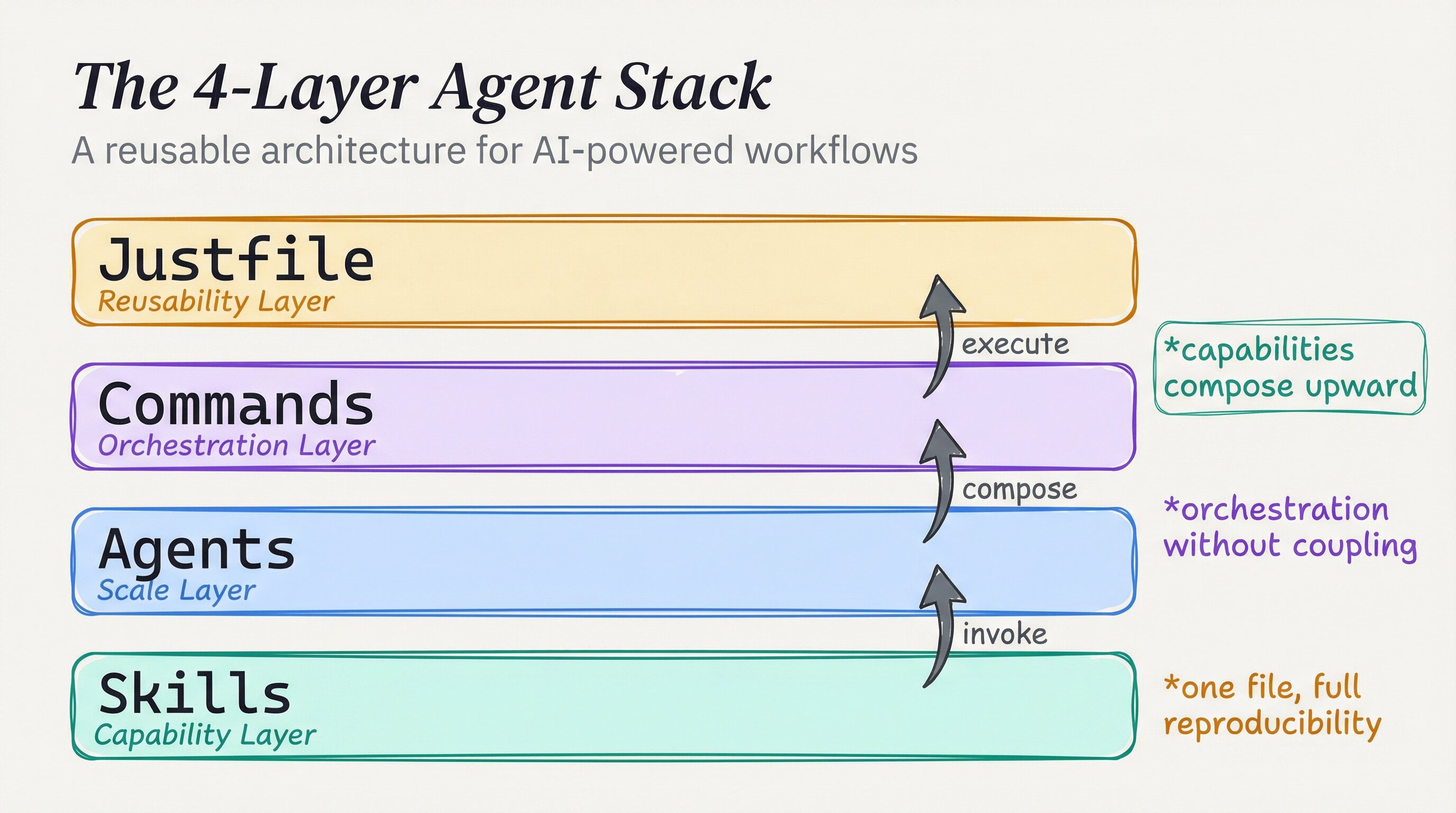
## A skill is not a workflow
A skill teaches Claude *what it can do*. It documents a capability, sets constraints, and gives the agent something to reach for. It does not say *when* to use it, *in what sequence*, or *how to coordinate with other agents*.
The four-layer model makes that explicit:
| Layer | Role | Example |
|-------|------|---------|
| **Skills** | Raw capability | `playwright-bowser` — headless browser control |
| **Agents** | Scale the skill | `bowser-qa-agent` — UI validation specialist |
| **Commands** | Orchestrate agents | `ui-review` — fans out parallel QA runs |
| **Justfile** | Reusability entry point | `just ui-review` — one command to run it all |
Each layer builds on the previous one. Any layer can be tested independently, and the layers compose for production. Each layer can also be invoked directly. A broken command can be traced down to the agent, then to the skill, which is enormously valuable for debugging. Skills alone create a vocabulary; the other layers create a language. If an automation still feels manual, the missing pieces are probably the agent and command layers. That is where the pieces compose.
## Layer 1: skills
Skills describe what Claude can do in a domain: the tools, defaults, and constraints. This layer stays generic so it can be reused across projects. A skill tied to specific file paths or service names is brittle; it breaks when the context changes.
My `playwright-bowser` skill, for example, configures Claude to use the Playwright CLI for headless browser sessions. The skill sets defaults I've chosen: sessions are named for persistence, screenshots are saved at every step, parallel runs are enabled. The raw Playwright CLI has many options; the skill collapses them into an opinionated, repeatable interface.
The skill does not run anything. It gives Claude the capability and the rules for running it.
## Layer 2: agents
Agents give the skill a job. A sub-agent is a prompt-engineered specialist that activates a skill and follows a concrete workflow — not just "can browse the web" but "validates user stories against a URL, takes screenshots at each step, and reports pass/fail back to the orchestrator."
An agent can specialize in a specific workflow and be spawned in parallel. Three browser agents running three user stories simultaneously, each returning structured results to the primary agent. That's 3x throughput with no extra engineering cost.
```yaml
# agents/bowser-qa-agent.md — excerpt
description: |
UI validation agent that executes user stories against web apps
and reports pass/fail results with screenshots at every step.
Supports parallel instances.
```
The agent is not a skill with a different name. It has a purpose, variables, steps, and an output format. The workflow specifics belong here: concrete steps, output format expectations, and error handling for a particular class of work. It knows what to do with the skill. A generic "browser agent" is useful. A "UI validation agent that parses user stories, takes timestamped screenshots, and reports structured pass/fail" is a system. The specificity is the value.
## Layer 3: commands
Commands are the orchestration layer — the API for running agent teams. Dan calls this the "higher-order prompt": a prompt that accepts another prompt, wraps it in consistent workflow logic, and runs it at scale.
My `ui-review` command discovers all user story files in a project, spawns one bowser-qa-agent per story, waits for all of them to complete, and aggregates the results. The individual agents do the work; the command coordinates them. Parallelization belongs in commands. Fan-out logic stays here rather than inside an agent: each agent does one thing well, while the command coordinates many.
The key mechanism is structured sub-agent invocation with a typed result contract. Each `bowser-qa-agent` receives a single user-story YAML and returns a JSON envelope — `{ story, status, screenshots, notes }` — so the parent command can `Promise.all` them without coupling to any agent's internal steps.
Under the hood, Playwright runs in headless Chromium via its CLI (`playwright test --reporter=json`). The agent skill configures a named browser context (persisted across steps for cookies/auth) and writes screenshots to a timestamped directory. The `ui-review` command globs for `**/*.story.yaml`, spawns one agent per file, then merges results:
```bash
# Minimal fan-out pattern (adapt to your runner)
stories=$(find . -name "*.story.yaml")
pids=()
for story in $stories; do
claude --agent bowser-qa-agent --input "$story" --output "results/$(basename $story .yaml).json" &
pids+=($!)
done
wait "${pids[@]}" # all agents finish in parallel
jq -s '.' results/*.json > summary.json
```
The `just` task runner sits on top purely as an ergonomic alias — `just ui-review` forwards to this shell logic. **Try it:** add `--reporter=html` to the Playwright invocation and open `playwright-report/index.html` after a run to see per-step screenshots with pass/fail highlighted — the closest thing to a free visual regression baseline without a paid service.
`DevFlow` is another example. It detects the CI/CD stage — branch, commit, push, PR, review, or merge — and either advances to the next stage or blocks when the user has deviated. It uses no special agents, only orchestration logic over git state.
The command layer turns capabilities into workflows.
## Layer 4: the entry point
The top layer makes the stack accessible. Dan uses a justfile — a task runner that aliases all your commands into one discoverable interface:
```bash
just ui-review # run all UI tests
just automate-amazon # run browser automation
just blog-summarize # check latest from favorite blogs
```
I use a similar pattern in the open-source config. The `just` skill gives Claude access to a project's justfile so it can run recipes and add new ones. The justfile is the index for what the stack can do: legible to humans and callable by agents. Running `just` with no arguments prints every available recipe, so the file is documentation as much as tooling and serves as the team's onboarding map. The four layers aren't overhead; they're the difference between automation and infrastructure. Infrastructure is what I reach for repeatedly. A one-off script is not infrastructure; a four-layer stack deployed consistently is.
## One real example
My `BugBot` skill is a clean example of all four layers:
1. **Skill** — BugBot defines adversarial code review methodology: attack angles, confidence scoring, ODC trigger tracking
2. **Agent** — The ralph-wiggum agent loop takes one iteration at a time, reads state from disk, picks untried angles
3. **Command** — `/BugBot` orchestrates the loop: detects changed files, sets up state file, launches the ralph-loop, waits for `ALL_CLEAN`
4. **Reusability** — `just bugbot` (if configured) kicks the whole thing off from the project root
The skill is the *what*. The agent is the *how*. The command is the *when and in what sequence*. The justfile is how I find it again six months later.
---
*Tools used: [Claude Code](https://claude.ai/download) by Anthropic. Architecture from [Indie DevDan's 4-Layer Bowser System](https://www.youtube.com/watch?v=efctPj6bjCY) — highly recommended watch. Source: [claude-agent-stack](https://github.com/RooseveltAdvisors/claude-agent-stack). Built with [Claude Code](https://claude.ai/download) by Anthropic.*
---
# Version-controlling your AI's brain
URL: https://jonroosevelt.com/blog/git-driven-ai-config/
Date: 2026-03-01
Tags: ai, developer-tools, claude-code, devops, infrastructure, git
I had four machines. My AI assistant behaved differently on each one.
The dev server was running skills I'd updated three weeks ago and never pushed anywhere else. The production server had a custom hook I'd added in a late-night debugging session and completely forgotten about. The GPU workstation had a global config that was months behind. My laptop — the machine I actually developed on — had the latest everything. But "latest" only meant something on one machine.
I was not managing my AI config. I was accumulating it.
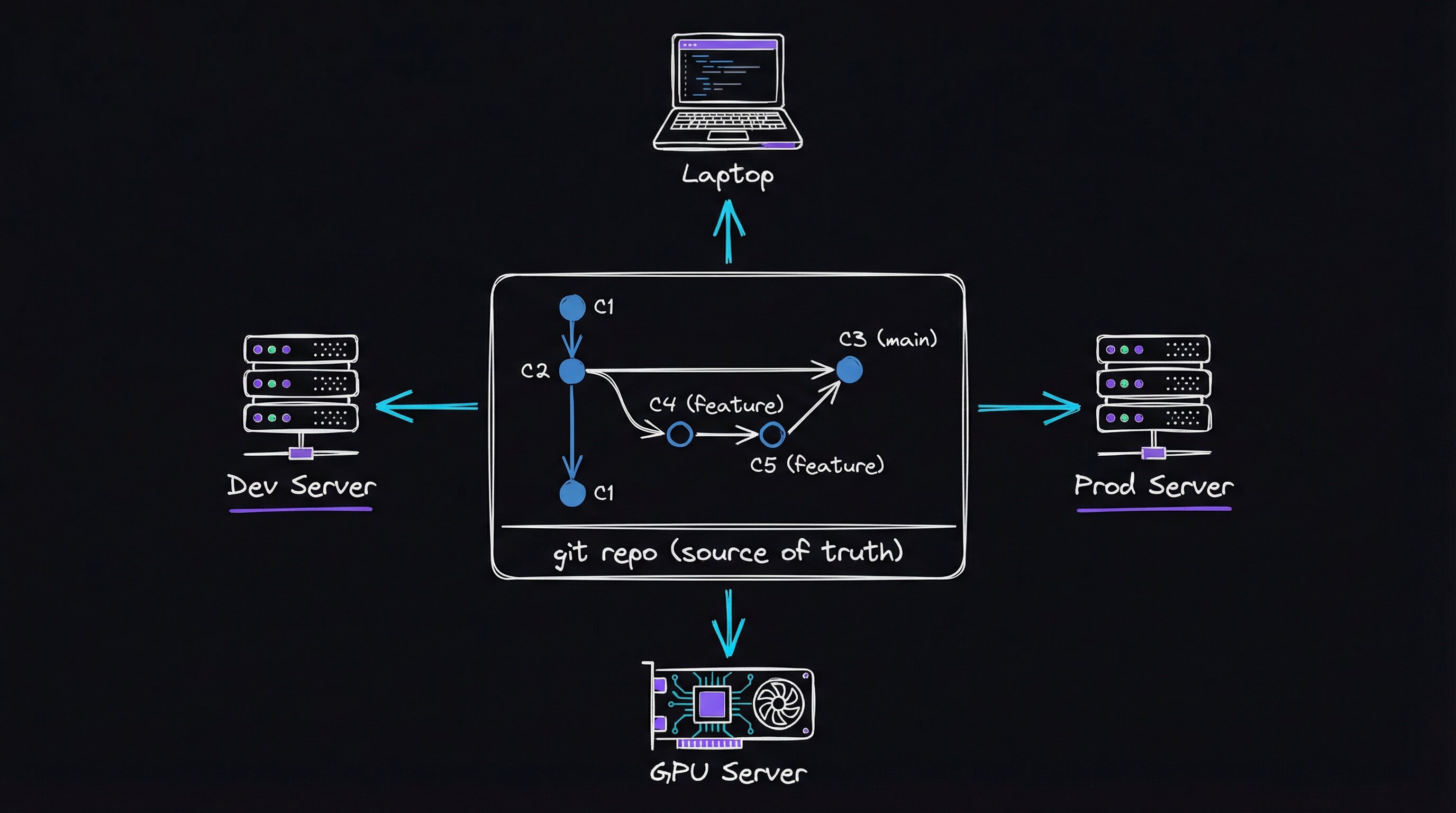
## Editing the live directory
[Claude Code](https://claude.ai/download) — Anthropic's AI coding agent — stores all of its personalization in `~/.claude`: a global instructions file, skills, hooks (event-driven automation that fires on session start, tool use, etc.), subagent definitions, and slash commands. It's a directory, not a service. So the default workflow is: edit it directly on whatever machine you're on.
For one machine, that's fine. At two machines, I had drift — the same `~/.claude` directory diverging in slightly different directions on each box. At four, I had chaos. Every time I improved something — a new skill, a better hook, a clarified instruction — I had to manually propagate it. I usually didn't. Config drift is quiet. I noticed it later, while reproducing a workflow or debugging a "bug" that was actually stale config.
It was the same problem as editing nginx config directly on a production server. The fix was the same too: keep a source of truth and deploy from it. The pattern is general: a source, a deploy step, and a record instead of hand-editing the live target.
## Treat `~/.claude` like infrastructure
I created a git repository — [claude-config](https://github.com/RooseveltAdvisors/claude-agent-stack) — that contains everything that should live in `~/.claude`.
**Directory layout**
```
claude-config/
├── CLAUDE.md # Global instructions (modes, rules, machine topology)
├── deploy.sh # Sync to any/all machines
├── skills/ # ~43 skills: DevFlow, BugBot, BlogWriter, Research...
├── hooks/ # Event-driven automation
├── agents/ # Subagent definitions
└── commands/ # Slash commands
```
**Why rsync instead of `git clone` on each machine**
The target directory (`~/.claude`) already contains runtime state that must never be overwritten — session history, credentials, local settings. `git clone` would either conflict or clobber. `rsync --delete` with a precisely crafted `--exclude` list gives surgical control: only the tracked artifacts land, and nothing else is touched.
```bash
rsync -av --delete \
--exclude='.credentials.json' \
--exclude='settings.json' \
--exclude='settings.local.json' \
--exclude='history.jsonl' \
--exclude='statsig/' \
./ ~/.claude/
```
Run this locally and `diff -r ~/.claude/skills/ ./skills/` confirms parity. The same command runs inside every self-hosted [GitHub Actions](https://docs.github.com/en/actions) runner, triggered on push to `main`.
**Self-hosted runners are the multiplier.** Each remote machine runs one long-lived runner process (`./run.sh` from the Actions runner tarball, registered against the repo). On a push, GitHub dispatches the job; the runner on that machine pulls the updated repo and re-runs `deploy.sh local`. No SSH from CI, no secrets management for target hosts — the machine pulls to itself.
**Testable takeaway:** register a second machine as a runner, push a one-word change to `CLAUDE.md`, and watch both `~/.claude/CLAUDE.md` files become identical within the CI run time (~45 seconds). That's the whole trick.
The `deploy.sh` script uses `rsync` to push the tracked pieces into `~/.claude` on the target I specify:
```bash
./deploy.sh local # Apply to this machine's ~/.claude
./deploy.sh all # Push to all machines at once
```
Remote machines run self-hosted [GitHub Actions](https://docs.github.com/en/actions) runners — small persistent processes that wait for GitHub to tell them "new push, go deploy." When I push to `main`, CI runs three checks (secret scanning, shell script linting, skill structure validation), then each remote machine's runner deploys to its own `~/.claude`. The whole process takes under a minute, and any change I make is everywhere across all four machines within two minutes of a push.
## What goes in and what stays out
Not everything belongs in the repo:
| Tracked in Repo | Stays Local |
|---|---|
| `CLAUDE.md` (global instructions) | `settings.json` (API keys) |
| All skills and hooks | `settings.local.json` |
| Agents and commands | `history.jsonl` / session data |
| PAI user overrides | Cache, telemetry |
Secrets stay local. Instructions, workflows, and automation that shape the assistant's behavior are version-controlled. Hooks and agent definitions belong there too because they shape behavior as much as the instructions file. I forgot a hook I had written at 2 AM and found it only when I finally ran `ls` in the directory during this cleanup. If it had not been on the machine I was auditing, it would have stayed lost.
## The workflow now
Updating a skill or changing an instruction is now a proper pull request. That gives me a checkpoint before config changes go live, and [CodeRabbit](https://coderabbit.ai) reviews every PR automatically:
```bash
git checkout -b fix/update-skill-angles
# ... edit skills/BugBot/Workflows/AdversarialReview.md ...
git add -A && git commit -m "fix: add data pipeline attack angle"
git push # CI runs checks, then deploys to all remote machines
./deploy.sh local # Apply to laptop (no persistent runner there)
```
Before this repo existed, I was directly editing `~/.claude/skills/` on whichever machine I happened to be sitting at. Now that directory is a deploy target — never edited directly. The source of truth is always the repo. If a skill change breaks something, `git revert` and a push roll it back. Total downtime is one CI run. Every change to how my assistant behaves stays in the git log with a commit message explaining why.
I tried symlinking `~/.claude` to a git checkout first. That broke spectacularly. Claude Code writes runtime state into the same directory, so the repo constantly showed dirty files, and the symlink confused some tooling. Rsync separates the source tree from the live directory. Only tracked files move; runtime state stays put.
---
_*Tools used: [Claude Code](https://claude.ai/download) by Anthropic, [GitHub Actions](https://docs.github.com/en/actions) for CI/CD, [CodeRabbit](https://coderabbit.ai) for automated PR review. Source: [RooseveltAdvisors/claude-agent-stack](https://github.com/RooseveltAdvisors/claude-agent-stack).*_
---
# PAI: the operating system I built around my AI assistant
URL: https://jonroosevelt.com/blog/personal-ai-infrastructure/
Date: 2026-03-01
Tags: ai, developer-tools, claude-code, infrastructure, personal-ai, workflow
I noticed it failing.
I'd asked Claude Code to do something complicated — the kind of thing that, six months earlier, would've produced a wall of half-correct freeform text, or a confidently wrong answer delivered with the same tone as a correct one. But this time it didn't do any of that. It loaded a planning document. It ran a structured analysis across multiple steps. It reported the result in a format I recognized. Then it wrote what it had learned into a memory file — a markdown note stored on disk that would survive the session ending — and waited.
I didn't tell it to do any of that. I'd wired it into the scaffolding weeks earlier and forgotten about it.
A workflow needed me to remember the steps. This kept doing them after I had forgotten about the setup. That was when I knew I had infrastructure, not just a workflow.
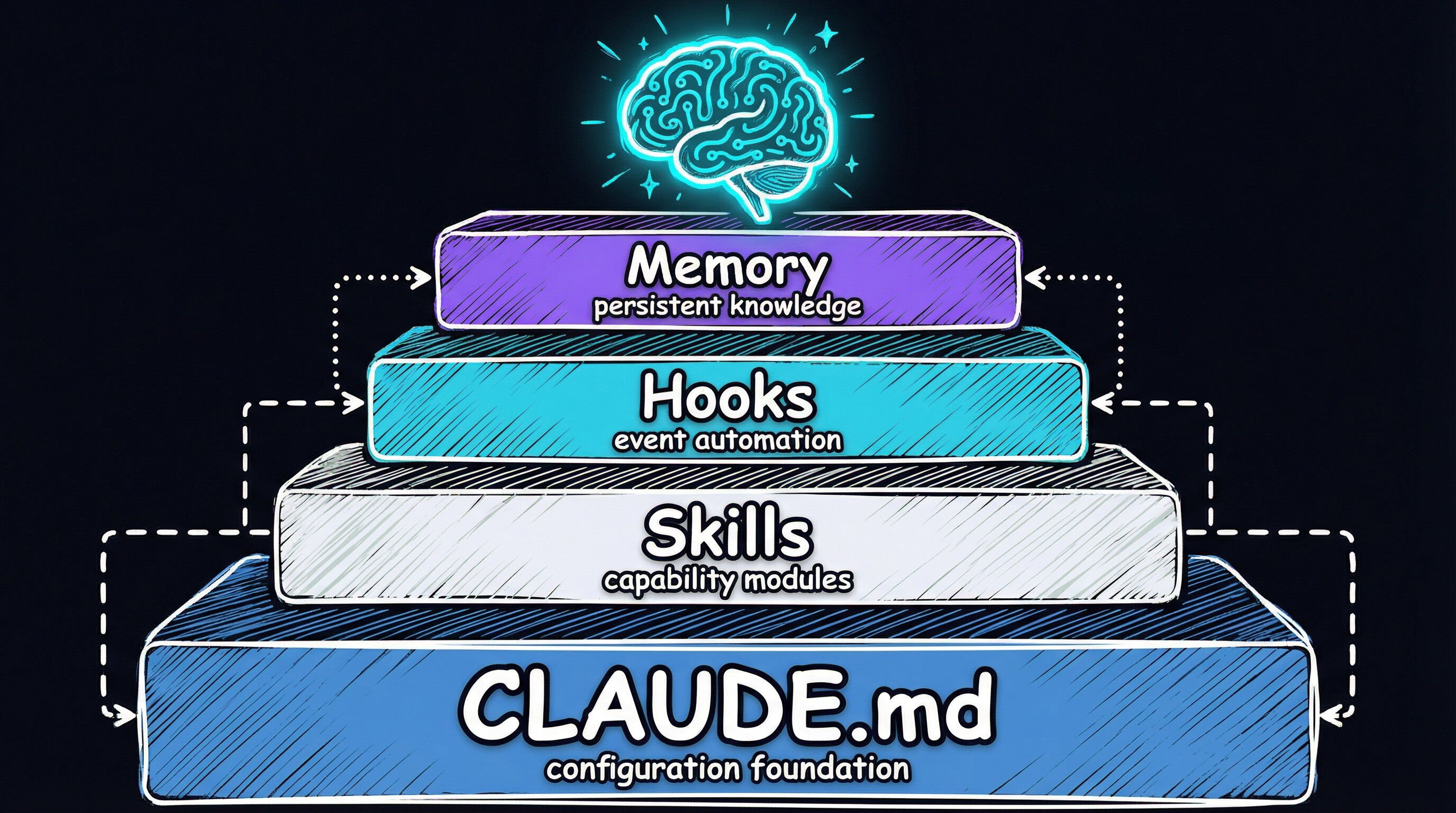
## The layer underneath the project
I've written about [project-level skills](/blog/agentic-engineering-part-1-skills-that-ship-code) before — DevFlow, BugBot, things that live inside a specific repo and know how that repo works. Those matter. But there's a layer underneath them: configuration that applies no matter what project I'm in, on any machine I sit down at.
I call that layer PAI — Personal AI Infrastructure. It has five pieces:
| Component | What It Does |
|---|---|
| **CLAUDE.md** | Global instructions: operating modes, stack preferences, machine topology |
| **Skills** | Reusable workflows invoked by slash command across any project |
| **Hooks** | Event-driven automation that fires on tool use and session events |
| **Memory** | Persistent markdown files that survive across sessions |
| **claude-config repo** | Git-versioned source of truth, CI-deployed to all machines |
The repo and deployment mechanics are in [a companion post](/blog/git-driven-ai-config). Infrastructure costs once and pays forever: setting up the claude-config repo, writing the deploy script, and configuring CI runners on GitHub Actions took a weekend. Every session since has drawn on it. The ROI compounds. The interesting part here is what runs inside the layer.
## Modes: locking the response format
The single change that paid off most was enforcing response modes. Every Claude Code session starts by classifying what I am asking:
- **MINIMAL** — "ok," "thanks," short answers
- **NATIVE** — quick single-step stuff
- **ALGORITHM** — multi-step, complex, or hard
NATIVE mode uses a fixed output template: task, work, change, verify, summary. ALGORITHM mode loads a formal planning document — the kind of structured spec you'd write if you were handing work to a senior engineer — and follows it to the letter. Freeform prose isn't allowed in either.
I expected this to slow things down. It did the opposite. Once the output format was fixed, the assistant spent zero cycles deciding how to answer. It classified and executed. Sessions became faster and more predictable.
I got here by tripping over the same problem repeatedly. Without a strict response format, the assistant made different structural choices in different sessions. Sometimes that was fine. Usually it was noise. I spent the first five minutes of every session re-establishing the format. Locking it in the global config eliminated that entirely, so every session is predictable before it starts.
## Skills that travel with you
Previous posts covered skills that live inside a project. User-level skills live in `~/.claude/skills/` — they're deployed to every machine via the [claude-config repo](https://github.com/RooseveltAdvisors/claude-agent-stack), and they're available no matter what project you `cd` into.
I've got 43 of them now. They cover the full dev lifecycle:
| Category | Skills |
|---|---|
| **Dev workflow** | DevFlow (pipeline enforcer), BugBot (adversarial review), CodeReview |
| **Content** | BlogWriter, Media, Art (Excalidraw diagrams), VideoToSpec |
| **Research** | Research (multi-agent, 4 modes), Investigation, ContentAnalysis |
| **Infrastructure** | StandupService, DeployOneContext, ChromeMCP, AgentBrowser |
| **AI development** | Agents, Thinking, Prompting, gcc (memory commits) |
These are *identity skills*. They define how the assistant behaves everywhere, not just in one repo. DevFlow at the user level enforces the same git pipeline in a React app and a Python backend. I do not have to teach it again.
The global layer makes the project layer possible. Project-level skills can assume the global infrastructure is there. When a BugBot loop needs to spawn a parallel review agent, it does not define that agent inline; the user-level Agents skill handles it. Each layer amplifies the ones around it.
## Hooks: automation that fires without asking
Claude Code supports hooks — scripts that run automatically on specific session events. I use three kinds:
**Security.** A pre-tool hook intercepts every shell command before it runs. It blocks patterns that look destructive — mass deletions, force pushes, anything that skips verification hooks. It's a last-resort guardrail, written as a [Bun](https://bun.sh) TypeScript script that executes in under 50ms. If it catches something, the command never reaches the shell.
**Audio.** A voice hook calls a local notification server to announce which mode the assistant is entering. I hear when it shifts into a complex workflow without having to watch the screen. Useful when I'm pacing.
**Memory.** A post-operation hook fires after file writes and edits. It harvests significant context into structured markdown using the GCC memory system, so the next session can orient itself from where the last one left off.
The audio hook was a wrong turn at first. I had it announce every tool use. That was unbearable, so I reduced it to mode transitions.
## Memory: making sessions remember each other
Claude Code does not remember previous sessions by default. Each one starts fresh, with no knowledge of what happened before. The GCC system ([described in detail here](/blog/implementing-gcc-paper-agent-memory)) fixes that by committing structured context to markdown files in the repo. The files survive session boundaries and load at startup.
Two kinds of memory:
Claude Code hooks are declared in `settings.json` and executed as subprocesses — they are not prompts, they are scripts. Each hook type maps to a lifecycle event:
```jsonc
// .claude/settings.json (abridged)
{
"hooks": {
"PreToolUse": [{ "matcher": "Bash", "hooks": [{ "type": "command", "command": "bun run .claude/hooks/SecurityPipeline.hook.ts" }] }],
"PostToolUse": [{ "matcher": "Write|Edit", "hooks": [{ "type": "command", "command": "bun run .claude/hooks/WorkCompletionLearning.hook.ts" }] }],
"Stop": [{ "hooks": [{ "type": "command", "command": "bun run .claude/hooks/ISASync.hook.ts" }] }]
}
}
```
The hook receives the tool call as JSON on stdin and can **block** the operation by exiting non-zero. That's the entire security model for the bash guardrail: parse the command, match against a pattern list, exit 1 with a reason string if blocked.
Memory retrieval uses **BM25 keyword search** over the markdown corpus (no embeddings required for fast lookup). At session start, a `SessionStart` hook calls a `MemoryRetriever.ts` script that scores all `MEMORY/*.md` files against the current project context, then `@`-imports the top matches into the live context window. Semantic organization by topic (one file per concern) is what makes BM25 effective here — a file named `debugging.md` with dense signal beats a chronological journal every time.
**Try it:** write a minimal `Stop` hook that appends a one-line summary to a local log file and wire it in `settings.json`. After a few sessions you'll have a readable audit trail of what the assistant actually did — and a foundation to build the full memory system on.
The [GCC paper](/blog/implementing-gcc-paper-agent-memory) gave me the useful distinction: agents need *semantic* memory organized by topic, not *chronological* logs. A file called `debugging.md` is more useful than a timestamp-sorted journal. My first attempt was chronological and nearly useless for retrieval. BM25 works better over topic-organized files because the filename already carries signal about the contents.
---
*Tools used: [Claude Code](https://claude.ai/download) by Anthropic, [Bun](https://bun.sh) runtime for hooks, [GitHub Actions](https://docs.github.com/en/actions) for CI/CD. Source: [RooseveltAdvisors/claude-agent-stack](https://github.com/RooseveltAdvisors/claude-agent-stack).*
---
# Your CLAUDE.md is probably making your agent worse
URL: https://jonroosevelt.com/blog/context-files-making-agents-worse/
Date: 2026-02-26
Tags: ai, developer-tools, context-engineering, claude-code, agents
I ran Claude Code against my API repo one afternoon and watched it burn $0.04 before it even touched a single file. The culprit wasn't my code. It was my CLAUDE.md — all 2,000 words of it, every single one getting loaded into the system prompt on every agent step, multiplying across 40-some tool calls.
I had written that file carefully: architecture, directory layout, coding conventions, style rules. I assumed more context meant better answers. It cost tokens and wall time. A paper later showed it also made the agent *worse at its job*.
The paper that confirmed my CLAUDE.md was hurting me came from ETH Zurich: "Evaluating AGENTS.md: Are Repository-Level Context Files Helpful for Coding Agents?" (Gloaguen et al., ICML 2025). The researchers tested Claude Code, OpenAI's Codex, and Qwen Code across hundreds of real GitHub issues, using SWE-bench and a new benchmark built from repositories that already had developer-written context files.
The result stopped me mid-scroll: **LLM-generated context files reduce task success rates by ~3% while increasing inference cost by over 20%.** Developer-written files — like mine — improved success by ~4% on average. That is barely above noise, and they still added 20%+ to the bill.
The paper reports the headline numbers (LLM-generated files: −3% task success, +20–23% cost; developer-written: +4% success, +19% cost), but the behavioral breakdown is more useful than the averages.
**Why it hurts:** context files are prepended to every tool call's system prompt, so their token cost is paid on *every* agent step, not just once. A 2,000-token CLAUDE.md injected into a 40-step task costs 80,000 extra tokens — before any of your code is read. Modern coding agents (Claude Code, Codex, OpenHands) use structured tool-use loops: each loop iteration appends tool outputs to the conversation and re-samples. The context file anchors the top of every sample window, and the paper measured that agents issue more `grep`, `read_file`, and `run_tests` calls when it's present — they're pattern-matching on instructions rather than reasoning about the actual task.
**Quantify your own file before cutting it:**
```bash
# Count tokens with tiktoken (pip install tiktoken)
python3 - <<'EOF'
enc = tiktoken.encoding_for_model("gpt-4o")
text = pathlib.Path("CLAUDE.md").read_text()
toks = enc.encode(text)
print(f"{len(toks)} tokens — costs you that many tokens × agent steps × $/1M")
EOF
```
**The one thing that genuinely helps:** non-standard CLI tooling the agent can't infer. If you run `bun` not `npm`, `uv` not `pip`, or a custom `make proto` step that must precede builds — say *exactly that*, nothing else. Those lines have no discoverable substitute. Everything else does.
The behavioral analysis convinced me. With context files present, agents run more tests, grep more files, read more files, and write more files. They are following instructions. When the instructions are unnecessary, that dutifulness is busywork. Every line has a token cost and compliance overhead. The paper measured this directly: agents spend more reasoning tokens when context files are present because they are working harder to follow the instructions, not because the problems are harder.
## Why the overview did not help
Eight out of twelve developer-written files the researchers studied included codebase overviews. Over 90% of LLM-generated files did. And when the team measured how many steps it took an agent to first interact with a file from the actual bug fix? No meaningful difference.
Turns out agents are already good at exploring codebases. They grep. They list directories. They follow imports. A section that says "the API routes are in `src/routes/`" doesn't help — the agent would've found that in one `ls` command. But it still consumed tokens on every step, and it still added cognitive weight to every prompt.
I had to sit with that. I had spent hours writing architecture descriptions that the agent could discover itself. Worse than useless, they were a tax. If the README already says it, the CLAUDE.md should not. The paper found that LLM-generated context files are highly redundant with existing documentation. They become helpful only when the other docs are removed, which is not how real repositories work.
## The useful exception: non-standard tools
The paper did find one mechanism where context files genuinely earn their tokens: **surfacing non-standard tooling.**
When a context file mentions `uv` (a Python package manager that's not the default), agents use it 1.6 times per task on average versus fewer than 0.01 times when it's not mentioned. Repository-specific tools show the same pattern — 2.5 uses per task when mentioned, 0.05 when not.
That makes sense. An agent can discover project structure by reading code. It cannot infer that you use `bun` instead of `npm` from a `package.json` that permits both, and it cannot know that `make proto` must run before `cargo build` unless something says so.
## The filter I use now
Based on the paper's findings, I built a tool called [ContextOptimizer](https://github.com/jonroosevelt) that applies a simple inclusion filter to every line in a context file:
```
Include a line if and only if:
1. NOT DISCOVERABLE — agent can't learn this from README, configs, or --help
2. ACTIONABLE — it tells the agent to DO something specific
3. PREVENTS SILENT FAILURE — getting it wrong causes hard-to-debug issues
4. BROADLY APPLICABLE — relevant to most tasks, not just one workflow
```
Anything that fails one of those questions gets cut. The tool has three workflows: **Audit** (score existing files against 8 weighted anti-patterns), **Optimize** (rewrite files using the filter), and **Generate** (create minimal files from scratch for repos that do not have one yet). The four questions travel across CLAUDE.md, AGENTS.md, and .cursorrules: include what cannot be discovered, what is actionable, what prevents silent failure, and what applies broadly.
## The Anti-Pattern Scoring System
The Audit workflow assigns a "bloat score" from 0-100 based on detected anti-patterns:
| Anti-Pattern | Weight | Why It Hurts |
|---|---|---|
| Codebase overview | +20 | Proven ineffective at helping navigation |
| Redundant with README/configs | +15 | Wastes tokens on discoverable info |
| Generic boilerplate | +15 | "Write clean code" applies to every repo |
| Linter-enforced style rules | +10 | Already handled by tooling |
| Architecture descriptions | +10 | Agents discover this by reading code |
| Non-actionable statements | +10 | Agent can't act on "designed for scale" |
| Over 500 words | +10 | Longer files = more cost, not more success |
| Marketing language | +10 | "Best-in-class" helps nobody |
A score of 0 means perfectly minimal. Most files I have audited land between 40-70. Mine was higher.
## The small file I keep
After optimization, most context files shrink by 80% or more. Here's the structure I now use:
```markdown
# Project Name
## Critical Constraints
Use bun, never npm or yarn.
Never import from @internal/* in test files — causes silent CI failures.
## Testing
Run `bun test --bail -- src/` for unit tests.
Integration tests require REDIS_URL env var.
## Conventions
API routes use kebab-case: /api/user-profiles, not /api/userProfiles.
```
That is it: under 300 words, with no overview, architecture, or style guide that the linter already enforces. Every line passes the four questions.
The full paper is at [arxiv.org/abs/2602.11988](https://arxiv.org/abs/2602.11988). The ContextOptimizer tool is available as a Claude Code skill. It accepts the prompt "audit my CLAUDE.md" and reports exactly what to cut.
---
# Agentic engineering, part 1: building skills that ship code for you
URL: https://jonroosevelt.com/blog/agentic-engineering-part-1-skills-that-ship-code/
Date: 2026-02-25
Tags: agentic-engineering, claude-code, ci-cd, devops, ai-agents, skills, series
Three months ago my AI agent — Claude Code, the coding assistant I run in a terminal — was editing files directly on the production server, the live machine real users hit, not a safe copy. No branch (a separate line of work that leaves the live code untouched), no CI (continuous integration — the automated checks that fire when you push), nothing at all between "the agent had an idea" and "that idea was live for real people." If it broke something at 2 AM, the site stayed broken until I woke up and noticed. I'm not proud of it, but that's where almost everyone starts with coding agents: the default is a very capable intern with root access (full administrator privileges) and no guardrails.
The fix wasn't to make the agent smarter. It was to make it unable to skip the steps that keep code safe.
Today that same agent runs a strict pipeline — branch, develop, push, CI, PR (a pull request, a reviewable proposal to merge your work into the main code), merge, auto-deploy — and it cannot edit production or skip a step. It runs its own adversarial code reviews (reviews where the reviewer actively tries to break the code) before I even look at the PR. A set of reusable skills I built inside the project orchestrates the whole thing.
This is Part 1 of a series on **agentic engineering** — the practice of building systems that make AI agents reliable enough to trust with real infrastructure. Not prompt engineering. Not vibe coding (writing code by feel, with no checks). Engineering.
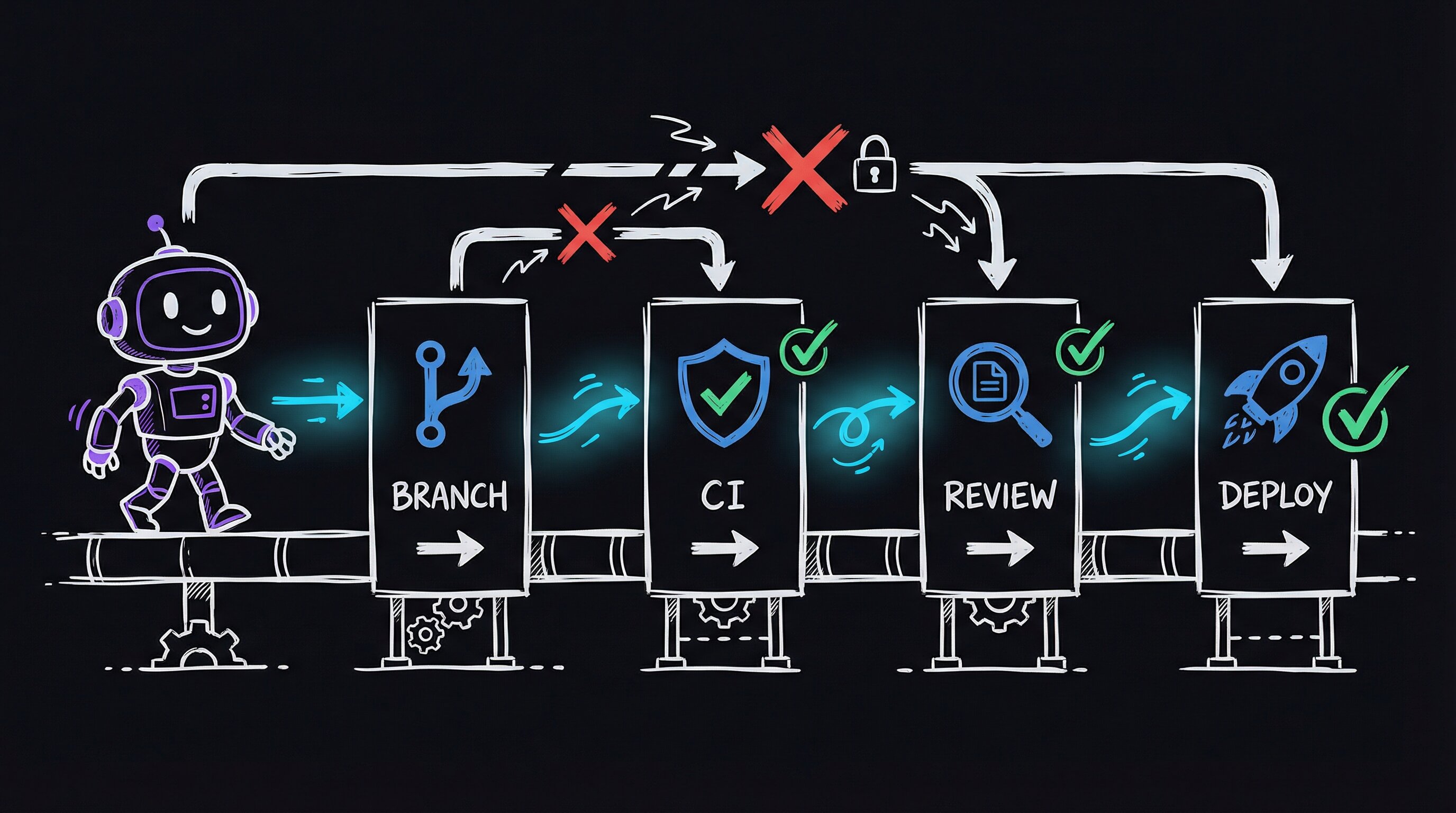
## The Problem: Agents Don't Know When to Stop
Coding agents are remarkably good at writing code. They're terrible at knowing what happens after. An agent will happily implement a feature, format it, and declare victory while the code sits on whatever branch (or no branch) it happened to land on. The gap between "code written" and "code safely in production" is entirely your problem.
I run a production web application with real users depending on it around the clock. When a bug ships, the service goes down. My first instinct was just to be more careful — watch the agent closer. That's not a system; it's a hope. So I needed more than "be careful" — I needed a system.
## The Solution: Project-Level Skills as Guardrails
Claude Code has a concept called **skills** — markdown files (plain-text files with light formatting) that define reusable workflows the agent follows when invoked. They're not prompts. They're structured instructions with decision trees, parallel execution steps, and explicit guardrails. Think of them as runbooks — step-by-step procedure docs — the agent reads and executes.
I built nine project-level skills, all prefixed with `Portal` so I can type `/Portal` and see them all:
| Skill | What It Does |
|-------|-------------|
| `/PortalDevFlow` | CI/CD stage detector and enforcer |
| `/PortalBugBot` | Adversarial code review that loops until clean |
| `/PortalCodeReview` | Static pattern scan (scanning code for known bad patterns without running it) for anti-patterns |
| `/PortalArchReview` | Deep architectural trace of a single feature |
| `/PortalE2E` | End-to-end test (one that exercises the whole running system) orchestration |
| `/PortalDeployDelta` | Diff devbox (the development machine, a safe copy) vs prodbox (the live server) before deploying |
| `/PortalCleanupTestData` | Reset test data between runs |
| `/PortalBlogFromVault` | Turn recent work into blog posts (meta!) |
| `/PortalAccess` | Role-based portal login for testing |
Each skill has a `SKILL.md` (routing and triggers), a `Workflows/` directory (step-by-step execution), and optionally `Tools/` (helper scripts). The agent reads the workflow at invocation time and follows it mechanically.
## DevFlow: The Agent Can't Skip Steps
The skill that changed everything was `/PortalDevFlow`. When invoked, it runs eight diagnostic commands in parallel — all at once, not one after another — checking the current branch, the working tree status, how far ahead or behind the shared remote copy you are, open PRs, CI status, and the hostname. Then it classifies you into exactly one stage.
**Stage classifier — parallel diagnostics into a deterministic state machine**
The `SKILL.md` for `/PortalDevFlow` opens with a `## EXECUTE` block that fires eight `bash` commands in parallel (Claude Code supports parallel tool calls natively). The outputs land simultaneously: `git branch --show-current`, `git status --porcelain`, `git rev-list @{u}..HEAD --count`, `git rev-list HEAD..@{u} --count`, `gh pr list --head --json number,statusCheckRollup`, `gh run list --branch --limit 1 --json status,conclusion`, `hostname`, and an environment variable check for a prod-guard sentinel.
The skill then classifies those outputs into exactly one of seven named stages (`LOCAL`, `COMMITTED`, `PUSHED`, `CI_RUNNING`, `CI_PASSED`, `PR_OPEN`, `MERGED`) and emits the single next-action command. Stage is a pure function of the eight signals — no ambiguity, no "it depends." You can re-implement this in any CI system:
```yaml
# .github/workflows/devflow-guard.yml (simplified illustrative example)
- name: Detect stage
run: |
DIRTY=$(git status --porcelain | wc -l)
AHEAD=$(git rev-list @{u}..HEAD --count 2>/dev/null || echo 0)
echo "dirty=$DIRTY ahead=$AHEAD"
if [ "$DIRTY" -gt 0 ]; then echo "STAGE=LOCAL_DIRTY" >> $GITHUB_ENV; fi
```
**BugBot loop — ODC coverage as the convergence criterion**
The adversarial loop is not "run until no bugs." It runs until **every bucket in the Orthogonal Defect Classification taxonomy** has been actively probed by at least one agent pass with zero findings. ODC gives you seven orthogonal defect types (Algorithm, Assignment, Checking, Timing/Serialization, Interface, Function, Build/Package). The state file (`bugbot-state.json`) tracks which ODC buckets each completed agent pass covered and what its verdict was. The loop terminates only when: (1) three consecutive passes each find zero critical/high issues, AND (2) all seven ODC buckets are marked `covered:true`. This makes convergence verifiable rather than a vibes call — if Timing/Serialization has never been probed, the loop keeps going.
**Concrete takeaway — build your own parallel diagnostic skill**
Any Claude Code skill can fire parallel tool calls in its `EXECUTE` block. The pattern that makes DevFlow reliable: list every diagnostic command on its own line in the workflow markdown, then write the classification logic as an explicit `if/elif` chain the agent reads verbatim. The agent doesn't invent the rules — it reads and applies them. The skill IS the state machine; the agent IS the runtime.
More importantly, it detects **deviations**. If you're editing files on master — the main branch, where live code lives — it tells you to stash (temporarily set aside) your changes and create a branch instead. If it detects you're on the production server, it refuses to proceed. These aren't suggestions. The agent treats them as hard rules because the skill workflow says so explicitly.
The first time I ran it after building it, it caught me: "DEVIATION: You have uncommitted changes on master." It then walked me through creating a feature branch, committing, pushing, waiting for CI, creating a PR, merging, and watching the auto-deploy. The full pipeline, enforced by the agent, for the first time.
## BugBot: The Agent Reviews Its Own Code
The second breakthrough was `/PortalBugBot`. It uses a technique called the [Ralph Wiggum loop](https://ghuntley.com/ralph/) — a self-referential execution loop where the agent gets the same prompt fed back to it on every iteration, but sees its previous work on disk.
Each iteration, BugBot:
1. Reads a state file tracking what it's already found
2. Picks 3-5 untried attack angles (race conditions — timing bugs where two processes step on each other; timezone bugs; SQL injection — slipping database commands in through user input; stale state — leftover data that's gone wrong)
3. Spawns parallel review agents, each hunting for specific bug categories
4. Fixes any CRITICAL or HIGH findings and writes regression tests — tests that guarantee a fixed bug stays fixed
5. Updates the state file
The loop terminates only when a full pass of 3+ agents finds zero critical issues, all seven ODC (Orthogonal Defect Classification) triggers are covered, and all tests pass. It typically runs 3-6 iterations.
In the last run, BugBot found 9 bugs across a marketing analytics feature — things like unescaped SQL parameters, missing null checks on API responses, and a timezone conversion that silently dropped DST offsets (the daylight-saving-time shift). I wouldn't have caught most of those in manual review.
## What Actually Changed
The concrete difference:
| Before | After |
|--------|-------|
| Edit on prodbox directly | Feature branches with auto-deploy |
| No CI | Lint, format, test, security scan on every push |
| Manual "looks good" review | Adversarial multi-agent review loops |
| `rsync` (a command-line file-copy tool) to deploy | `git push` triggers GitHub Actions (GitHub's built-in CI runner) |
| Rollback = "hope you remember what changed" | Automatic rollback on health check failure |
| "Did I break something?" | Agent detects deviations before they happen |
The agent that broke production at 2 AM is the same agent that now refuses to touch production without going through the pipeline.
## The Key Insight
Skills aren't about making the agent smarter. They're about making it **constrained**. An unconstrained agent with GPT-4 or Claude-level capability is dangerous precisely because it can do anything — including the wrong thing, confidently. Skills give the agent a decision tree that routes it toward correct behavior regardless of how creative its reasoning gets.
The pattern is simple: define the workflow as a markdown file, put hard rules in a guardrails section, and let the agent read and execute it mechanically. The agent's intelligence handles the details; the skill structure handles the process.
## What's Next
This is Part 1. In upcoming posts, I'll cover:
- **Part 2: BugBot in detail** — how adversarial loops with confidence scoring catch bugs that unit tests miss
- **Part 3: ArchReview** — tracing every code path through a feature to find structural problems
- **Part 4: The Full Stack** — how all nine skills compose into a development lifecycle
The skills are evolving as I use them. Every time the agent does something wrong, I add a guardrail. Every time I do something manually that should be automated, I build a skill. The system gets stricter over time, which is exactly the point.
If you're using AI coding agents and shipping code without a pipeline like this, you're where I was three months ago. It works until it doesn't. The investment in building these skills pays for itself the first time the agent catches a deviation you would have missed at midnight.
---
# Agentic engineering, part 2: adversarial code review that loops until clean
URL: https://jonroosevelt.com/blog/agentic-engineering-part-2-adversarial-code-review/
Date: 2026-02-25
Tags: agentic-engineering, claude-code, code-review, testing, ai-agents, series
I came back to my desk after lunch, opened Claude Code, and asked a review agent to glance at the alternate-phone-numbers feature I'd shipped that morning. Seventeen unit tests. All green. Linter quiet. I was confident.
The agent found three bugs in under two minutes.
A `json.loads` call that could return a non-list. A primary phone that wasn't normalized before comparison. Changing the primary phone left a stale `const` in the JavaScript — the variable said "constant" but the value changed after a fetch, and the runtime just swallowed it.
None of these were bugs *in* the feature. They were bugs *between* the feature and everything else. The unit tests couldn't see them because unit tests don't know adjacent features exist. They test the code you wrote. They don't test the code you forgot to write.
That afternoon I built BugBot.
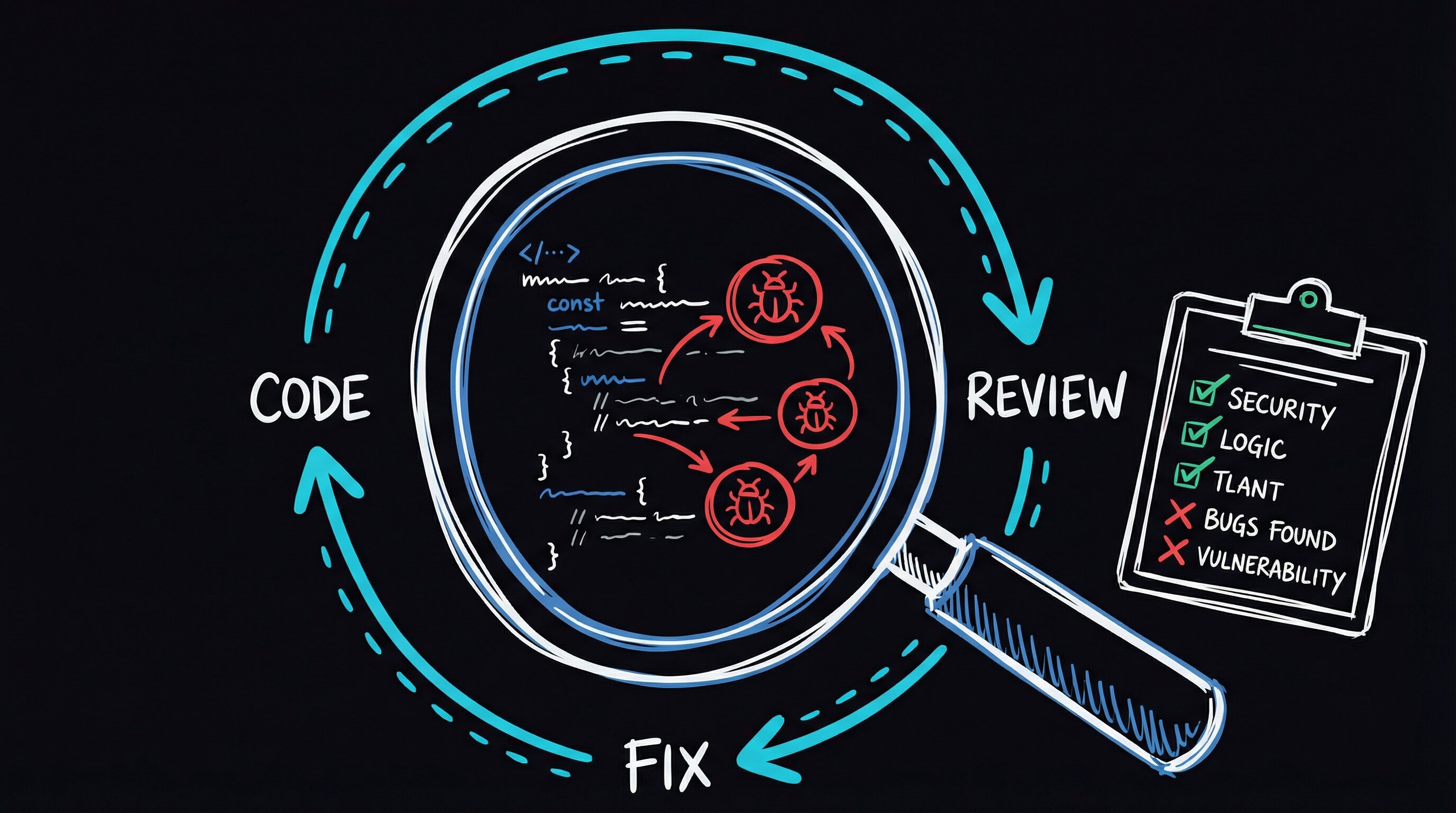
## I needed something that attacks code the way a hostile codebase attacks a new feature
Not a linter — linters find syntactic problems, missing semicolons, import ordering. Not a static analysis tool either. I needed an adversarial loop: pick an attack angle, swing at the code, log what you found, pick a different angle, swing again. Don't stop until you've exhausted every angle you can think of.
That's BugBot. It doesn't "review" code. It tries to break it, from 28 different directions, remembering what it tried so it never repeats itself.
## The Ralph Wiggum Loop
The engine is a pattern called the [Ralph Wiggum loop](https://ghuntley.com/ralph/) — a self-referential execution loop for AI agents, named after the Simpson who famously says "I'm in danger." (The name fits: the loop puts code in danger of being found out.)
An AI agent — in my case, Claude Code running in agent mode — gets the same prompt every iteration. But between iterations, it writes a state file to disk: what angles it tried, what it found, what's still open. The next iteration reads that file before it reads any code. Each iteration gets a fresh context window (the model's short-term working memory), so it can't get lazy or fixated the way a single long session does.
The loop terminates on exactly one condition: the agent declares `ALL_CLEAN`. And it can't fake that — the state file has strict criteria. Every one of the seven ODC (Orthogonal Defect Classification) trigger types, a taxonomy IBM developed to categorize how bugs manifest, must have at least one attack angle that tested it. If the agent claims clean and there's an untried angle in the file, the next iteration sees it and keeps going.
## What BugBot Does Per Iteration
Each pass follows a sequence I arrived at after about a week of wrong turns. My first version skipped the mechanical pre-pass and burned Claude tokens on things `ruff` could catch in microseconds. My second version let agents read files in the same order every time, and they kept flagging the same first file while skimming the last. Here's where I landed:
| Step | Action |
|------|--------|
| **Mechanical pre-pass** | Run `ruff` and `black` on target files — catch trivial issues before wasting LLM tokens |
| **Read state** | Load the state file to see which attack angles have been tried and which ODC triggers are covered |
| **Pick angles** | Select 3-5 untried attack angles, prioritizing uncovered trigger categories |
| **Spawn agents** | Launch parallel review agents, each with a specific attack angle and shuffled file ordering |
| **Score findings** | Every bug gets Severity (S1-S3) x Confidence (C1-C3) scoring with mandatory file:line evidence |
| **Fix and test** | CRITICAL and HIGH bugs get fixed immediately, with a regression test written for each |
| **Update state** | Log findings, mark angles complete, update trigger coverage |
The file shuffling was the breakthrough. Claude Code (like any LLM) processes what it reads sequentially — the first file gets the most attention, and positional bias builds up. Feed the same five files to three parallel agents in three different orderings, and that correlation breaks. When two agents flag the same line from different orderings *and* different attack angles, the finding auto-upgrades in confidence. C1 becomes C2. C2 becomes C3.
This is the same "independent confirmation" logic that makes ensemble methods work in machine learning, repurposed for code review. I stole the idea from Cursor's BugBot implementation and wired it into mine.
## The Attack Angle Catalog
BugBot doesn't get a vague "review this code" prompt. It picks from a catalog of 28 specific attack angles, organized into seven categories:
| Category | Example Angles |
|----------|---------------|
| **Cross-feature interactions** | Adjacent feature mutation, shared endpoint callers, event cascade |
| **Data integrity** | Round-trip consistency, NULL vs empty vs missing, type coercion boundaries |
| **Client-server contract** | Response shape consistency, validation mismatch, optimistic UI race conditions |
| **Security** | Input sanitization, authorization gaps, CSRF coverage, audit trail completeness |
| **Template & display** | All render_template callers, i18n coverage, CSS conflicts |
| **Edge cases** | Empty state, max capacity, rapid interaction, concurrent editing |
| **Ecosystem impact** | Search indexer, export/dump, API consumers, public-facing portal |
Each category maps to one or more ODC trigger types. The loop can't declare clean until all seven triggers have been tested against. This isn't academic taxonomy for its own sake — it's a structural guarantee that the review didn't just check the happy path from seven different angles and call it done.
**The state file is the loop's memory.** Each iteration writes a JSON blob tracking which of the 28 attack angles have been tried, which ODC trigger categories are covered, and every finding so far (with `file:line` evidence). The next iteration reads that blob before it sees any code. This means the agent can't re-tread old ground — it must pick untried angles. It also can't fake `ALL_CLEAN`: if it claims clean and there are open findings in the state file, the next iteration sees them immediately.
**Why shuffle file order?** Language models read context sequentially and develop positional priors — files seen first get more thorough attention. Feeding the same five files to three parallel agents in three different orderings breaks that correlation. When two agents flag the same line from different orderings and different attack angles, the finding auto-upgrades in confidence (C1 → C2 → C3). This is the same "independent confirmation" heuristic that makes ensemble methods work in ML.
**The mechanical pre-pass is non-negotiable.** Before any LLM token is spent, `ruff` and `black` run first. Catching a bare `f-string` or an import sort issue with a linter costs microseconds; catching it with an LLM costs tokens and attention budget. The LLM is expensive — spend it only on things static analysis can't see.
**Scoring matrix (try it yourself):** The Missing / Wrong / Unclear taxonomy (from HP's orthogonal defect classification work) gives findings a home in a structured schema rather than free-form prose. You can replicate the triage logic in a pre-commit hook or CI step:
```python
# Minimal ODC triage — drop this into any review pipeline
SEVERITY = {"S3": 3, "S2": 2, "S1": 1}
CONFIDENCE = {"C3": 3, "C2": 2, "C1": 1}
def priority(finding: dict) -> str:
score = SEVERITY[finding["severity"]] * CONFIDENCE[finding["confidence"]]
if score >= 6:
return "CRITICAL" # block merge
if score >= 4:
return "HIGH" # fix recommended
return "INFO"
# Rule: no file:line evidence → auto-downgrade to C1
if not finding.get("file_line"):
finding["confidence"] = "C1"
```
Findings that can't point to a specific `file:line` get treated as speculative. This single rule eliminates most hallucinated bugs — a model that can't locate the bug probably didn't find one.
## What This Catches That Linters Don't
Linters find syntactic problems: every line is technically valid, but something violates a formatting rule. BugBot finds semantic problems: every line is technically valid, but the feature doesn't work correctly because of how it interacts with the rest of the system.
The three bugs from that alternate-phone-numbers feature are clean examples of the Missing / Wrong / Unclear lens:
- **Missing**: A write operation had no audit log entry, even though every other write in the system did. The linter can't flag "you forgot to call the audit logger" because there's no syntax for "call the audit logger" — it's an implicit contract the feature author didn't know existed.
- **Wrong**: Phone numbers compared in different formats — raw input from the form versus the normalized E.164 format stored in the database. Both strings were technically valid. The comparison just silently failed.
- **Unclear**: A `const` in JavaScript that should have been `let` because the value gets reassigned after a network fetch. No runtime error — `const` prevents reassignment, but the code wasn't reassigning that variable; it was assigning to a property on it. The `const` was misleading, not broken.
These are the bugs that ship to production. They pass tests. They pass linting. They look correct in a code review where you're reading one file at a time, because each file, in isolation, makes sense.
## Composing With DevFlow
BugBot plugs into the pipeline I described in [Part 1](/blog/agentic-engineering-part-1-skills-that-ship-code). The typical flow:
1. Develop a feature on a branch
2. Run `/PortalBugBot` before pushing
3. BugBot loops until ALL_CLEAN, fixing bugs and writing tests along the way
4. Push the now-cleaner code through CI
5. Create PR with confidence
The agent that wrote the code gets its work reviewed by a different instance of itself — one specifically prompted to break things. The adversarial framing matters more than I expected. A "review this code" prompt produces polite suggestions. A "find bugs using the cross-feature-interaction angle, file:line evidence required" prompt produces actionable findings with citations.
I learned this the hard way. My first attempt used a generic "review the diff for bugs" prompt across all 28 angles in one pass. The agent produced a paragraph of observations, none of them wrong but none of them sharp — the equivalent of a code review that says "looks good, maybe consider extracting this function." Wasted 200,000 tokens. Narrowing each agent to a single attack angle with a scoring requirement was the fix.
## What I Learned
**Structured adversarial review finds more bugs than open-ended review.** Giving an agent a specific attack angle, a severity scoring matrix, and a mandatory evidence requirement produces findings you can act on. Giving it "review this code" produces observations you nod at.
**The loop is not optional.** A single-pass review, even a well-prompted one, develops blind spots from its own reasoning path. A model that starts by analyzing the database layer will think about data integrity for the whole pass and miss template issues entirely. Fresh context on each iteration means fresh reasoning. The state file carries forward what was found; the agent's own biases reset.
**Consensus voting eliminates false positives.** When two agents independently flag the same issue from different angles and different file orderings, it's almost certainly real. The auto-upgrade from C1 to C2, or C2 to C3, filters out the plausible-sounding hallucinations that single-pass reviews generate.
I didn't expect the file-shuffling to matter as much as it did. I added it on a hunch — "LLMs have positional bias, let's scramble the input" — and it turned out to be the design decision that mattered most in the whole system. Two agents reading files in the same order are one agent twice. Two agents reading files in different orders are independent reviewers.
Coming up: [Part 3](/blog/agentic-engineering-part-3-architectural-trace) covers ArchReview — deep architectural tracing that finds structural problems (duplicated logic, bypassed pipelines, monkey-patches) before they become bugs.
---
# Agentic engineering, part 3: tracing every code path before it becomes a bug
URL: https://jonroosevelt.com/blog/agentic-engineering-part-3-architectural-trace/
Date: 2026-02-25
Tags: agentic-engineering, claude-code, architecture, code-review, ai-agents, series
BugBot finds bugs in code that's already written. But what about the bugs that exist because the architecture is wrong — where the code does exactly what it says, but "what it says" is inconsistent across six different call sites that each implement their own version of the same logic?
I found this the hard way.
A clinic wanted visit-reason notes attached to every appointment. I added the note creation to `book_appointment()`. Tested it. Worked perfectly. Shipped it. Moved on.
Three weeks later: "the visit reason notes are missing from about half the appointments."
I opened the codebase and just stared at the screen. `book_appointment()` wasn't the only function that called `create_appointment()`. There were four others — reschedule flows, admin overrides, a timer-based auto-book. None of them created the note. The side effect lived in the wrong layer. The bug wasn't in any single line of code. It was in the architecture.
That pattern — duplicated logic, bypassed pipelines, side effects in the wrong place — keeps showing up in any codebase that grows fast. So I built ArchReview, a skill that traces every code path through a feature and maps where paths diverge.
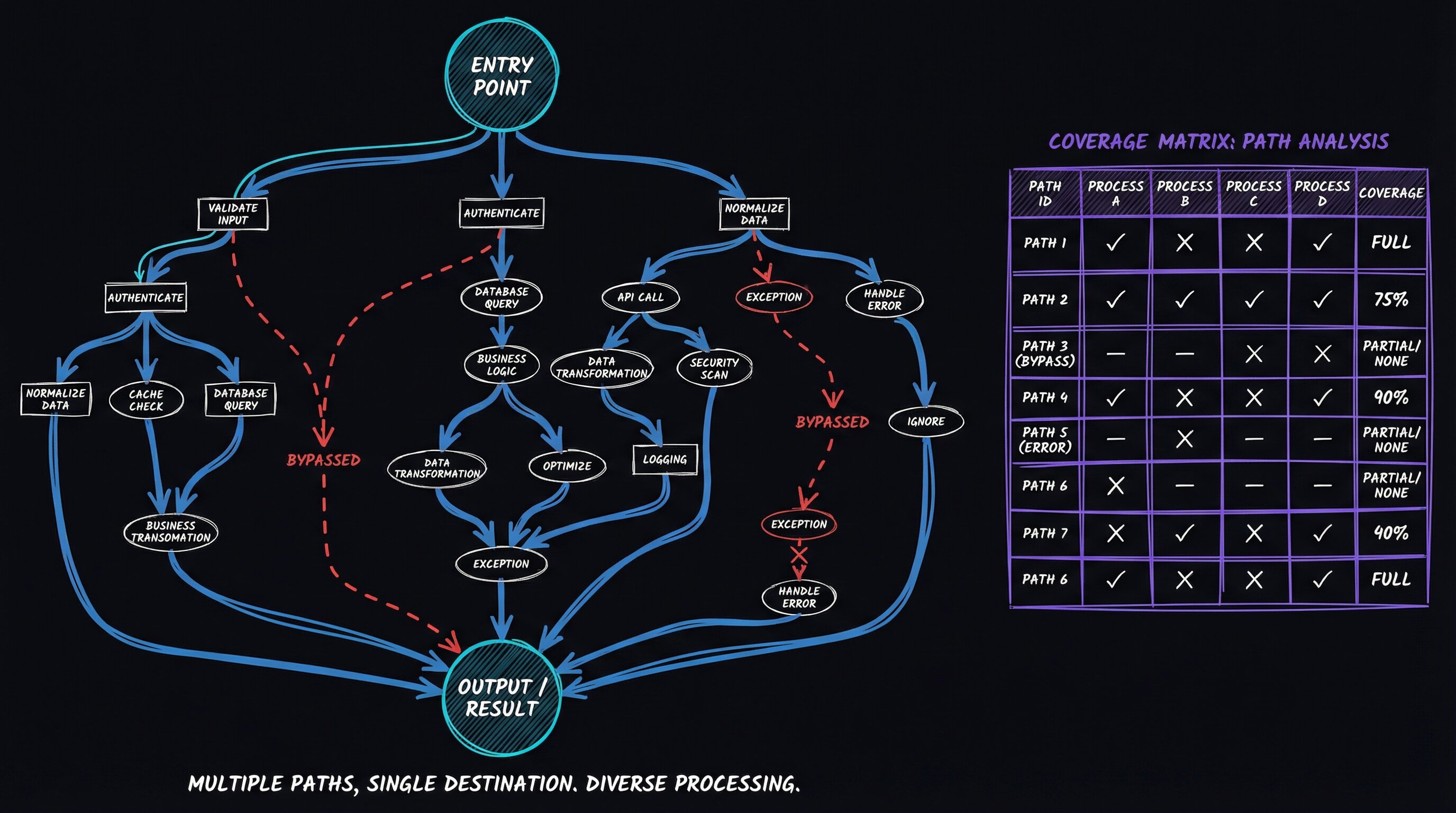
Here's the core idea: **most bugs that survive testing are gaps between code paths, not bugs inside them.** A single path works fine in isolation. It's when four different paths all reach the same destination, each applying a different subset of the same processing steps, that you get "works on my machine" — or worse, "works on the route I tested."
## Two Modes: Audit and Design
ArchReview has two workflows that form a pipeline:
| Workflow | What It Does | When To Use |
|----------|-------------|-------------|
| **AuditFeature** | Trace all code paths, map entry points, find structural problems | "Why is this broken?" or "How does this actually work?" |
| **DesignSolution** | Research patterns, run a Red Team debate, generate implementation spec | "How should we fix this?" |
You can run them independently or chain them: audit first to understand the architecture, then design a solution for the problems found.
## How AuditFeature Works
When invoked, AuditFeature spawns five specialized agents in parallel — separate Claude Code subprocesses, each with a narrow focus and deep expertise:
| Agent | Focus | Output |
|-------|-------|--------|
| **Entry Point Mapper** | Find EVERY call site for the key function, trace what happens before and after each call | Numbered list of all entry points with data flow |
| **Logic Duplication Detector** | Find ALL copies of the feature's core logic, diff them against each other | Coverage matrix showing which filters/transforms each path applies |
| **Data Flow Tracer** | Follow data from source to sink, find monkey-patches and overrides | Execution order map with every transformation point |
| **Transaction Safety Auditor** | Verify every database write uses `BEGIN IMMEDIATE` transactions | Safety matrix: N of M write paths are transaction-safe |
| **i18n Completeness Checker** | Verify every `data-i18n` key exists in all language dictionaries | Translation coverage: N of M keys are fully translated |
The key output is the **coverage matrix** — a table showing which processing steps each code path applies:
```
| Code Path | Filter A | Filter B | Post-hook | SSE Broadcast |
|------------------|----------|----------|-----------|---------------|
| SSE update | Yes | NO | NO | N/A |
| UI click | Yes | Yes | Yes | Yes |
| API call | Yes | Yes | NO | Yes |
| Timer refresh | NO | NO | NO | NO |
```
When you see a matrix like that, the architecture problem stops being invisible. Four paths to the same destination, each applying a different subset of processing. The bugs aren't in any individual path — they're in the gaps between paths.
## Template Variable Completeness
One of ArchReview's most valuable checks is something no linter catches: template variable completeness across `render_template` callers.
In Flask, multiple routes can render the same template. If you add a new feature to one route — say, a lunch break banner that needs a `lunch_break` variable — every other route that renders that template needs to pass the same variable. Miss one and you get a `NameError` in production. But only on the route you didn't test.
The Entry Point Mapper agent greps for every `render_template` call for each template, compares the keyword arguments, and flags any variable present in some callers but missing from others. This caught a real bug: both `/welcome` and `/flow` render `kiosk/welcome.html`, but only `/flow` passed the `lunch_break` variable. The lunch break banner worked on one route and crashed the other.
## Transaction Safety Auditing
This one is specific to SQLite but the pattern generalizes. Python's `sqlite3` module uses `DEFERRED` transactions by default — it acquires a shared lock on first read, then tries to upgrade to exclusive on write. Under concurrent load from multiple Gunicorn workers (the server processes that handle web requests in parallel), this upgrade fails instantly, completely bypassing `busy_timeout`. The fix is `BEGIN IMMEDIATE`, which grabs the write lock upfront before anyone else can touch it.
ArchReview's Transaction Safety agent traces every database write in the feature under audit and verifies it goes through the `transaction()` context manager (which issues `BEGIN IMMEDIATE`).
**The SQLite concurrency trap.** Python's `sqlite3` module opens transactions as `DEFERRED` by default — it acquires a shared read lock on first access, then tries to upgrade to exclusive on the first write. Under concurrent Gunicorn workers, that upgrade races and fails *immediately*, completely bypassing `busy_timeout`. The fix is a single keyword:
```python
# Dangerous — default DEFERRED mode races under concurrency
conn.execute("INSERT INTO visits ...")
conn.commit()
# Safe — IMMEDIATE acquires the write lock upfront, so busy_timeout applies
with conn:
conn.execute("BEGIN IMMEDIATE")
conn.execute("INSERT INTO visits ...")
```
You can reproduce the race locally with two threads hitting the same SQLite file simultaneously — the `DEFERRED` path will raise `OperationalError: database is locked` while the `IMMEDIATE` path queues cleanly.
**How the agent finds the gap.** The Transaction Safety agent runs a targeted `grep`/AST walk for every `conn.commit()`, `session.flush()`, or direct `execute()` that isn't inside a context manager wrapping `BEGIN IMMEDIATE`. It then cross-references against the entry-point map from the parallel Entry Point Mapper agent — so it knows which *call sites* reach each write, not just which files contain one. The result is the coverage matrix the plain post describes:
```
| Write Location | Wrapped in transaction()? | Reachable via concurrent path? | Risk |
|-------------------|---------------------------|-------------------------------|-------|
| data_service.py | Yes | Yes | None |
| app_db.py | No — bare commit() | Yes (timer + API both hit it) | P0 |
```
**Generalizes beyond SQLite.** The same pattern — "which write paths skip the safe wrapper?" — applies to any resource with exclusive-lock semantics: Redis `MULTI/EXEC`, Postgres advisory locks, file-system `flock`. The agent doesn't need to know the database; it needs to know what the project's safe wrapper *is* (documented in the skill) and grep for every write that bypasses it.
This is architectural, not syntactic. A linter can't tell you that `bare commit()` is dangerous specifically because of how SQLite handles lock upgrades under concurrency. The agent understands the architectural context because the workflow explains it.
## DesignSolution: Red Team Debates
Once AuditFeature maps the problems, DesignSolution finds the fix.
It starts with parallel research — two agents search for patterns in open-source codebases solving similar problems. One in the primary domain, one in adjacent domains: React patterns applied to vanilla JS, backend pipeline patterns applied to frontend, that kind of cross-pollination.
From the research, I select the two most promising approaches. Then a Red Team agent debates them:
```
For EACH approach:
1. Steel-man it (present it at its strongest)
2. Identify the top 3 risks/weaknesses
3. Score on: complexity, regression risk, cognitive load,
edge case handling, future extensibility
4. Deliver a verdict with what the winner should borrow
from the loser
```
The structured debate produces better decisions than me asking myself "which approach is better?" ever did. The steel-manning forces me to actually present the option I'm biased against in its best light — and more than once, that's been the one that won. The scoring matrix prevents the gut-feel decision where I pick the approach that feels cleaner but has worse edge-case handling.
The output is a full implementation spec written to `.agent/specs/` — problem statement, before/after architecture, every call site that needs migration, and a testing checklist.
## The Difference From CodeReview
I have three review skills, and people ask how they're different:
| Skill | Scope | Depth | Output |
|-------|-------|-------|--------|
| `/PortalCodeReview` | Broad codebase sweep | Surface — pattern matching across 12 categories | Prioritized findings list |
| `/PortalBugBot` | Recent changes | Deep — adversarial loop with attack angles | Fixed bugs + regression tests |
| `/PortalArchReview` | Single feature | Deepest — full code path trace | Architecture audit + implementation spec |
CodeReview is a net cast wide. BugBot is a drill aimed at recent changes. ArchReview is an X-ray of one system's skeleton. They complement each other because they find different classes of problems: CodeReview finds anti-patterns, BugBot finds bugs, ArchReview finds architectural debt.
## Composing Into the Pipeline
In practice, these skills layer:
1. **Build a feature** on a branch
2. **`/PortalArchReview`** if the feature touches complex pipelines — audit before implementation to understand the architecture you're modifying
3. **`/PortalBugBot`** after implementation — adversarial review of your changes
4. **`/PortalCodeReview`** periodically — broad sweep for accumulating anti-patterns
5. **`/PortalDevFlow`** throughout — enforces the pipeline at every step
Each skill encodes knowledge I've accumulated through bugs that shipped. The visit-reason note bug became a rule in ArchReview. The phone normalization bug became an attack angle in BugBot. The timezone bugs became a category in CodeReview. The skills get smarter because the mistakes are encoded as structure, not just memory.
## What I Learned
**Architecture audits before implementation save more time than reviews after.** When I run ArchReview on a feature before modifying it, I find the five call sites that all need updating instead of finding them one at a time through production bugs.
**Structured debate beats intuition for architectural decisions.** The Red Team workflow has reversed my initial instinct on approach selection multiple times. Steel-manning the option I was leaning against often reveals it's actually better.
**The coverage matrix is the most valuable artifact.** A single table showing which processing steps each code path applies makes invisible inconsistencies visible instantly. Most architectural bugs are gaps in that matrix.
Next: [Part 4](/blog/agentic-engineering-part-4-the-full-stack) covers how all nine skills compose into a complete development lifecycle — from cleaning test data to deploying to production.
---
# Agentic engineering, part 4: nine skills that replaced my dev process
URL: https://jonroosevelt.com/blog/agentic-engineering-part-4-the-full-stack/
Date: 2026-02-25
Tags: agentic-engineering, claude-code, devops, testing, healthcare, ai-agents, series
BugBot caught it before I did. The lunch-break banner I'd just built rendered perfectly on `/flow` — the main scheduling screen — and crashed hard on `/welcome`, the landing page. Both routes share one template, the HTML skeleton that builds the page, and only `/flow` passed the `lunch_break` variable — the value the template needs to decide whether to show the banner — down to it. I'd tested the feature on the screen where I built it and never opened the other one. BugBot, my adversarial review tool whose entire job is to attack the code rather than approve it, found the crash, fixed it, wrote a regression test (a test added so this specific bug can't come back), and kept looping until it had nothing left to find.
That morning was the whole series in miniature:
**Don't make AI agents smarter — make them constrained, adversarial, and self-improving.**
A smart agent with no constraints is a liability. I learned that by feeding an agent more context, writing longer prompts, and trying to make it *smarter*. It became slower, more confident, and just as wrong. The nine skills below take the other approach. They constrain the agent.
The previous three posts covered the pieces: [DevFlow](/blog/agentic-engineering-part-1-skills-that-ship-code) for CI/CD enforcement — continuous integration and continuous deployment, the automated pipeline that tests and ships code; [BugBot](/blog/agentic-engineering-part-2-adversarial-code-review) for adversarial review; and [ArchReview](/blog/agentic-engineering-part-3-architectural-trace) for architectural tracing. The value is in how they compose: nine skills that together replace what used to be a chaotic, manual, error-prone development process.
This post maps the full lifecycle: how a feature goes from idea to production using nothing but skill invocations, and why the system keeps getting stricter over time.
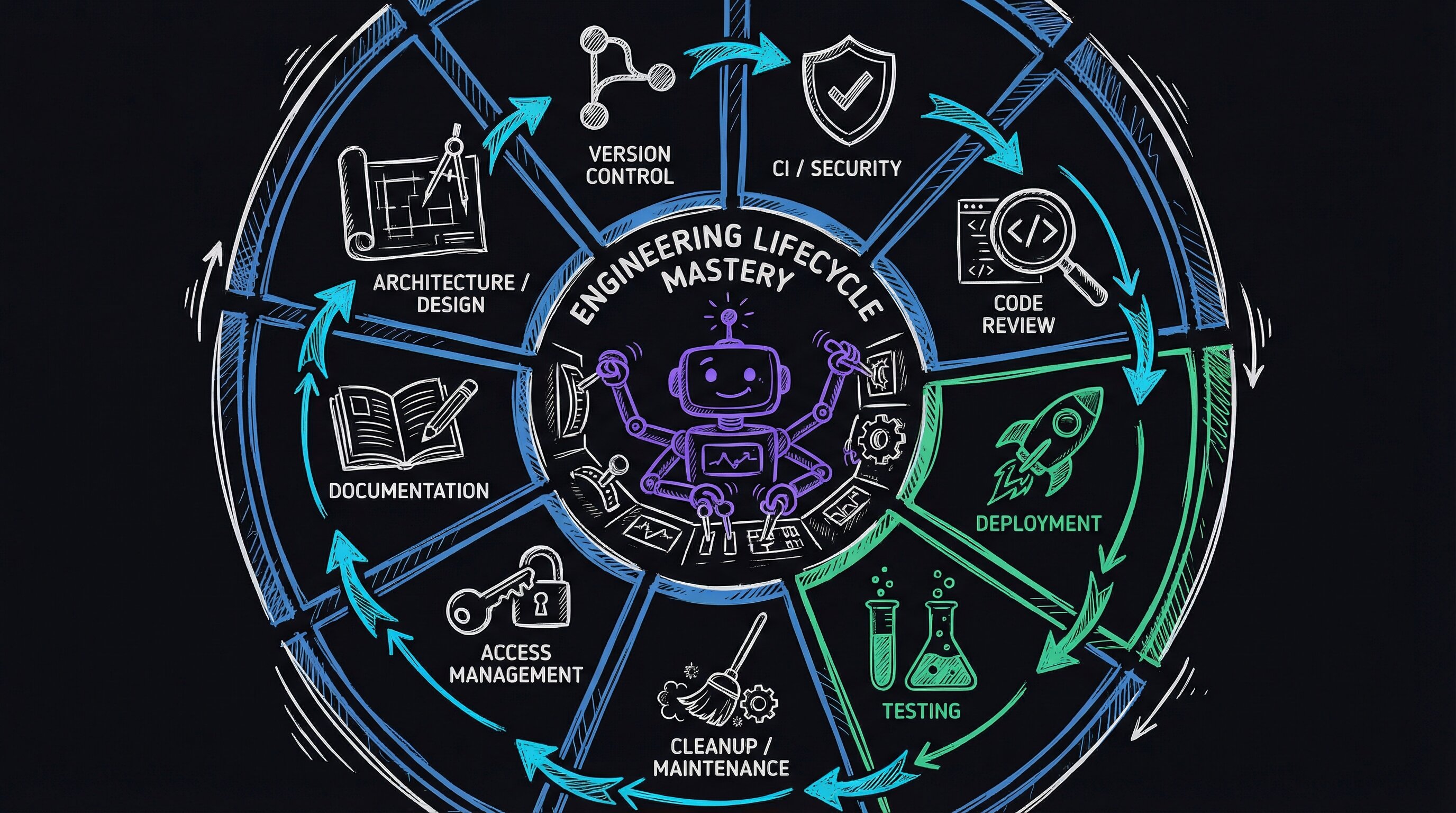
## The nine skills
Every skill is prefixed with `Portal` — I type `/Portal` and see all of them via autocomplete. A "skill," in Claude Code, is a self-contained folder the agent loads on demand: a `SKILL.md` file that tells it when to activate, a `Workflows/` directory of numbered execution steps, and optionally a `Tools/` directory of helper scripts. Each of the nine plays one role in the lifecycle.
| Skill | Role in Lifecycle | Invocation |
|-------|------------------|------------|
| **DevFlow** | Pipeline enforcer — checks stage, blocks deviations | `/PortalDevFlow` |
| **BugBot** | Adversarial review loop — attacks until ALL_CLEAN | `/PortalBugBot` |
| **CodeReview** | Broad anti-pattern scan — 12 categories | `/PortalCodeReview` |
| **ArchReview** | Deep feature trace — audit + design solution | `/PortalArchReview` |
| **E2E** | End-to-end test orchestration — 30+ scenarios | `/PortalE2E` |
| **DeployDelta** | Pre-deploy diff — devbox vs prodbox comparison | `/PortalDeployDelta` |
| **CleanupTestData** | Reset test state — remove synthetic test records | `/PortalCleanupTestData` |
| **Access** | Role-based portal login — front desk, MA, provider, manager | `/PortalAccess` |
| **BlogFromVault** | Documentation — turn recent work into blog posts | `/PortalBlogFromVault` |
## One feature through the system
The lunch break scheduling feature followed this sequence:
### 1. Understand
```
/PortalArchReview audit the scheduling pipeline
```
Before writing a line of code, ArchReview traces every code path through the scheduling system. Five parallel agents — separate Claude Code sessions running at the same time, each fixated on one question — map entry points (the functions where a request first enters the code), find duplicated logic, trace data flow, check transaction safety (whether database writes either fully complete or fully roll back, never half-finished), and verify i18n completeness (i18n = internationalization, the work of making every user-facing string translatable). The output tells me exactly which functions I need to modify and which ones I need to be careful not to break.
### 2. Develop
```
/PortalDevFlow
```
DevFlow detects I'm on `master` — the main branch, where production code lives — and tells me to branch, meaning create a separate copy of the code to work in. I create `feature/lunch-break`, build the feature, and invoke DevFlow again periodically. It tracks my progress: uncommitted changes → committed → pushed → CI running (CI here being the server that runs the test suite on every push).
### 3. Review
```
/PortalBugBot
```
BugBot launches the adversarial loop against my changes. This is the moment from the opening — it finds that the lunch break banner works on `/flow` but crashes `/welcome`, because both routes render the same template but only one passes the `lunch_break` variable. BugBot fixes it, writes a regression test, and continues looping until clean.
### 4. Test
```
/PortalCleanupTestData
/PortalE2E lunch-break
```
First, clean up any test data left behind by previous runs — synthetic patients, appointments, and records that would pollute the next test. Then run the end-to-end scenario — 42 unit tests (unit tests check one function in isolation) plus browser automation that walks through admin config, scheduling rules, multi-language UI banners, display screens, and time calculations.
### 5. Deploy
```
/PortalDevFlow
```
DevFlow sees CI passed and no pull request exists yet. A pull request, or PR, is the proposed change you open for review before merging it into the main branch. DevFlow tells me to create one. After merge — folding the branch's changes back into the main line — it confirms the auto-deploy triggered (the system that pushes merged code to production automatically). If I want extra confidence, I run DeployDelta first:
```
/PortalDeployDelta
```
This SSHes into prodbox — our production server, reached over SSH, a secure remote-shell connection — in read-only mode, and produces a diff (a line-by-line comparison showing what differs) across git state, environment variables (config values like passwords and feature flags stored outside the code), nginx config (nginx being the web server sitting in front of the app), database migrations (the scripts that evolve the database schema over time), dependencies (third-party libraries the app relies on), and JS bundles (the packaged JavaScript files the browser downloads) against what's on the branch. The output is a concrete checklist of what will change.
### 6. Document
```
/PortalBlogFromVault
```
It analyzes the git commits — the saved snapshots of changes — reads the source code, and generates a blog post about the work. The post you're reading right now was generated this way.
## What a skill contains
Every skill follows the same structure:
The skill anatomy above looks simple — markdown files and a YAML header. The power is in the contract it enforces at *invocation time*.
**Routing via `USE WHEN` triggers.** Claude Code loads `SKILL.md` into context when it matches the description field. The agent then reads the `Workflows/` markdown and executes it step by step, treating numbered instructions like a deterministic state machine rather than free-form guidance. "Structure handles process; intelligence handles details" is the actual division of labor — not a metaphor.
**The adversarial loop (BugBot's inner loop).** BugBot works by maintaining a catalog of attack angles (28 for Portal, stored as plain markdown). Each loop iteration spawns a focused sub-task per angle — think: `Bash("grep -rn 'datetime.now()' src/")` to find timezone violations, then a second pass to count unique callers of every changed function. The loop exits only when all 28 angles return no findings. This is mechanically enforced inside the workflow file itself with an explicit `STOP condition` line.
**E2E browser automation.** Test scenarios are markdown specs consumed by `agent-browser` (a Playwright-backed headless runner). The agent reads the spec's `Actions:` block and drives the browser imperatively — no Selenium selectors hard-coded in Python, no fragile CSS paths checked in. The spec IS the test.
Want to see the pattern? Create a minimal skill directory and drop this into `SKILL.md`:
```yaml
---
name: MySkill
description: |
Runs a focused audit.
USE WHEN user says "audit", "check", "/myskill"
---
```
Then write `Workflows/Audit.md` with numbered steps and a `STOP condition:` line. Invoke it and watch the agent follow the steps mechanically, only stopping when your condition is met. That's the whole engine.
## How failures become rules
Every bug that ships teaches the system something:
| Bug Shipped | Skill Updated | Rule Added |
|-------------|---------------|------------|
| Visit-reason note missing from 4 of 5 callers | ArchReview | "Count ALL callers before fixing a missing side effect" |
| Phone numbers compared in different formats | BugBot | Attack angle: "Round-trip consistency across normalization boundaries" |
| Template variable missing on sibling route | ArchReview | "Compare render_template kwargs across ALL callers" |
| Bare `commit()` causing database locks under load | CodeReview + ArchReview | Transaction safety audit agent |
| `datetime.now()` instead of `utc_now_iso()` | CodeReview | Timezone/date anti-pattern scanner |
| Lunch break banner crash on `/welcome` | BugBot + E2E | Template variable completeness + 42-test E2E scenario |
The skills are a living codebase of operational knowledge. Each lesson becomes a rule, attack angle, or test scenario. The system gets stricter because each constraint came from a real bug that shipped. As the skill set grows, this series will continue with it. Every new feature, every new class of bug, and every new deployment pattern becomes a new skill or a new rule in an existing one. The system gets stricter. The code gets more reliable.
A constrained agent that follows structured workflows, attacks its own output, and encodes every failure as a new rule is an engineering system. The skills are the system. The agent is just the execution engine.
## E2E: 30+ scenarios and growing
The E2E skill has over 30 test scenarios covering the full user journey:
| Category | Scenarios |
|----------|-----------|
| **Self-service** | Registration, batch check-in, demographics edge cases, record matching, session isolation |
| **Booking** | Online booking, booking page UI, Stripe payment integration |
| **Workflows** | Queue management, form fill forward, document processing, signature workflow |
| **Infrastructure** | Multi-tenant security (104 curl tests), SMS/SSE scalability (17 checks), video call integration |
| **Video** | Virtual visit workflow, post-visit survey |
Each scenario has a markdown spec with preconditions, step-by-step actions, expected results, and cleanup instructions. The agent reads the spec and executes it with browser automation (`agent-browser` — a tool that drives a real browser with no human clicking), API calls (`curl`, the command-line tool for making raw HTTP requests), and database queries. No manual clicking through UIs.
## What it costs
Building nine skills took weeks of iteration. Each started simple and grew as bugs supplied new lessons. The BugBot workflow alone is 462 lines of markdown with a 28-angle attack catalog.
I do not know where the ceiling is — whether routing gets noisy at thirty skills or the attack catalog grows faster than I can reason about. The return so far is compounding. Every new feature I build benefits from every lesson every previous feature taught. The lunch break feature had fewer bugs than the alternate phones feature, which had fewer than the feature before that. The skills accumulate knowledge faster than I accumulate technical debt — the mounting cost of shortcuts and fixes piling up. I sleep better when the agent is shipping code at 2 AM.
---
# I built a bug-hunting loop that doesn't quit: the BugBot methodology
URL: https://jonroosevelt.com/blog/bugbot-adversarial-loop-part-1/
Date: 2026-02-21
Tags: ai-agents, code-review, debugging, claude-code, developer-tools, testing
I found the bug at 11:47 PM on a Thursday.
The feature had shipped three days earlier. Two senior engineers had approved the PR. The diff was clean — proper error handling, sensible defaults, tests passing. And yet there it was in Sentry, quietly blowing up for 4% of users who happened to have a null middle name in our database. The review caught the happy path. It missed the empty string that wasn't null.
That specific failure mode — boundary conditions on optional fields — is what single-pass code review systematically misses. Not because reviewers are careless. Because one person looking at a diff from one angle will find one set of problems and miss another. The bugs don't cooperate with the review flow.
I wanted to build something different — a code review tool that attacks the same codebase from every angle, iterates until it genuinely finds nothing new, and doesn't stop just because the first pass looked clean. I called it BugBot.
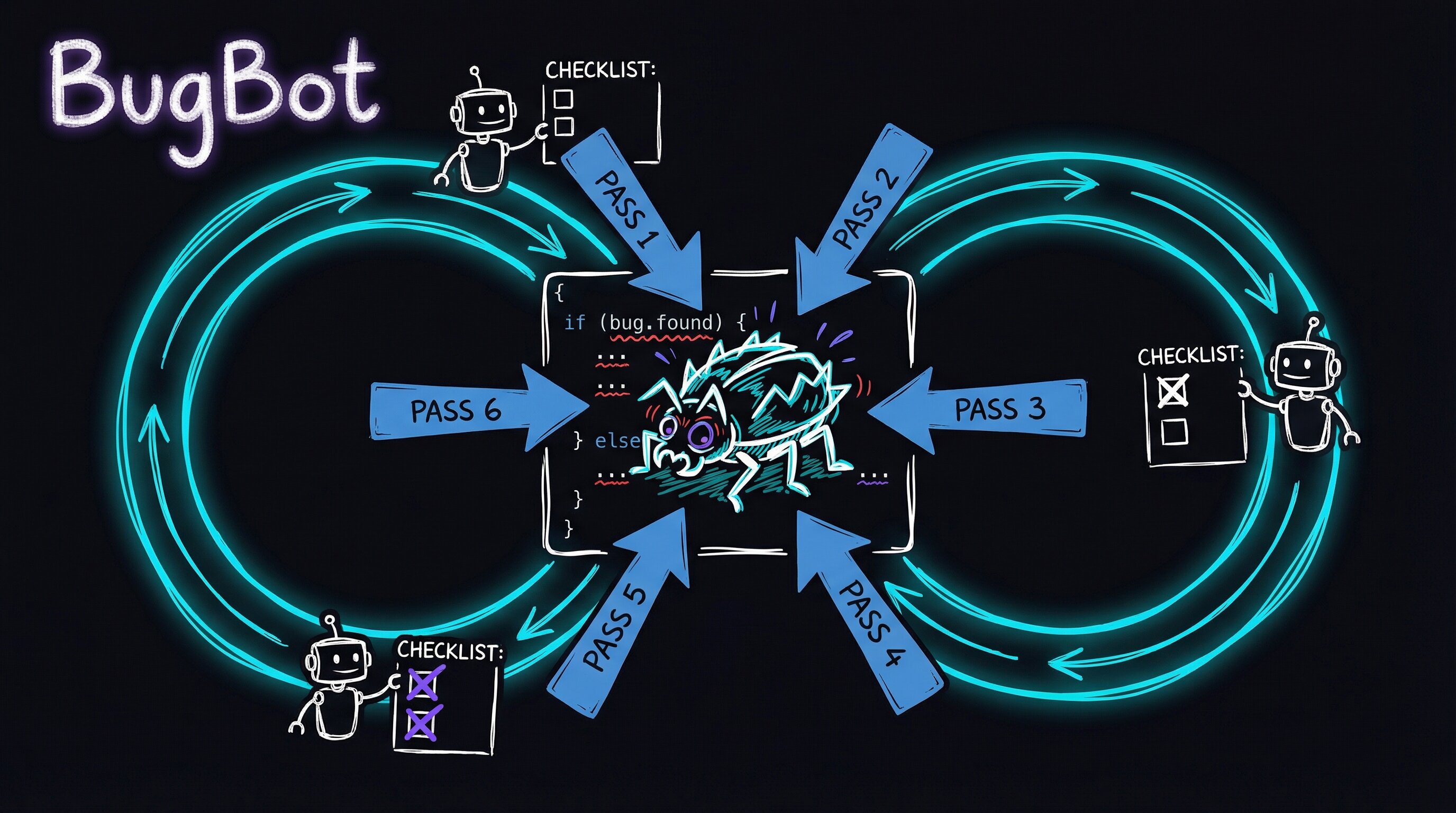
## Completeness is the hard problem. Not thoroughness.
Most code reviews are thorough on the obvious path. The reviewer opens the diff, reads through it, catches a few things, leaves some comments, approves. That's thorough. But bugs don't live on the obvious path — they hide in the interactions between features, at the edges of data types, in the paths that only fire under load.
BugBot is built around a single constraint: keep reviewing until a complete pass finds zero new CRITICAL or HIGH severity issues. Not "until you've looked at the diff once." Until you've exhausted every meaningful attack angle and the code genuinely holds up.
Right now there's no CRITICAL or HIGH finding to apply — so we must be done, right? I'd written a three-pass loop and it had found two real bugs in iteration 1, nothing in iterations 2 and 3. But I hadn't exercised half the trigger categories. The box for "error recovery" was still unchecked. "Configuration" too. I knew exactly where I hadn't looked yet — and that's where production bugs live.
That's the difference between feeling done and being done.
Under the hood, BugBot runs inside a persistent execution loop. Each iteration spawns a fresh Claude Code agent session, fed by a shared state file on disk. Each iteration picks a new set of attack angles, runs parallel review agents, fixes what it finds, then decides: keep going, or declare clean.
```markdown
# .claude/review-state.md (after iteration 2)
## Trigger Coverage
- [x] Simple path → Iteration 1: angles 1, 5
- [x] Complex path → Iteration 1: angle 6
- [x] Boundary → Iteration 2: angle 22
- [ ] Error recovery
- [x] Stress/volume → Iteration 2: angle 23
- [x] Interaction → Iteration 1: angles 1, 2, 3
- [ ] Configuration
```
The state file is the only memory across iterations. The loop starts fresh each time, reads the file, picks untried angles, and continues. No context carried forward. No bias from what passed the first time.
## What I stole (and from whom)
I didn't invent any of this from scratch. BugBot is a synthesis — techniques borrowed, combined, and wired together:
The loop is intentionally stateless per iteration — each agent spawns with a clean context window and reads `review-state.md` from disk to pick up where the previous pass left off. This sidesteps context-length drift and ensures findings from iteration 1 don't unconsciously bias iteration 3. The shared state file is the only coupling.
Parallel agents review the same diff simultaneously with shuffled file orderings (borrowed from Cursor BugBot's finding that reading order affects which patterns surface first). Each agent produces structured findings: `file:line`, severity (S1–S3), confidence (C1–C3), trigger category, and a Missing/Wrong/Unclear classification. A dedup pass then merges findings by location and symptom before any fix is applied — the same bug found by three agents at three angles becomes one high-confidence signal, not three noisy tickets.
The confidence matrix (Severity × Confidence) gates what actually blocks the loop. Only findings that score CRITICAL or HIGH get actioned. You can implement the core gating logic in a few lines:
```python
# Confidence × Severity gate — only CRITICAL/HIGH block the loop
GATE = {
("S3", "C3"): "CRITICAL",
("S3", "C2"): "HIGH",
("S2", "C3"): "HIGH",
("S3", "C1"): "MEDIUM",
("S2", "C2"): "MEDIUM",
("S1", "C3"): "MEDIUM",
}
def blocks_merge(severity: str, confidence: str) -> bool:
return GATE.get((severity, confidence), "LOW") in ("CRITICAL", "HIGH")
```
To try the loop structure yourself: maintain a plain markdown checklist of your trigger categories (`- [ ] boundary`, `- [ ] error recovery`, etc.) as the state file. Each review pass checks off the triggers it exercised. Don't declare done until all boxes are checked — that single constraint forces you to deliberately seek out the edge cases most reviews skip.
The insight from studying all these tools is that they each attack different failure modes. No single technique dominates — you need all of them.
## Seven triggers you can't skip
One of the most useful frameworks I borrowed was IBM's Orthogonal Defect Classification — specifically the concept of ODC *triggers*: the conditions that cause bugs to surface. Not what the bug looks like, but what *made it visible*.
| Trigger | Description |
|---------|-------------|
| **Simple path** | Happy path, normal inputs |
| **Complex path** | Multi-step flows, conditional branches |
| **Boundary** | Edge values, empty/null/max |
| **Error recovery** | What happens when things fail? |
| **Stress/volume** | High load, large data, rapid interaction |
| **Interaction** | Cross-feature, cross-component effects |
| **Configuration** | Different settings, roles, environments |
BugBot won't declare ALL_CLEAN until all seven triggers have been exercised. This is the key difference from "we reviewed the diff." It's not about lines read — it's about which *failure modes* you've actually tested.
That "error recovery" row is the one that catches the null-middle-name bug from my 11:47 PM Thursday. It's also the row most reviews skip entirely — because reviewing error handling means imagining failure, not just reading what's on the page.
## Every finding earns its severity
Not all bugs are equal. Not all bug reports are equally credible. BugBot requires every finding to be scored on two axes before it gets acted on — how bad would this be if real (severity), and how sure are we that it is real (confidence):
| | C3 Confirmed | C2 Probable | C1 Possible |
|---|---|---|---|
| **S3 Critical** | CRITICAL — fix before merge | HIGH — fix before merge | MEDIUM |
| **S2 Moderate** | HIGH — fix before merge | MEDIUM | LOW |
| **S1 Minor** | MEDIUM | LOW | INFO |
Only CRITICAL and HIGH findings block the ALL_CLEAN promise. This stops the tool from generating a wall of low-confidence noise and forcing you to fix speculative issues before shipping.
The evidence requirement is strict: every finding needs an exact `file:line`, a code snippet, a trigger scenario, and a Missing/Wrong/Unclear classification. No handwavy "this might be a bug." Concrete or it's downgraded.
A finding that says "the auth check looks weird" with no line number and no reproduction? That's INFO at best. A finding that says "`auth.ts:47` — `req.user` is accessed before the `requireAuth` middleware on line 52, confirmed by curl with no session cookie returning 500 instead of 401"? That's CRITICAL.
## 28 attack angles, 4–5 per pass
Each iteration picks 4–5 *untried* angles from a catalog of 28. The catalog covers seven categories:
- **Cross-feature interactions** — what other features read data this one writes?
- **Data integrity** — round-trip consistency, NULL vs empty vs missing, type coercions
- **Client-server contract** — response shape, validation mismatch, error path UX
- **Security & safety** — XSS, authorization gaps, audit trail completeness
- **Template & display** — missing variables, i18n, accessibility
- **Edge cases & stress** — empty state, max capacity, concurrent editing
- **Ecosystem impact** — search index, exports, API consumers
Critically, agents review files in a *shuffled order* — different per agent. This came from Cursor BugBot's research showing that reading order affects which patterns an agent notices first. It's a small thing that shouldn't matter. It matters a lot.
## What a typical run looks like
```
Iteration 1: angles 1, 5, 6 → 2 HIGH bugs found → fix + regression tests → continue
Iteration 2: angles 3, 9, 12 → 0 CRITICAL/HIGH → 5/7 triggers covered → continue
Iteration 3: angles 11, 14, 16 → 0 CRITICAL/HIGH → 7/7 triggers covered → ALL_CLEAN
```
Three iterations. Two bugs fixed. Two regression tests written. The loop does the work.
The thing I didn't expect: iteration 2 finding nothing felt suspicious the first time. I had to resist the urge to add more angles just to feel productive. But that's the point — the trigger checklist tells you when you're done, not your anxiety.
## What this changed about how I think about review
Building BugBot made something obvious that wasn't before: the hard problem in code review isn't being thorough on the happy path. It's knowing when you've covered enough failure modes to stop. Most reviews are thorough. They're not complete.
The ODC trigger framework gives you a way to know when you're *done*. Not "when you feel done" — when specific failure mode categories have been exercised and came back clean. That's a meaningful standard. It's also falsifiable: someone can look at your checklist and say "you didn't test error recovery." They can't look at a standard review and say "you didn't read carefully enough" with the same precision.
The null-middle-name bug I found at 11:47 PM? It would have been caught in iteration 1, angle 8 — "boundary values on optional string fields." A machine checking a checklist would have found it. Two senior engineers on a single pass didn't.
That's not an indictment of the engineers. It's an indictment of the process.
---
*Part 2 covers what happened when I ran this in practice: why fresh context per iteration turned out to be a feature, how consensus signals emerged from independent agents, and the lessons I'd apply to any code review process — with or without a tool.*
---
# Why the same code looks different from every angle: BugBot lessons learned
URL: https://jonroosevelt.com/blog/bugbot-angle-diversity-lessons-part-2/
Date: 2026-02-21
Tags: ai-agents, code-review, debugging, claude-code, developer-tools, testing
I was staring at a JSON state file named `bugbot-state.json`, scrolling through findings, when I noticed something that stopped me cold. Two different Claude Code agents had flagged the same `json.loads()` call on line 1142. Neither agent knew the other existed. They'd been given different review angles, read the files in different orders, and each started from a completely fresh Claude conversation session — no shared memory, no inherited bias. Yet both landed on the same bug independently.
The code hadn't changed between runs. The angle had.
This is Part 2 of the BugBot series. [Part 1](/blog/bugbot-adversarial-loop-part-1) covers the methodology and design. This post is about what I learned running it in practice.
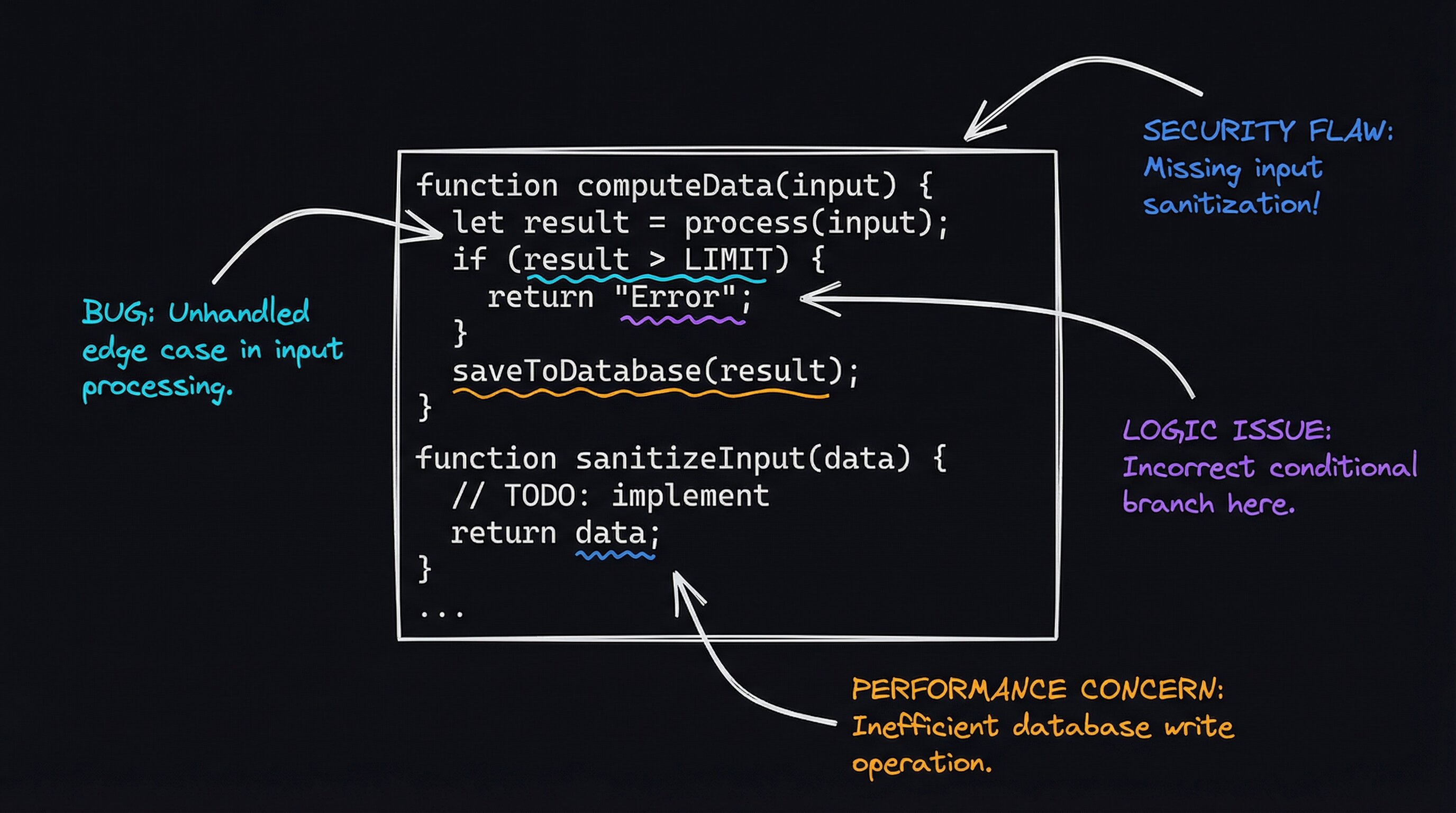
## The Second Pass Finds What the First Walked Past
I built BugBot as an adversarial code review loop: Claude Code agents review files from different attack angles, each in a brand-new LLM conversation (the AI starts each review with no context from what any prior agent noticed — the conversation is truly blank). Between runs, the only thing that persists is `bugbot-state.json`, a flat JSON file tracking which angles have been tried and what findings exist so far. Everything else — the agent's reasoning, its assumptions, the path it took to reach a conclusion — gets thrown away.
I expected this design to catch bugs. What I didn't expect was *which iteration* would catch them. Again and again, the second or third pass at a file — same code, different review angle — surfaced issues the first agent had walked right past.
One review: an agent running a "data round-trip" angle (tracing what happens to data as it moves through the system) caught a normalization mismatch. An earlier agent focused on "cross-feature interaction" had seen the exact same code and dismissed it as correct. Same file, different frame, opposite conclusion.
Human reviewers do this intuitively — you walk away from code, come back with fresh eyes, and see what you missed. BugBot automates that pattern. Every iteration is genuinely fresh because Claude Code starts each agent in a new conversation with no accumulated bias from what came before.
## Shuffled File Order Changes What Gets Noticed
Each parallel agent gets the file list in a different randomized order. I took this idea straight from Cursor's BugBot research on parallel review passes.
Here's why it works. When you read `file_A` before `file_B`, you form hypotheses from `file_A` that you carry into `file_B`. Those hypotheses act as a filter — they determine what you notice and what you skip. Reverse the order, and different hypotheses form first. Different hypotheses, different things stand out.
I saw this play out concretely. An agent that read the frontend template first caught a missing variable that a backend-first agent had completely missed. The backend agent had formed an assumption — "this data is always present" — before it ever reached the template. The frontend-first agent had no such assumption. It saw the gap cold.
It's a one-line code change. The payoff is real.
## When Two Agents Flag the Same Line, I Pay Attention
BugBot does something simple when two independent agents flag the same issue from different angles: it bumps the confidence level.
```
C1 (Possible) → C2 (Probable)
C2 (Probable) → C3 (Confirmed)
```
Individual agent findings are noisy. An agent will sometimes flag a suspicious pattern that's actually fine — an LLM being overly cautious, seeing a ghost. But when two agents, each reading files in a different order, each focused on a different review angle, both independently point at line 1142? That convergence is a stronger signal than either agent alone could produce.
That `json.loads()` finding I mentioned earlier — a "data integrity" agent and a "NULL/empty/missing" agent both flagged it without ever seeing each other's output. The consensus upgrade moved it from C2 (Probable) to C3 (Confirmed), which bumped the priority from MEDIUM to HIGH. It was real. `json.loads()` on stored data was returning a `dict` (a key-value mapping) when the code expected a `list` (an ordered sequence), and the type mismatch was silently producing wrong output downstream. No error, no crash — just quietly wrong results.
## The ALL_CLEAN Contract Is Strict For a Reason
The completion criteria for BugBot is deliberately demanding:
**Why fresh context actually works.** Each iteration spawns a completely new LLM conversation — no message history from the prior pass. The only continuity is an explicit JSON state file (`bugbot-state.json`) that records which angles ran, which findings exist, and their current confidence tier. This structure means the handoff is *data*, not memory. That distinction matters: memory is lossy and biased; data is exact and angle-neutral.
**File-order shuffling is one line of code with non-trivial payoff.**
```python
files = list(repo_files())
random.shuffle(files) # each agent gets a different order
```
Because LLMs form hypotheses early in a context and then pattern-match against them, reading `auth.py` before `api.py` produces different priors than the reverse. Shuffling per-agent is the cheapest way to break shared anchoring across parallel runs.
**Consensus upgrading is a simple counter check.** When two independent agents both flag `file:line`, the state file increments a hit counter for that finding. A threshold check (hit count ≥ 2) triggers a confidence bump: C1 → C2, C2 → C3. No embedding similarity, no vector dedup — just location-keyed agreement across agents that never saw each other's output.
**The ALL_CLEAN contract that actually terminates the loop:**
| Gate | Purpose |
|------|---------|
| Zero CRITICAL/HIGH findings | No production-blocking bugs open |
| All 7 ODC triggers exercised | Error, boundary, role, format, config, concurrency, recovery paths each touched |
| ≥ 15 attack angles completed | Breadth across all seven angle categories |
| All regression tests passing | Fixes don't introduce new breaks |
The 7-trigger requirement is the most important gate — it prevents the loop from quitting after covering only the happy path.
**Try it yourself:** add a `triggers_hit` set to your next code review checklist. Before you sign off, verify you've explicitly tested error recovery, empty/null inputs, and a user with an unexpected role. The gaps that remain are exactly where production bugs hide.
Early versions of BugBot declared clean too quickly. I'd watch the loop exit after two passes, confident it had covered everything, only to find bugs later that it had never even tried to look for. The 7-trigger requirement came from that frustration — I realized "error recovery" and "configuration" paths almost never got reviewed in the first few passes because the early agents gravitated toward the happy path. The happy path is comfortable.
It's also where the fewest bugs live.
The tool now refuses to stop until it has forced itself to think about what happens when the network is down, when a user has an unusual role, when data arrives in an unexpected format. These are exactly the paths that fail silently in production — no crash, no alert, just wrong behavior that nobody notices until a customer reports it three weeks later.
## What Surprised Me
**The most interesting bugs were in the interaction category.** Feature A writes a field. Feature B reads it. Feature B was written before Feature A existed, so Feature B's author baked in assumptions that were true at the time but broke silently when Feature A came along. Classic integration bug. BugBot's "adjacent feature mutation" angle surfaces exactly this — it asks: who *else* reads what you just wrote? Every feature author thinks about their own feature. Almost nobody thinks about the downstream readers.
**The mechanical pre-pass catches more than you'd think.** I added a pre-pass that runs `ruff` (a Python linter that checks for style and logic errors) and `black` (a Python code formatter) before any Claude Code agent touches the code. I figured it'd catch a few formatting issues. It consistently finds real problems — unused imports, variables that accidentally shadow builtins — that would have wasted agent context if discovered mid-review. Automate the automatable. It's obvious advice, but seeing the before-and-after difference made it land.
**Evidence requirements eliminate noise.** Every finding in BugBot needs three things: a specific `file:line` citation, the actual code snippet, and a trigger scenario (the conditions that make the bug surface). When I added this rule, the false positive rate dropped noticeably. Agents that couldn't cite their evidence had to downgrade their finding to C1 (Possible), which doesn't block shipping. Requiring evidence doesn't just filter noise — it changes how the agents approach the review. They look harder when they know they need to produce a citation.
**The state file is the whole system.** Between iterations, `bugbot-state.json` is the only thing that persists. Every Claude Code conversation is disposable. Every agent's reasoning is temporary. The state file is the system's memory, and it's explicit, readable, and trivially inspectable. This is a design principle I've been applying to other agent workflows: if your system's correctness depends on anything other than explicit, readable, persistent state, you have a fragile system. If you can't explain what the agent knows by pointing at a file, you don't actually know what the agent knows.
## Applying This to Any Code Review Process
You don't need BugBot to benefit from these ideas. Here's what generalizes:
- **Use angle diversity, not one monolithic pass.** Don't try to catch everything in a single review. Run separate focused passes: data integrity, security, error handling, cross-feature effects. Each pass has a specific mandate, and that narrow focus produces better results than a broad "find all the bugs" sweep.
- **Track trigger coverage, not just findings.** Before you call a review complete, ask yourself: have I tested what happens on error? On empty data? With different user roles? The answers tell you what you've missed — and what you've missed is where the bugs are.
- **Require evidence.** A suspicion without a code citation isn't a finding, it's noise. File, line number, snippet, trigger conditions. If you can't produce those four things, you haven't found a bug — you've found a feeling.
- **Iterate.** The second pass at a different angle will find things the first pass didn't. The third will find things the second didn't. Stop when a *complete* pass — one that exercises every angle you've defined — finds nothing new.
The core insight is simple: code review completeness is about *which failure modes you tested*, not *how carefully you read the diff*. The diff is the same every time you look at it. The angle is what changes.
---
# Implementing the GCC paper: giving AI agents persistent, structured memory
URL: https://jonroosevelt.com/blog/implementing-gcc-paper-agent-memory/
Date: 2026-02-20
Tags: ai-agents, memory, claude-code, gcc, open-source, research-implementation
The 30th re-explanation of the ARCS Health Portal's architecture to a fresh Claude Code session was the one that broke me. I'd burned 4,000 tokens — words the AI reads and I pay for — describing the same database schema, the same auth flow, the same branch I was on yesterday, to an agent that arrived with zero memory of any of it. Not the bug I'd spent an hour debugging at 2 AM. Not the design decision that took three sessions to settle. Nothing.
Every new agent session starts blank. That's the design. It's also the single biggest drain on productivity and budget in AI-assisted coding.
So when I found [GCC: Git-Context-Controller](https://arxiv.org/abs/2508.00031) by Junde Wu at Oxford, the paper's framing felt like someone had been reading my terminal logs. Agent memory shouldn't be a flat text file you dump into a prompt. It should be a **version-controlled codebase** — branches, commits, merges, and retrieval at different zoom levels, exactly like git. I spent a week building it from scratch. The results surprised me.
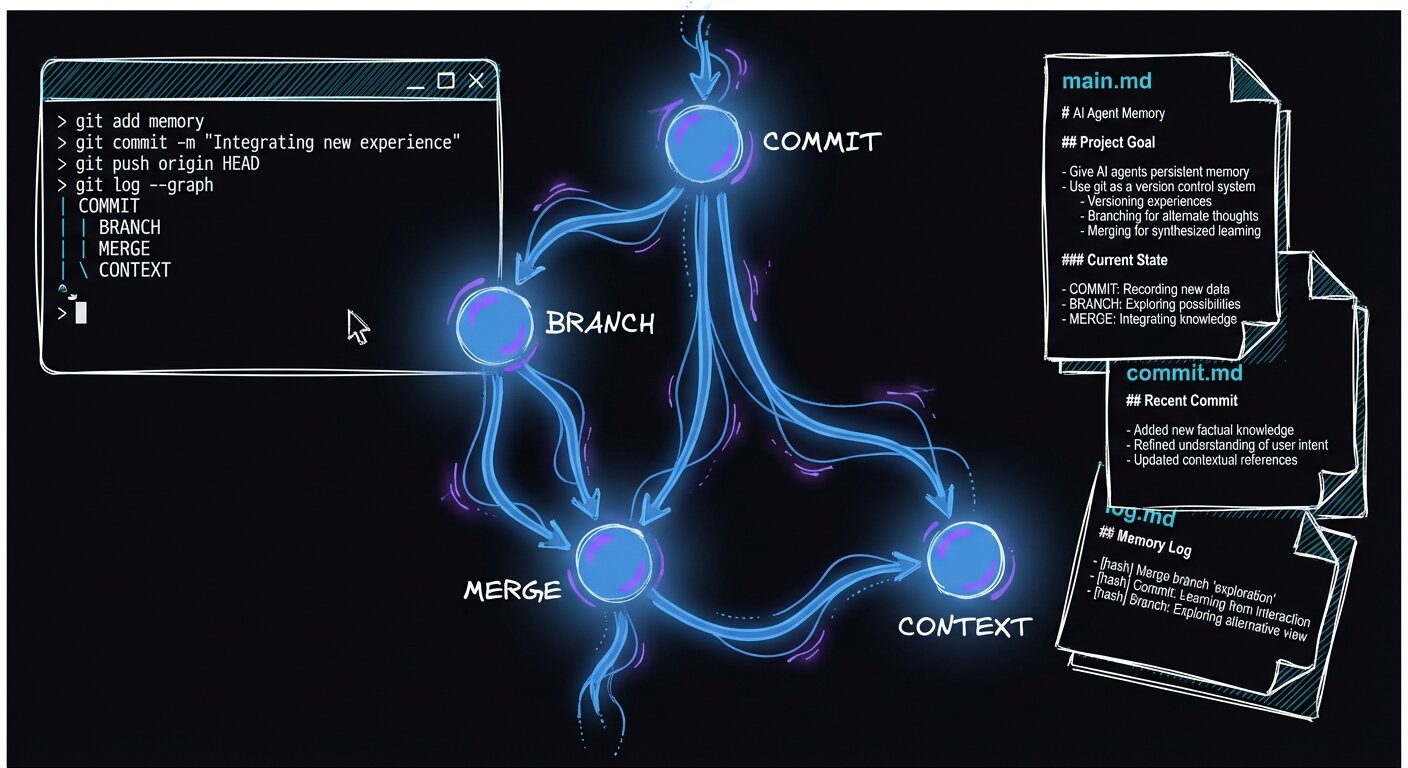
## Memory as a repo
The [GCC paper](https://arxiv.org/abs/2508.00031) (arXiv 2508.00031) defines four operations an AI agent can call during its own reasoning — modeled directly on git:
| Command | When to Call | What It Does |
|---------|-------------|--------------|
| `COMMIT` | After a coherent milestone | Checkpoints progress with a three-block narrative summary |
| `BRANCH` | Before exploring an alternative | Creates an isolated workspace for experiments |
| `MERGE` | When an experiment succeeds | Synthesizes branch results back into the main trajectory |
| `CONTEXT` | To orient or resume work | Retrieves memory at multiple resolutions |
The architecture: agent memory lives in a `.GCC/` directory. `main.md` holds the global roadmap. Each branch gets its own `commit.md` (milestone summaries), `log.md` (fine-grained traces of what the agent observed, thought, and did), and `metadata.yaml` (file structure, dependencies, configs). Agents equipped with GCC hit 48% resolution on SWE-Bench-Lite — the best result published at the time, ahead of 26 competing systems.
## What I Built: gcc-memory
[gcc-memory](https://github.com/RooseveltAdvisors/gcc-memory) is my open-source implementation. ~2,600 lines of Python in four layers:
```
src/gcc_memory/
├── store.py # 757 LOC — core storage engine
├── cli.py # 447 LOC — Typer CLI (commit, branch, merge, context)
├── utils.py # Atomic writes, file locks, timestamps
├── server.py # HTTP + WebSocket for real-time streaming
└── adapters.py # Codex/Claude/OpenCode transcript parsers
integrations/claude/
├── gcc_memory_observe.py # UserPromptSubmit hook → observations
├── gcc_memory_stop.py # Stop hook → thoughts
├── gcc_memory_sync.py # PostToolUse hook → actions
└── hook_common.py # Shared: debounce, dynamic import, trimming
scripts/
├── backfill_history.py # Mine 800+ session transcripts into events
└── run_backfill.sh # uv-backed runner
```
### What a commit remembers
The paper's signature move is the **three-block commit**. Every commit captures three things:
1. **Branch Purpose** — why this branch exists at all (anchors intent so future sessions know what you were trying to do)
2. **Previous Progress Summary** — a compressed chain of all prior summaries on this branch
3. **This Commit's Contribution** — what actually changed in this milestone
```markdown
### Commit: Implement JWT auth (2026-02-18T10:30:00+00:00 | main)
**Branch Purpose:** Full-stack authentication system
**Previous Progress Summary:** Set up Express server with route structure.
Added PostgreSQL connection pool with migration system.
**This Commit's Contribution:**
Replaced session cookies with JWT tokens. Simplifies the API gateway
and enables stateless horizontal scaling. Validated with integration
tests covering token refresh, expiry, and revocation.
```
The key mechanism is `_synthesize_progress()` — it chains previous summaries with a 1,500-character ceiling, so N commits compress into a fixed-size window. After 50 commits, you still get a coherent summary that fits in a few hundred tokens. The memory doesn't grow with the project.
### The three hooks
The paper specifies **Observation-Thought-Action** (OTA) traces. I capture all three through Claude Code's hook system — lifecycle triggers that fire at specific moments in every agent session:
| Hook | Event Type | Channel | What It Captures |
|------|-----------|---------|-----------------|
| `UserPromptSubmit` | Observation | `claude-hook` | User's request (the "what") |
| `Stop` | Thought | `claude-hook` | Agent's reasoning (the "why") |
| `PostToolUse` | Action | `claude-hook` | Tool execution (the "how") |
The `PostToolUse` hook is the richest. Instead of just logging "bash" as a tool name, it builds enriched summaries:
```python
# Instead of: "bash"
# We get: "migrate database schema (exit 0)"
def _build_enriched_summary(tool_name, payload):
if tool_name == "bash":
desc = tool_input.get("description", "")
exit_code = result_obj.get("exit_code", "")
return f"{desc} (exit {exit_code})" if desc else cmd[:120]
```
Two filters keep logs from drowning in noise: **debouncing** (a 3-second window merges rapid-fire duplicate events from back-to-back tool calls) and **terse-response filtering** (skip anything under 60 characters — "Done.", "OK."). Together they cut log noise by ~70% while losing almost nothing of value.
### The safety-net commit
Every 300 seconds of continuous tool activity, the `PostToolUse` hook triggers an auto-commit. But that's the backup plan. The real value comes from **agent-driven narrative commits** — the skill I wrote explicitly tells the agent: "Auto-commit is a fallback; your narrative commits and curated summaries are what make this memory useful to future sessions."
## The past was harder than the storage engine
The storage engine was straightforward. Making the system useful for projects that already had months of history — that was the real problem.
My first attempt used `~/.codex/history.jsonl`, thinking that was the source of truth. It only contains user prompts. No agent reasoning. No tool calls. No record of which files changed. Memory built from prompts alone was nearly useless — like reconstructing a conversation when you only have one side of it.
I almost gave up there.
The breakthrough: Claude Code stores full session transcripts at `~/.claude/projects/{project}/*.jsonl`. Each transcript is the complete conversation — user messages, assistant reasoning blocks, and every tool call with its inputs and outputs. I wrote a parser that mines these directly.
**Three hooks, one OTA channel.** The implementation wires three Claude Code lifecycle hooks — `UserPromptSubmit`, `Stop`, and `PostToolUse` — to capture the full Observation-Thought-Action trace. Each hook appends a timestamped JSON event to `log.md`. A 3-second debounce window collapses burst-fire calls (e.g. rapid `PostToolUse` from a multi-step tool) into one log entry, cutting noise by roughly 70% with negligible information loss.
**Commit compression that actually scales.** The `_synthesize_progress()` function chains the text of previous commit summaries up to a 1,500-character cap, then feeds that ceiling into the new commit's "Previous Progress Summary" block. This means you can have 200 commits and the context cost of loading history stays fixed — it doesn't grow with project age.
**Mining full transcripts, not just prompts.** Claude stores complete session transcripts (user turns, assistant reasoning blocks, tool calls) as newline-delimited JSON under `~/.claude/projects/{project-slug}/`. The backfill parser reads these directly:
```python
# backfill_history.py — mine full reasoning, not just prompts
for record in records:
if record["type"] == "user":
user_texts.append(extract_text(record))
elif record["type"] == "assistant":
for block in record["message"]["content"]:
if block["type"] == "text":
reasoning_parts.append(block["text"])
elif block["type"] == "tool_use":
tool_calls.append(summarize(block))
if block["name"] in ("Edit", "Write"):
files_changed.add(block["input"]["file_path"])
```
**Try it.** Point the backfill script at any project slug and watch structured commits materialize from months of history:
```bash
python scripts/backfill_history.py --project your-project-slug --output .GCC/
```
The payoff is immediate: instead of a flat list of user prompts, you get OTA-structured commits where the agent's reasoning — what it tried, what files it changed, why — is preserved alongside the action.
For the ARCS Health Portal — 36 days of development — the backfill mined **655 Claude sessions and 733 Codex prompts**, producing commits like:
```
2026-01-19 (37 sessions)
[16:37] Implement batch lab upload feature
Reasoning: Let me start by reading the specification
Files changed: lab_upload.py, lab_upload_store.py, name_extractor.py
[18:24] Let user mark invalid form history and lab results
Reasoning: Let me look at the data stores and template
Files changed: ehr.py, filled_form_store.py, patient_detail.html
```
Prompts-only was a ghost town. This is a living record.
## What the first implementation missed
After the initial implementation, I compared it with the paper. Several pieces were missing:
| Paper Requirement | Initial State | Fix |
|---|---|---|
| Git commit on COMMIT/MERGE | Not implemented | Added `--git` flag |
| MERGE calls CONTEXT on target first | Missing | Added `context_branch()` call before merge |
| BRANCH initializes commit.md | Empty file | Writes initial entry with Branch Purpose |
| main.md has milestones + to-do list | Only Purpose/Decisions/Questions | Added Milestones and To-Do sections |
| Per-file responsibilities in metadata | Path list only | Documented as optional (paper says "manually added") |
Git integration was the biggest miss. The paper says COMMIT "finalizes the memory and code changes as a Git commit, using the agent-authored summary as the commit message." Now `gcc-memory commit --git` stages all changes and creates a real Git commit beside the GCC commit. The agent's own words become the commit message.
## What I would keep
For a single workspace with 1–3 agents, Markdown and YAML with file locks are enough. The storage is simple and auditable. Every event is visible in `log.md`, every commit is readable in `commit.md`, and there is no database to migrate or server to keep alive.
Recording observation, thought, and action on every event felt like over-engineering. I almost skipped it. Later, that consistent OTA schema made it possible to reconstruct memories from raw transcripts. Events you do not structure now cannot be reconstructed later.
My first approach auto-generated everything — summaries, highlights, and `main.md` updates. It was technically correct and useless. It read like a robot summarizing another robot. The better approach was to treat agents as **curators**: the skill tells them *when* and *how* to update `main.md`, but they write the content.
My biggest wrong turn was using `history.jsonl` as the source. I spent days convinced it was right. The full session transcripts — conversation, reasoning chain, and file changes — hold the institutional knowledge. A prompt says what was asked. A transcript says what was tried, what failed, and why.
## Run it
gcc-memory is open source at [github.com/RooseveltAdvisors/gcc-memory](https://github.com/RooseveltAdvisors/gcc-memory)
```bash
git clone https://github.com/RooseveltAdvisors/gcc-memory
cd gcc-memory && bash install.sh
```
All credit for the GCC framework goes to [Junde Wu's paper](https://arxiv.org/abs/2508.00031). I just built an implementation and learned a lot along the way.
---
# Two healthcare sites, 400 Lighthouse points, and the lessons that got us there
URL: https://jonroosevelt.com/blog/two-healthcare-sites-four-hundred-points/
Date: 2026-02-19
Tags: web-performance, healthcare, lighthouse, cloudflare, seo
I pulled up Lighthouse on my phone for arcs.health and the numbers were bad enough that I refreshed twice, hoping for a fluke. They weren't flukes. Then I checked covenant.clinic and got the same sinking feeling — not broken, just the kind of mediocre that quietly costs you patients who bounce before the page finishes loading. Both sites hit **100/100/100/100** on mobile Lighthouse within a few focused sessions, but the thing that got us there wasn't what I reached for first.
The biggest win was deleting code. arcs.health was shipping an entire SPA framework — a single-page app, the kind where JavaScript builds every page in the browser — to homepage visitors who only needed a headline and a button. Every visitor paid for route code they never used. covenant.clinic was midway through leaving Webflow and still carried runtime remnants on every page load.
And both had `robots.txt` files that Lighthouse flagged as invalid, even though the source files in our repo were pristine.
## Where they started
Two sites, different symptoms, same root cause: architectural overhead we'd stopped noticing.
| Site | Key Problems |
|------|-------------|
| arcs.health | Full SPA bundle on static homepage, oversized images, invalid robots.txt |
| covenant.clinic | Webflow runtime remnants, render-blocking CSS, CLS from hero images, stale CDN cache |
I nearly started by shaving a few kilobytes and deferring a script. That was the wrong order.
## Fix Architecture First, Optimize Second
The arcs.health homepage is a static marketing page. It doesn't need a framework. But because the rest of the app used one, the homepage downloaded the entire bundle — router, state management, component tree — for every visitor who might never click past `/`.
The fix was a lightweight static HTML shell that only loads the SPA when someone navigates deeper. A few lines of inline JavaScript at the bottom of `` check the path and inject the framework only when it's actually needed:
**Lazy SPA hydration** — the homepage becomes a plain HTML+CSS shell; the framework bundle is injected only when the path differs from `/`. This works because browsers execute inline `
```
**Critical CSS inlining** — to fix CLS after the non-blocking CSS experiment, above-the-fold rules are inlined in `